
1. Uvod
Hvala na kupoviniasing the Muse M-308 BT Bluetooth Speaker. This manual provides essential information for the safe and correct use of your device. Please read it thoroughly before use and keep it for future reference.
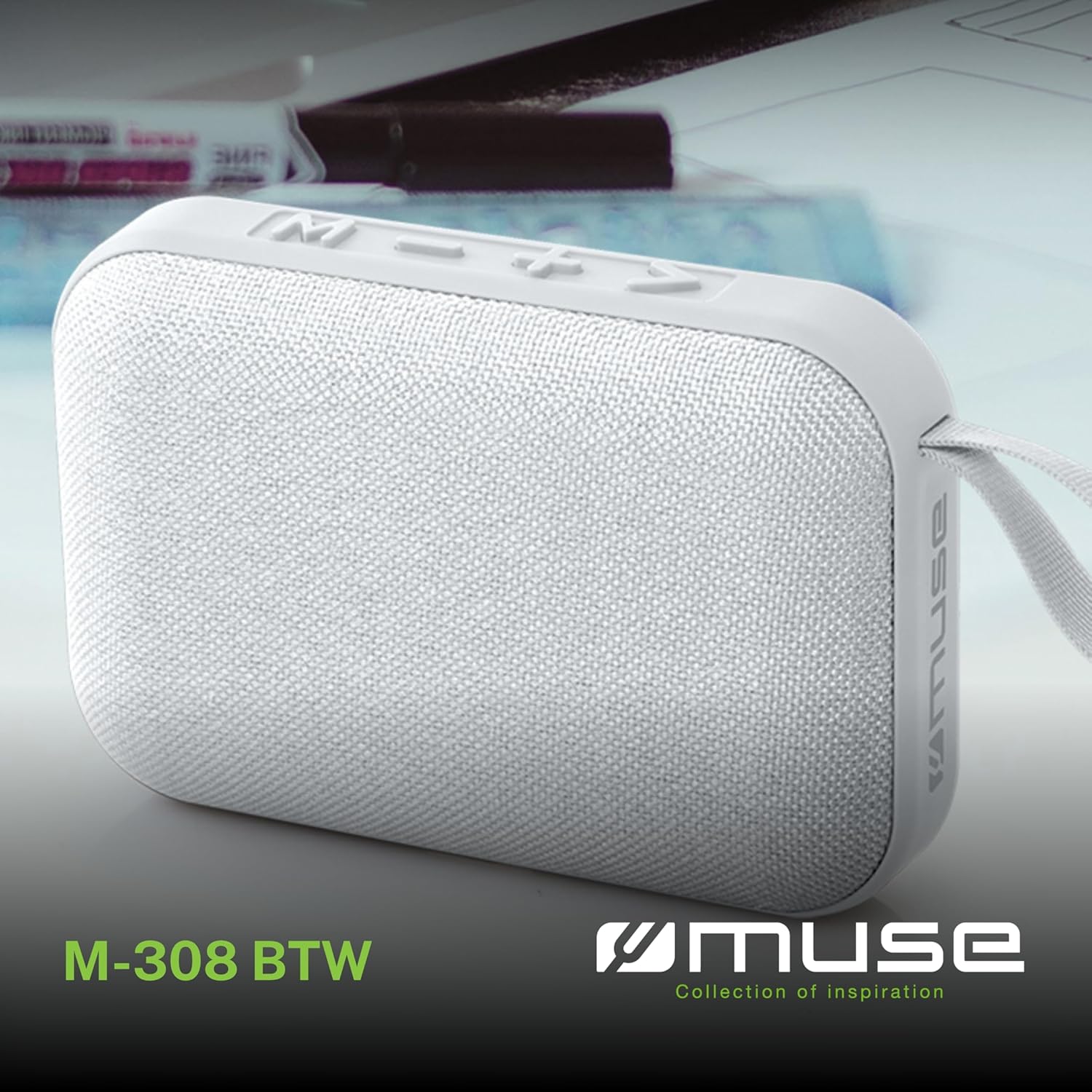
Slika 1.1: Prednja strana view of the Muse M-308 BT Bluetooth Speaker.
2. Značajke proizvoda
- Bluetooth povezivanje: Bežično strimujte zvuk sa kompatibilnih uređaja.
- Hands-free funkcija: Integrated microphone for taking calls.
- Reprodukcija medija: Supports music playback from USB and MicroSD (TF) cards.
- Stereo uparivanje: Connect two M-308 BT speakers for enhanced stereo sound.
- LED indikator: Provides visual feedback for Bluetooth pairing and charging status.
- Kompaktan i lagan: Designed for portability, weighing approximately 200g.
- Ugrađena punjiva baterija: 1200mAh capacity for up to 10 hours of playback.
- Izlazna snaga: 5 Watts for clear audio.

Image 2.1: Key features of the Muse M-308 BT speaker.

Image 2.2: Additional functionalities of the Muse M-308 BT speaker.
3. Sadržaj paketa
Prilikom raspakivanja provjerite da li su svi predmeti prisutni:
- Muse M-308 BT Bluetooth Speaker
- USB kabl za punjenje
- Korisnički priručnik (ovaj dokument)
4. Kontrole i veze
Upoznajte se s kontrolama i priključcima zvučnika:

Image 4.1: Top panel with various connections.
- USB port: Za reprodukciju muzike sa USB fleš diska.
- Micro-USB port: Za punjenje zvučnika.
- Utor za Micro SD (TF) karticu: For playing music from a Micro SD card.
- ON/OFF prekidač: Za uključivanje ili isključivanje zvučnika.

Image 4.2: Side panel with control buttons.
- Dugme M (Režim): Press to switch between Bluetooth, USB, and Micro SD modes.
- - Button (Volume Down / Previous Track):
- Kratki pritisak: Smanjivanje jačine zvuka.
- Long press: Go to the previous track.
- + Button (Volume Up / Next Track):
- Kratki pritisak: Povećavanje jačine zvuka.
- Long press: Go to the next track.
- > Button (Play / Pause / Call):
- Short press: Play or pause music.
- Short press (during incoming call): Answer call.
- Long press (during incoming call): Reject call.
- Short press (during call): End call.
5. Podešavanje
5.1 Punjenje zvučnika
- Connect the supplied USB charging cable to the Micro-USB port on the speaker.
- Drugi kraj USB kabla priključite na USB adapter za napajanje (nije uključen) ili na USB port računara.
- The LED indicator will illuminate to show charging status. It will turn off or change color when fully charged.
5.2 Uključivanje/isključivanje
- To power on, slide the ON/OFF switch to the 'ON' position. You will hear an audible prompt.
- Da biste isključili napajanje, pomaknite prekidač za uključivanje/isključivanje u položaj 'ISKLJUČENO'.
5.3 Bluetooth uparivanje
- Ensure the speaker is powered on and in Bluetooth mode (indicated by a flashing LED). If not, press the 'M' button to switch to Bluetooth mode.
- Omogućite Bluetooth na svom pametnom telefonu, tabletu ili drugom kompatibilnom uređaju.
- Traži available Bluetooth devices and select "M-308 BT" from the list.
- Nakon uparivanja, LED indikator će prestati treptati i ostati stalno svijetliti, a čut ćete i zvučni signal potvrde.
- The speaker will automatically connect to the last paired device when powered on, if it is within range.
5.4 Stereo uparivanje (TWS funkcija)
To pair two M-308 BT speakers for true wireless stereo sound:
- Ensure both speakers are powered on and in Bluetooth pairing mode (LED flashing).
- On one of the speakers (this will be the primary speaker), double-press the 'M' button. The speaker will search for another M-308 BT speaker.
- Once connected, both speakers will emit a confirmation tone, and the LED on the primary speaker will flash slowly, while the LED on the secondary speaker will remain solid.
- Sada povežite svoj uređaj sa primarnim zvučnikom putem Bluetootha kao što je opisano u odjeljku 5.3.
6. Uputstvo za upotrebu
6.1 Reprodukcija muzike
- Bluetooth način rada: After successful pairing, start playing music on your connected device. The audio will stream through the speaker.
- USB/Micro SD način rada: Insert a USB flash drive or Micro SD card into the respective port. The speaker will automatically switch to the corresponding mode and begin playing music. If it doesn't, press the 'M' button to cycle through modes.
6.2 Kontrola jačine zvuka
- Pritisnite dugme '+' da biste povećali jačinu zvuka.
- Pritisnite dugme '-' da biste smanjili jačinu zvuka.
6.3 Navigacija stazom
- Long press the '+' button to skip to the next track.
- Long press the '-' button to go back to the previous track.
6.4 Pozivanje bez upotrebe ruku
- When a call comes in, the music will pause. Press the '>' button to answer the call.
- To end a call, press the '>' button again.
- To reject an incoming call, long press the '>' button.
7. Održavanje
- Držite zvučnik dalje od ekstremnih temperatura, direktne sunčeve svjetlosti i vlage.
- Do not expose the speaker to water or other liquids. This model is not water-resistant.
- Očistite zvučnik mekom, suhom krpom. Ne koristite abrazivna sredstva za čišćenje ili rastvarače.
- Ne pokušavajte sami rastavljati ili popravljati zvučnik. To će poništiti garanciju.
- Kada se baterija ne koristi duži period, punite je barem jednom svaka tri mjeseca kako biste je održali u ispravnom stanju.
8. Otkrivanje problema
| Problem | Mogući uzrok | Rješenje |
|---|---|---|
| Zvučnik se ne uključuje. | Baterija je prazna. | Napunite zvučnik pomoću priloženog USB kabla. |
| Nije moguće uparivanje putem Bluetootha. | Bluetooth is not enabled on your device or speaker is not in pairing mode. Speaker is too far from the device. | Ensure Bluetooth is active on both devices. Make sure the speaker is in Bluetooth pairing mode (flashing LED). Move the speaker closer to your device (within 10 meters). |
| Nema zvuka. | Volume is too low. Speaker is not connected. Incorrect mode selected. | Increase the volume on both the speaker and your connected device. Re-pair the Bluetooth connection. Press the 'M' button to cycle through modes (Bluetooth, USB, Micro SD). |
| Music playback from Micro SD card is erratic or "screaming". | Oštećen files on Micro SD card. Incompatible file formatu. | Osigurajte zvuk files are in a compatible format (e.g., MP3). Try using a different Micro SD card or reformatting the current one and reloading files. |
| Speaker switches between modes (e.g., SD and BT) unexpectedly. | Interference or a temporary software glitch. | Power off the speaker, wait a few seconds, then power it back on. Ensure no other devices are causing interference. If the issue persists, try removing the Micro SD card if it's inserted. |
9. Specifikacije
| Naziv modela | M-308 BT |
| Brand | Muse |
| Tehnologija povezivanja | Bluetooth, žični |
| Bežična komunikacijska tehnologija | Bluetooth |
| Maksimalna izlazna snaga zvučnika | 5 Watts |
| Način audio izlaza | Stereo |
| Vrsta zvučnika | Prijenosni Bluetooth zvučnik |
| Posebne karakteristike | Bluetooth |
| Kompatibilni uređaji | Pametni telefon, tablet |
| Izvor napajanja | Baterija |
| Trajanje baterije | 10 sata |
| Kapacitet baterije | 1200 Milliampprije sat vremena |
| Dimenzije proizvoda (D x Š x V) | 118D x 30B x 76H milimetara (11.8 x 3 x 7.6 cm) |
| Težina artikla | 200 grama |
| Materijal | Plastic rubber material |
| Is Water Resistant | br |
| Uključene komponente | USB kabl za punjenje |
Image 9.1: Dimensions of the Muse M-308 BT speaker.
10. Garancija i podrška
The Muse M-308 BT Bluetooth Speaker comes with a 2 godine garancije od datuma kupovine.
For technical support, warranty claims, or further assistance, please contact your retailer or visit the official MUSE webstranica za kontakt informacije.