
Uvod
Thank you for choosing the Edifier Hecate GT4 Gaming Earbuds. These true wireless earbuds are designed to provide a low-latency audio experience for gaming across multiple platforms, including PS5, PS4, Nintendo Switch, mobile phones, and PCs. Featuring Bluetooth 5.2 connectivity, an IP55 rating for dust and splash resistance, and customizable RGB lighting, the GT4 earbuds offer both performance and convenience. Please read this manual thoroughly to ensure proper use and optimal performance of your new earbuds.
Sadržaj paketa
Provjerite da li se u vašem paketu nalaze sve dolje navedene stavke:
- Edifier Hecate GT4 Gaming Earbuds (Left and Right)
- Futrola za punjenje
- USB-C kabl za punjenje
- Više veličina nastavka za uši (mali, srednji, veliki)
- Uputstvo za upotrebu

Image: The Edifier Hecate GT4 earbuds, charging case, USB-C cable, and extra eartips are shown, representing the package contents.
Setup
1. Punjenje slušalica i kutijice
Before first use, fully charge the earbuds and charging case. Place the earbuds into the charging case. Connect the USB-C charging cable to the charging port on the case and the other end to a USB power adapter (not included) or a computer's USB port. The indicator lights on the case will show charging status.
- Vrijeme punjenja: Približno 1.5 sata za potpuno punjenje.
- Trajanje baterije: Up to 7 hours of playback on a single charge, with an additional 21 hours provided by the charging case.
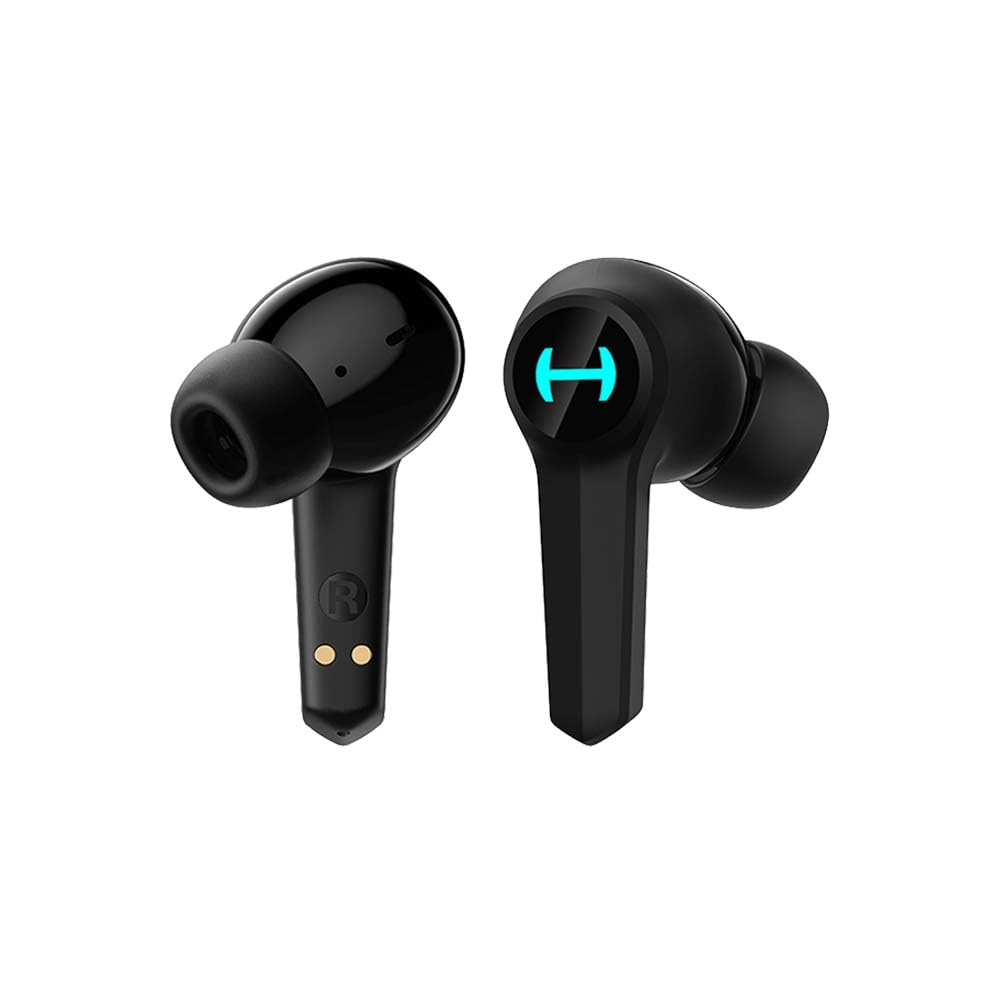
Image: The Edifier Hecate GT4 earbuds are shown inside their open charging case, with the case's RGB lights illuminated.
2. Bluetooth uparivanje
- Uvjerite se da su slušalice napunjene.
- Otvorite kućište za punjenje. Slušalice će automatski ući u način rada za uparivanje, što će biti naznačeno treperenjem svjetla.
- On your device (phone, PC, console), enable Bluetooth and search for new devices.
- Select "EDIFIER HECATE GT4" from the list of available devices to connect.
- Once connected, the earbud lights will stop flashing or show a steady light.
The earbuds support Bluetooth 5.2 for a stable and efficient connection.
Uputstvo za upotrebu
1. Uključivanje/isključivanje
- Uključeno: Otvorite kutijicu za punjenje ili izvadite slušalice iz kutijice. One će se automatski uključiti.
- Iskljuciti: Vratite slušalice u kutijicu za punjenje i zatvorite poklopac. Automatski će se isključiti.
2. Dodirnite Kontrole
The Edifier Hecate GT4 earbuds feature touch-sensitive controls on each earbud. Refer to the diagram below for touch panel location.

Image: A finger is shown touching the outer surface of an earbud, indicating the smart touch control area.
| Akcija | Lijeva slušalica (L) | Desna slušalica (R) |
|---|---|---|
| Pusti/Pauza | Dvaput dodirnite | Dvaput dodirnite |
| Next Track | Trostruko dodirivanje | Trostruko dodirivanje |
| Odgovori/Završi poziv | Dvaput dodirnite | Dvaput dodirnite |
| Odbiti poziv | Dugi pritisak (2s) | Dugi pritisak (2s) |
| Aktivirajte Game Mode | Dugi pritisak (2s) | Dugi pritisak (2s) |
| Deactivate Game Mode | Dugi pritisak (2s) | Dugi pritisak (2s) |
Napomena: Kontrola jačine zvuka će možda trebati biti podešena direktno na povezanom uređaju.
3. Game Mode (45ms Low-Latency)
The Edifier Hecate GT4 features a dedicated Game Mode to reduce audio latency to as low as 45ms, providing a synchronized audio-visual experience crucial for gaming. To activate or deactivate Game Mode, long press either earbud for 2 seconds. You will hear an audio prompt indicating the mode change.

Image: An illustration depicting the low latency feature of the earbuds, highlighting the 45ms response time.
Video: Zvanična video prezentacija proizvodaasing the features of the EDIFIER HECATE GT4 Gaming Earbuds, including low latency and ergonomic design.
4. RGB osvjetljenje
The charging case and earbuds feature RGB lighting. The lighting indicates various statuses such as charging, pairing, and game mode activation. The specific patterns and colors are pre-set and provide visual feedback on the earbuds' operational status.

Image: The Edifier Hecate GT4 charging case is shown with its red RGB lighting illuminated, indicating its gaming aesthetic.
Održavanje
- čišćenje: Use a soft, dry cloth to clean the earbuds and charging case. Do not use liquid cleaners or abrasive materials.
- Otpornost na vodu: The earbuds have an IP55 rating, meaning they are protected against dust and low-pressure water jets. Avoid submerging them in water or exposing them to heavy rain. Dry them thoroughly if they get wet.
- Skladištenje: Kada se ne koriste, slušalice čuvajte u njihovoj kutijici za punjenje kako biste ih zaštitili i održali napunjenima. Čuvajte ih na hladnom i suhom mjestu, dalje od ekstremnih temperatura.

Image: An Edifier Hecate GT4 earbud is shown with water splashing around it, illustrating its water-resistant feature.
Rješavanje problema
| Problem | Mogući uzrok | Rješenje |
|---|---|---|
| Slušalice se ne uključuju. | Niska baterija. | Potpuno napunite slušalice i kućište za punjenje. |
| Nije moguće uparivanje s uređajem. | Bluetooth not enabled, earbuds not in pairing mode, or device too far. | Ensure Bluetooth is enabled on your device. Place earbuds in case, close, then open to re-enter pairing mode. Keep devices within 10 meters. |
| Nema zvuka ili isprekidan zvuk. | Earbuds not properly connected, low battery, or interference. | Check Bluetooth connection. Recharge earbuds. Move away from sources of interference (e.g., Wi-Fi routers). |
| Jedna slušalica nema zvuka. | Individual earbud connection issue. | Place both earbuds back into the charging case, close the lid, then open it again to reset the connection. Re-pair if necessary. |
| Low latency mode not working. | Game Mode not activated. | Long press either earbud for 2 seconds to activate Game Mode. Listen for the audio prompt. |
| Cannot connect to PS4/PS5/Switch. | Console limitations or specific pairing requirements. | Some consoles may require a separate Bluetooth adapter for full compatibility or specific pairing steps. Refer to your console's manual for Bluetooth audio device connection instructions. |
Specifikacije
| Feature | Detalj |
|---|---|
| Broj modela | GT4-BK |
| Brand | Edifier |
| Tehnologija povezivanja | bežični (Bluetooth) |
| Bluetooth verzija | 5.2 |
| Postavljanje uha | U uhu |
| Vrsta audio drajvera | Dynamic Driver (10mm Composite Diaphragm Unit) |
| Frekvencijski opseg | 20Hz-20kHz |
| Low Latency | 45 ms (režim igre) |
| Trajanje baterije (slušalice) | Do 7 sati |
| Ukupno trajanje baterije (s kućištem) | Do 28 sati (7 + 21 sati) |
| Vrijeme punjenja baterije | Pribl. 1.5 sati |
| Kontrolni metod | Dodirnite |
| Nivo vodootpornosti | IP55 (Otporan na prašinu i prskanje) |
| Kompatibilni uređaji | PS5, PS4, Nintendo Switch, Phone (Android, iOS), PC |
| Materijal | Plastika |
| Težina artikla | 0.12 kilograma |
Garancija i podrška
Edifier products are designed and manufactured to the highest quality standards. For information regarding warranty coverage, please refer to the warranty card included in your product packaging or visit the official Edifier website. If you encounter any issues or have questions about your Edifier Hecate GT4 Gaming Earbuds, please contact Edifier customer support through their official channels for assistance.
Official Edifier Webstranica: www.edifier.com