
Perixx PERIBOARD-332
Perixx PERIBOARD-332 Wired Backlit USB Keyboard User Manual
Uvod
This manual provides detailed instructions for the setup, operation, maintenance, and troubleshooting of your Perixx PERIBOARD-332 Wired Backlit USB Keyboard. Please read this manual thoroughly before using the product to ensure optimal performance and longevity.

Image: The Perixx PERIBOARD-332 Wired Backlit USB Keyboard, showcasing njegov kompaktni dizajn.
Sadržaj paketa
Provjerite da li su sve stavke prisutne u paketu:
- Perixx PERIBOARD-332 Wired Backlit USB Keyboard
- Integrirani USB kabel
- Korisnički priručnik (ovaj dokument)

Image: The Perixx PERIBOARD-332 keyboard, its integrated USB cable, the user manual, and the product packaging.
Uputstva za postavljanje
Povežite tastaturu: Locate an available USB port on your computer (PC, laptop, tablet, or smartphone with appropriate adapter). Insert the USB cable from the PERIBOARD-332 into the USB port.
Instalacija drajvera: The keyboard is plug-and-play and typically does not require additional drivers for basic functionality on Windows, macOS, Linux, or Chrome OS. Your operating system should automatically detect and configure the device.
plasman: Place the keyboard on a stable, flat surface. The compact design is ideal for small workspaces.

Image: A user typing on the Perixx PERIBOARD-332 keyboard, demonstrating its compact size and wired connection on a desk.
Uputstvo za upotrebu
Opća upotreba
The Perixx PERIBOARD-332 features a standard US English QWERTY layout with 84 keys. Its low-profile scissor keys provide a quiet and comfortable typing experience, similar to laptop keyboards. The compact design helps optimize desk space.

Image: A user typing on the Perixx PERIBOARD-332 keyboard, highlighting its compact size and ergonomic placement in a workspace.

Slika: Krupni plan view of the sculpted, low-profile scissor keys of the Perixx PERIBOARD-332, highlighting their design.
Function Keys (Fn Hotkeys)
The keyboard includes integrated Fn hotkeys for quick access to multimedia and system functions. These functions are primarily designed for Windows operating systems. For other operating systems (macOS, Linux, Chrome OS), their functionality may vary or require specific system settings/configurations.
- Fn+F1: Fn Lock
- Fn+F2: Backlight Brightness Adjustment (Cycle through levels)
- Fn+F3: Mute
- Fn+F4: Utišavanje zvuka
- Fn+F5: Volume Up
- Fn+F6: Previous Track
- Fn+F7: Pusti/Pauza
- Fn+F8: Next Track
- Fn+F9: Pauza
- Fn+F10: Scroll Lock
- Fn+F11: Insert
- Fn+F12: Print Screen

Image: Diagram illustrating the integrated Fn hotkeys on the Perixx PERIBOARD-332, showing the function of each F-key when pressed with the Fn key.
Kontrola pozadinskog osvetljenja
The PERIBOARD-332 features white LED backlighting with adjustable brightness. To adjust the backlight brightness, press the Fn + F2 keys simultaneously. Repeatedly pressing this combination will cycle through different brightness levels (including off).
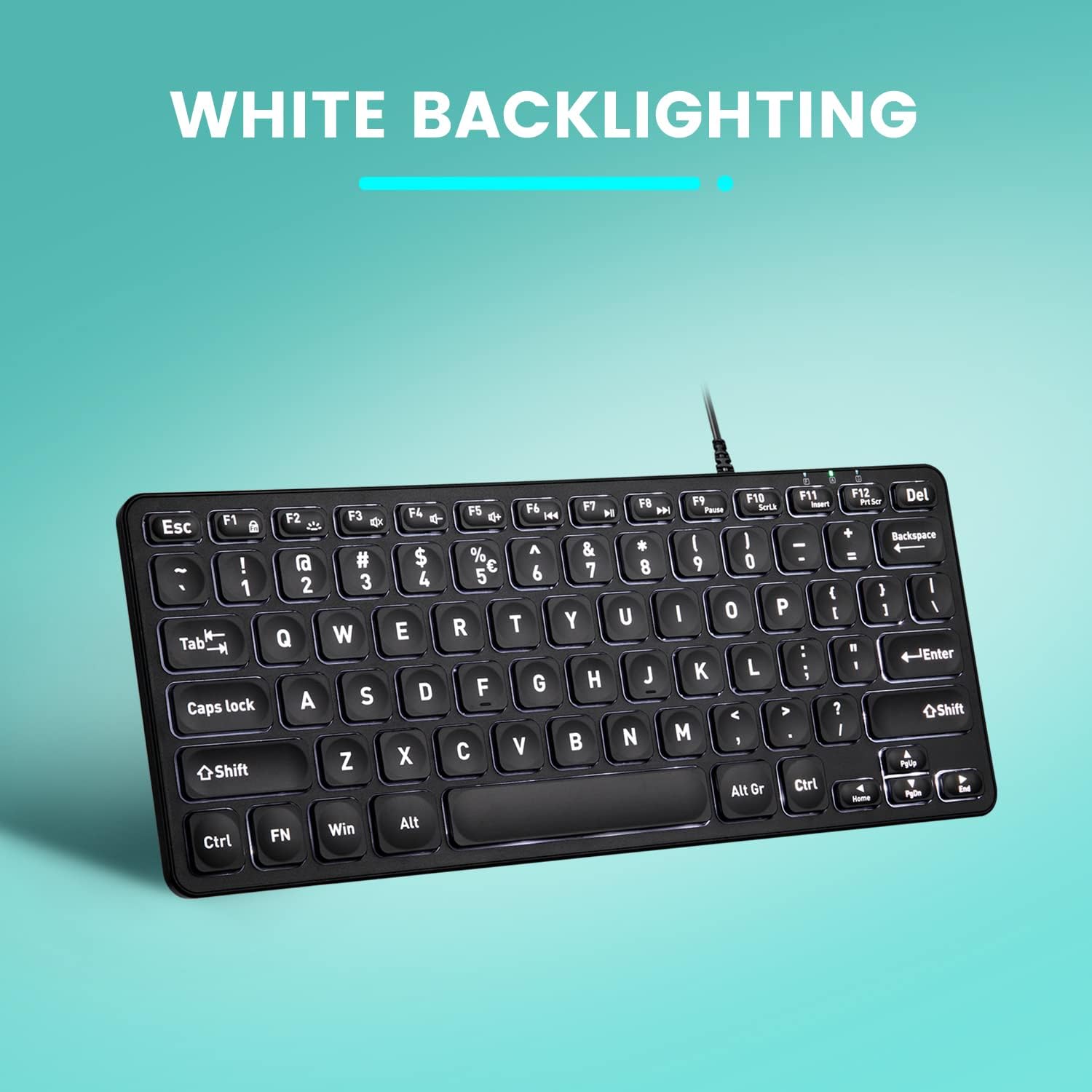
Slika: Od vrha prema dolje view of the Perixx PERIBOARD-332 keyboard with its white LED backlighting illuminated, showcasing the clear, large font on the keys.
Održavanje
To ensure the longevity and proper functioning of your keyboard, follow these maintenance guidelines:
- čišćenje: Koristite meku krpu koja ne ostavlja dlačiceampOčistite površinu tastature vodom ili blagim sredstvom za čišćenje. Izbjegavajte prekomjernu vlagu. Ne prskajte sredstva za čišćenje direktno na tastaturu.
- Uklanjanje prašine: Koristite komprimirani zrak za uklanjanje prašine i ostataka između tipki.
- Izbjegavajte prosipanje: Keep liquids away from the keyboard to prevent damage. The keyboard is not water-resistant.
- Skladištenje: Kada se ne koristi, tastaturu čuvajte na čistom i suhom mjestu, dalje od ekstremnih temperatura.
Rješavanje problema
If you encounter issues with your Perixx PERIBOARD-332, refer to the following common solutions:
Tastatura ne reaguje
- Provjerite USB vezu: Provjerite je li USB kabel sigurno priključen i na tastaturu i na USB priključak računara. Pokušajte s drugim USB priključkom.
- Ponovo pokrenite računar: Sometimes, a simple computer restart can resolve connectivity issues.
- Testirajte na drugom uređaju: Connect the keyboard to another computer or device to determine if the issue is with the keyboard or the original computer.
Backlight Not Working or Adjusting
- Check Brightness Setting: Pritisnite Fn + F2 repeatedly to cycle through all brightness levels, including off. Ensure it's not set to the lowest or off setting.
- Izvor napajanja: Ensure the keyboard is properly connected to a powered USB port.
Keys Not Functioning Correctly
- Čisti ključevi: Check for any debris or obstructions under the affected keys. Use compressed air to clear them.
- Softverski sukobi: If specific keys are not working, check for any software or driver conflicts on your computer.
Multimedia Keys Not Working on macOS/Linux/Chrome OS
- Kompatibilnost operativnog sistema: The multimedia shortcut keys are primarily designed for Windows. On other operating systems, their functionality may vary or require specific system settings/configurations.
Specifikacije
| Feature | Detalj |
|---|---|
| Brand | Perixx |
| Broj modela | PERIBOARD-332 |
| Tehnologija povezivanja | USB (žični) |
| Opis tastature | US English QWERTY |
| Posebna karakteristika | Pozadinsko osvjetljenje (bijela LED) |
| Tip prekidača | Scissor Switches |
| Broj ključeva | 84 |
| Dimenzije proizvoda (D x Š x V) | 11.22" x 4.57" x 0.83" (28.5 cm x 11.6 cm x 2.1 cm) |
| Težina artikla | 0.79 lbs (12.3 Ounces / 350 grams approx.) |
| Kompatibilni uređaji | PC, Laptop, Tablet, Smartphone (with compatible USB port/adapter) |
| Kompatibilnost operativnog sistema | Windows 7, 8, 10, 11; macOS; Linux; Chrome OS |
| Materijal | Plastika |
Garancija i podrška
Informacije o garanciji
Your Perixx PERIBOARD-332 keyboard comes with a 12-mjesečna ograničena garancija from the date of purchase. This warranty covers manufacturing defects and workmanship under normal use. It does not cover damage caused by misuse, accidents, unauthorized modifications, or external factors.
Molimo sačuvajte svoj dokaz o kupovini za zahtjeve u vezi s garancijom.
Korisnička podrška
For technical assistance, warranty claims, or any questions regarding your Perixx product, please visit the official Perixx website or contact their customer support team. Contact information can typically be found on the Perixx websajtu ili u pakovanju proizvoda.
Također možete posjetiti Perixx trgovina na Amazonu za više informacija i resurse podrške.
Ask a question about this manual
Ask about setup, troubleshooting, compatibility, parts, safety, or missing instructions. Manuals+ will review the question and use this page’s manual context to help answer it.