
Uvod
This manual provides detailed instructions for the safe and effective use of your pxton PX-8S-01 two-way radio. Please read this manual thoroughly before operating the device to ensure optimal performance and longevity.
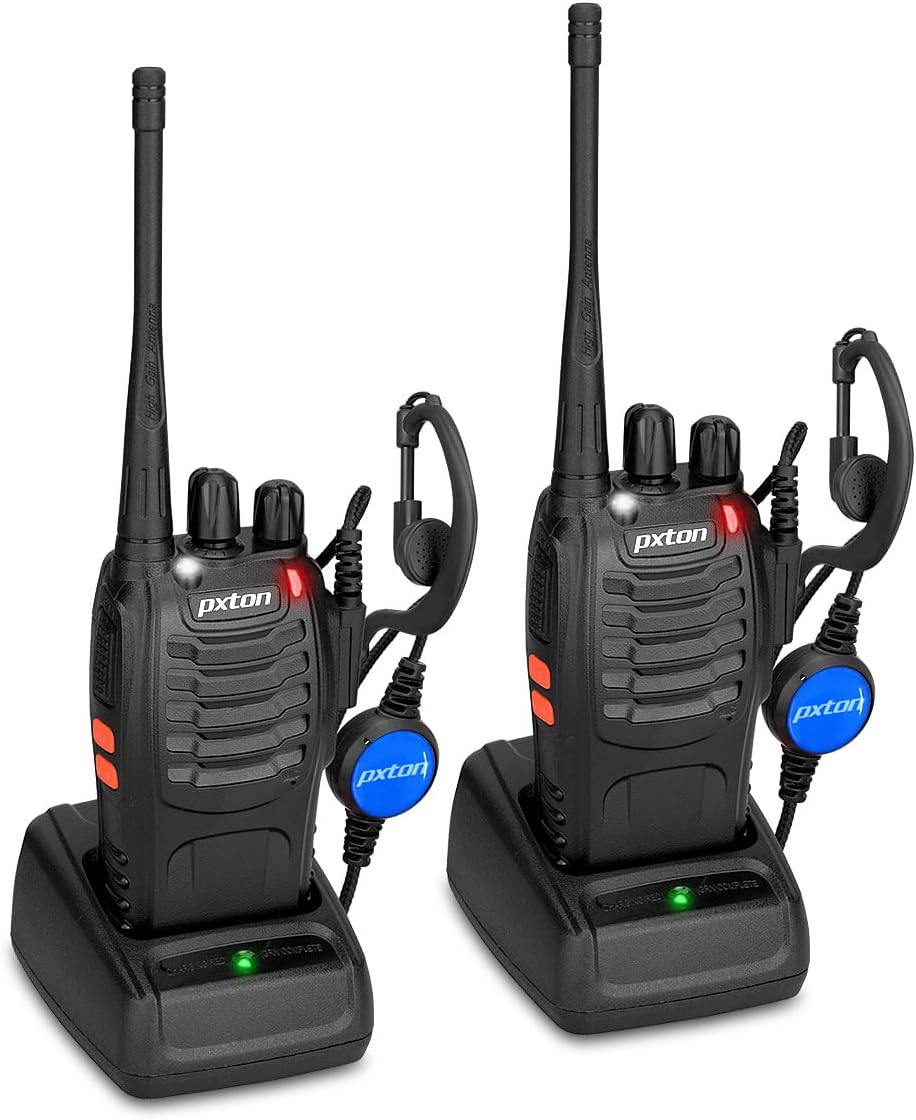
Image: Two pxton PX-8S-01 two-way radios with charging bases and earpieces.
Sadržaj paketa
Provjerite da li se sve stavke nalaze u vašem paketu:
- pxton PX-8S-01 Two-Way Radio (2 units)
- Lithium-Ion Battery (2 units)
- USB Charger (2 units)
- Upgraded Earpiece (2 units)
- kopča za pojas (2 jedinice)
- Wrist Strap (2 units)
- Antenna (2 units)
- Uputstvo za upotrebu (1 jedinica)

Image: Contents of the pxton PX-8S-01 package.
Product Overview
Familiarize yourself with the components of your pxton PX-8S-01 two-way radio:

Image: Labeled diagram of the pxton PX-8S-01 two-way radio components.
- Integrisana osjetljiva antena: Za slanje i primanje signala.
- Prekidač kanala: Okretnim dugmetom birate jedan od 16 dostupnih kanala.
- Prekidač za napajanje/kontrola glasnoće: Rotirajući gumb za uključivanje/isključivanje radija i podešavanje jačine zvuka.
- svjetiljka: Ugrađeno LED svjetlo za osvjetljenje.
- LED indikator: Prikazuje status radio uređaja (npr. odašiljanje, prijem, punjenje).
- PTT dugme (Pritisni za razgovor): Pritisnite i držite za slanje, otpustite za primanje.
- MONI Button (Monitor): Pritisnite da biste privremeno isključili prigušivanje šuma i osluškivali slabe signale.
- Dugme za lampu: Aktivira ugrađenu svjetiljku.
- SP/MIC priključci: Ports for connecting external audio accessories like earpieces or speaker microphones.
- Jasan zvučnik: Izlazi primljenog zvuka.
- Ugrađeni mikrofon: Snima vaš glas za prenos.
Setup
1. Instalacija baterije
- Provjerite je li radio isključen.
- Poravnajte baterijski paket sa žljebovima na stražnjoj strani radija.
- Pomaknite baterijski paket prema gore dok ne klikne na svoje mjesto.
- Da biste uklonili bateriju, pritisnite osigurač (ako postoji) i pomaknite je prema dolje.
2. Punjenje baterije
- Connect the USB charger to a power source.
- Place the radio with the battery installed into the charging cradle.
- LED indikator na punjaču će prikazivati status punjenja (npr. crvena za punjenje, zelena za potpuno napunjeno).
- A full charge from 0 capacity typically takes 3-4 hours.
3. Pričvršćivanje dodatne opreme
- antena: Zavrnite antenu u smjeru kazaljke na satu na konektor na vrhu radija dok je ne zategnete prstima. Nemojte previše zategnuti.
- kopča za pojas: Pričvrstite kopču za kaiš na predviđeni utor na stražnjoj strani radija pomoću priloženih vijaka.
- Slušalice: Umetnite utikač slušalice u SP/MIC priključke sa strane radija. Provjerite je li potpuno umetnut radi pravilnog povezivanja.
Uputstvo za upotrebu
1. Uključivanje/isključivanje i podešavanje jačine zvuka
- To power on the radio, rotate the Power Switch/Volume Control knob clockwise. You will hear a "click" and a voice prompt indicating the current channel.
- Nastavite okretati dugme u smjeru kazaljke na satu da biste povećali jačinu zvuka, a suprotno od smjera kazaljke na satu da biste je smanjili.
- To power off, rotate the knob counter-clockwise until you hear a "click."
2. Odabir kanala
- Okrenite dugme za prebacivanje kanala da biste odabrali jedan od 16 dostupnih kanala.
- The radio will announce the selected channel number.
- Osigurajte da su sve radio stanice u vašoj grupi postavljene na isti kanal za komunikaciju.
3. Slanje i primanje
- Za slanje, pritisnite i držite PTT (pritisni za razgovor) button. Speak clearly into the microphone. The LED indicator will illuminate red.
- Otpustite PTT dugme da biste zaustavili odašiljanje i vratili se u režim prijema. LED indikator će postati zelen kada primi signal.
4. VOX (Voice Operated Exchange) Function
The VOX function allows hands-free operation. When activated, the radio will automatically transmit when it detects your voice, without needing to press the PTT button.
- VOX settings are typically programmed via software. Refer to advanced programming instructions if available.
- When using VOX, ensure the microphone is positioned correctly to pick up your voice effectively.
Image: VOX/Handfree function icon.
5. Funkcija svjetiljke
- Pritisnite namjensko Dugme za lampu to turn the built-in LED flashlight on or off.
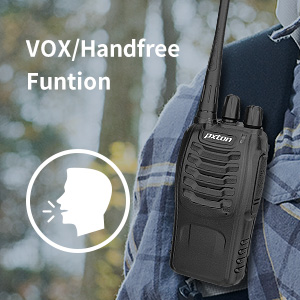
Image: Flashlight function icon.
6. Funkcija skeniranja
The scan function allows the radio to automatically scan through channels to find active transmissions.
- To activate the scan function, typically this is done via a programmed side key or by selecting a specific channel. Refer to your radio's programming guide for details.
- When scanning, the radio will stop on an active channel until the transmission ends, then resume scanning.
7. Alarm za hitne slučajeve
The radio features an emergency alarm function for critical situations.
- To activate the emergency alarm, press the designated Emergency Alarm button (if programmed) or a specific key combination. This will typically emit a loud siren sound and/or transmit an alert signal.

Image: Emergency Alarm function icon.
8. Podešavanje šuma
Squelch suppresses background noise when no signal is being received. The PX-8S-01 has an adjustable squelch feature.
- Squelch levels are typically set via programming software. A higher squelch level requires a stronger signal to open the receiver, reducing static but potentially missing weak signals.
- The MONI button can be used to temporarily override the squelch and listen to all signals, including weak ones or background noise.
Image: Squelch adjustment icon.
9. Kodovi privatnosti (CTCSS/DCS)
The radio supports 165 privacy codes (50 CTCSS / 210 DCS) per programmable channel to help filter out unwanted conversations.
- When a CTCSS/DCS code is set, you will only hear transmissions from other radios using the same channel and the same CTCSS/DCS code.
- Similarly, other radios will only hear your transmissions if they are on the same channel and using the same code.
- These codes are typically programmed using specialized software.
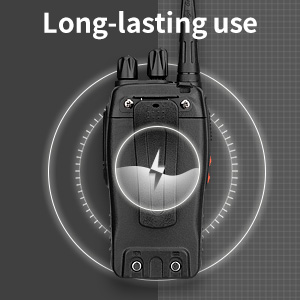
Image: CTCSS/DCS privacy codes icon.
Održavanje
- čišćenje: Koristite meku, damp krpu za čišćenje vanjštine radija. Ne koristite jake hemikalije ili rastvarače.
- Održavanje baterije:
- Izbjegavajte prekomjerno punjenje ili potpuno pražnjenje baterije.
- Čuvajte baterije na hladnom i suvom mestu kada nisu u upotrebi.
- Ako radio nećete koristiti duži period, izvadite bateriju.
- Skladištenje: Radio čuvajte na suhom mjestu bez prašine, dalje od ekstremnih temperatura.
- antena: Ne savijajte niti modificirajte antenu, jer to može utjecati na performanse.
Rješavanje problema
| Problem | Mogući uzrok | Rješenje |
|---|---|---|
| Radio se ne uključuje. | Baterija je prazna ili nije pravilno instalirana. | Napunite bateriju. Provjerite da li je baterija sigurno instalirana. |
| Ne može se slati ili primati. | Incorrect channel selected. Battery low. Radio out of range. | Verify both radios are on the same channel. Charge battery. Move closer to the other radio. |
| Loš kvalitet zvuka ili statički šum. | Weak signal. Squelch level too low/high. Interference. | Move to an area with fewer obstructions. Adjust squelch level (if programmable). Check for sources of interference. |
| Kratak komunikacijski domet. | Obstructions (buildings, terrain). Low battery. | Move to an open area. Ensure battery is fully charged. |
| Earpiece not working. | Earpiece not fully inserted. Faulty earpiece. | Ensure earpiece plug is fully inserted into the SP/MIC jack. Try a different earpiece if available. |
Specifikacije
- Model: PX-8S-01
- FCC ID: 2AX68PX-888S
- Broj kanala: 16
- Frekvencijski raspon: UHF
- Maksimalni domet govora: Up to 5 miles (unobstructed)
- Kodovi privatnosti: 165 (50 CTCSS / 210 DCS)
- Vrsta baterije: Litijum jonski (uključeno)
- Battery Voltage: 3.7 volti (DC)
- Trajanje baterije: 8-96 hours standby, 8-12 hours continuous use (actual time varies with usage)
- Vrijeme punjenja: 3-4 hours (from 0 capacity)
- Nivo vodootpornosti: Otporan na vodu
- Dimenzije proizvoda: 1.1"D x 1.89"Š x 8.34"H
- Težina artikla: 1.34 funte (za par)
- Posebne karakteristike: Rechargeable, VOX, TOT, Emergency Alarm, Battery Low Alert, Flashlight, Scan Function

Image: Size comparison of the pxton PX-8S-01 radio.
Sigurnosne informacije
Your pxton PX-8S-01 walkie-talkie has been granted FCC transmission and reception certification and authorization (FCC ID: 2AX68PX-888S). This device is intended for use only within the frequency points authorized by the FCC certification range.
Molimo pridržavajte se sljedećih sigurnosnih smjernica:
- Ne koristite radio u eksplozivnim atmosferama (npr. zapaljivi plinovi, čestice prašine, metalni prah).
- Do not modify the radio or its accessories. Unauthorized modifications can void your warranty and violate FCC regulations.
- Keep the radio and its accessories out of reach of children.
- Use only pxton-approved batteries and chargers. Using unapproved accessories can cause damage or injury.
- Avoid exposing the radio to extreme temperatures, direct sunlight, or moisture for prolonged periods.
- If the radio emits smoke or an unusual odor, immediately turn off the power and remove the battery. Contact customer support.
Garancija i podrška
pxton provides lifetime customer service for its walkie-talkies. If you encounter any questions or issues with your PX-8S-01 radio, please contact pxton customer support through the platform where you purchased the product. Our professional team is available to assist you with troubleshooting and support.
For further assistance, please refer to the official pxton webweb-mjesto ili direktno kontaktirajte njihovu korisničku službu.