
ESSGOO ESSGOO 9-Inch Double Din Android Car Stereo (2G+32G)
Uputstvo za upotrebu ESSGOO 9-inčnog dvostrukog DIN Android auto stereo sistema
Model: 2G+32G Android Car Stereo
Marka: ESSGOO
1. Proizvod je gotovview
This manual provides detailed instructions for the installation, operation, and maintenance of your ESSGOO 9-inch Double Din Android Car Stereo. This unit features a high-definition 2.5D touchscreen, Android operating system, Bluetooth, WiFi, GPS navigation, FM radio, support for Android/iOS phone mirror link, steering wheel control (SWC), dual USB ports, and includes a backup camera.

Image: The ESSGOO 9-inch Double Din Android Car Stereo unit, along with the included backup camera, microphone, and wiring harness.
2. Postavljanje i instalacija
2.1 Šta se nalazi u kutiji
Prije početka instalacije provjerite da li su sve komponente prisutne:
- 9-inch Android Car Stereo Unit
- Backup Camera
- Mikrofon
- GPS antena
- Ulazni kabl kamere
- 2 USB kabla
- RCA ulazno/izlazni kablovi
- Power Cable (ISO Power Cable)
- Fixed Brackets
- Rezervni osigurač
- Korisnički priručnik (ovaj dokument)

Image: A visual representation of all components included in the product package, such as the main unit, cables, camera, and accessories.
2.2 Ožičenje i priključci
Proper wiring is crucial for the stereo's functionality. Refer to the wiring diagram below for correct connections. It is recommended to have this unit installed by a professional car audio technician.
- Kabl za napajanje: Connect to your vehicle's power supply (B+ Battery, ACC, GND).
- Izlazi za zvučnike: Connect to your vehicle's speakers (FRONT L+, FRONT L-, FRONT R+, FRONT R-, REAR L+, REAR L-, REAR R+, REAR R-).
- GPS antena: Povežite se za funkcionalnost navigacije.
- Radio antena: Connect for FM/AM radio reception.
- Backup Camera Input: Connect the included backup camera for rear view displej.
- USB kablovi: Za povezivanje USB uređaja i punjenje.
- RCA kablovi: For external audio/video input/output, subwoofer, and amppriključci lifiera.
- KEY1/KEY2: For steering wheel control connections.
- POVRATAK: For reverse gear detection (triggers backup camera display).

Image: A comprehensive diagram illustrating all connection points on the back of the stereo unit and the corresponding wiring harness connections.

Image: The ISO Power Cable, showing the standard wiring colors for power and speaker connections.
2.3 Dimenzije
Ensure the dimensions of the unit are compatible with your vehicle's dashboard opening.
- Veličina ekrana: 9 inča (23 cm)
- Unit Dimensions (approx.): 228 mm (širina) x 130 mm (visina) x 40 mm (dubina)

Image: A diagram showing the physical dimensions of the car stereo unit, including width, height, and depth.
3. Uputstvo za upotrebu
3.1 Kapacitivni ekran osjetljiv na dodir
The unit features a 9-inch HD 2.5D capacitive touchscreen with a resolution of 1024 x 600 pixels, providing clear visuals and responsive touch control.

Image: The 9-inch capacitive touchscreen displaying its HD resolution and indicating the unit's 2GB RAM, 32GB ROM, Android OS, and Quad-core processor.
3.2 GPS navigacija
The stereo supports both online and offline GPS navigation. You can download various GPS applications from the pre-installed app store or via internet connection.
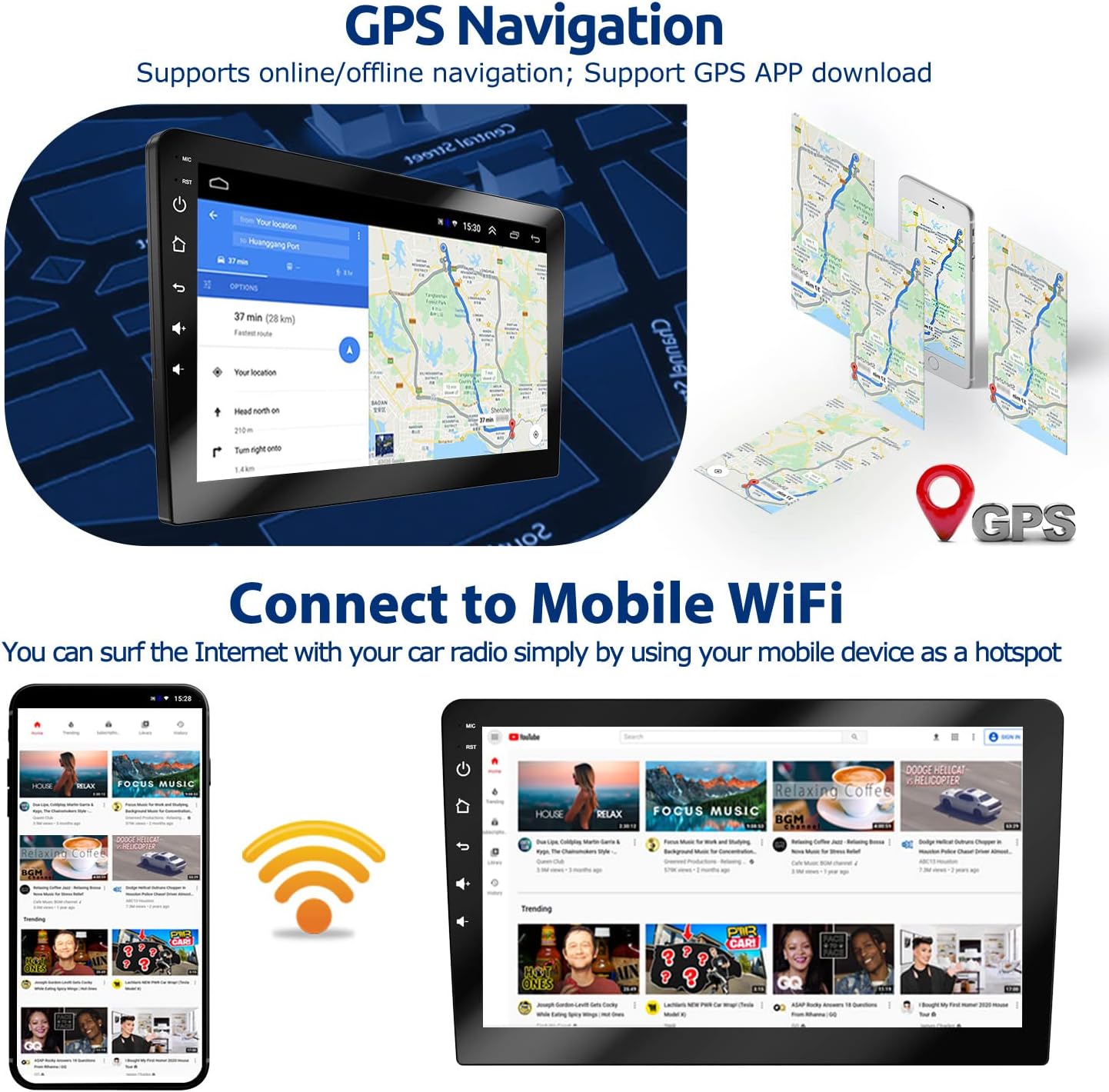
Image: The GPS navigation interface showing a map and route, alongside illustrations of mobile WiFi connectivity for internet access.
3.3 Bluetooth funkcionalnost
Connect your smartphone via Bluetooth for hands-free calling and wireless music playback. Access your phonebook, dial numbers directly from the stereo, and stream audio.

Image: The Bluetooth interface showing options for hands-free calling with a dial pad and music playback controls.
3.4 Komande na volanu (SWC)
The unit supports learning functions for your vehicle's steering wheel controls, allowing you to manage audio, calls, and other functions without taking your hands off the wheel.

Image: The interface for programming steering wheel controls, showing various button functions that can be assigned.
3.5 FM radio
Tune into your favorite FM radio stations. The unit supports automatic station scanning and saving presets.

Image: The FM radio interface displaying frequency tuning and controls, along with a separate image showing the rear view camera display in a parking scenario.
3.6 Pozadi View Image (Backup Camera)
Kada se vozilo prebaci u rikverc, ekran se automatski prebacuje na sliku s kamere za vožnju unazad, pružajući jasan prikaz. view područja iza vašeg vozila radi sigurnijeg parkiranja i manevrisanja.

Image: The car stereo screen displaying the rear view from the backup camera, including parking guidelines.
3.7 Mirror Link
Mirror Link allows you to display your smartphone's screen directly on the car stereo. Android phones support two-way control (from phone to radio or radio to phone), while iOS phones support one-way control (from phone to radio).

Image: Illustrations showing how Android and iOS phones connect via WiFi or USB cable for Mirror Link, displaying the phone's screen on the car stereo.
3.8 Podijeljeni ekran
Utilize the split-screen feature to run two applications simultaneously, such as navigation on one side and music playback on the other.

Image: The car stereo screen demonstrating split-screen mode, with a navigation map on one side and a media player on the other.
3.9 EQ Setting
Adjust audio output with the built-in equalizer (EQ) settings to customize sound profiles according to your preferences.

Image: The graphical equalizer interface on the car stereo, allowing users to adjust audio frequencies.
4. Održavanje
Da biste osigurali dugotrajnost i optimalne performanse vašeg auto stereo uređaja, slijedite ove smjernice za održavanje:
- Čišćenje ekrana: Koristite meku krpu koja ne ostavlja dlačice da nježno obrišete ekran osjetljiv na dodir. Za tvrdokorne mrlje, lagano obrišiteampOperite krpu vodom ili sredstvom za čišćenje ekrana. Izbjegavajte abrazivne materijale ili jake hemikalije.
- Generalno čišćenje: Uređaj držite čistim od prašine i ostataka. Koristite meku četku ili komprimirani zrak za čišćenje ventilacijskih otvora i priključaka.
- Kontrola temperature: Izbjegavajte izlaganje uređaja ekstremnim temperaturama, i visokim i niskim, tokom dužeg perioda.
- Kablovske veze: Povremeno provjeravajte sve kablovske spojeve kako biste se uvjerili da su sigurni i da nema oštećenja.
5. Otkrivanje problema
If you encounter issues with your ESSGOO car stereo, refer to the following common problems and solutions:
| Problem | Mogući uzrok | Rješenje |
|---|---|---|
| Nema snage | Labav priključak za napajanje, pregorjeli osigurač, problem s akumulatorom vozila. | Check power cable connections. Inspect the fuse (a spare is included). Verify vehicle battery health. |
| Nema zvuka | Speaker wires disconnected, volume too low, incorrect audio output settings. | Ensure speaker wires are securely connected. Increase volume. Check audio settings (e.g., EQ, balance/fader). |
| GPS Navigation Not Working / Inaccurate | GPS antenna not connected or improperly placed, no internet connection for online maps, outdated map data. | Provjerite je li GPS antena sigurno povezana i ima li jasan signal view of the sky. Connect to WiFi for online maps. Update map data if necessary. |
| Problemi sa Bluetooth vezom | Bluetooth nije omogućen, uređaj nije vidljiv, postoje smetnje. | Ensure Bluetooth is enabled on both the stereo and your device. Make sure your device is in pairing mode. Try restarting both devices. |
| Ekran na dodir ne reaguje | Zamrzavanje sistema, privremeni softverski kvar. | Perform a soft reset (refer to the device's reset button, usually a small pinhole). If persistent, contact support. |
| Kamera za vožnju unazad se ne prikazuje | Camera cable loose, reverse trigger wire not connected, faulty camera. | Check the camera input cable connection. Ensure the 'BACK' wire is correctly connected to the vehicle's reverse light trigger. |
| Poor WiFi Signal | Weak hotspot signal, interference. | Ensure your mobile hotspot is close to the unit and has a strong signal. Minimize other wireless interference. |
If the problem persists after attempting these solutions, please contact ESSGOO customer support for further assistance.
6. Specifikacije
| Feature | Detalj |
|---|---|
| Dimenzije proizvoda | 9.06 x 5.12 x 3.15 inča |
| Težina artikla | 3.06 funte |
| Veličina ekrana | 9 inča (23 cm) |
| Rezolucija | 1024 x 600 |
| Operativni sistem | Android |
| RAM | 2GB |
| ROM | 32GB |
| Posebne karakteristike | Bluetooth, Touchscreen, GPS Navigation, WiFi, Mirror Link, SWC, FM Radio, Backup Camera Support |
| Tehnologija povezivanja | Cellular (for internet access via hotspot), Bluetooth, WiFi |
| Vrsta karte | Put |
| Način audio izlaza | Stereo |
| Vrsta montaže | Montaža na instrument tabli |
| Uključene komponente | Dashboard Mount, Backup Camera |
7. Garancija i podrška
ESSGOO is committed to providing high-quality products and customer service.
- Osiguranje kvaliteta: The product comes with a 1-year quality assurance.
- Služba za korisnike: For any questions, technical guidance, or after-sales support, please contact ESSGOO Support via Amazon Messages or Amazon email. Professional customer service is available with online replies typically within 24 hours.