
Uvod
The havit GK58B is a USB plug-and-play gaming microphone designed for clear voice communication. It features omnidirectional sound pickup, a flexible gooseneck, a stable base, and unique RGB lighting effects. This manual provides instructions for setup, operation, maintenance, and troubleshooting to ensure optimal performance.
Karakteristike
- USB priključi i koristi: Simple connection without driver installation.
- Omnidirectional pickup: Captures sound from all directions for clear communication.
- Fleksibilni guski vrat: Adjustable microphone position for optimal voice capture.
- stabilna baza: Ensures the microphone remains securely in place.
- RGB rasvjeta: Integrated lighting for an enhanced aesthetic.
Sadržaj paketa
The havit GK58B package includes:
- 1 x havit GK58B USB Gaming Microphone
- 1 x Korisnički priručnik (ovaj dokument)

Slika: Front view of the havit GK58B USB Gaming Microphone retail packaging.

Slika: Nazad view of the havit GK58B USB Gaming Microphone retail packaging, showing product specifications.
Setup
- Raspakujte mikrofon: Carefully remove the havit GK58B microphone from its packaging.
- Postavite mikrofon: Place the microphone on a stable, flat surface. Adjust the flexible gooseneck to position the microphone head optimally for your voice, typically 15-30 cm (6-12 inches) from your mouth.
- Povežite se na računar: Plug the USB connector of the microphone cable into an available USB port on your computer.
- Instalacija drajvera: Mikrofon je plug-and-play i ne zahtijeva dodatnu instalaciju upravljačkih programa. Vaš operativni sistem bi trebao automatski detektovati i konfigurisati uređaj.
- Odaberite kao zadani uređaj:
- Windows: Idi na Postavke zvuka > Kontrolna tabla za zvuk > Snimanje tab. Select "havit GK58B" or similar as your default recording device.
- macOS: Idi na Sistemske postavke > Zvuk > Input tab. Select "havit GK58B" or similar as your input device.
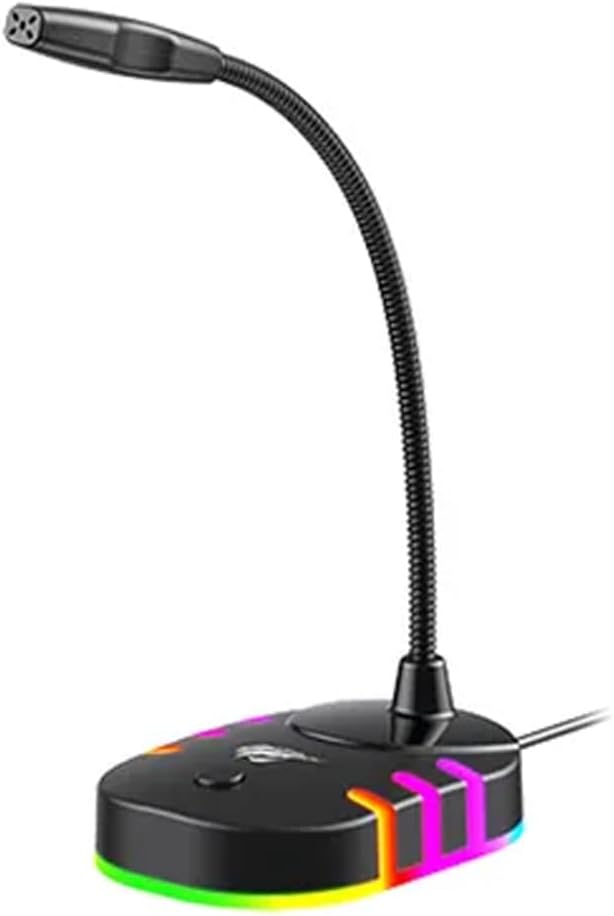
Slika: Prednja strana view of the havit GK58B USB Gaming Microphone, showing the gooseneck and base with RGB lighting.
Uputstvo za upotrebu
- Microphone Activation: Once connected and selected as the default input device, the microphone is ready for use. The RGB lighting on the base will illuminate, indicating it is powered on.
- Podešavanje glasnoće: Microphone input volume can be adjusted through your computer's sound settings or within the specific application you are using (e.g., game chat, communication software).
- Omnidirectional pickup: The GK58B features an omnidirectional polar pattern, meaning it picks up sound equally from all directions. This is suitable for capturing ambient sound or multiple speakers around the microphone. For best voice clarity, speak directly towards the microphone head.
- Kontrola RGB osvjetljenja: The microphone base features RGB lighting. While specific controls are not detailed, typically these lights cycle automatically or can be toggled via a button on the base if present. Refer to the product's physical buttons for any lighting control options.
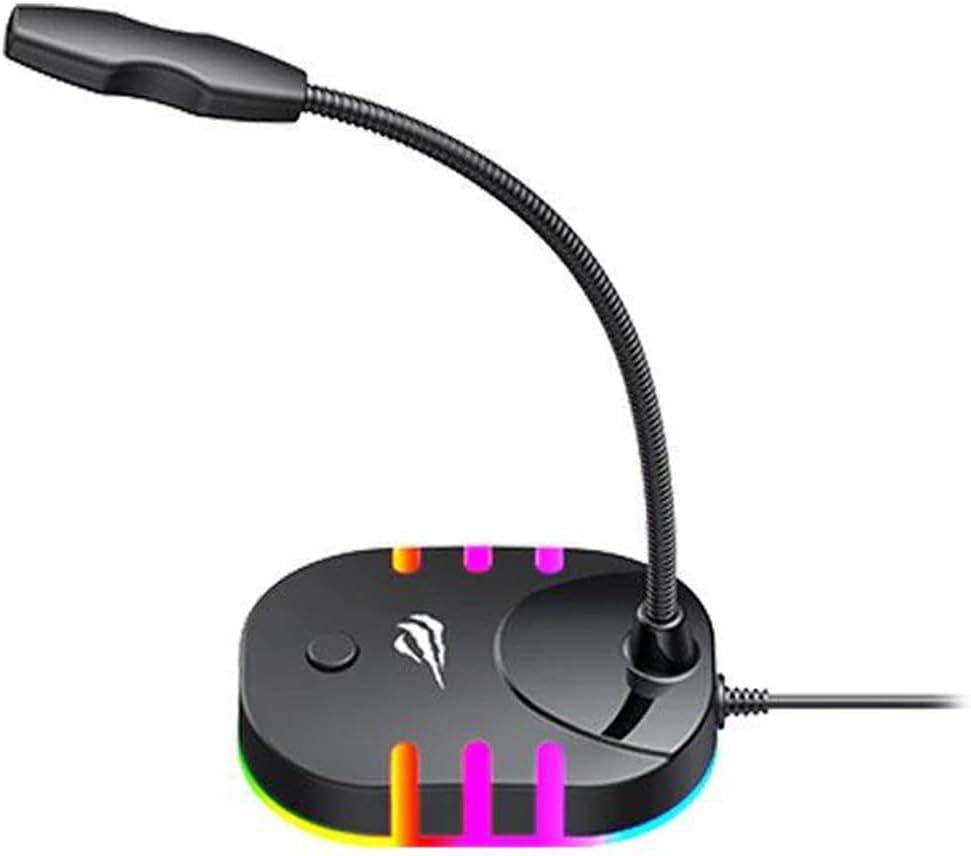
Image: Back-side view of the havit GK58B USB Gaming Microphone, showing the USB cable connection point and the base with RGB lighting.
Održavanje
- čišćenje: Use a soft, dry cloth to wipe the microphone and its base. Avoid using liquid cleaners or abrasive materials, as these can damage the device.
- Skladištenje: When not in use, store the microphone in a clean, dry environment away from direct sunlight and extreme temperatures.
- Održavanje kablova: Nemojte previše savijati ili kriviti USB kabl. Prilikom isključivanja uvijek hvatajte utikač, a ne kabl.
Rješavanje problema
| Problem | Mogući uzrok | Rješenje |
|---|---|---|
| Mikrofon nije detektovan / Nema zvučnog ulaza |
|
|
| Mala jačina mikrofona |
|
|
| RGB osvetljenje ne radi |
|
|
Specifikacije
| Naziv modela | GK58B |
| Tehnologija povezivanja | USB |
| Tip konektora | USB tip-A |
| Polar Pattern | Omnidirectional |
| Osjetljivost | -36 ± 3dB |
| Impedansa | 2.2kΩ |
| Frekvencijski odziv | 30Hz – 16kHz |
| Dužina kabla | 1.5m |
| Operating Voltage | 5.0V |
| Radna struja | 90mA |
| Dimenzije mikrofona | φ6*5mm |
| Dimenzije proizvoda | 7.5 x 13 x 11 cm |
| Težina artikla | 2 g |
| Kompatibilni uređaji | Laptop, personalni računar |
| Posebna karakteristika | Stand, RGB Lighting |
Garancija i podrška
For warranty information and technical support, please refer to the official havit webweb-mjesto ili kontaktirajte lokalnog prodavača. Sačuvajte račun za kupovinu u slučaju reklamacije.
Proizvođač: Havit