
Uvod
This manual provides detailed instructions for the setup, operation, maintenance, and troubleshooting of your Macally UCSLIMKEYCA USB-C Compact Wired Keyboard. Please read this manual thoroughly before using the product to ensure optimal performance and longevity.

Slika: Od vrha prema dolje view of the Macally UCSLIMKEYCA USB-C Compact Wired Keyboard, highlighting its compact design and US layout.
Setup
The Macally UCSLIMKEYCA keyboard is designed for simple plug-and-play functionality. No additional drivers or software are required for installation.
Povezivanje tastature
- Locate an available USB-C port on your computer (MacBook, iPad, PC, iMac, etc.).
- Plug the USB-C connector of the keyboard's 5-foot cable into the USB-C port on your device.
- Vaš operativni sistem će automatski prepoznati tastaturu i ona će biti spremna za upotrebu.
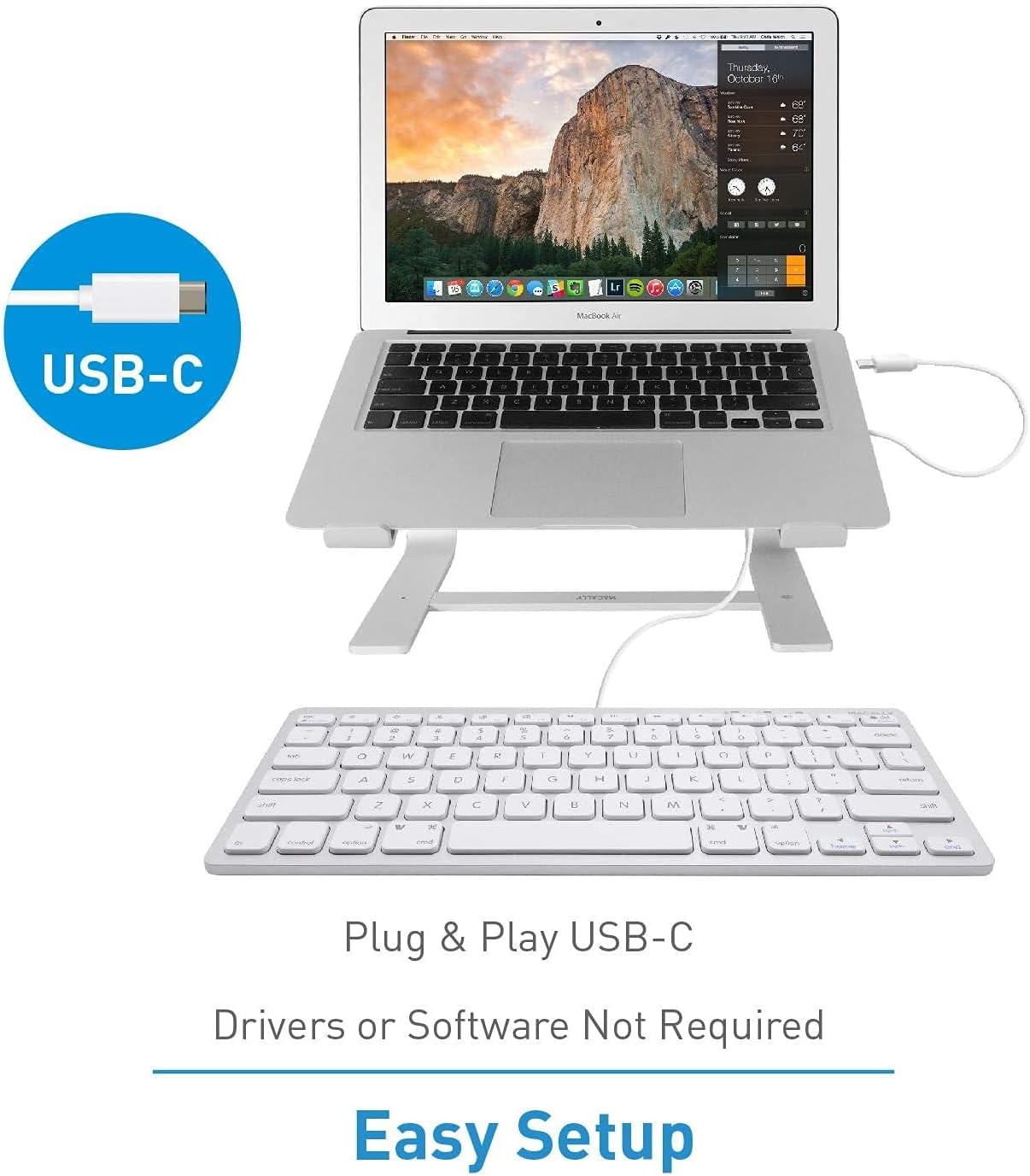
Image: A diagram illustrating the simple plug-and-play setup process using the USB-C connection, indicating no drivers or software are required.

Image: The Macally UCSLIMKEYCA keyboard connected to a laptop, demonstrating its use as an external input device.
Kompatibilnost sistema
- Mac OS X v10.6 ili noviji
- Windows 7/8/10 ili noviji

Image: Icons illustrating the broad operating system compatibility of the keyboard, including Mac, Windows, Android, iPadOS, and Chrome.
Uputstvo za upotrebu
Ključne karakteristike
- Raspored sa 78 tipki: A compact yet full-featured layout for efficient typing.
- Tipke za makazasti prekidač: Provides a smooth, quiet, and responsive typing experience.
- 13 Shortcut Keys: Dedicated keys for enhanced productivity on both Mac and Windows systems.
- LED indikatori: Visual cues for Fn Lock, Caps Lock, and Power status.

Image: A diagram illustrating the difference between a regular key mechanism and a scissor-key switch, highlighting the quiet operation of the scissor-switch.
Prečice
The keyboard includes 13 convenient shortcut keys to streamline your workflow. These keys are compatible with both Apple and Windows PC functions.
- Mac Functions: Includes shortcuts for brightness control (dim/brighten), cut, copy, paste, iTunes controls (play/pause, previous track, next track), volume control (mute, volume up/down), and eject.
- Windows PC Functions: Multimedia shortcuts are also supported.

Image: A visual representation of the keyboard highlighting the 13 Apple shortcut keys and their corresponding functions, such as brightness, cut, copy, paste, media playback, and volume control.
LED indikatori
The keyboard features LED indicators located above the function keys to provide status information:
- Fn zaključavanje: Indicates when the Function (Fn) key is locked, allowing direct access to F1-F12 keys without pressing Fn.
- Caps Lock: Indicates when Caps Lock is active.
- Snaga: Indicates power status (for some models, may also indicate connection).

Slika: Krupni plan view of the keyboard's upper right section, showing the LED indicators for Fn Lock, Caps Lock, and Power.
Održavanje
To ensure the longevity and proper functioning of your keyboard, follow these maintenance guidelines:
- čišćenje: Koristite meku krpu koja ne ostavlja dlačiceampOperite površinu tastature vodom ili blagim sredstvom za čišćenje. Izbjegavajte jake hemikalije ili abrazivne materijale.
- Uklanjanje prašine: Koristite komprimirani zrak za uklanjanje prašine i ostataka između tipki.
- Skladištenje: Kada se ne koristi, tastaturu čuvajte na čistom i suhom mjestu, dalje od ekstremnih temperatura i direktne sunčeve svjetlosti.
- Izbjegavajte prosipanje: Držite tekućine dalje od tastature kako biste spriječili oštećenje unutrašnjih komponenti.
Rješavanje problema
If you encounter issues with your Macally UCSLIMKEYCA keyboard, please refer to the following common solutions:
Tastatura ne reaguje
- Provjerite vezu: Ensure the USB-C cable is securely plugged into both the keyboard and your computer's USB-C port.
- Pokušajte s drugim portom: Connect the keyboard to a different USB-C port on your computer to rule out a faulty port.
- Ponovo pokrenite računar: Sometimes, a simple restart of your computer can resolve connectivity issues.
- Testirajte na drugom uređaju: If possible, test the keyboard on another compatible computer to determine if the issue is with the keyboard or your original device.
Keys Not Functioning Correctly
- Čisti ključevi: Ensure there is no debris or foreign objects lodged under the affected keys. Refer to the Maintenance section for cleaning instructions.
- Problemi sa softverom: Check your operating system's keyboard settings to ensure no custom key mappings or accessibility features are interfering with normal operation.
Shortcut Keys Not Working
- Kompatibilnost sa OS-om: Verify that your operating system version is supported for the specific shortcut functions.
- Fokus aplikacije: Ensure the application you are using supports the multimedia or system control shortcuts.
Specifikacije
| Brand | Macally |
| Broj modela | UCSLIMKEYCA |
| Tehnologija povezivanja | USB-C (žični) |
| Kompatibilni uređaji | PC (Mac, Windows, iPad, iMac, MacBook) |
| Opis tastature | Multifunction, Compact |
| Preporučena upotreba | Business, General Use |
| Posebna karakteristika | Silent Scissor-Switch Keys |
| Boja | Srebro |
| Dimenzije proizvoda (D x Š x V) | 33 cm x 14 cm x 2 cm (13 x 5.5 x 0.8 inches approx.) |
| Materijal | Plastika |
| Minimum Required OS Version | Mac OS X 10.6 Snow Leopard, Windows 7 |
| Broj ključeva | 78 |
| Raspored tipkovnice | QWERTY (američki raspored) |
| Tip prekidača | Tactile (Scissor-Switch) |
| Hand Orientation | Ambidextrous |
| Težina artikla | 0.34 kilograma |
| Uključene komponente | USB kabel |
| Zemlja porijekla | Kina |

Image: A diagram illustrating the physical dimensions of the Macally UCSLIMKEYCA keyboard, showing its length, width, and height.
Informacije o garanciji
The Macally UCSLIMKEYCA USB-C Compact Wired Keyboard comes with a 2 godine ograničene garancije from the date of purchase. This warranty covers defects in materials and workmanship under normal use. It does not cover damage caused by accidents, misuse, unauthorized modifications, or external causes such as liquid damage or power surges.
Za reklamacije u vezi s garancijom, sačuvajte dokaz o kupovini i kontaktirajte korisničku podršku.
Korisnička podrška
If you require further assistance or have questions not covered in this manual, please contact Macally customer support through the following channels:
- Webstranica: Visit the official Macally webstranica za često postavljana pitanja, resurse za podršku i kontakt obrasce.
- Email: Pogledajte pakovanje proizvoda ili službene webstranica za adrese e-pošte za korisničku podršku.
- Telefon: Check the official Macally webstranica za regionalne brojeve telefona korisničke službe.
Please have your product model number (UCSLIMKEYCA) and proof of purchase ready when contacting support.


