
Uvod
This manual provides detailed instructions for the SSK Aluminum Dual Bay USB 3.0 to SATA Hard Drive Docking Station. This device allows for easy connection of 2.5-inch and 3.5-inch SATA HDDs and SSDs to your computer via USB 3.0, and features an offline cloning function for disk duplication without a computer connection.
Sadržaj paketa
- SSK Dual Bay Hard Drive Docking Station
- USB 3.0 kabel tipa B na tip A
- 12V/3A adapter za napajanje
- Uputstvo za upotrebu
Karakteristike proizvoda
- Dizajn s dva ležišta: Podržava dva 2.5-inčna ili 3.5-inčna SATA I/II/III HDD/SSD diska istovremeno.
- High Capacity Support: Each bay supports up to 20TB drives, for a total of 40TB.
- USB 3.0 with UASP: Provides fast data transfer speeds up to 5Gbps, enhanced by UASP for improved performance.
- Offline Cloning Function: Duplicate hard drives without connecting to a computer.
- Instalacija bez alata: Easy plug-and-play setup for hard drives.
- Široka kompatibilnost: Kompatibilan sa Windows, macOS i Linux operativnim sistemima.
- Izdržljiva konstrukcija: Features an aluminum alloy shell for heat dissipation and durability.
- Operating Status Indicators: LED lights indicate power, activity, and cloning progress.

Slika: Prekoview of the SSK Dual Bay Docking Station, highlighting its compatibility with various drive sizes and operating systems. A laptop screen shows a file transfer in progress, demonstrating its use as an external drive reader.

Slika: Detaljna views of the SSK docking station's physical features, including its aluminum alloy casing, LED indicator, rear interface with USB 3.0 and power input, and the anti-skid footpad for stability.
Setup
- Priključite napajanje: Connect the provided 12V/3A power adapter to the DC-12V port on the back of the docking station and then plug it into a power outlet. The power LED will illuminate.
- Umetnite tvrde diskove: Gently insert your 2.5-inch or 3.5-inch SATA HDD/SSD into the drive slots (Slot A and Slot B) until they are securely seated. Ensure the SATA connectors align correctly.
- Connect to Computer (for Data Transfer): If you intend to use the docking station for data transfer, connect the USB 3.0 cable from the Micro USB 3.0 port on the docking station to an available USB 3.0 port on your computer.
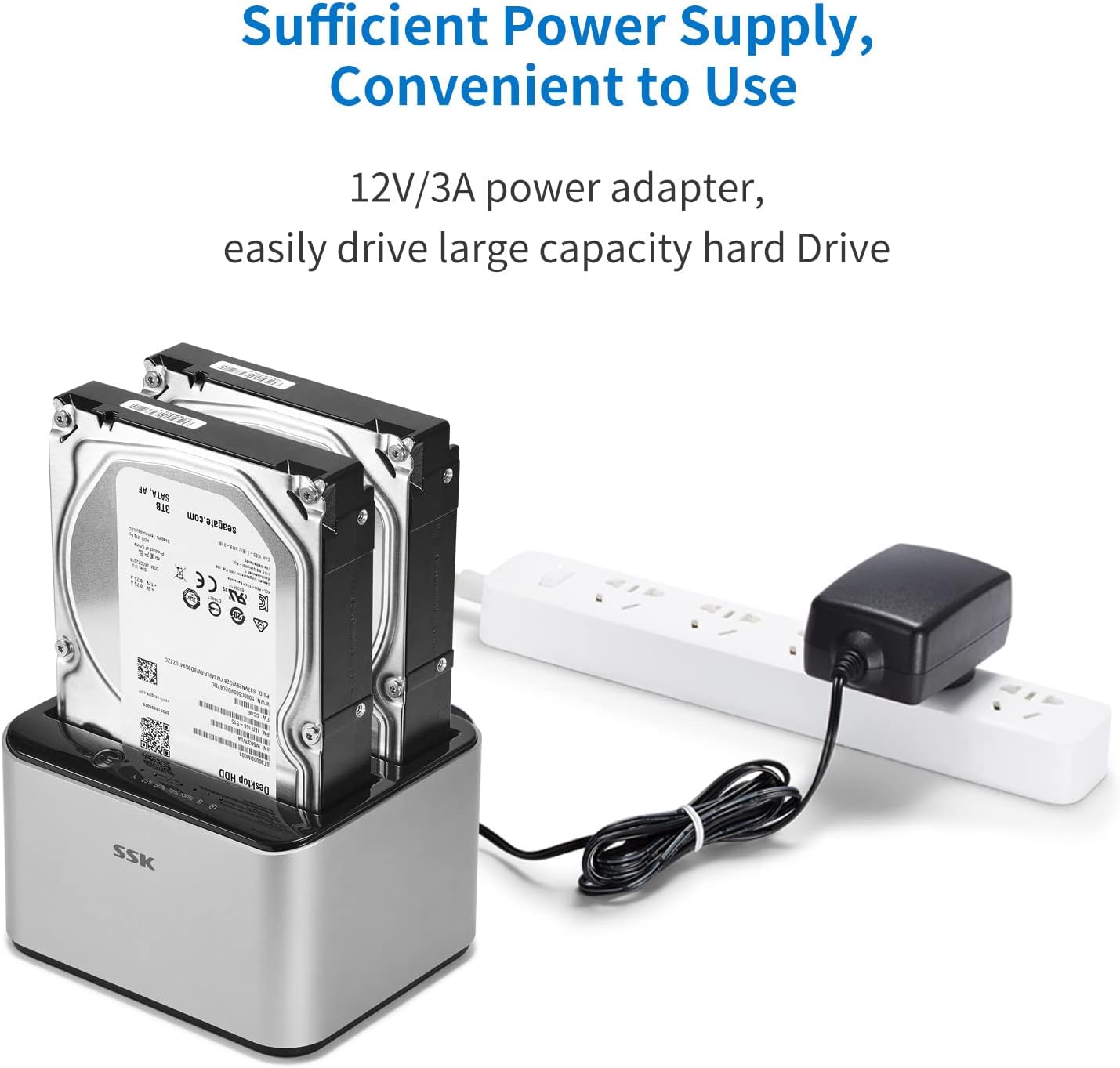
Image: The SSK docking station with two hard drives installed, demonstrating the connection of the 12V/3A power adapter to a power strip, ensuring sufficient power for large capacity drives.
Uputstvo za upotrebu
A. Data Transfer Mode
- Provjerite je li priključna stanica uključena i povezana s računarom putem USB 3.0 kabela.
- Insert the SATA HDD/SSD into the desired slot(s).
- Your computer's operating system should automatically detect the drives. You may need to initialize and format new drives via Disk Management (Windows) or Disk Utility (macOS) before use.
- Access the drives as external storage devices to transfer files.

Image: A visual representation of the speed advantage of USB 3.0 with UASP compared to traditional USB 3.0, illustrating faster data transfer rates for both reading and writing, with a hard drive docked in the station.
B. Offline Cloning Mode
The offline cloning function allows you to duplicate a source hard drive to a target hard drive without a computer connection. Warning: All data on the target disk will be erased during the cloning process. Ensure you have backed up any important data from the target disk before proceeding.
- Isključite se iz računara: Ensure the USB cable is disconnected from the docking station and your computer. The docking station should only be connected to its power adapter.
- Insert Source Disk: Insert the Source Disk (the disk you want to copy FROM) into Slot A (Source).
- Insert Target Disk: Insert the Target Disk (the disk you want to copy TO) into Slot B (Target). The Target Disk must have a capacity equal to or greater than the Source Disk.
- Započni kloniranje: Press and hold the 'Clone' button (usually located on the back or top panel) for approximately 3-5 seconds until the cloning progress LEDs begin to flash.
- Pratite napredak: The LED indicators (e.g., 25%, 50%, 75%, 100%) will illuminate sequentially to show the cloning progress. When all LEDs are solid, the cloning process is complete.
- Završetak: Once cloning is complete, power off the docking station and safely remove the drives.

Image: The SSK docking station in offline cloning mode, illustrating the placement of the Source Disk in Slot A and the Target Disk in Slot B. The progress LEDs on the right indicate the cloning status, from 25% to 100% completion.
Održavanje
- čišćenje: Za čišćenje vanjske strane priključne stanice koristite meku, suhu krpu. Nemojte koristiti tekuća sredstva za čišćenje ili rastvarače.
- Skladištenje: Priključnu stanicu čuvajte na hladnom i suhom mjestu, dalje od direktne sunčeve svjetlosti i ekstremnih temperatura.
- Rukovanje pogonom: Always handle hard drives with care. Avoid dropping or subjecting them to physical shock.
- Sigurno uklanjanje: When connected to a computer, always use the 'Safely Remove Hardware' option (Windows) or 'Eject' function (macOS) before disconnecting the USB cable or powering off the docking station to prevent data corruption.
Rješavanje problema
- Disk nije prepoznat:
- Provjerite je li adapter za napajanje sigurno spojen i je li priključna stanica uključena.
- Verify the USB 3.0 cable is firmly connected to both the docking station and your computer.
- Check if the hard drive is properly seated in the slot.
- Za nove diskove, provjerite da li su inicijalizirani i formatirani u uslužnom programu za upravljanje diskovima vašeg operativnog sistema.
- Try connecting the docking station to a different USB port on your computer or a different computer.
- Cloning Fails or Does Not Start:
- Ensure the USB cable is disconnected from the computer during offline cloning.
- Verify the Source Disk is in Slot A and the Target Disk is in Slot B.
- Confirm the Target Disk's capacity is equal to or greater than the Source Disk's capacity.
- Provjerite da li su oba diska sigurno umetnuta.
- Try powering off and on the docking station before initiating cloning.
- Spora brzina prijenosa podataka:
- Provjerite da li ste povezani na USB 3.0 port na računaru. USB 2.0 portovi će raditi na manjim brzinama.
- Provjerite da li vaš operativni sistem i upravljački programi podržavaju UASP.
- The speed of the hard drive itself can be a limiting factor.
Specifikacije
| Brand | SSK |
| Model | B098CWGYSR |
| Hardversko sučelje | USB, USB 3.0 |
| Kompatibilne vrste pogona | 2.5-inch & 3.5-inch SATA I/II/III HDD/SSD |
| Supported Drive Quantity | 2 |
| Max Capacity Per Bay | 20 TB |
| Brzina prijenosa podataka | Do 5 Gbps (USB 3.0) |
| Hardverska platforma | Windows, macOS, Linux |
| Materijal | Aluminijum |
| Težina artikla | 0.47 kilograma |
| Napajanje | 12V/3A adapter za napajanje |
Sigurnosne informacije
- Ne izlažite uređaj vodi, vlazi ili ekstremnim temperaturama.
- Izbjegavajte ispuštanje ili izlaganje uređaja jakim udarcima.
- Ne pokušavajte rastavljati ili modificirati uređaj. To će poništiti garanciju.
- Koristite samo priloženi adapter za napajanje. Korištenje pogrešnog adaptera može oštetiti uređaj.
- Ensure proper ventilation around the docking station during operation.
Garancija i podrška
SSK products are designed for reliability and performance. For warranty information or technical support, please refer to the warranty card included with your product or visit the official SSK website. If you encounter any issues not covered in this manual, please contact SSK customer service for assistance.