
1. Uvod
This manual provides detailed instructions for the assembly, operation, and maintenance of your CaDA Remote Control Pickup Truck Building Block Kit, model C51005W. This kit allows you to construct a detailed pickup truck model that can be controlled remotely. It is designed for users aged 6 and above.

Image 1: The CaDA C51005W Remote Control Pickup Truck Building Block Kit, including the assembled truck, remote control, and packaging.
2. Proizvod je gotovview
The CaDA C51005W is a 549-piece building block kit that assembles into a remote-controlled pickup truck. The finished model measures approximately 32cm x 16cm x 12cm. It features realistic details and functional elements for an engaging building and play experience.
Ključne karakteristike:
- Funkcionalnost daljinskog upravljača: Allows forward, backward, and steering control.
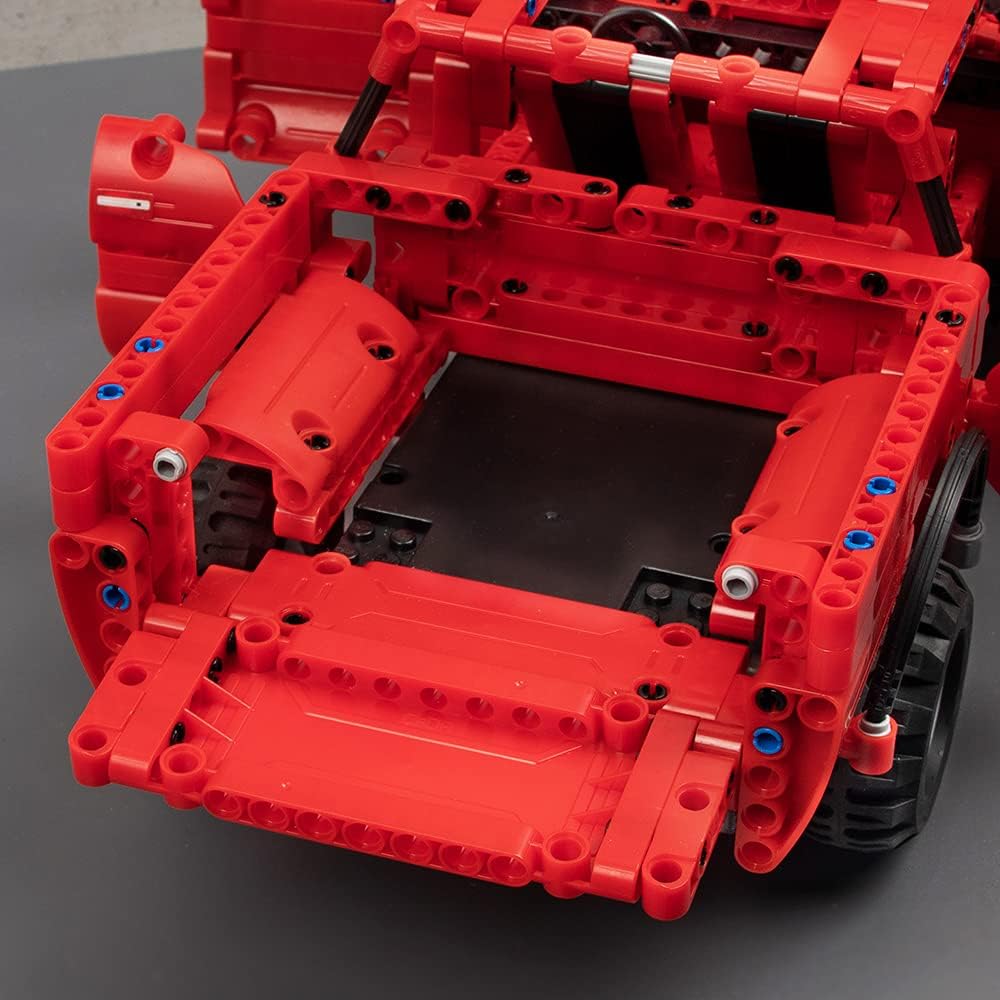
- Detaljni dizajn: Includes rubber tires, openable doors, a movable steering wheel, seats, and an openable hood and trunk.
- Chassis Adjustment: Fine-tuning for driving direction is possible via the chassis.
- Kompatibilnost: CaDA blocks are compatible with LEGO brand blocks, allowing for customization and expansion.




3. Sadržaj paketa
Molimo Vas da provjerite da li su sve komponente prisutne prije početka montaže:
- Gradivni blokovi (549 dijelova)
- Daljinski upravljač
- Punjiva baterija (3.6V 400mAh)
- USB kabl za punjenje
- Motors (x2)
- Ilustrovano uputstvo za upotrebu
Stavke koje nisu uključene (potrebne za rad):
- AA Batteries (x2) for the Remote Control

Image 8: The included rechargeable battery and USB charging cable.
4. Postavljanje i montaža
Follow the step-by-step illustrated instructions provided in the manual included with your kit. The manual uses clear diagrams to guide you through the assembly process.
Savjeti za montažu:
- Organize your blocks by type or color before starting to make the process smoother.
- Pay close attention to the illustrations for correct part placement.
- Osigurajte da su svi spojevi čvrsti kako biste spriječili odvajanje dijelova tokom igre.

Slika 9: Bivši/aample page from the illustrated instruction manual, showing clear assembly steps.
Instalacija i punjenje baterije:
- Baterija glavne jedinice: Connect the included 3.6V 400mAh rechargeable battery to the main unit's power port as indicated in the assembly manual.
- Punjenje: Use the provided USB charging cable to charge the main unit's battery. Connect the USB end to a compatible power adapter (not included) and the other end to the battery. The first charge requires 4-5 hours. Subsequent charges typically take 2-3 hours.
- Baterije za daljinski upravljač: Open the battery compartment on the remote control and insert 2 AA batteries (not included), ensuring correct polarity.
5. Uputstvo za upotrebu
Once assembled and powered, your CaDA Remote Control Pickup Truck is ready for operation.
Funkcije daljinskog upravljača:
- Koristite lijevu džojstik za kretanje naprijed i nazad.
- Use the right joystick to steer the vehicle left and right.
- The remote control operates on a 2.4GHz frequency, providing a stable connection up to 25 meters.

Image 10: The assembled pickup truck in action, controlled by the remote.

Image 11: Illustration of the 2.4G remote control technology for stable operation.
Direction Fine-Tuning:
If the vehicle does not drive straight, you can fine-tune the steering direction using the adjustment mechanism located on the chassis. Refer to the manual for the exact location and method of adjustment.

Image 12: Close-up of the chassis showing the direction fine-tuning mechanism.
6. Održavanje
Proper maintenance will ensure the longevity and optimal performance of your CaDA building block kit.
čišćenje:
- Wipe the blocks and remote control with a dry, soft cloth.
- Avoid using water or cleaning solutions, as the product is not waterproof.
Briga o bateriji i skladištenje:
- Do not leave batteries in high-temperature environments.
- Avoid overcharging the rechargeable battery.
- When not in use for extended periods, remove the rechargeable battery from the main unit and the AA batteries from the remote control.
- Store batteries and the product in a cool, dry place.
7. Otkrivanje problema
If you encounter issues with your CaDA Remote Control Pickup Truck, please refer to the following common problems and solutions:
| Problem | Mogući uzrok | Rješenje |
|---|---|---|
| Vozilo se ne pomiče. | Low battery in main unit or remote control. Incorrect battery installation. Loose connections. | Charge the main unit battery. Replace AA batteries in the remote control. Ensure batteries are installed with correct polarity. Check all block connections for firmness. |
| Vehicle does not steer correctly. | Steering mechanism obstruction. Need for fine-tuning. | Check for any blocks obstructing the steering. Use the direction fine-tuning function on the chassis. |
| Daljinski upravljač ne reaguje. | Out of range. Remote control batteries low. Interference. | Move closer to the vehicle (within 25m). Replace remote control batteries. Avoid operating near other 2.4GHz devices. |
| Nedostajući ili oštećeni dijelovi. | Manufacturing defect or loss during assembly. | Refer to the 'Warranty and Support' section for contact information to request replacement parts. |
8. Specifikacije
| Feature | Detalj |
|---|---|
| Broj modela | C51005W |
| Broj komada | 549 |
| Assembled Product Size | 32.8 x 16.7 x 12.9 cm |
| Težina | 1.38 kg |
| Glavni materijal | akrilonitril butadien stiren (ABS) |
| Preporučena dob | 6 godina i više |
| Baterija glavne jedinice | 3.6V 400mAh (Rechargeable, included) |
| Baterija daljinskog upravljača | AA batteries x 2 (Not included) |
| Vrijeme punjenja | First charge: 4-5 hours; Subsequent charges: 2-3 hours |
| Vrijeme rada | 15-20 minuta po punjenju |
| Max Speed | 5 km/h |
| Domet daljinskog upravljača | Do 25 metara |
| Vodootporan | br |
9. Sigurnosna upozorenja
- Opasnost od gušenja: Small parts. Not suitable for children under 4 years due to potential choking hazards. Adult supervision is recommended for all children.
- Sigurnost baterije: Do not leave batteries in high-temperature locations. Avoid overcharging the rechargeable battery. Remove batteries from the product and remote control when not in use for extended periods. Store batteries in a cool, dry place.
- Nije vodootporan: This product is not waterproof. Avoid contact with water or moisture to prevent damage to electronic components.
- Kompatibilnost: While CaDA blocks are compatible with LEGO brand blocks, this product is not manufactured by LEGO.
10. Garancija i podrška
If you find that parts are missing or defective, please contact CaDA customer support. You will need to provide the part number(s) from the back of the assembly manual, the quantity needed, and your shipping address.
For further assistance or inquiries, please visit the official CaDA store or contact their customer service department. Contact details are typically found on the product packaging or the brand's official website.