
Uvod
Thank you for choosing the Soul S-GEAR Wireless Bluetooth Earbuds. These earbuds are designed to provide a high-quality audio experience with the convenience of wireless connectivity, active noise cancellation, and a comfortable in-ear fit. Featuring Bluetooth 5.0, IPX4 water resistance, and a long-lasting battery with fast charging, the S-GEAR earbuds are perfect for daily use.
Please read this manual carefully before using your earbuds to ensure proper operation and to maximize their lifespan.
Sadržaj paketa
- Soul S-GEAR Wireless Earbuds (Left and Right)
- Futrola za punjenje
- USB-C kabl za punjenje
- Više veličina vrhova za uši
- Uputstvo za upotrebu
Product Overview
Familiarize yourself with the components of your Soul S-GEAR earbuds and charging case.
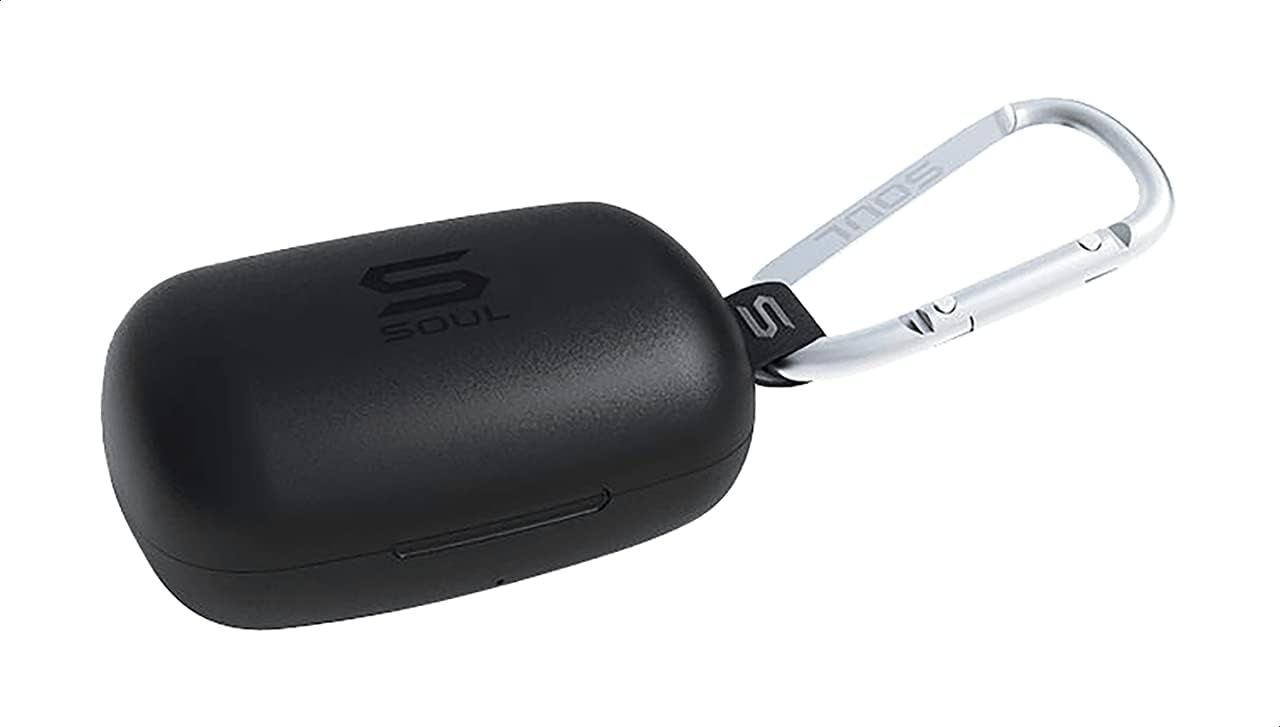
Slika 1: The Soul S-GEAR charging case in black, with the Soul logo visible. A carabiner clip is attached for portability.
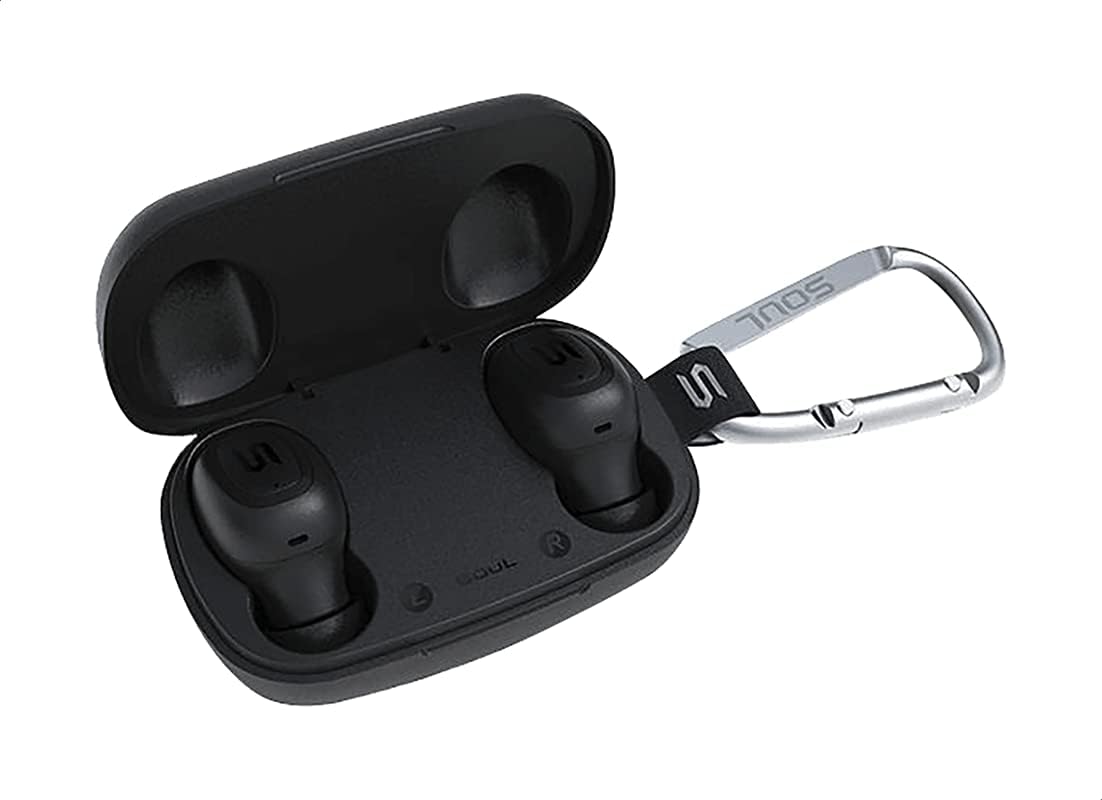
Slika 2: The Soul S-GEAR charging case opened, revealing the two black earbuds securely placed inside their charging slots. The carabiner clip is also visible.
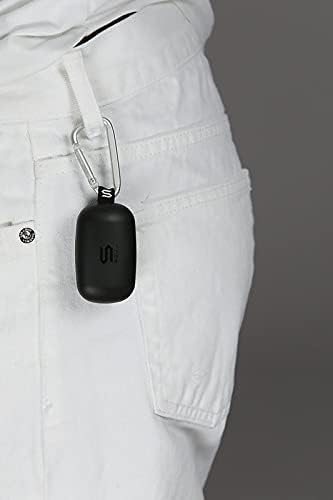
Slika 3: The Soul S-GEAR charging case, with its carabiner clip, attached to the belt loop of white pants, demonstrating its portability.
Setup
1. Punjenje slušalica i kutijice
- Place the earbuds into the charging case. Ensure they are correctly seated in their respective L/R slots.
- Spojite USB-C kabel za punjenje na priključak za punjenje na kućištu, a drugi kraj uključite u USB izvor napajanja (npr. adapter za zid, USB priključak računara).
- The indicator lights on the case will show the charging status. Allow approximately 1-2 hours for a full charge.
- Kada se potpuno napuni, odspojite kabl za punjenje.
2. Početno uparivanje s uređajem
- Otvorite kutijicu za punjenje. Slušalice će se automatski uključiti i ući u način rada za uparivanje. Indikatorska svjetla na slušalicama će treptati, što ukazuje na to da su spremne za uparivanje.
- Na svom uređaju (pametnom telefonu, tabletu itd.) omogućite Bluetooth i potražite dostupne uređaje.
- Select "Soul S-GEAR" from the list of found devices.
- Once connected, you will hear an audible confirmation, and the earbud indicator lights will stop flashing.
- The earbuds feature automatic pairing. After the initial setup, they will automatically connect to the last paired device when removed from the case.
Uputstvo za upotrebu
The Soul S-GEAR earbuds feature touch controls for easy management of audio and calls.
Uključivanje/isključivanje
- Uključeno: Open the charging case, or press and hold the touch sensor on both earbuds for 3 seconds.
- Iskljuciti: Place the earbuds back into the charging case and close the lid, or press and hold the touch sensor on both earbuds for 5 seconds.
Reprodukcija muzike
- Pusti/pauza: Jednom dodirnite senzor dodira na bilo kojoj slušalici.
- Sljedeća pjesma: Dvaput dodirnite senzor dodira na desnoj slušalici.
- Prethodni zapis: Dvaput dodirnite senzor dodira na lijevoj slušalici.
Upravljanje pozivima
- Odgovori/Završi poziv: Jednom dodirnite senzor dodira na bilo kojoj slušalici.
- odbiti poziv: Pritisnite i držite senzor dodira na bilo kojoj slušalici 2 sekunde.
Otkazivanje aktivne buke (ANC)
- Aktiviranje/Deaktiviranje ANC-a: Triple-tap the touch sensor on the left earbud to cycle through ANC On, Ambient Mode, and ANC Off.
Glasovni asistent
- Aktivirajte glasovnog asistenta: Triple-tap the touch sensor on the right earbud.
Punjenje
The Soul S-GEAR earbuds and charging case provide up to 24 hours of total playtime. The case supports USB-C fast charging.
- Punjenje slušalica: Place earbuds into the charging case. They will charge automatically.
- Punjenje kućišta: Connect the USB-C cable to the case and a power source. The LED indicator on the case will show charging status.
- A full charge for the case typically takes 1.5-2 hours.
Održavanje
- čišćenje: Redovno čistite slušalice i kućište za punjenje mekom, suhom krpom koja ne ostavlja dlačice. Nemojte koristiti jake hemikalije ili abrazivne materijale.
- Savjeti za uši: Uklonite nastavke za uši i po potrebi ih operite vodom i blagim sapunom. Prije ponovnog pričvršćivanja provjerite jesu li potpuno suhi.
- Otpornost na vodu: The earbuds are IPX4 rated, meaning they are resistant to splashing water from any direction. They are not designed for submersion in water. Do not expose them to heavy rain or immerse them. Ensure earbuds are dry before placing them back in the charging case.
- Skladištenje: Čuvajte slušalice u kutijici za punjenje kada ih ne koristite kako biste ih zaštitili i održali napunjenima. Izbjegavajte ekstremne temperature.
Rješavanje problema
| Issue | Rješenje |
|---|---|
| Slušalice se ne uparuju |
|
| Nema zvuka iz jedne slušalice |
|
| Futrola za punjenje se ne puni |
|
| Aktivno poništavanje buke ne radi |
|
Specifikacije
| Feature | Detalj |
|---|---|
| Brand | Soul |
| Naziv modela | S-GEAR (Soul S Gemar) |
| Broj modela | SS56BK |
| Tehnologija povezivanja | Bežično (Bluetooth 5.0) |
| Faktor oblika slušalica | U uhu |
| Kontrola buke | Aktivno poništavanje buke |
| Mikrofon | Integrisano |
| Kontrolni metod | Dodirnite |
| Otpornost na vodu i prašinu | IPX4 |
| Vrijeme igranja | Do 24 sata (sa futrolom za punjenje) |
| Port za punjenje | USB-C (Brzo punjenje) |
| Kompatibilni uređaji | Multiple Bluetooth-enabled devices |
| Materijal | Plastika |
| Boja | Crna |
| Dimenzije paketa | 11.8 x 9.8 x 4.2 cm |
| Težina artikla | 152 grama |
Sigurnosne informacije
- Nemojte rastavljati, popravljati ili modificirati proizvod.
- Ne izlažite proizvod vatri ili visokim temperaturama.
- Izbjegavajte korištenje slušalica na pretjerano glasnim zvukovima tokom dužeg perioda kako biste spriječili oštećenje sluha.
- Držite proizvod dalje od djece i kućnih ljubimaca.
- Koristite samo isporučene ili certificirane kablove i adaptere za punjenje.
- Odložite proizvod odgovorno u skladu sa lokalnim propisima.
Garancija i podrška
The Soul S-GEAR Wireless Bluetooth Earbuds come with a standard manufacturer's warranty. For detailed warranty terms and conditions, please refer to the warranty card included in your package or visit the official Soul website.
For technical support, troubleshooting assistance, or any inquiries regarding your product, please contact Soul customer service through their official webweb-mjesto ili kontakt informacije navedene u pakovanju vašeg proizvoda.