
Radiant RAS10302
Radiant Smartwatch RAS10302 User Manual
Model: RAS10302
1. Uvod
Welcome to your new Radiant Smartwatch RAS10302. This manual provides essential information for setting up, operating, and maintaining your device. Please read these instructions carefully before using your smartwatch to ensure optimal performance and longevity.
The Radiant Smartwatch RAS10302 is a versatile wearable device featuring Bluetooth connectivity, integrated GPS, a digital display, and calendar functions, designed for adult users.
2. Podešavanje
2.1 Raspakivanje
Carefully remove the smartwatch and all included accessories from the packaging. Verify that all components are present.

Image: The Radiant Smartwatch RAS10302 retail box, containing the smartwatch and accessories.
2.2 Početno punjenje
Before first use, fully charge your smartwatch. Connect the charging cable to the watch and a compatible USB power source. The watch uses a Lithium-ion battery. A full charge typically takes approximately 2 hours.
2.3 Instalacija i uparivanje aplikacije
- Preuzmite prateću aplikaciju: Traži the official Radiant Smartwatch companion app on your smartphone's app store (iOS or Android).
- Omogući Bluetooth: Provjerite je li Bluetooth omogućen na vašem pametnom telefonu.
- Otvorite aplikaciju: Pokrenite instaliranu aplikaciju i slijedite upute na ekranu da biste kreirali račun ili se prijavili.
- Uparite uređaj: Within the app, select "Add Device" or "Pair Smartwatch" and choose "RAS10302" from the list of available devices. Confirm the pairing request on both your phone and the smartwatch if prompted.
The smartwatch will automatically sync time and date with your smartphone upon successful pairing.
3. Uputstvo za upotrebu
3.1 Osnovna navigacija
The Radiant Smartwatch RAS10302 features a digital display with touch input. Swipe left, right, up, or down to navigate through menus and functions. Tap to select an option.
3.2 Prilagođavanje izgleda sata
You can change the appearance of your watch face directly from the smartwatch or through the companion app. Long-press the current watch face to access customization options, or browse available faces in the app.

Slika: pramples of customizable digital watch faces available on the Radiant Smartwatch RAS10302.
3.3 Ključne karakteristike
- Kalendar: Access your schedule and appointments directly from the smartwatch.
- GPS: The integrated GPS allows for location tracking and activity route mapping. Ensure you are in an open area for accurate GPS data.
- Obavještenja: Receive alerts for calls, messages, and app notifications from your paired smartphone. Manage notification settings via the companion app.
- Praćenje aktivnosti: Pratite korake, pređenu udaljenost i potrošene kalorije.
- Praćenje srčanog ritma: The smartwatch can track your heart rate throughout the day.

Image: Two individuals wearing Radiant Smartwatches, demonstrating the device's unisex design and comfortable fit.
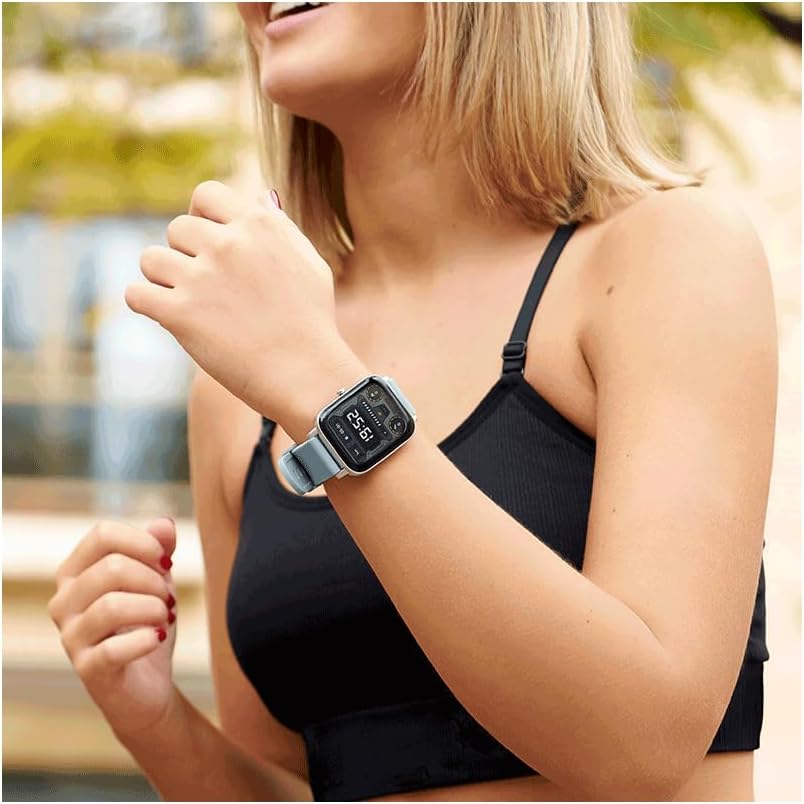
Image: A close-up of a woman's wrist wearing the Radiant Smartwatch, highlighting the watch face and strap.
4. Održavanje
4.1 Čišćenje
Regularly clean your smartwatch to prevent dirt buildup. Use a soft, dry, lint-free cloth to wipe the screen and casing. For the silicone band, a slightly damp cloth can be used, followed by drying. Avoid using abrasive cleaners, solvents, or harsh chemicals, as these can damage the device.
4.2 Otpornost na vodu
The Radiant Smartwatch RAS10302 has an IP20 rating. This means it is protected against solid objects larger than 12.5mm, but it offers nema zaštite od vode. Do not submerge the smartwatch in water, expose it to heavy rain, or wear it while swimming or showering. Water damage is not covered under warranty.
4.3 Njega baterija
To maximize battery life and performance, avoid exposing the smartwatch to extreme temperatures (hot or cold). Store the device in a cool, dry place when not in use. If storing for an extended period, ensure the battery has a partial charge (around 50%).
5. Otkrivanje problema
5.1 Smartwatch Not Turning On
- Ensure the battery is fully charged. Connect the smartwatch to its charger and allow it to charge for at least 30 minutes before attempting to power it on again.
- Pritisnite i držite dugme za napajanje 10-15 sekundi da biste izvršili prisilno ponovno pokretanje.
5.2 Cannot Pair with Smartphone
- Verify that Bluetooth is enabled on both your smartwatch and smartphone.
- Ensure the Radiant companion app is installed and updated to the latest version on your smartphone.
- Restart both your smartwatch and smartphone, then attempt the pairing process again.
- Make sure the smartwatch is within the Bluetooth range of your smartphone (typically up to 10 meters).
- If previously paired, try "forgetting" the device in your phone's Bluetooth settings and then re-pairing.
5.3 Inaccurate GPS Data
- Za optimalne GPS performanse, provjerite da li se nalazite na otvorenom vanjskom prostoru sa čistim view neba.
- Avoid using GPS in areas with tall buildings, dense foliage, or indoors, as these can obstruct satellite signals.
6. Specifikacije
| Broj modela: | RAS10302 |
| Brand: | Radiant |
| Veličina ekrana: | 36 milimetara |
| Vrsta prikaza: | Digital |
| rezolucija: | 240 x 240 piksela |
| Povezivanje: | Bluetooth |
| Operativni sistem: | AsteroidOS |
| Vrsta baterije: | 1 Lithium-ion (Silver Oxide composition) |
| GPS: | Integrisani GPS |
| Ocjena vodootpornosti: | IP20 (bez zaštite od vode) |
| Materijal benda: | Silikon |
| Materijal kućišta: | Smola |
| Boja: | Crna |
| Ciljna publika: | Odrasli (unisex) |
7. Garancija i podrška
For detailed warranty information, please refer to the documentation provided with your purchase or visit the official Radiant webstranica. Uslovi garancije mogu se razlikovati u zavisnosti od regije i prodavca.
If you encounter issues not covered in the troubleshooting section, please contact Radiant customer support or your retailer for assistance. Contact information can typically be found on the manufacturer's official website.
Ask a question about this manual
Ask about setup, troubleshooting, compatibility, parts, safety, or missing instructions. Manuals+ will review the question and use this page’s manual context to help answer it.