
1. Uvod
Hvala na kupoviniasing the SONA 6.0L Smart Multi Cooker SPC 2503. This appliance is designed to provide versatile and efficient cooking solutions with its digital control system and multiple pre-programmed functions. Please read this manual thoroughly before operating the appliance to ensure safe and optimal performance. Keep this manual for future reference.
2. Važne mjere zaštite
Prilikom korištenja električnih uređaja uvijek se treba pridržavati osnovnih sigurnosnih mjera opreza, uključujući sljedeće:
- Prije upotrebe pročitajte sva uputstva.
- Ne dodirujte vruće površine. Koristite ručke ili dugmad.
- Da biste se zaštitili od električnog udara, nemojte uranjati kabel, utikače ili glavni uređaj u vodu ili drugu tekućinu.
- Neophodan je strogi nadzor kada bilo koji uređaj koriste djeca ili u blizini djece.
- Isključite iz utičnice kada nije u upotrebi i prije čišćenja. Ostavite da se ohladi prije stavljanja ili skidanja dijelova.
- Nemojte koristiti uređaj s oštećenim kablom ili utikačem, ili nakon što uređaj pokvari ili je na bilo koji način oštećen.
- Korištenje dodataka koje nije preporučio proizvođač uređaja može uzrokovati ozljede.
- Ne koristiti na otvorenom.
- Nemojte dozvoliti da kabl visi preko ivice stola ili pulta, niti da dodiruje vruće površine.
- Ne stavljajte na ili blizu vrućeg plinskog ili električnog gorionika, ili u zagrijanu pećnicu.
- Morate biti izuzetno oprezni kada premještate uređaj koji sadrži vruće ulje ili druge vruće tekućine.
- Uvijek prvo priključite utikač na uređaj, a zatim uključite kabel u zidnu utičnicu. Da biste isključili uređaj, isključite bilo koju kontrolu, a zatim izvucite utikač iz zidne utičnice.
- Nemojte koristiti uređaj za drugu upotrebu osim za predviđenu.
- Ovaj uređaj kuha pod pritiskom. Nepravilna upotreba može uzrokovati opekotine. Prije upotrebe provjerite je li uređaj pravilno zatvoren.
- Never force open the multi cooker. Ensure the pressure has been completely released before opening.
- Ne punite uređaj iznad linije za punjenje MAX.
- This appliance has 9 built-in safety features to ensure safe operation.
3. Proizvod je gotovview
3.1 Glavne komponente
- Main Unit (Stainless Steel Outer Housing)
- Lid with Safety Guard and Micro Switch
- Digital Control Panel
- Non-Stick Inner Pot (6.0L Capacity)
- Stainless Steel Inner Pot (6.0L Capacity)
- Odvojivi kabel za napajanje

Figure 1: Sona 6.0L Smart Multi Cooker SPC 2503. This image displays the multi cooker with its digital control panel, highlighting its 6L capacity, 1000W power, and 15 cooking modes.
3.2 Dual Inner Pots
The multi cooker includes two interchangeable inner pots: one non-stick and one stainless steel. This allows for versatility in cooking and easy cleaning.
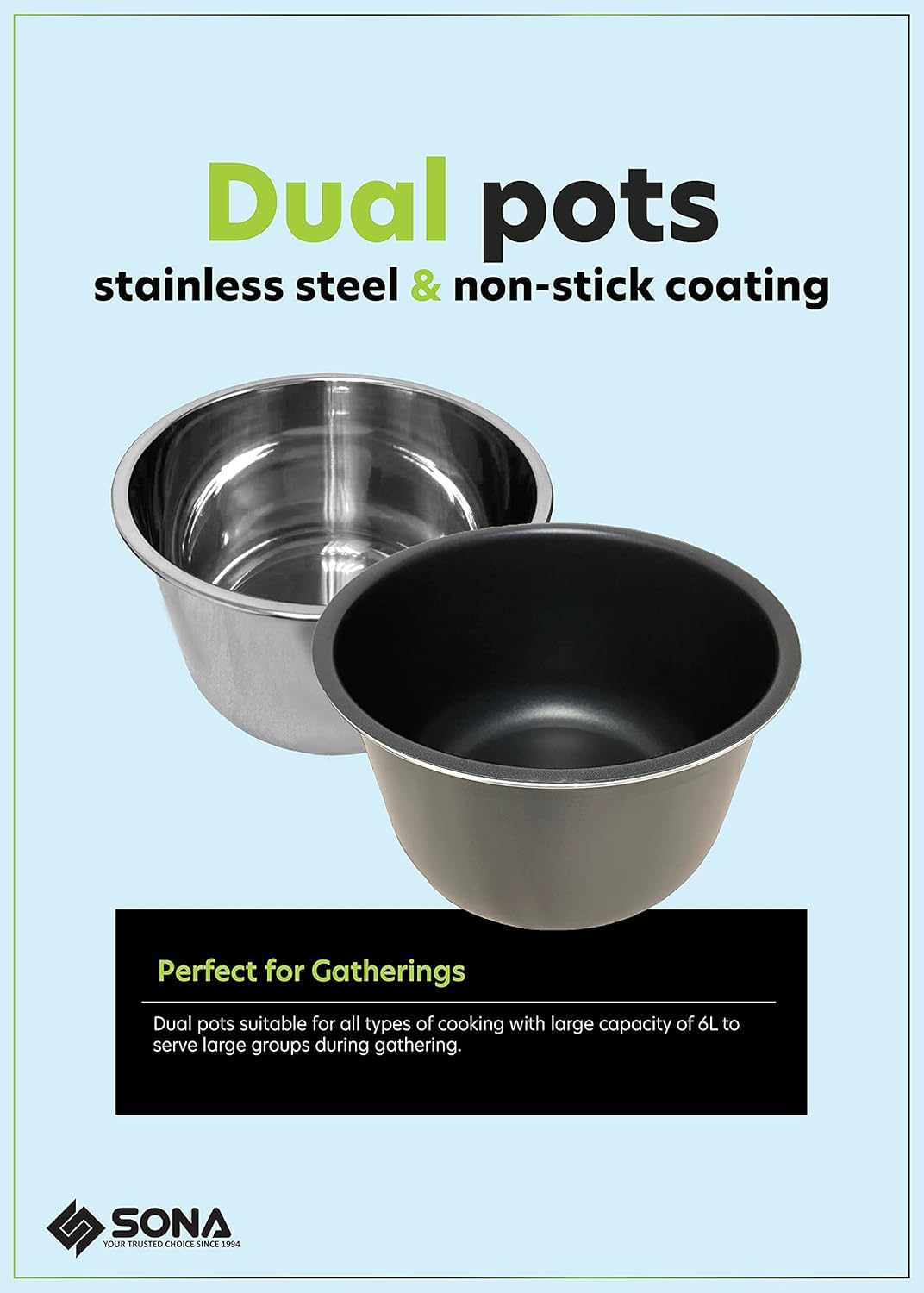
Figure 2: Dual Inner Pots. This image shows both the stainless steel and non-stick inner pots, emphasizing their suitability for different cooking requirements.
3.3 Kontrolna tabla prekoview
The digital control panel features an LED display and various buttons for selecting cooking functions, adjusting time, and setting pressure levels.

Figure 3: Digital Control Panel. A close-up view of the multi cooker's control panel, showing the display, function buttons, and timer controls.
3.4 Karakteristike proizvoda
- Lid Safety Guard: Locks the lid and prevents opening when pressure is inside.
- mikro prekidač: Ensures the lid is properly secured before operation can begin.
- Odvojivi kabl za napajanje: Za jednostavno skladištenje i prenosivost.
- Stainless Steel Finishing: Izdržljiva i lako čistljiva vanjska strana.

Figure 4: Key Product Features. This image details the Lid Safety Guard, Micro Switch, Detachable Power Cord, and Stainless Steel Finishing of the multi cooker.
4. Postavljanje i prva upotreba
4.1 Raspakivanje
Carefully remove the multi cooker and all accessories from the packaging. Retain the packaging for future storage or transport.
4.2 Početno čišćenje
- Wash the inner pots, sealing ring, and lid components with warm, soapy water. Rinse thoroughly and dry completely.
- Obrišite vanjski dio glavne jedinice oglasnim materijalomamp tkanina. Ne uranjajte glavnu jedinicu u vodu.
4.3 Montaža
- Place the desired inner pot (non-stick or stainless steel) into the main unit. Ensure it sits correctly.
- Ensure the sealing ring is properly seated around the lid.
- Place the lid onto the multi cooker, aligning the arrow on the lid with the arrow on the base. Rotate clockwise until it locks into place.
- Connect the detachable power cord to the appliance and then to a grounded electrical outlet (220-240V~ 50/60Hz).
5. Uputstvo za upotrebu
5.1 Osnovni rad
- Dodajte sastojke i tekućinu u unutrašnju posudu. Ne prekoračujte liniju za punjenje MAX.
- Close the lid securely. The micro switch will prevent operation if the lid is not properly closed.
- Ensure the pressure release valve is in the correct position for pressure cooking (usually sealed).
5.2 Unaprijed programirane funkcije
The multi cooker features 15 pre-programmed functions for various dishes:
- Meso
- Perad
- Povrće
- Steam
- Sauté
- Slow Cook
- Bijela riža
- Smeđa riža
- Pasulj
- Bujon
- Curry
- Supa
- Multigrain
- Congee
- Jogurt

Figure 5: 15 Pre-programmed Functions. This image displays icons for each of the 15 cooking functions, including a 'Keep Warm' feature.
Da biste koristili unaprijed programiranu funkciju:
- Press the 'Menu' button repeatedly until the desired function is selected on the display.
- The cooker will automatically set the appropriate cooking time and pressure level.
- Press 'Start' (if available, or it may start automatically after a few seconds).
5.3 Ručno podešavanje
For custom cooking, use the 'Manual Setting' button. You can adjust the cooking time and pressure level (Low, Medium, High) using the '+' and '-' buttons.
5.4 Preset Timer (Delay Start)
The 24-hour preset timer allows you to delay the start of cooking. This is useful for preparing meals in advance.

Figure 6: 24-Hour Preset Timer. This diagram illustrates how to use the preset timer for delayed cooking, with examples for breakfast and dinner preparation.
To use the preset timer:
- Select your desired cooking function and adjust time if necessary.
- Press the 'Delay Timer' button.
- Koristite dugmad '+' i '-' da biste podesili željeno vrijeme odlaganja (do 24 sata).
- The cooker will start automatically after the set delay time.
5.5 Funkcija održavanja topline
After cooking is complete, the multi cooker will automatically switch to the 'Keep Warm' function for up to 60 minutes, maintaining the food at a serving temperature.
6. Njega i čišćenje
Regular cleaning ensures the longevity and proper functioning of your multi cooker.
- Uvijek isključite uređaj iz struje i ostavite da se potpuno ohladi prije čišćenja.
- Unutrašnje posude: Both the non-stick and stainless steel inner pots are dishwasher-safe. For hand washing, use warm, soapy water and a non-abrasive sponge.
- poklopac: Remove the sealing ring and wash it with warm, soapy water. Clean the lid, including the steam release valve and float valve, with a damp cloth. Ensure all parts are dry before reassembly.
- Glavna jedinica: Obrišite eksterijer oglasomamp krpom. Ne uranjajte glavnu jedinicu u vodu ili bilo koju drugu tekućinu.
- Uvjerite se da su svi dijelovi potpuno suhi prije odlaganja uređaja.
7. Otkrivanje problema
| Problem | Mogući uzrok | Rješenje |
|---|---|---|
| Štednjak se ne uključuje. | Power cord not connected; Lid not properly closed. | Ensure power cord is securely plugged in; Close the lid correctly until it locks. |
| Steam leaks from lid during cooking. | Zaptivni prsten nije pravilno postavljen ili je oštećen; Ostaci hrane na zaptivaču ili rubu poklopca. | Check and re-install sealing ring; Clean sealing ring and lid rim; Replace sealing ring if damaged. |
| Pritisak se ne povećava. | Steam release valve open; Insufficient liquid in inner pot. | Ensure steam release valve is in 'Sealing' position; Add more liquid as per recipe. |
| Poklopac se ne može otvoriti nakon kuhanja. | Pritisak je još uvijek unutar lonca. | Allow pressure to release naturally or use quick release method (if safe for recipe) until float valve drops. Never force open. |
8. Tehničke specifikacije
- Broj modela: SPC 2503
- Voltage: 220-240V~
- Učestalost: 50/60Hz
- Wattage: 1000W
- Kapacitet: 6.0 litara
- Materijal: Stainless Steel (outer housing), Non-Stick / Stainless Steel (inner pots)
- Metoda kontrole: Dodirni / Pritisnuti dugme
- Težina artikla: 5.8 kilograma
- Posebne karakteristike: Keep Warm Setting, 24 Hours Preset Timer, 60 Minutes Cooking Timer, 9 Built-In Safety Features
- Može se prati u mašini za suđe: Yes (Inner Pots)

Figure 7: 9 Safety Functions. This image highlights the comprehensive safety features integrated into the Sona Multi Cooker.

Figure 8: Electricity Saver. This logo indicates the energy-efficient design of the multi cooker.
9. Garancija i korisnička podrška
This SONA 6.0L Smart Multi Cooker SPC 2503 comes with a 3 Years Warranty on Electrical Parts od datuma kupovine. Molimo sačuvajte dokaz o kupovini za potrebe reklamacije.
For technical assistance, troubleshooting, or warranty inquiries, please contact Sona customer support through their official channels. Refer to the warranty card included with your product for specific contact details.