
1. Uvod
The Alesis Recital Grand is an 88-key digital piano designed to provide an authentic piano playing experience. It features graded hammer-action weighted keys and a selection of 16 realistic built-in sounds. This instrument is suitable for various skill levels, from beginners to advanced players, offering a comprehensive set of features for practice and performance. This manual provides detailed instructions for setting up, operating, and maintaining your Recital Grand digital piano.
2. Sadržaj paketa
Verify that all items listed below are included in your package. If any items are missing or damaged, please contact Alesis support.
- Recital Grand Digital Piano
- Adapter za napajanje
- Music Rest
- Sustain Pedal
- Kartica za preuzimanje softvera
- Korisnički vodič (ovaj dokument)
- Priručnik za sigurnost i jamstvo

Image: The Alesis Recital Grand digital piano shown with its essential accessories: a sustain pedal, a music rest, and the power adapter. These components are crucial for the instrument's functionality and user convenience.
3. Podešavanje
Follow these steps to set up your Alesis Recital Grand digital piano:
- plasman: Place the digital piano on a stable, flat surface or a compatible keyboard stand. Ensure there is adequate space for playing and connecting cables.
- muzički odmor: Insert the music rest into the designated slot on the top panel of the piano.
- Sustain pedala: Connect the included sustain pedal to the 'Sustain Pedal' input on the rear panel of the piano.
- Priključak za napajanje: Connect the power adapter to the 'DC 12V' input on the rear panel, then plug the adapter into a power outlet.
- Uključeno: Press the Power button located on the top left of the control panel to turn on the instrument.
- Headphones/External Audio (Optional): For private practice, connect headphones to the 1/4" (6.35mm) or 1/8" (3.5mm) headphone outputs. For external amplification, connect the 1/4" (6.35mm) stereo outputs to an ampuređaj za reprodukciju zvuka ili miksersku konzolu.

Slika: Detaljna view of the rear panel connectivity options on the Alesis Recital Grand. This includes ports for USB, the sustain pedal, stereo 1/4-inch outputs, and an auxiliary input, illustrating how to connect various external devices.
4. Karakteristike
The Alesis Recital Grand offers a range of features designed to enhance your playing experience:
- 88 Graded Hammer-Action Weighted Keys: Provides a realistic piano feel with heavier touch in the lower register and lighter touch in the upper register. Adjustable touch response allows customization.
- 16 Premium Multi-Sampled Voices: Includes Grand Piano, Electric Piano, Organ, Synthesizers, and more, offering a diverse sound palette.
- 128 Max Polyphony: Ensures that notes do not cut off prematurely, even when playing complex passages with sustain.
- 50W Micro-Array Speaker System: Custom-voiced speakers deliver clear, full, and realistic sound in any environment.
- 5 Adjustable Reverb FX: Adds depth and ambiance to your sound.
- Split način rada: Divides the keyboard into two zones, allowing you to play different instrument tones with each hand simultaneously.
- Layer Mode: Stacks two different instrument tones to be played together with each key press.
- Način lekcije: Divides the keyboard into two zones with the same pitch and voice, ideal for student and teacher to play together.
- Režim snimanja: Allows you to record and playback your performances for review and practice.
- Povezivanje: Stereo 1/4" (6.35mm) outputs, 1/4" (6.35mm) and 1/8" (3.5mm) headphone outputs, and USB-MIDI output for connection to computers or educational software.

Image: A user demonstrates the Alesis Recital Grand, emphasizing its 88 full-sized, graded hammer-action keys and the adjustable touch response feature, which provides a customizable playing feel.

Image: The control panel of the Alesis Recital Grand, illustrating the dedicated buttons for Split, Layer, Lesson, and Record modes. This image also highlights the integration with Melodics and Skoove for enhanced learning.
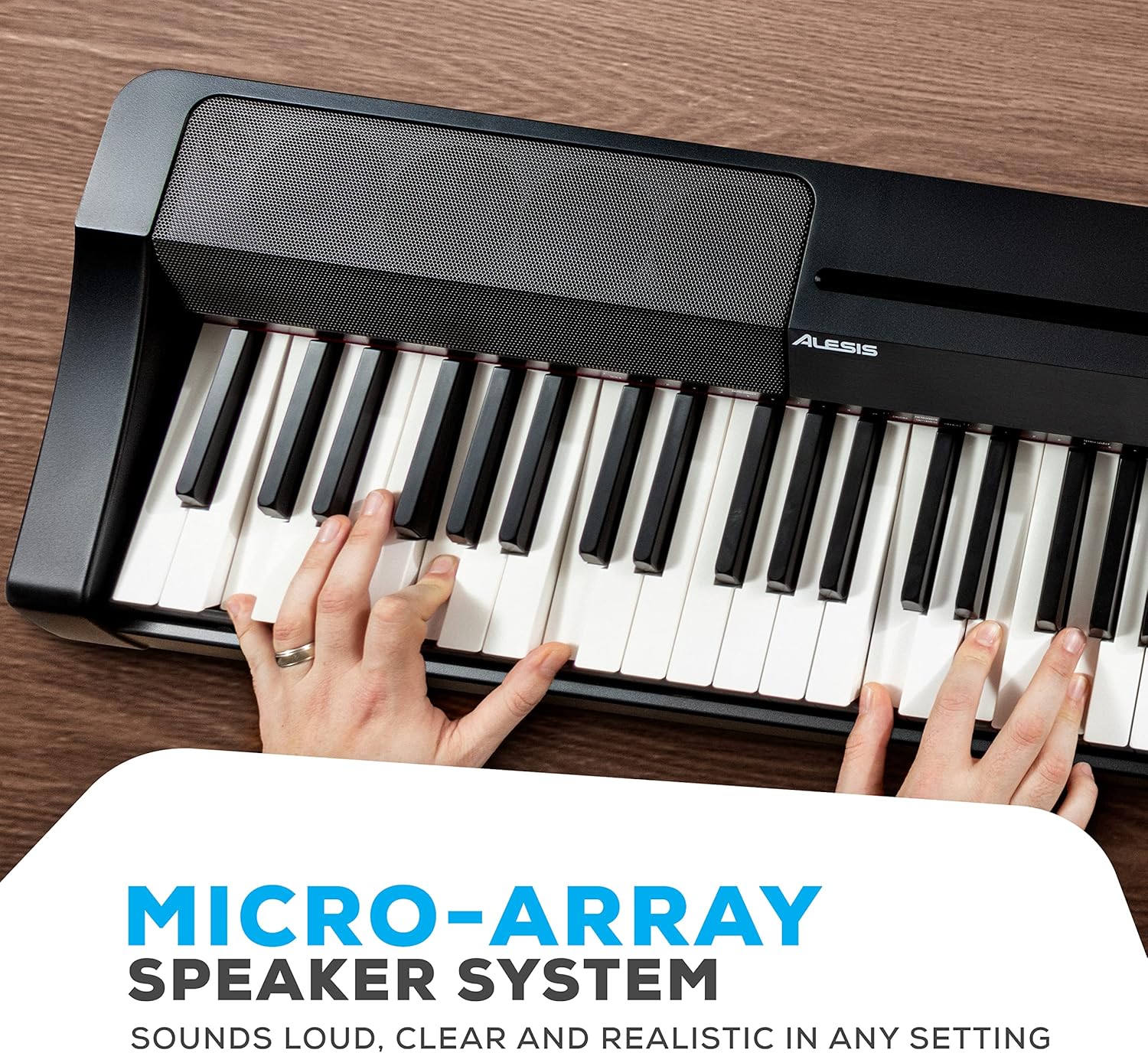
Slika: Detaljna view of the Alesis Recital Grand's micro-array speaker system, designed to deliver clear and powerful audio output.
5. Uputstvo za upotrebu
5.1 Uključivanje/isključivanje i jačina zvuka
- Snaga: Pritisnite Snaga dugme za uključivanje ili isključivanje klavira.
- Volumen: Koristite Volume knob to adjust the overall output level of the piano.
5.2 Odabir glasova
The Recital Grand features 16 built-in voices, accessible via dedicated buttons and combinations:
- Pritisnite Klavir button to select the Grand Piano voice. Hold the Piano button to access the Dark Piano or Harpsichord variations.
- Pritisnite Električni klavir button to select the MK1/Suitcase Electric Piano voice. Hold the Electric Piano button to access the Wurlitzer or FM Piano variations.
- Similarly, use the Orgulje, Strings, Synth, i Bas buttons to select their primary voices and hold them for variations.
5.3 Split and Layer Modes
- Split način rada: Pritisnite Split button. The keyboard will be divided into two sections, each playing a different voice. The split point can be adjusted.
- Layer Mode: Pritisnite Layer button. Two selected voices will sound simultaneously when a key is pressed.
5.4 Lesson and Record Modes
- Način lekcije: Pritisnite Lekcija button to activate. This mode is useful for teaching, as it duplicates the keyboard range.
- Režim snimanja: Pritisnite Rec/Start/Stop button to begin recording your performance. Press it again to stop. Press the Igraj button to listen to your recorded track.
5.5 Efekti
- Reverb: Koristite Reverb button to cycle through and adjust the 5 available reverb effects.
Video: An official Alesis performance video demonstrating the sound and playability of the Recital Grand digital piano. This video showcases various voices and musical styles.
Video: An official Alesis demonstration video providing an overview of the Recital Grand's features and sound capabilities. This video highlights key aspects of the instrument's design and functionality.
6. Održavanje
Proper care will ensure the longevity and optimal performance of your Alesis Recital Grand:
- čišćenje: Use a soft, dry cloth to wipe the surface of the piano. For stubborn dirt, a slightly damp cloth can be used, followed by a dry cloth. Avoid abrasive cleaners, solvents, or waxes.
- Čišćenje ključeva: Nježno obrišite tipke mekom, blago krpomamp krpu. Ne koristite prekomjernu vlagu.
- Skladištenje: When not in use, cover the piano with a dust cover to protect it from dust and debris. Avoid placing heavy objects on the keys or control panel.
- Okruženje: Keep the piano away from direct sunlight, heat sources, and areas with high humidity or extreme temperature changes.
- prijevoz: Prilikom premještanja klavira, provjerite je li pravilno osiguran kako biste spriječili oštećenja.
7. Otkrivanje problema
If you encounter issues with your Alesis Recital Grand, refer to the following common problems and solutions:
| Problem | Mogući uzrok | Rješenje |
|---|---|---|
| Nema zvuka | Volume too low; headphones connected; external amplifier off/disconnected. | Increase volume knob; disconnect headphones; check external amplifier connections and power. |
| Tipke ne reagiraju ili je dodir neujednačen | Touch sensitivity setting; dust/debris under keys. | Adjust touch sensitivity setting (refer to full user manual); gently clean keys. |
| Izobličen zvuk | Volume too high; incorrect audio cable connection; faulty speakers/headphones. | Lower volume; ensure audio cables are correctly connected; test with different headphones/speakers. |
| MIDI ne radi | Incorrect USB-MIDI connection; driver issues; software settings. | Ensure USB cable is securely connected; install necessary drivers; check MIDI settings in your software. |
For more detailed troubleshooting or issues not listed here, please refer to the full User Manual (PDF) available on the Alesis website or contact Alesis customer support.
8. Specifikacije
Below are the technical specifications for the Alesis Recital Grand digital piano:
- Brand: Alesis
- Naziv modela: Recital Grand
- Broj ključeva: 88
- Tip ključa: Graded Hammer-Action Weighted Keys
- glasovi: 16 Premium Multi-Sampled Voices
- polifonija: 128 Max
- Efekti: 5 Adjustable Reverb FX
- Sistem zvučnika: 50W Micro-Array
- Povezivanje: Stereo 1/4" (6.35mm) Outputs, 1/4" (6.35mm) Headphone Jack, 1/8" (3.5mm) Headphone Jack, USB-MIDI Output, Sustain Pedal Input, Power Adapter Input
- Izvor napajanja: Električni sa kablom (12V DC)
- Dimenzije (D x Š x V): 9.65" x 57.87" x 15.55" (24.5 cm x 147 cm x 39.5 cm)
- Težina artikla: 12.8 kilograma (28.2 lbs)
- Boja: Crna
- Razina vještine: Beginner to Professional

Image: A diagram illustrating the physical dimensions of the Alesis Recital Grand digital piano, including its length, width, and height.
9. Jamstvo i podrška
9.1 Informacije o garanciji
The Alesis Recital Grand digital piano comes with a 1-godišnja garancija proizvođača. This warranty covers defects in materials and workmanship under normal use. Please retain your proof of purchase for warranty claims. For full details regarding warranty terms and conditions, refer to the Safety & Warranty Manual included in your package or visit the official Alesis website.
9.2 Korisnička podrška
For technical assistance, product inquiries, or warranty service, please contact Alesis customer support through their official website. You can typically find support contact information, FAQs, and additional resources at www.alesis.com/support.
Additionally, a comprehensive User Manual (PDF) is available for download from the Alesis website, providing more in-depth information on all features and functions.