
1. Uvod
Thank you for choosing the Orvibo Smart Door Lock C1. This smart lock is designed to provide enhanced security and convenience for your home or office. It integrates multiple unlocking methods, including fingerprint, password, RFID card, and traditional mechanical key, along with smart app control for remote management and monitoring. Please read this manual carefully before installation and operation to ensure proper use and optimal performance.
2. Sigurnosne informacije
- Do not attempt to disassemble or repair the lock yourself. Refer to qualified technicians for service.
- Use only the specified battery type (4 x AA batteries). Do not mix old and new batteries or different types of batteries.
- Keep the mechanical keys in a safe place outside your home in case of emergency or battery depletion.
- Izbjegavajte izlaganje brave direktnoj sunčevoj svjetlosti, kiši ili ekstremnim temperaturama.
- Ensure the door thickness is within the specified range (35mm ~ 120mm) for proper installation.
- Regularly check the battery level and replace batteries when indicated by the low battery warning.
3. Proizvod je gotovview
The Orvibo Smart Door Lock C1 consists of an outer panel with a keypad, fingerprint sensor, and card reader, and an inner panel with the battery compartment and manual lock. The design is sleek and modern, suitable for various home aesthetics.

Slika 3.1: Prednja i zadnja strana view of the Orvibo Smart Door Lock C1, showcasing its sleek black design and components.
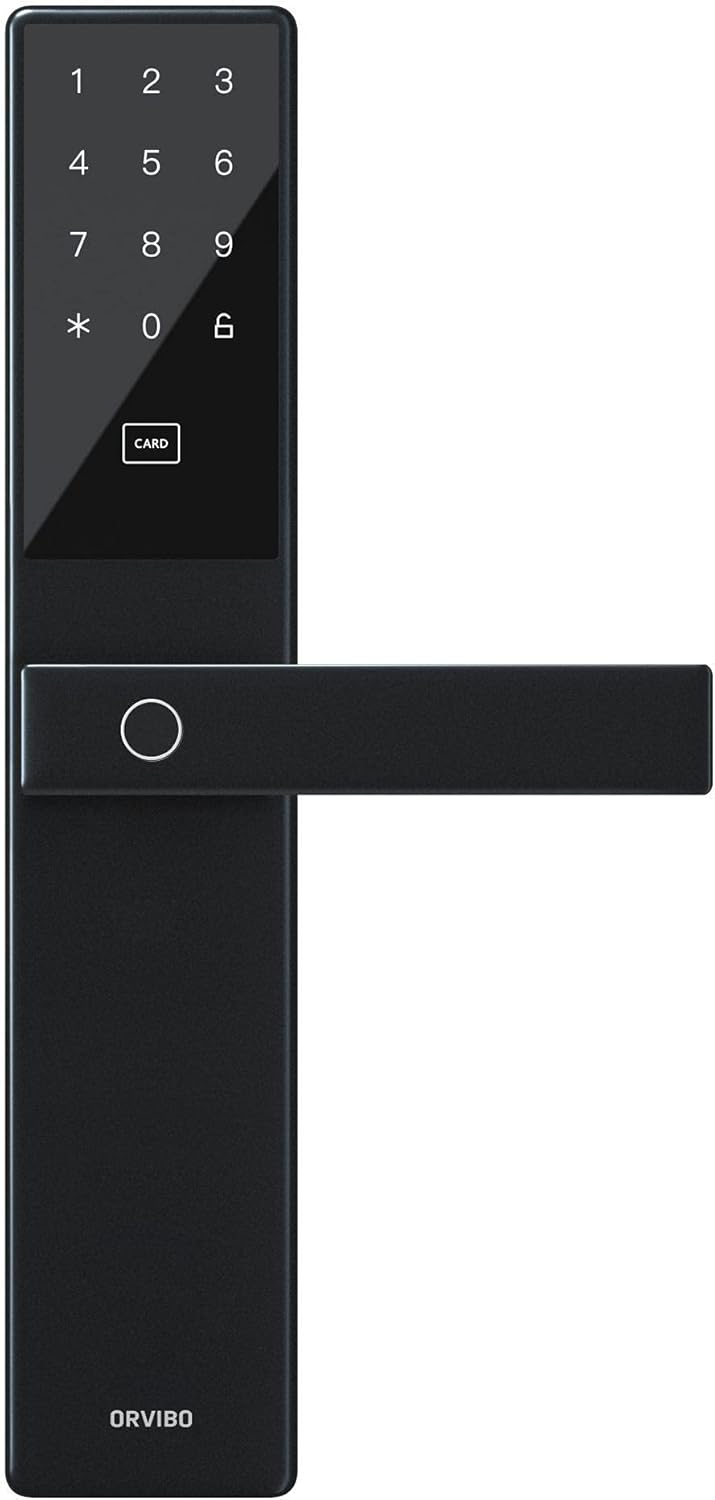
Slika 3.2: Krupni plan view of the exterior panel, highlighting the numeric keypad, card reader area, and fingerprint sensor.
4. Postavljanje i instalacija
Proper installation is crucial for the lock's functionality and security. It is recommended to have the lock installed by a professional if you are unsure about the process.
4.1 Provjera prije instalacije
- Verify door thickness: 35mm to 120mm.
- Osigurajte da je okvir vrata čvrst i poravnat.
- Check package contents: Smart lock (front and back panels), mortise, strike plate, screws, keys, installation template, user manual.
4.2 Koraci instalacije
- Pripremite vrata: Use the provided template to mark and drill holes on the door.
- Install the Mortise: Insert the mortise into the side of the door and secure it with screws.
- Install the Outer Panel: Pass the spindle and cables through the mortise. Align the outer panel and secure it.
- Install the Inner Panel: Connect the cables from the outer panel to the inner panel. Align the inner panel and secure it with screws.
- Ugradnja zaštitne ploče: Install the strike plate on the door frame, ensuring proper alignment with the mortise latch.
- Umetnite baterije: Open the battery cover on the inner panel and insert 4 AA batteries, observing polarity.
- Test funkcionalnost: Test all unlocking methods (key, fingerprint, card, password) to ensure smooth operation.
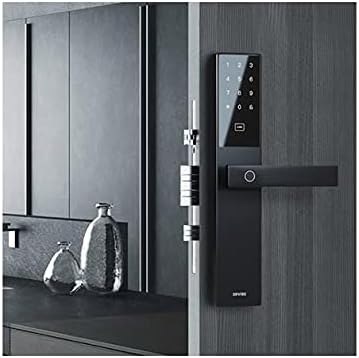
Figure 4.1: The Orvibo Smart Door Lock C1 installed on a wooden door, demonstrating its integrated appearance.
5. Uputstvo za upotrebu
The Orvibo Smart Door Lock C1 offers multiple convenient ways to unlock your door.
5.1 Metode otključavanja
- Otisak prsta: Postavite registrovani prst na senzor otiska prsta. Brava će se otključati ako se otisak prsta prepozna.
- Lozinka: Enter your registered password on the keypad, followed by the '#' key.
- RFID kartica: Present your registered RFID card to the card reader area on the outer panel.
- Mehanički ključ: Insert the backup mechanical key into the keyhole and turn to unlock.
- Temporary/One-Time Password: Generate a temporary or one-time password via the smartphone app and provide it to guests.
5.2 Zaključavanje vrata
The lock will automatically engage after the door is closed. You can also manually lock it from the inside using the thumb-turn or by pressing the lock button on the outer panel (if available).
6. App Integration and Smart Features
The Orvibo Smart Door Lock C1 connects to your smartphone via Wi-Fi, offering advanced control and monitoring features.
6.1 Povezivanje s aplikacijom
- Download the Orvibo Smart Home App from your device's app store.
- Kreirajte nalog ili se prijavite.
- Follow the in-app instructions to add the Smart Door Lock C1 to your device list. This typically involves putting the lock in pairing mode and connecting it to your home Wi-Fi network.
6.2 Karakteristike aplikacije
- Daljinsko otključavanje: Unlock your door from anywhere using the app.
- Upravljanje korisnicima: Add, modify, or delete fingerprints, passwords, and RFID cards for up to 25 users.
- Privremene lozinke: Generate time-limited or one-time passwords for visitors.
- Otključavanje dnevnika: View a history of all lock and unlock events, including the method used and timestamp.
- Push obavještenja: Receive real-time alerts on your phone for various events, such as low battery or unauthorized access attempts.
- Status baterije: Monitor the current battery level of the lock.
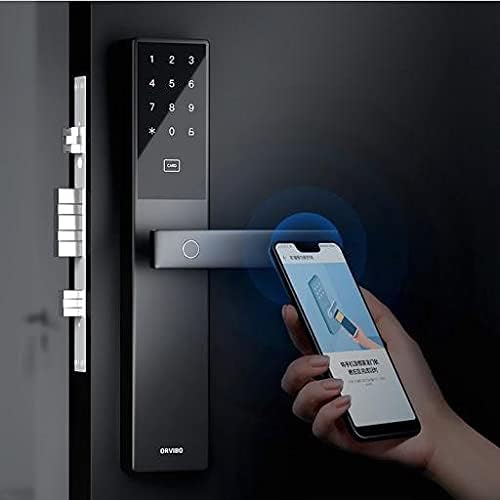
Figure 6.1: A user interacting with the Orvibo Smart Door Lock C1 and its corresponding smartphone application, demonstrating remote control capabilities.
7. Održavanje
Regular maintenance ensures the longevity and optimal performance of your smart lock.
- čišćenje: Obrišite površinu brave mekom, suhom krpom. Ne koristite abrazivna sredstva za čišćenje ili rastvarače.
- Zamjena baterije: When the low battery indicator appears (or approximately every 400 days), replace all four AA batteries simultaneously. Ensure correct polarity.
- Mehanička provjera: Periodically check that the door closes smoothly and the latch operates without obstruction.
8. Otkrivanje problema
If you encounter issues with your Orvibo Smart Door Lock C1, refer to the following common problems and solutions:
| Problem | Mogući uzrok | Rješenje |
|---|---|---|
| Zaključavanje ne reaguje | Istrošene baterije | Zamijenite sve 4 AA baterije. |
| Otisak prsta nije prepoznat | Finger wet/dirty, improper placement, unregistered fingerprint | Clean finger, ensure proper placement, register fingerprint if new. |
| Lozinka ne radi | Incorrect password, unregistered password | Verify password, ensure it's registered. |
| Problemi sa vezom aplikacije | Weak Wi-Fi signal, incorrect pairing | Check Wi-Fi signal, re-pair the lock with the app. |
| Lock makes unusual noises | Mechanical obstruction, loose parts | Check for obstructions, tighten screws. If issue persists, contact support. |
9. Specifikacije
| Feature | Detalj |
|---|---|
| Model | C1 Smart Way Wi-Fi |
| Korisnički kapacitet | Do 25 korisnika |
| Napajanje | 4 x AA baterije |
| Operating Voltage | DC 3V |
| Radna struja | <150mA (prosjek) |
| Trajanje baterije | Pribl. 400 dana |
| Bežično povezivanje | Wi-Fi |
| Materijal panela | Aluminum Alloy, Zinc Alloy, Stainless Steel, ABS Plastic |
| Odgovarajuća debljina vrata | 35 mm ~ 120 mm |
| Status Detection | Status mreže, Status baterije |
| Metode otključavanja | Fingerprint, Card, Password, Temporary/One-time Password, Mechanical Key |
10. Garancija i podrška
Orvibo provides a standard warranty for this product. For detailed warranty terms and conditions, please refer to the warranty card included with your purchase or visit the official Orvibo website. If you require technical assistance, troubleshooting, or have any questions regarding your Smart Door Lock C1, please contact Orvibo customer support through their official channels. Please have your product model and purchase information ready when contacting support.