
Uvod
Thank you for choosing the LENRUE Bluetooth Speaker. This portable wireless speaker delivers loud stereo sound with rich bass and offers up to 12 hours of playtime. Featuring advanced Bluetooth 5.0 technology and a built-in microphone, it is designed for a superior audio experience and convenient hands-free communication. This manual provides essential information for setting up, operating, and maintaining your speaker.
Sadržaj paketa
Molimo označite kućicu za sljedeće stavke:
- LENRUE Bluetooth Speaker (Model: yun-dong-199)
- USB kabl za punjenje
- Pomoćni audio kabel
- Uputstvo za upotrebu
Product Overview
The LENRUE Bluetooth Speaker is designed for portability and high-quality audio. It features:
- Vrhunski kvalitet zvuka: Dual high-performance drivers and enhanced bass for clear, powerful audio.
- Produženo vrijeme igranja: Do 12 sati neprekidne reprodukcije muzike sa jednim punjenjem.
- Napredno povezivanje: Bluetooth 5.0 for stable, fast wireless connections. Supports USB, Micro SD card (up to 32GB), and AUX input.
- Ugrađeni mikrofon: Enables hands-free calling with clear stereo sound.
- Prijenosni dizajn: Lightweight (0.66 lb) and compact, making it ideal for travel and outdoor use.

Image: The LENRUE Bluetooth Speaker, showcasing its compact and sleek design in blue.
Setup
1. Punjenje zvučnika
Before first use, fully charge the speaker. Connect the provided USB charging cable to the speaker's charging port and to a USB power source (e.g., computer, wall adapter). The charging indicator light will show the charging status (refer to LED indicator section for details). A full charge typically takes 2-3 hours.

Slika: Stražnja strana view of the speaker highlighting the USB, TF card, DC 9V charging, Reset pinhole, and AUX input ports.
2. Uključivanje / isključivanje napajanja
- To Power On: Press and hold the Power/Mode button (often marked 'M' or with a power icon) until you hear an audible prompt or see the LED indicator light up.
- To Power Off: Press and hold the Power/Mode button again until you hear an audible prompt or the LED indicator turns off.
3. Bluetooth uparivanje
- Ensure the speaker is powered on and in Bluetooth pairing mode (the LED indicator will usually flash blue).
- Na svom uređaju (pametnom telefonu, tabletu itd.) omogućite Bluetooth i potražite dostupne uređaje.
- Select "LENRUE Speaker" (or similar name) from the list.
- Once paired, the speaker will emit an audible confirmation, and the LED indicator will turn solid blue.

Image: The LENRUE speaker positioned on a desk, wirelessly connected to a laptop, tablet, and smartphone, illustrating its versatile Bluetooth 5.0 connectivity.
4. Connecting via AUX, USB, or Micro SD Card
- AUX ulaz: Connect one end of the provided auxiliary audio cable to the speaker's AUX port and the other end to your audio device's headphone jack. The speaker will automatically switch to AUX mode.
- USB reprodukcija: Umetnite USB disk koji sadrži audio fileu USB priključak. Zvučnik će automatski prepoznati i reproducirati muziku s pogona.
- Reprodukcija mikro SD kartice: Umetnite Micro SD karticu (do 32 GB) sa zvukom fileu utor za TF karticu. Zvučnik će automatski detektovati i reprodukovati muziku sa kartice.
Uputstvo za upotrebu
Funkcije dugmadi
Zvučnik ima intuitivne kontrole na gornjoj ploči:

Slika: Vrh view of the LENRUE speaker, displaying the control buttons for power, mode, volume, and track navigation.
- Power/Mode Button (M):
- Pritisnite i držite za uključivanje/isključivanje.
- Short press to switch between input modes (Bluetooth, AUX, USB, Micro SD).
- Dugme za reprodukciju/pauzu:
- Kratko pritisnite za reprodukciju ili pauziranje muzike.
- Short press to answer/end a phone call.
- Pritisnite i držite za odbijanje dolaznog poziva.
- Dugme za smanjenje jačine zvuka / prethodnu pjesmu (-):
- Kratko pritisnite da biste smanjili jačinu zvuka.
- Pritisnite i držite za prelazak na prethodnu numeru.
- Dugme za pojačavanje zvuka / sljedeću pjesmu (+):
- Kratko pritisnite da povećate jačinu zvuka.
- Pritisnite i držite za prelazak na sljedeću numeru.
Prava bežična stereo veza (TWS)
For an enhanced stereo experience, you can connect two LENRUE Bluetooth Speakers together:
- Provjerite jesu li oba zvučnika isključena.
- Uključite oba zvučnika. Automatski će ući u Bluetooth način uparivanja.
- On one speaker, double-press the Power/Mode button. It will search for another speaker to pair with.
- Once connected, you will hear an audible confirmation, and both speakers will play in stereo.
- Now, connect your device to one of the speakers via Bluetooth as described in the "Bluetooth Pairing" section.
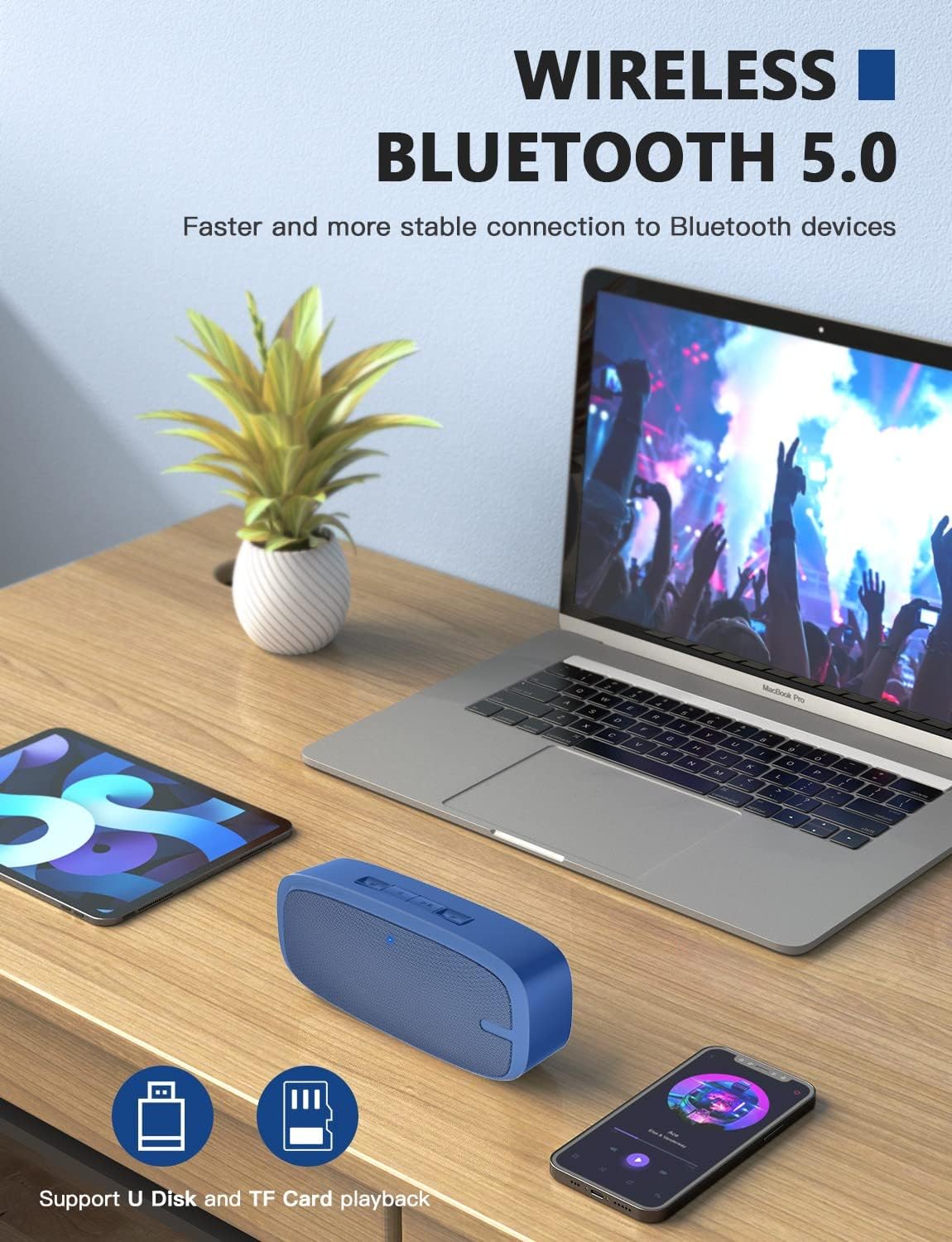
Image: Two LENRUE Bluetooth Speakers shown side-by-side, illustrating the True Wireless Stereo (TWS) connection capability for a wider soundstage.
Održavanje
- čišćenje: Koristite meku, suhu krpu za čišćenje površine zvučnika. Nemojte koristiti jake hemikalije ili abrazivna sredstva za čišćenje.
- Skladištenje: Čuvajte zvučnik na hladnom i suhom mjestu, dalje od direktne sunčeve svjetlosti i ekstremnih temperatura.
- Održavanje baterije: Da biste produžili vijek trajanja baterije, izbjegavajte često potpuno pražnjenje zvučnika. Redovno ga punite, čak i ako se ne koristi duži period.
- Otpornost na vodu: Ovaj zvučnik NIJE vodootporan. Izbjegavajte izlaganje vodi ili prekomjernoj vlazi.
Rješavanje problema
| Problem | Mogući uzrok | Rješenje |
|---|---|---|
| Zvučnik se ne uključuje. | Niska baterija. | Potpuno napunite zvučnik pomoću priloženog USB kabla. |
| Nije moguće uparivanje putem Bluetootha. | Zvučnik nije u načinu uparivanja; Bluetooth uređaja isključen; previše daleko od uređaja. | Ensure speaker is in pairing mode (flashing blue LED). Turn Bluetooth on your device. Move speaker closer to device (within 10 meters). Forget previous pairings on your device and try again. |
| Nema zvuka. | Jačina zvuka je preniska; pogrešan način unosa; uređaj ne reproducira zvuk. | Increase speaker and device volume. Check if the correct input mode (Bluetooth, AUX, USB, TF) is selected. Ensure your device is playing audio. |
| Loša kvaliteta zvuka. | Slaba baterija; smetnje; uređaj predaleko. | Charge the speaker. Move away from other wireless devices. Move speaker closer to your device. |
| Micro SD card or USB drive not recognized. | Netačno file format; card/drive not inserted correctly; unsupported capacity. | Osigurajte zvuk files are in a supported format (e.g., MP3). Reinsert the card/drive. Ensure Micro SD card is 32GB or less. |
Specifikacije
| Feature | Detalj |
|---|---|
| Brand | LENRUE |
| Broj modela | yun-dong-199 |
| Tehnologija povezivanja | Bluetooth 5.0, Pomoćni, USB |
| Način audio izlaza | Stereo |
| Maksimalna izlazna snaga zvučnika | 3 Watts |
| Prosječni vijek trajanja baterije | 12 sata |
| Bluetooth domet | 10 metara (33 stopa) |
| Težina artikla | 0.47 Kilograms (0.66 lb) |
| Mikrofon | Ugrađeni (1 mikrofon) |
| Podržani mediji | USB, Micro SD Card (up to 32GB), AUX |
| Kontrolni metod | Dodirna dugmad |
| Je vodootporan | FALSE |
Garancija i podrška
The LENRUE Bluetooth Speaker comes with a limited warranty. For detailed warranty information, please refer to the product packaging or contact LENRUE customer support.
If you encounter any issues or have questions about your speaker, please contact our customer support team:
- Online podrška: Visit the official LENRUE webstranica za često postavljana pitanja i resurse podrške.
- Email: Refer to your product packaging for customer service email address.