
LIECTROUX C30B
LIECTROUX C30B Hybrid Robot Vacuum and Mop User Manual
Model: C30B
1. Uvod
Thank you for choosing the LIECTROUX C30B Hybrid Robot Vacuum and Mop. This intelligent cleaning device is designed to simplify your home maintenance with its advanced features, including dynamic navigation, powerful 4KPA suction, and versatile 2-in-1 vacuuming and mopping capabilities. It integrates seamlessly with smart home systems like Amazon Alexa and Google Assistant for convenient control. Please read this manual thoroughly before operating the device to ensure proper use and maintenance.

Figure 1.1: LIECTROUX C30B Robot Vacuum and Mop with its accompanying mobile application interface and the interchangeable dustbin/water tank.
2. Važna sigurnosna uputstva
To reduce the risk of injury or damage, read these safety instructions carefully and keep them handy for future reference. This appliance is for household use only.
- Do not operate the robot in environments with open flames or fragile objects.
- Prije upotrebe provjerite da li su svi kablovi za napajanje, mali predmeti i labavi predmeti uklonjeni s poda kako biste spriječili zapetljavanje.
- Do not allow children or pets to play with the robot. Supervise children when the robot is in use.
- Use only the original charging dock and power adapter provided by the manufacturer.
- Ne koristite robota za usisavanje krupnog otpada, tekućina ili zapaljenih/dimećih materijala.
- Redovno čistite četkice i senzore kako biste održali optimalne performanse.
- Do not immerse the robot or its electronic components in water.
- If the robot is not used for a long period, fully charge it and store it in a cool, dry place.
3. Sadržaj paketa
Prilikom raspakivanja provjerite da li su sve komponente prisutne i u dobrom stanju.
- Robot Host (Main Unit)
- Stanica za punjenje
- Daljinski upravljač (baterije nisu uključene)
- Adapter za napajanje
- Rezervoar za vodu
- Smeće
- Alat za čišćenje
- HEPA filteri (2x)
- Bočne četke (4x)
- Mopping Pads (2x)
- Uputstvo za upotrebu
- Vodič za instalaciju aplikacije
4. Proizvod je gotovview
Familiarize yourself with the main components of your LIECTROUX C30B robot vacuum.
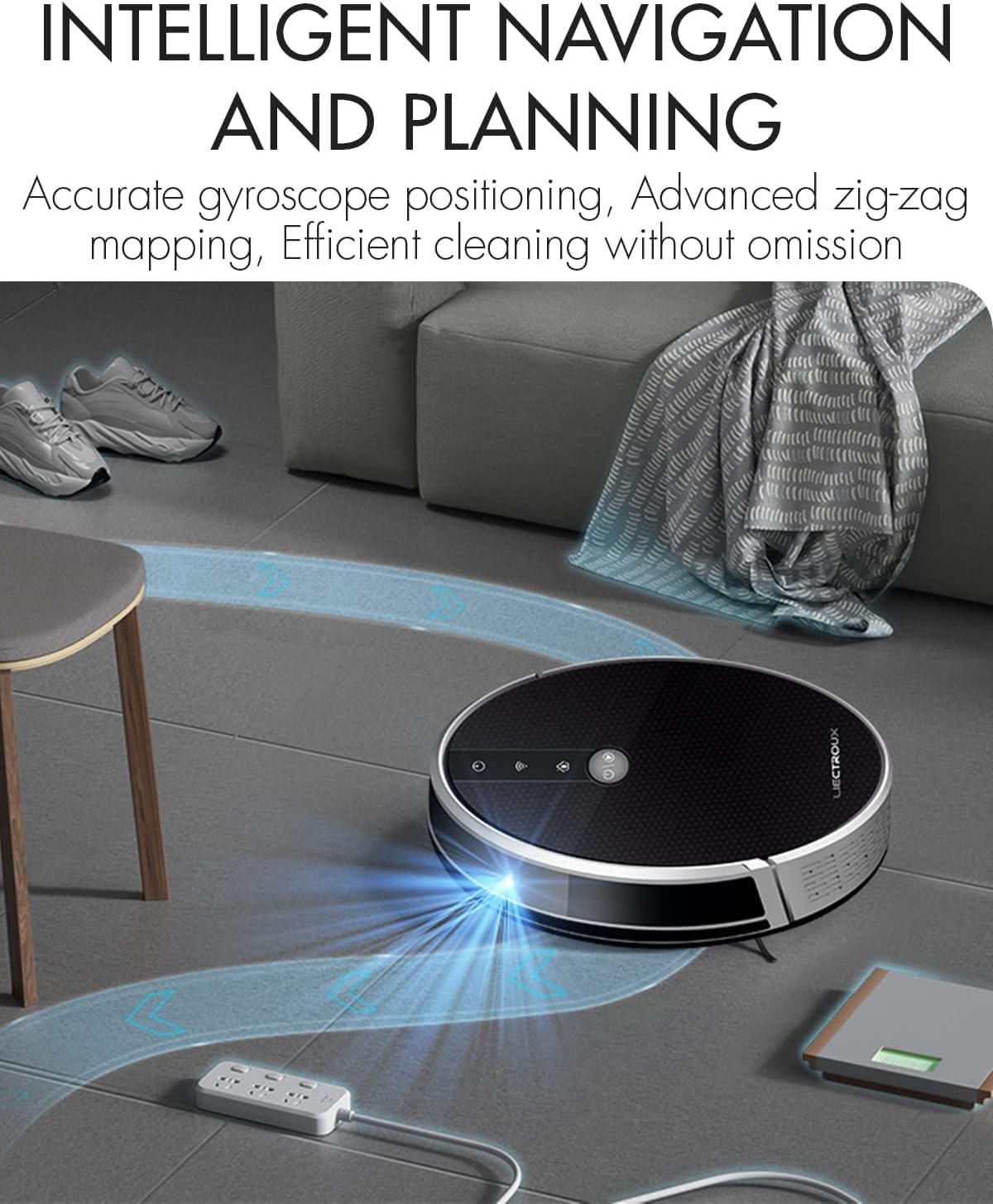
Figure 4.1: The robot vacuum utilizing its intelligent navigation system to plan and execute efficient cleaning paths, ensuring thorough coverage of your home.
4.1. Ključne karakteristike
- Gyroscope Smart Navigation: Detects the entire house and builds a real-time cleaning roadmap for efficient, room-to-room cleaning.
- Super Suction & 2-in-1 Functionality: Equipped with a NIDEC brushless motor and V-shaped floating central brush for deep cleaning. Interchangeable 600ml dustbin and water tank allow for simultaneous vacuuming and mopping.
- Tanki dizajn tijela: At 7.4 cm (2.9 inches) thin, it can easily clean under furniture and hard-to-reach areas.
- Senzori protiv pada: Integrated infrared sensors detect obstacles and prevent falls from stairs or ledges.
- tihi rad: Designed to operate at a low noise level (45 dB), minimizing disturbance.
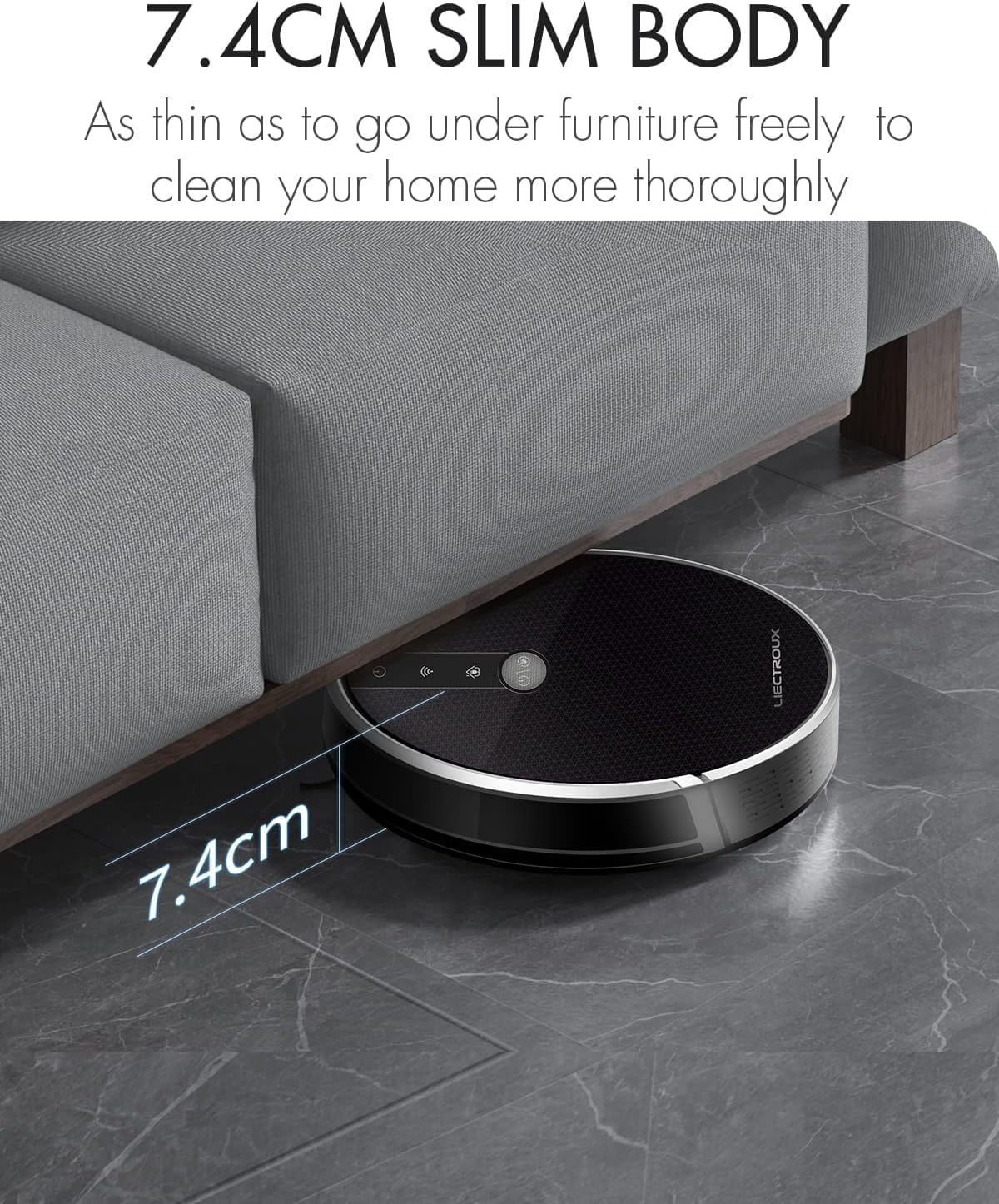
Figure 4.2: The robot's ultra-slim 7.4 cm body allows it to effortlessly clean under low-lying furniture, ensuring no dust or debris is left behind.
5. Podešavanje
5.1. Punjenje robota
- Place the charging station against a wall in an open, uncluttered area. Ensure there is at least 1 meter (3.3 feet) of clear space on both sides and 2 meters (6.6 feet) in front of the station.
- Connect the power adapter to the charging station and plug the other end into a wall outlet.
- Place the robot onto the charging station, ensuring the charging contacts align. The robot will automatically begin charging. A full charge takes approximately 4-5 hours.
- For initial use, it is recommended to fully charge the robot before its first cleaning cycle.
5.2. Ugradnja bočnih četki
Attach the side brushes by pressing them onto the square posts at the bottom of the robot until they click into place. Ensure the left (L) and right (R) brushes are installed on the correct sides.
5.3. Installing Dustbin or Water Tank
The LIECTROUX C30B comes with an interchangeable dustbin and water tank. Choose the appropriate container for your cleaning needs.
- Za usisavanje: Insert the dustbin into the designated slot at the rear of the robot until it locks securely.
- Za brisanje: Fill the water tank with clean water (do not use detergents or harsh chemicals). Attach a mopping pad to the bottom of the water tank. Insert the water tank into the designated slot at the rear of the robot until it locks securely.
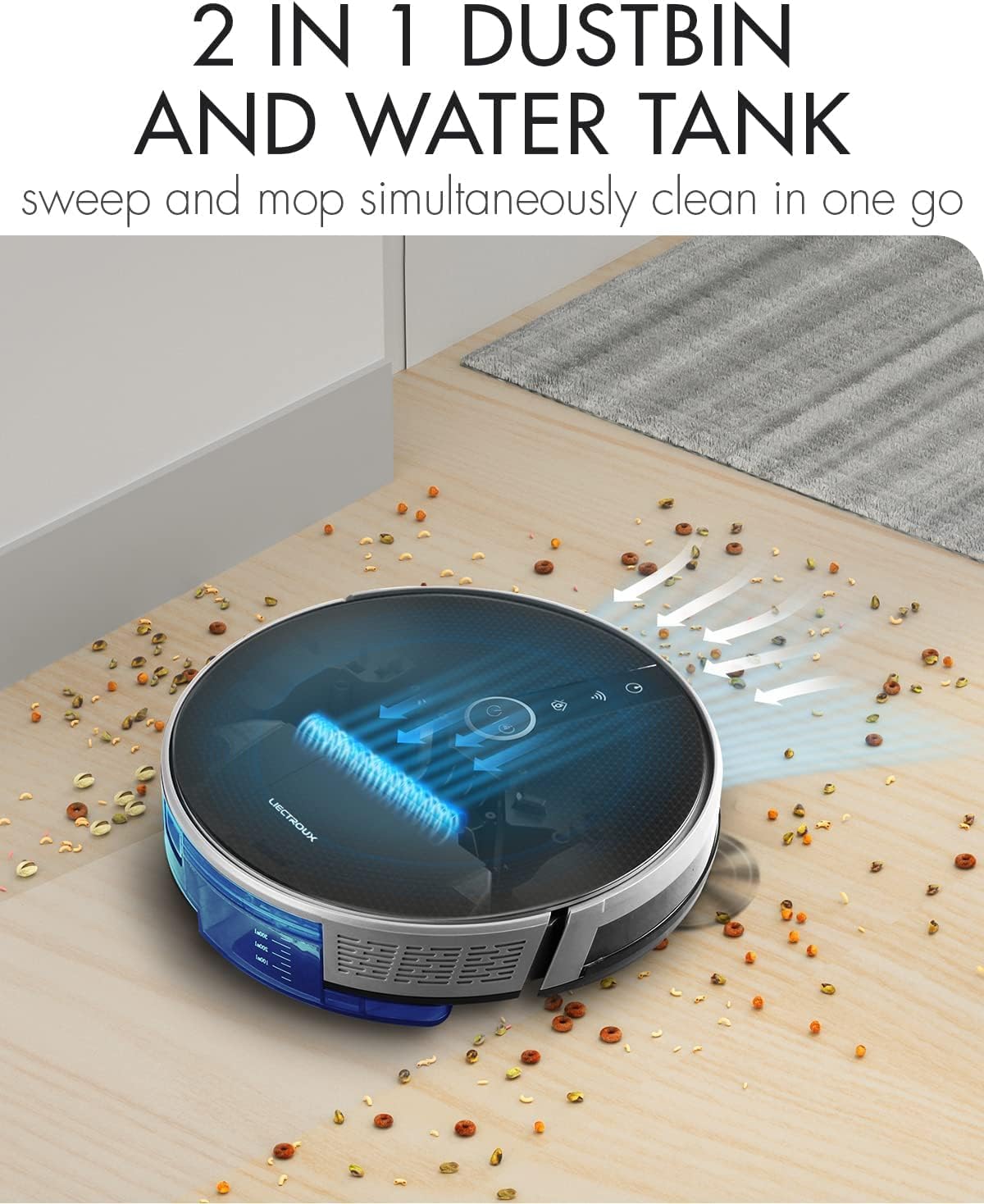
Figure 5.1: The robot's innovative 2-in-1 design allows for easy switching between the dustbin for vacuuming and the water tank for mopping, enabling simultaneous sweep and mop functions.
5.4. Instalacija i povezivanje aplikacije
The LIECTROUX C30B can be controlled via the Tuya Smart app. It also supports voice control through Amazon Alexa and Google Assistant.
- Download the "Tuya Smart" app from the App Store (iOS) or Google Play Store (Android).
- Registrirajte račun i prijavite se.
- Ensure your robot is charged and powered on.
- In the app, tap "+" to add a device. Select "Small Home Appliance" > "Robot Vacuum".
- Follow the on-screen instructions to connect the robot to your home Wi-Fi network (2.4GHz only).
- Nakon povezivanja, možete upravljati robotom, zakazivati čišćenje i pratiti njegov status putem pametnog telefona.

Figure 5.2: The mobile application provides comprehensive remote control, allowing users to manage cleaning modes, schedules, and monitor the robot's status from anywhere.
6. Uputstvo za upotrebu
6.1. Režimi čišćenja
The LIECTROUX C30B offers 6 cleaning modes to suit various needs:
- Automatsko čišćenje: The robot intelligently plans its route to clean the entire area.
- Način brisanja: When the water tank is installed, the robot will perform wet mopping.
- Čišćenje jednokrevetne sobe: Cleans a specific room. Close the door to confine the robot to that area.
- Čišćenje ivica: Robot čisti uz zidove i rubove namještaja.
- Čišćenje na licu mjesta: Concentrates cleaning on a specific dirty area in a spiral pattern.
- Planirano čišćenje: Set specific times for the robot to start cleaning automatically via the app.
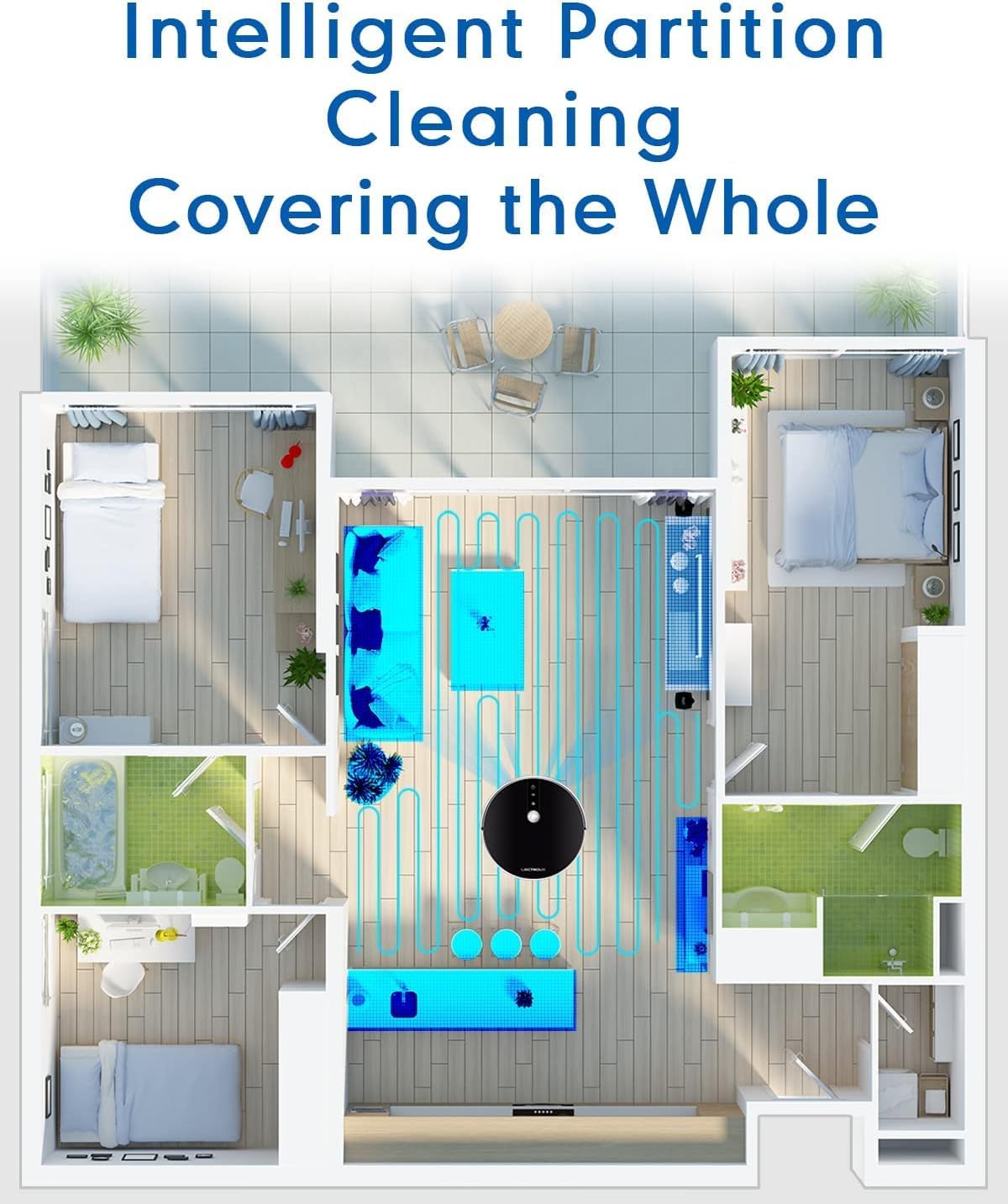
Figure 6.1: The robot's intelligent partition cleaning capability allows it to map and clean different areas of your home systematically, ensuring comprehensive coverage.
6.2. Starting/Pausing Cleaning
- Na robotu: Press the power button on the robot's top panel to start or pause cleaning.
- Korištenje daljinskog upravljača: Use the "Auto Clean" button on the remote control.
- Preko aplikacije: Use the "Start" or "Pause" buttons within the Tuya Smart app.
6.3. Voice Control (Alexa/Google Assistant)
Once connected to the Tuya Smart app, you can link your robot to Amazon Alexa or Google Assistant for voice commands.
- Enable the "Tuya Smart" skill in your Alexa or Google Home app.
- Link your Tuya Smart account.
- Otkrijte uređaje.
- You can now use commands such as:
- "Alexa, start cleaning the robot vacuum."
- "Hey Google, tell the robot vacuum to go back to charging."
- "Alexa, stop the robot vacuum."

Figure 6.2: The robot vacuum seamlessly integrates with smart home assistants like Amazon Alexa and Google Assistant, allowing for convenient voice-activated control of cleaning tasks.
7. Održavanje
Redovno održavanje je ključno za optimalne performanse i dugotrajnost vašeg robotskog usisivača.
7.1. Pražnjenje kante za prašinu
Empty the dustbin after each use or when the "Dustbin Full" indicator appears on the app.
- Pritisnite dugme za otpuštanje posude za prašinu i izvucite posudu za prašinu.
- Otvorite poklopac kante za prašinu i ispraznite njen sadržaj u kantu za smeće.
- Clean the dustbin with the provided cleaning tool or a soft cloth. It can also be rinsed with water, but ensure it is completely dry before re-installing.
7.2. Čišćenje filtera
Clean the HEPA filter and sponge filter weekly. Replace HEPA filters every 3-6 months, depending on usage.
- Uklonite kantu za otpatke.
- Take out the HEPA filter and sponge filter.
- Tap the filters gently to remove dust. Do not wash HEPA filters with water.
- Rinse the sponge filter with water if necessary, and ensure it is completely dry before re-installing.
7.3. Cleaning Main Brush and Side Brushes
Clean the main brush and side brushes weekly to remove tangled hair and debris.
- Glavna četka: Flip the robot over. Press the release tabs on the brush guard to remove it. Lift out the main brush. Use the cleaning tool to cut and remove any tangled hair. Reinstall the brush and guard.
- Bočne četke: Gently pull the side brushes off their posts. Remove any hair or debris. If brushes are worn, replace them.
7.4. Cleaning Water Tank and Mopping Pads
Nakon svakog brisanja:
- Ispraznite preostalu vodu iz rezervoara.
- Remove the mopping pad and rinse it thoroughly with water. Allow it to air dry completely.
- Clean the water tank interior if necessary.
7.5. Čišćenje senzora i kontakata za punjenje
Wipe the sensors and charging contacts regularly with a clean, dry cloth to ensure proper function.
- Senzori protiv pada: Located on the bottom of the robot.
- Zidni senzori: Located on the front bumper.
- Kontakti za punjenje: On the bottom of the robot and on the charging station.

Figure 7.1: The robot is equipped with anti-drop sensors that detect changes in elevation, such as stairs, preventing it from falling and ensuring safe operation.
8. Otkrivanje problema
Ako naiđete na probleme s robotskim usisivačem, pogledajte donju tabelu za uobičajene probleme i rješenja.
| Problem | Mogući uzrok | Rješenje |
|---|---|---|
| Robot se ne uključuje. | Slaba baterija ili nije napunjena. | Postavite robota na stanicu za punjenje i provjerite je li potpuno napunjen. |
| Robot se često zaglavi. | Prepreke, zapetljane četke ili prljavi senzori. | Clear obstacles from the cleaning path. Clean main brush, side brushes, and all sensors. |
| Loše performanse čišćenja. | Full dustbin, clogged filter, or worn brushes. | Empty dustbin. Clean/replace filters. Clean/replace brushes. |
| Robot se ne vraća na stanicu za punjenje. | Charging station obstructed or out of range. Dirty charging contacts. | Ensure charging station is in an open area. Clean charging contacts on both robot and station. |
| Problemi s povezivanjem aplikacije. | Incorrect Wi-Fi password, 5GHz network, or robot too far from router. | Ensure you are using a 2.4GHz Wi-Fi network. Re-enter Wi-Fi password. Move robot closer to router. Restart robot and router. |
Ako problem i dalje postoji nakon isprobavanja ovih rješenja, obratite se korisničkoj podršci.
9. Tehničke specifikacije
| Feature | Specifikacija |
|---|---|
| Broj modela | C30B |
| Brand | LIECTROUX |
| Dimenzije (D x Š x V) | 33 x 33 x 7.4 cm (13 x 13 x 2.9 inča) |
| Težina | 2.7 kg (5.95 lbs) |
| Snaga | 28 Watts |
| Voltage | 14.4 Volts |
| Vrsta baterije | Litijum-jonska (2500 mAh) |
| Nivo buke | 45 dB |
| Dustbin Capacity | 0.6 litara |
| Filter Type | HEPA |
| Surface Recommendation | Tvrdi podovi, tepisi |
| Tip kontrole | App Control, Voice Control (Alexa, Google Assistant), Remote Control |
| Runtime | 100-120 minutes (approx. 170-220 sq meters) |
10. Jamstvo i podrška
The LIECTROUX C30B Hybrid Robot Vacuum and Mop comes with a 24-month professional warranty od datuma kupovine. Ova garancija pokriva proizvodne nedostatke i kvarove pri normalnoj upotrebi.
10.1. Izuzeci iz garancije
Garancija ne pokriva:
- Oštećenje uzrokovano nepravilnom upotrebom, nemarom ili nezgodom.
- Normal wear and tear of consumable parts (e.g., brushes, filters, mopping pads).
- Oštećenja uzrokovana neovlaštenim popravkama ili modifikacijama.
- Damage caused by external factors such as power surges or natural disasters.
10.2. Korisnička podrška
For technical assistance, warranty claims, or general inquiries, please contact LIECTROUX customer support through the retailer where you purchased the product or visit the official LIECTROUX webstranica za kontakt informacije.
Please have your model number (C30B) and proof of purchase ready when contacting support.
Ask a question about this manual
Ask about setup, troubleshooting, compatibility, parts, safety, or missing instructions. Manuals+ will review the question and use this page’s manual context to help answer it.