
Uvod
Hvala na kupoviniasing the Hoco HC4 5.0 Wireless Bluetooth Sport Speaker. This manual provides detailed instructions for the proper setup, operation, and maintenance of your device. Please read this manual thoroughly before use to ensure optimal performance and to prevent damage.
Product Overview
The Hoco HC4 is a portable wireless speaker designed for outdoor and sport use, featuring Bluetooth 5.0 connectivity, multiple playback options, and a robust design.
Sadržaj paketa:
- Hoco HC4 Wireless Bluetooth Speaker
- USB kabl za punjenje
- Uputstvo za upotrebu
Kontrole i portovi:
Upoznajte se s tipkama i priključcima zvučnika:

slika: Close-up of the Hoco HC4 speaker showing the AUX port, DC-5V charging port, USB port, TF card slot, and control buttons.
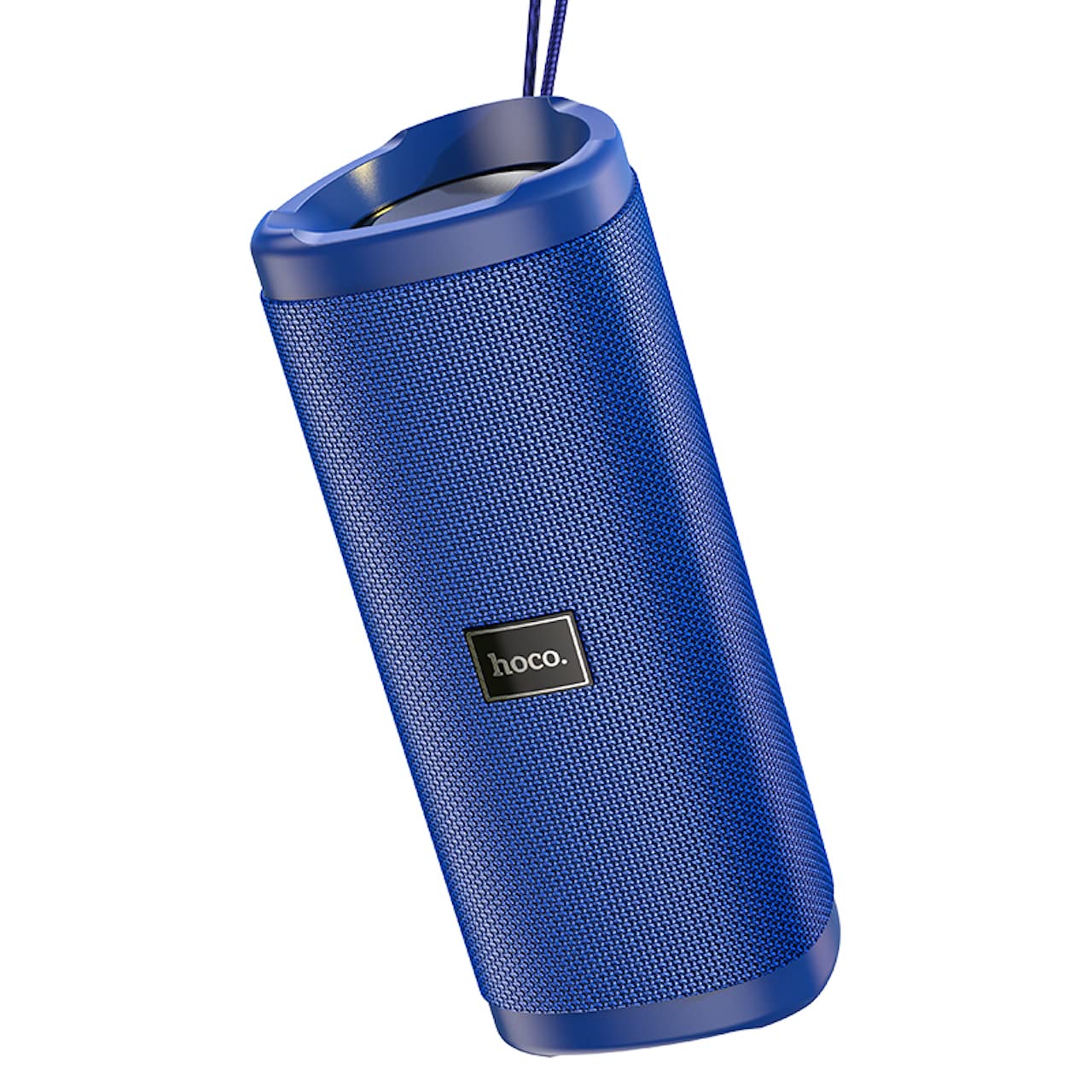
slika: Ugao view of the Hoco HC4 blue wireless speaker, highlighting its cylindrical design and fabric mesh.
- Dugme za napajanje: Pritisnite i držite za uključivanje/isključivanje. Kratki pritisak za reprodukciju/pauzu.
- Dugme za način rada (M): Short press to switch between Bluetooth, FM Radio, TF Card, USB, and AUX modes.
- Dugme za smanjenje jačine zvuka / prethodnu pjesmu (-): Kratki pritisak za prethodnu pjesmu, dugi pritisak za smanjenje jačine zvuka.
- Dugme za pojačavanje zvuka / sljedeću pjesmu (+): Kratki pritisak za sljedeću pjesmu, dugi pritisak za povećanje jačine zvuka.
- AUX priključak: Za žičanu audio vezu pomoću 3.5 mm audio kabla.
- DC-5V priključak: Za punjenje zvučnika pomoću priloženog USB kabla.
- USB port: Za reprodukciju zvuka sa USB fleš diska.
- Utor za TF karticu: Za reprodukciju zvuka sa TF (MicroSD) kartice.
Setup
Početno punjenje:
- Prije prve upotrebe, potpuno napunite zvučnik.
- Connect the small end of the USB charging cable to the DC-5V port on the speaker.
- Connect the larger end of the USB cable to a USB power adapter (5V/1A recommended) or a computer's USB port.
- Indikatorska lampica punjenja će svijetliti tokom punjenja i ugasiti se kada se uređaj potpuno napuni.
Uputstvo za upotrebu
Uključivanje/isključivanje:
- Za uključivanje: Press and hold the Power button for approximately 3 seconds. You will hear an audible prompt.
- Za isključivanje: Press and hold the Power button for approximately 3 seconds. You will hear an audible prompt.
Bluetooth uparivanje:
- Ensure the speaker is powered on and in Bluetooth mode (indicated by a flashing blue LED and an audible prompt). If not, short press the 'M' (Mode) button to switch to Bluetooth mode.
- Omogućite Bluetooth na svom mobilnom uređaju (pametnom telefonu, tabletu itd.).
- Traži available Bluetooth devices. Select "HC4" from the list.
- Once paired, the blue LED will stop flashing and remain solid, and you will hear a confirmation sound.
- Sada možete reproducirati zvuk sa svog uređaja putem zvučnika.
FM radio način rada:
- Short press the 'M' (Mode) button until you hear the FM radio prompt.
- To auto-scan and save available stations, short press the Power button. The speaker will scan and store stations automatically.
- Koristite dugmad '-' i '+' za navigaciju između sačuvanih stanica.
TF Card / USB Playback:
- Insert a TF (MicroSD) card or USB flash drive into the respective slot.
- The speaker will automatically switch to TF card or USB mode and begin playing audio files. If not, short press the 'M' (Mode) button to select the correct mode.
- Use the Power button to play/pause, and the '-' and '+' buttons for track navigation and volume control.
AUX način rada:
- Spojite jedan kraj 3.5 mm audio kabela (nije uključen) na AUX priključak na zvučniku.
- Connect the other end to the audio output of your device (e.g., laptop, MP3 player).
- Short press the 'M' (Mode) button to switch to AUX mode.
- Audio will now play through the speaker. Volume can be controlled via the speaker or your connected device.
True Wireless Stereo (TWS) funkcija:
The TWS function allows you to pair two Hoco HC4 speakers together for a stereo sound experience.
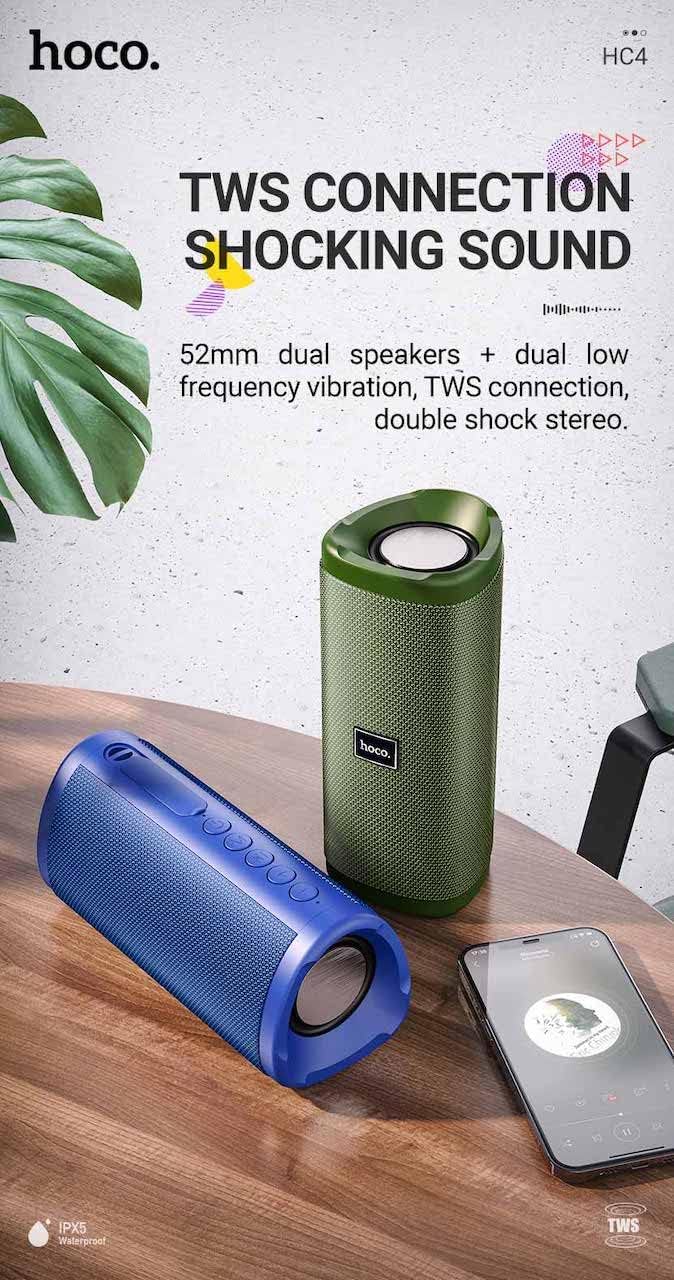
slika: A promotional image showing two Hoco HC4 speakers (blue and green) connected via TWS, with a smartphone playing music. The image also highlights 'IPX5 Waterproof'.
- Ensure both HC4 speakers are powered on and in Bluetooth pairing mode (flashing blue LED).
- On one of the speakers (this will be the primary speaker), double-press the Power button. You will hear a tone indicating it is searching for another speaker.
- The two speakers will automatically connect to each other. Once connected, you will hear a confirmation sound, and the LED on the primary speaker will flash, while the secondary speaker's LED will be solid.
- Sada povežite svoj mobilni uređaj s primarnim zvučnikom putem Bluetootha kao što je opisano u odjeljku "Uparivanje putem Bluetootha".
- Zvuk će se sada reprodukovati u stereo formatu preko oba zvučnika.
Punjenje
When the battery is low, the speaker will emit an audible warning. Connect the speaker to a power source using the provided USB cable to recharge. A full charge takes approximately 2-3 hours. The speaker provides up to 3 hours of playtime on a full charge, depending on volume level and usage.
Održavanje
čišćenje:
Obrišite zvučnik mekom, suhom krpom. Nemojte koristiti abrazivna sredstva za čišćenje, alkohol ili druge hemijske rastvarače, jer mogu oštetiti površinu.
Skladištenje:
Store the speaker in a cool, dry place away from direct sunlight and extreme temperatures. If storing for an extended period, charge the battery at least once every three months to prolong its lifespan.
Otpornost na vodu (IPX5):
The Hoco HC4 speaker features an IPX5 water resistance rating, meaning it is protected against low-pressure water jets from any direction. This makes it suitable for outdoor use and resistant to splashes and light rain. Ne uranjajte zvučnik u vodu. Ensure the port cover is securely closed to maintain water resistance.
Rješavanje problema
| Problem | Mogući uzrok | Rješenje |
|---|---|---|
| Zvučnik se ne uključuje | Slaba baterija; Dugme za napajanje nije pritisnuto dovoljno dugo | Napunite zvučnik; Pritisnite i držite dugme za napajanje 3 sekunde |
| Nema zvuka | Jačina zvuka je preniska; Nepravilan način rada; Uređaj nije povezan | Increase volume; Switch to correct mode (Bluetooth, AUX, etc.); Ensure device is paired/connected |
| Bluetooth uparivanje nije uspjelo | Zvučnik nije u načinu uparivanja; Bluetooth uređaja isključen; Previše daleko od zvučnika | Ensure speaker is in Bluetooth mode (flashing LED); Turn on device Bluetooth; Move device closer (within 10m) |
| TWS uparivanje ne uspijeva | Speakers not in TWS pairing mode; Too far apart | Ensure both speakers are in Bluetooth mode, then double-press Power button on one; Keep speakers close during TWS pairing |
Specifikacije

slika: The Hoco HC4 speaker with its dimensions clearly marked: 20 cm in length, 8.8 cm in height, and 8.1 cm in width.
- Brand: Hoco
- Model: HC4
- Bluetooth verzija: 5.0
- Izlazna snaga: 10W
- Veličina zvučnika: 52mm
- Kapacitet baterije: 1500mAh
- Vrijeme igranja: Otprilike 3 sata (pri 80% jačine zvuka)
- Vrijeme punjenja: Otprilike 2-3 sata
- Dimenzije: 200 x 88 x 81 mm (Length x Height x Width)
- Težina: 540 grama
- Opcije povezivanja: Bluetooth, FM Radio, TF Card, USB, AUX
- Otpornost na vodu: IPX5 (otporan na prskanje)
- Vrsta kontrole: Dugme
Sigurnosne informacije
- Ne izlažite zvučnik ekstremnim temperaturama ili direktnoj sunčevoj svjetlosti duži vremenski period.
- Izbjegavajte ispuštanje ili izlaganje zvučnika jakim udarcima.
- Keep the speaker away from water and liquids, especially when ports are open.
- Ne pokušavajte sami rastavljati, popravljati ili modificirati zvučnik. To će poništiti garanciju i može uzrokovati oštećenje.
- Koristite samo navedenu jačinu punjenjatage (DC 5V) and the provided charging cable.
- Čuvati van domašaja djece.
Garancija i podrška
This product is covered by a standard manufacturer's warranty. For specific warranty terms and conditions, please refer to the warranty card included with your purchase or contact your local retailer. For technical support or service inquiries, please contact Hoco customer service or the authorized distributor in your region.