
Uvod
Thank you for choosing the PALOVUE iSound True Wireless Earbuds. These earbuds are designed to provide a superior audio experience with advanced features such as Qualcomm CSR Bluetooth 5.0, aptX HD sound quality, CVC 8.0 noise cancellation, and intuitive touch controls. This manual will guide you through the setup, operation, and maintenance of your new earbuds to ensure optimal performance.
Šta je u kutiji
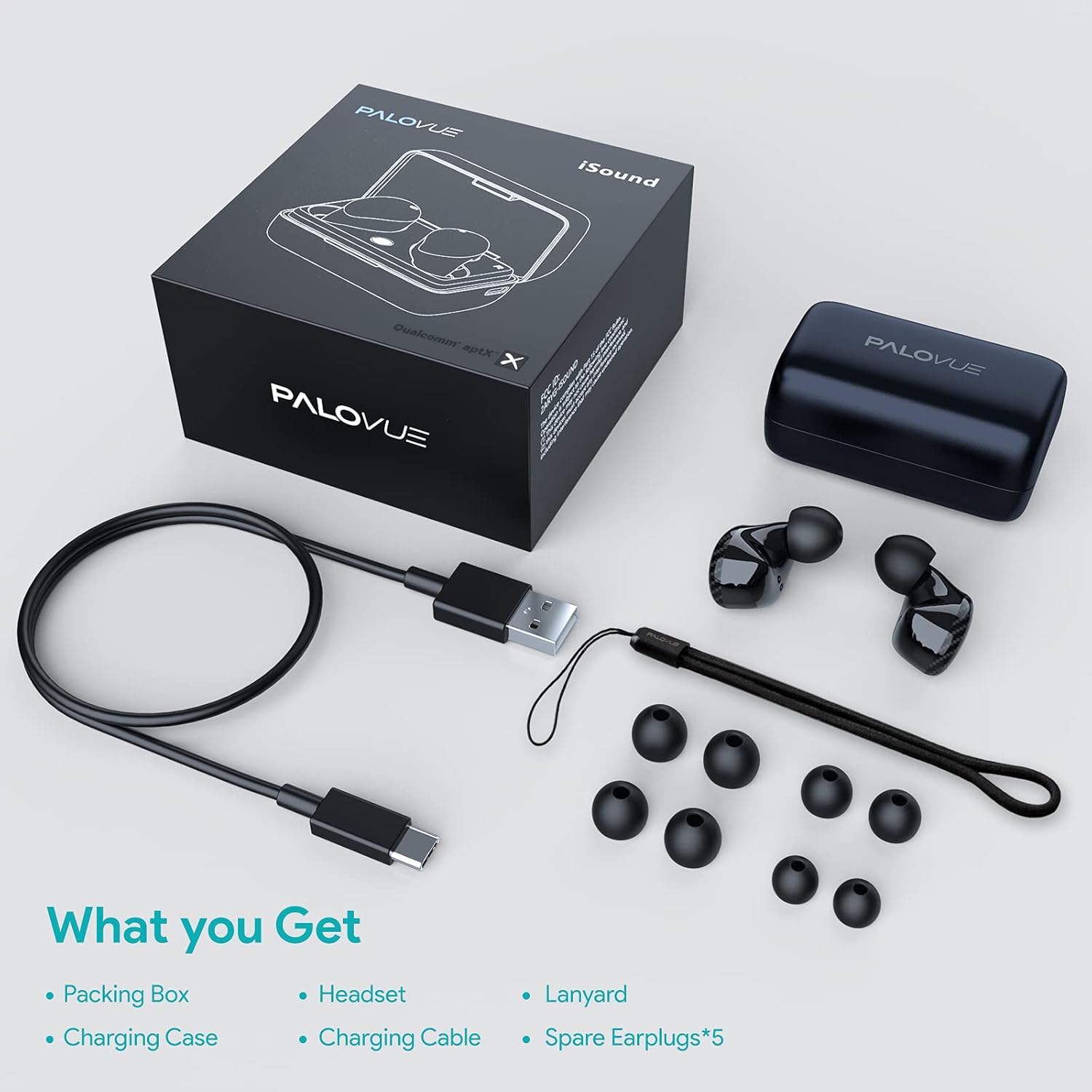
Upon unboxing your PALOVUE iSound True Wireless Earbuds, please verify that all components are present:
- PALOVUE iSound Earbuds (Left and Right)
- Futrola za punjenje
- USB-C kabl za punjenje
- Lanyard
- 5 Pairs of Silicone Ear Tips (XS, S, M, L, XL)
- Korisnički priručnik (ovaj dokument)
Product Overview
Familiarize yourself with the key components of your PALOVUE iSound Earbuds.


Setup
1. Punjenje slušalica i kutijice
Before first use, fully charge the earbuds and the charging case. Place the earbuds into the charging case. Connect the USB-C charging cable to the case and a power source. The indicator lights on the case will show the charging status.
- A full charge provides up to 24 hours of playback with the charging case.
2. Uparivanje sa vašim uređajem
- Provjerite je li Bluetooth na vašem uređaju uključen.
- Open the charging case. The earbuds will automatically enter pairing mode (if it's the first time or if they are not connected to a previously paired device).
- On your device, search for Bluetooth devices and select "PALOVUE iSound" from the list.
- Nakon povezivanja, čut ćete ton potvrde.
Automatsko ponovno povezivanje: After the initial pairing, simply open the charging case, and the earbuds will automatically connect to your last paired device.
3. Nošenje slušalica
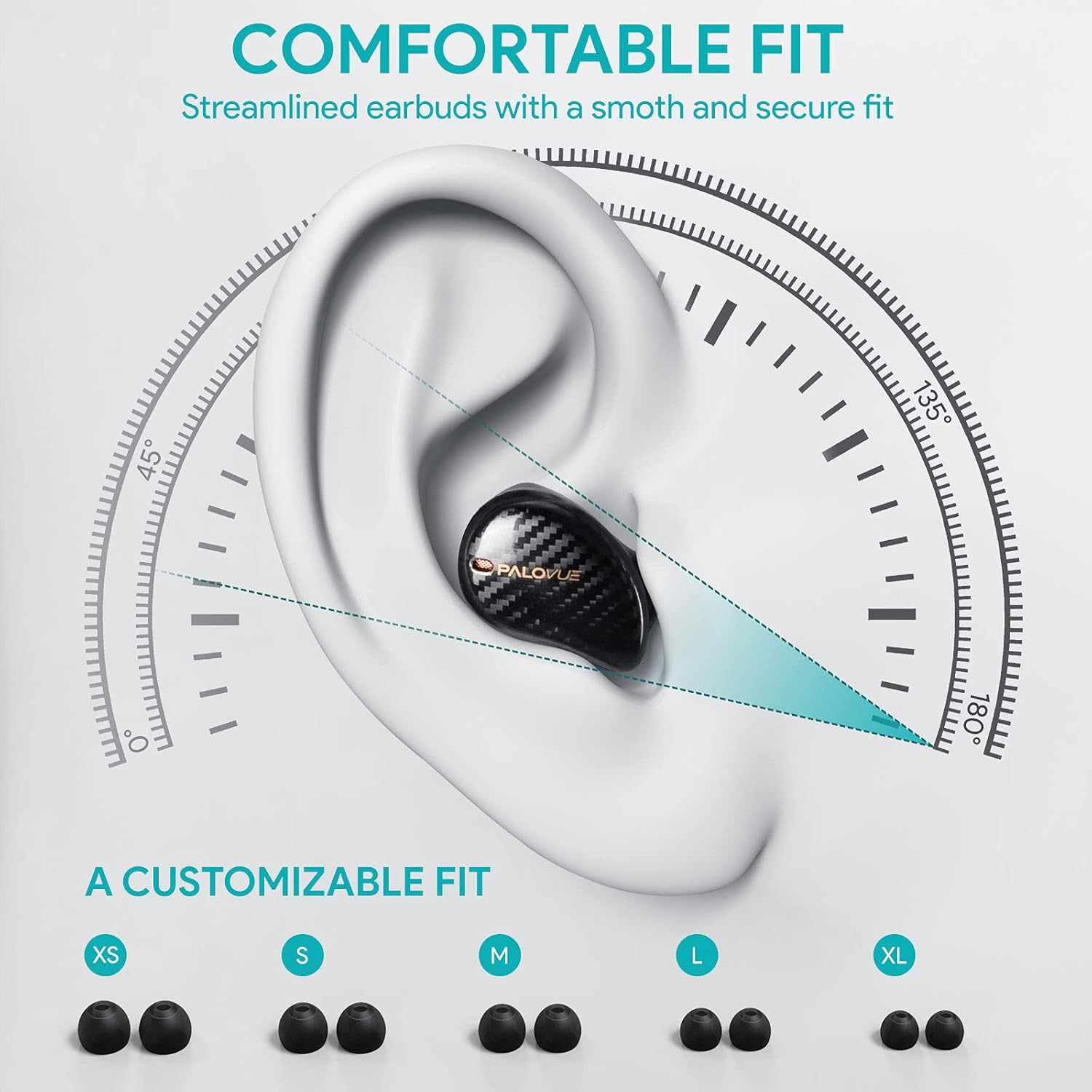
For optimal sound quality and comfort, select the correct ear tip size and ensure a secure fit.
- Choose from the 5 provided ear tip sizes (XS, S, M, L, XL) to find the best fit for your ears.
- Gently insert the earbuds into your ear canal and rotate them slightly until they feel secure and comfortable.
Uputstvo za upotrebu
Dodirnite Kontrole
The PALOVUE iSound earbuds feature multi-function touch panels on each earbud for easy control of audio playback and calls. Specific touch functions can be customized via the PALOVUE iSound app.
- Pusti/pauza: Jednim dodirom na bilo koju slušalicu.
- Sljedeća pjesma: Dvaput dodirnite desnu slušalicu.
- Prethodni zapis: Dvaput dodirnite lijevu slušalicu.
- Odgovori/Završi poziv: Jednim dodirom na bilo koju slušalicu.
- odbiti poziv: Pritisnite i držite bilo koju slušalicu 2 sekunde.
- Aktivirajte glasovnog asistenta: Triput dodirnite bilo koju slušalicu.
- Kontrola jačine zvuka: Customizable via the PALOVUE iSound app (e.g., tap and hold left for volume down, right for volume up).

Call Management and Noise Cancellation
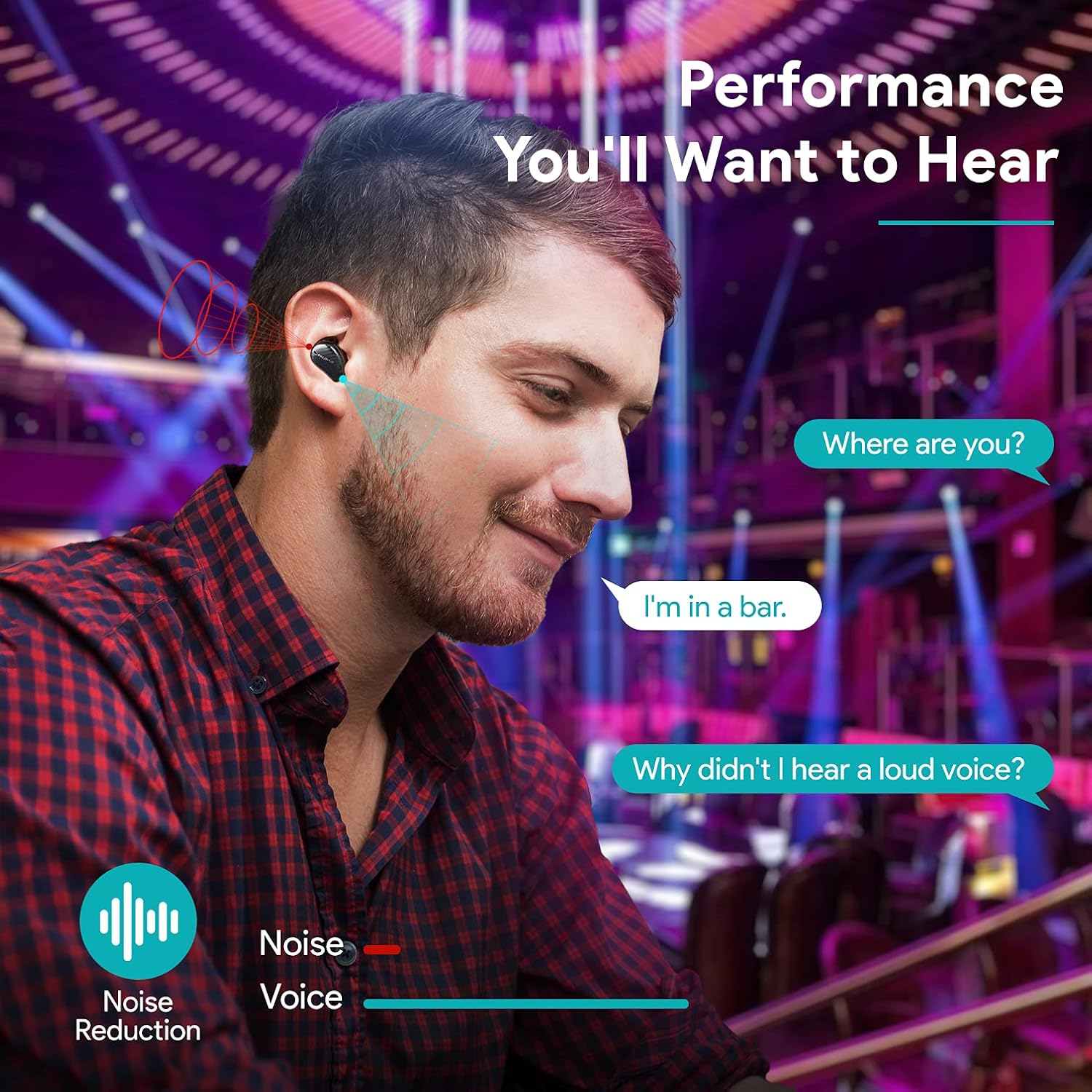
The earbuds are equipped with 4 microphones and CVC 8.0 noise cancellation technology to ensure clear calls even in noisy environments.
PALOVUE iSound App
Download the PALOVUE iSound app to customize touch controls, check battery status, and access additional features for your earbuds.
Održavanje
Pravilno održavanje osigurava dugotrajnost i optimalne performanse vaših slušalica.
- čišćenje: Redovno čistite slušalice i kućište za punjenje mekom, suhom krpom koja ne ostavlja dlačice. Nemojte koristiti jake hemikalije ili abrazivne materijale.
- Savjeti za uši: Remove and clean the silicone ear tips with mild soap and water. Ensure they are completely dry before reattaching.
- Skladištenje: Kada se ne koriste, slušalice čuvajte u kutijici za punjenje kako biste ih zaštitili od prašine i oštećenja.
- Izbjegavajte vodu: While the earbuds may have some water resistance, avoid submerging them in water or exposing them to excessive moisture.
Rješavanje problema
If you encounter issues with your PALOVUE iSound earbuds, refer to the following common solutions:
- Slušalice se ne uparuju:
- Uvjerite se da su obje slušalice napunjene.
- Vratite slušalice u futrolu, zatvorite je, a zatim je ponovo otvorite da biste ponovo ušli u režim uparivanja.
- Forget "PALOVUE iSound" from your device's Bluetooth settings and try pairing again.
- Samo jedna slušalica radi:
- Uvjerite se da su obje slušalice napunjene.
- Try resetting the earbuds (refer to the app or manufacturer's webstranicu za konkretne upute za resetiranje).
- Stavite obje slušalice u kutijicu za punjenje, zatvorite poklopac, pričekajte nekoliko sekundi, a zatim ga ponovo otvorite.
- Loš kvalitet zvuka:
- Ensure the ear tips provide a secure seal in your ear canal. Try different sizes.
- Očistite sve nečistoće iz mlaznica slušalica.
- Provjerite je li vaš uređaj unutar dometa Bluetooth veze (do 10 metara).
- Slušalice se ne pune:
- Provjerite je li kabel za punjenje sigurno spojen i na kućište i na izvor napajanja.
- Provjerite jesu li kontakti za punjenje na slušalicama i unutar kućišta čisti i bez nečistoća.
- Isprobajte drugi USB-C kabel i adapter za napajanje.
For further assistance, please contact PALOVUE customer support.
Specifikacije
| Brand | PALOVUE |
| Broj modela | 012000125 |
| Tip slušalica | In-Ear |
| Tehnologija povezivanja | Bežično (Bluetooth 5.0) |
| Bežična komunikacijska tehnologija | Bluetooth |
| Posebne karakteristike | Noise Reduction (CVC 8.0), Wireless |
| Čipset | Qualcomm CSR QCC3020 |
| Audio Codec | aptX HD |
| Sastav baterije | Lithium Polymer |
| Punjiva baterija | Da |
| Vrijeme reprodukcije | Do 24 sati s kućištem za punjenje |
| Materijal | Plastika |
Garancija i podrška
PALOVUE products are designed for reliability and performance. For warranty information, please refer to the warranty card included in your product packaging or visit the official PALOVUE website.
If you require technical support or have questions regarding your PALOVUE iSound True Wireless Earbuds, please contact PALOVUE customer service through their official webweb-mjesto ili kontakt informacije navedene u dokumentaciji vašeg proizvoda.
Molimo vas da pripremite broj modela (012000125) i detalje o kupovini kada kontaktirate podršku.