
Naztech 15350
Naztech Xpods PRO True Wireless Noise Cancelling Earbuds
Model: 15350
Brand: Naztech
Uvod
The Naztech Xpods PRO are advanced true wireless noise-cancelling earbuds designed for an immersive audio experience and clear communication. Featuring HD sound, touch controls, and IPX4 water resistance, these earbuds are suitable for various activities, including sports and daily use. They come with a wireless charging case for extended playtime and convenient recharging.

Image: Naztech Xpods PRO earbuds, charging case, and product packaging, highlighting key features like 25 hours play time and touch controls.
Setup
Šta je u kutiji
- Futrola za bežično punjenje
- USB-C kabl za punjenje
- 6 Sets of Silicone Ear Tips (3 sizes, 2 colors)
Punjenje slušalica i futrole
Before first use, fully charge the Xpods PRO and their charging case. The case can be charged via the included USB-C cable or a Qi-compatible wireless charging pad.
- USB-C punjenje: Spojite USB-C kabel na priključak za punjenje na kućištu i na izvor napajanja.
- Bežično punjenje: Postavite kućište za punjenje na bežičnu Qi-kompatibilnu podlogu za punjenje. Provjerite je li kućište pravilno poravnato za punjenje.
A 10-minute quick charge provides approximately 1 hour of playback. A full charge offers up to 5 hours of playtime for the earbuds, with the charging case providing an additional 20 hours, totaling 25 hours of playtime.
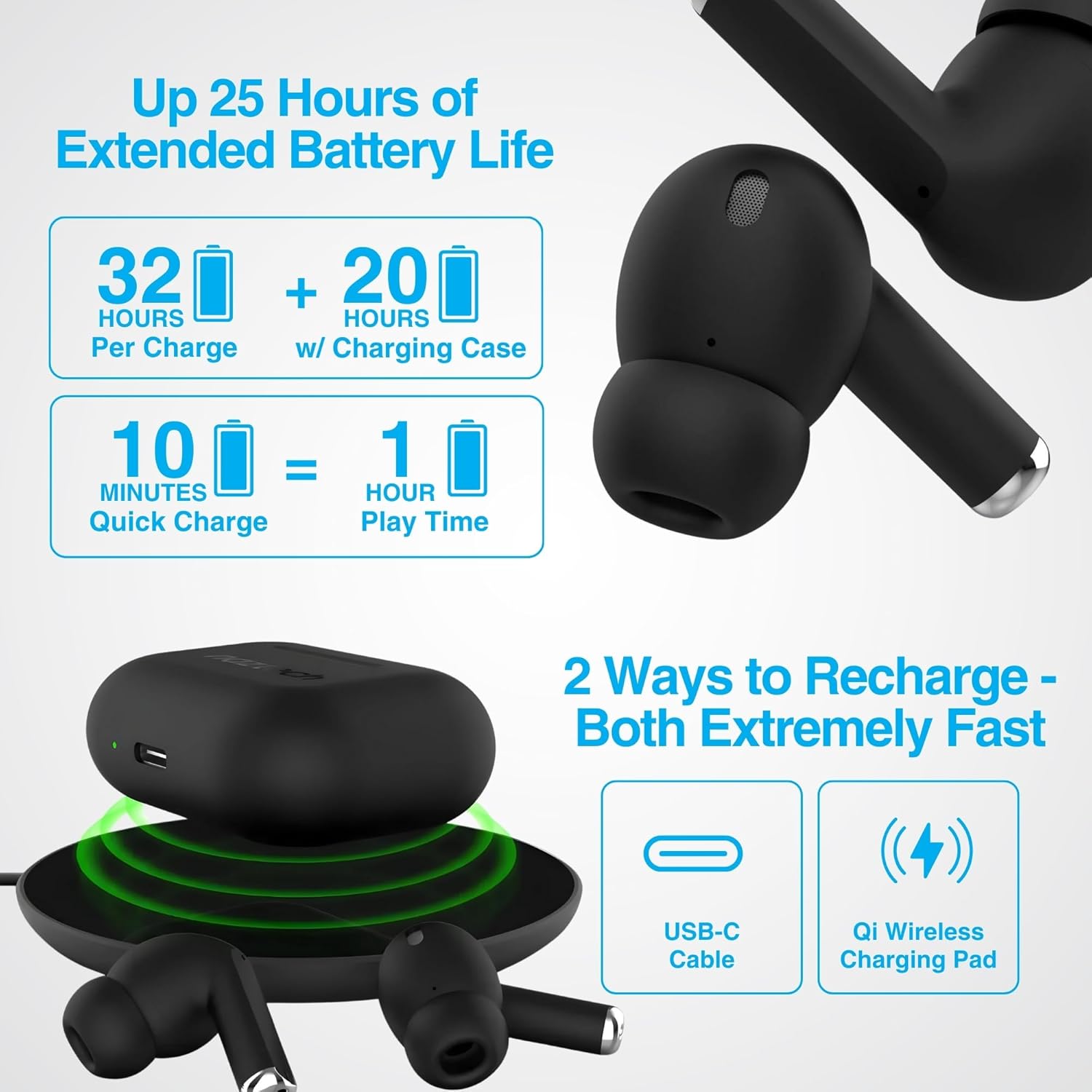
Image: Illustration showing USB-C and Qi wireless charging options for the Naztech Xpods PRO case, along with battery life indicators.
Uparivanje s vašim uređajem
- Uvjerite se da su slušalice napunjene.
- Otvorite kutijicu za punjenje. Slušalice će automatski ući u način rada za uparivanje.
- Na vašem uređaju (pametnom telefonu, tabletu itd.) idite na postavke Bluetootha i omogućite Bluetooth.
- Select "NAZTECH Xpods PRO" from the list of available devices.
- Nakon povezivanja, čut ćete zvučnu potvrdu i slušalice će biti spremne za upotrebu.
The Xpods PRO feature Bluetooth 5.0 for stable connectivity up to 33 feet (10 meters) and auto-pair technology for seamless re-connection with previously paired devices.

Image: A smartphone screen showing the "NAZTECH Xpods PRO" listed in Bluetooth settings, demonstrating universal compatibility with various devices.
Uputstvo za upotrebu
Dodirnite Kontrole
The Xpods PRO feature intuitive touch sensor controls on each earbud for easy management of audio playback and calls.
| Akcija | Kontrola |
|---|---|
| Pusti/pauziraj muziku | Jednim dodirom na bilo koju slušalicu |
| Next Track | Dvaput dodirnite desnu slušalicu |
| Previous Track | Dvaput dodirnite lijevu slušalicu |
| Odgovori/Završi poziv | Jednim dodirom na bilo koju slušalicu |
| Odbiti poziv | Pritisnite i držite bilo koju slušalicu 2 sekunde |
| Aktivirajte glasovnog asistenta | Triput dodirnite bilo koju slušalicu |

Image: Diagram illustrating the touch control functions on the Naztech Xpods PRO earbuds.
Nositi slušalice
For optimal sound quality and a secure fit, choose the silicone ear tips that best suit your ear canal. The Xpods PRO come with 6 sets of silicone ear tips in 3 sizes and 2 colors to ensure a comfortable and noise-isolating fit.

Image: Naztech Xpods PRO earbuds shown with various silicone ear tip sizes, emphasizing customizable fit.
Poništavanje buke
The Xpods PRO feature Passive Noise Cancellation through their closed-system design, which helps to immerse you in music by preserving low-frequency bass richness and reducing ambient noise. Dual microphones with advanced voice capture technology filter out wind and background noise for clear conversations.

Image: A person using Naztech Xpods PRO, illustrating the clear call quality and passive noise cancellation features.
Održavanje
Čišćenje
To maintain optimal performance and hygiene, regularly clean your Xpods PRO earbuds and charging case. Use a soft, dry, lint-free cloth to wipe down the surfaces. For ear tips, you may gently wipe them with a slightly damp krpom i ostavite ih da se potpuno osuše prije ponovnog pričvršćivanja.
Avoid using abrasive materials, solvents, or harsh chemicals, as these can damage the product.
Otpornost na vodu (IPX4)
The Naztech Xpods PRO are rated IPX4 water-resistant, meaning they are protected against splashing water from any direction. This makes them suitable for workouts and light rain. However, they are not designed for submersion in water or exposure to pressurized water jets. Do not use them while swimming or showering.

Image: A person wiping sweat from their face, indicating the IPX4 water-resistant rating of the Naztech Xpods PRO for active use.
Skladištenje
When not in use, store your Xpods PRO in their charging case to protect them from dust, dirt, and physical damage. Store the case and earbuds in a cool, dry place away from extreme temperatures and direct sunlight.
Rješavanje problema
If you encounter issues with your Naztech Xpods PRO, refer to the following common solutions:
Slušalice se ne uparuju ili ne povezuju
- Provjerite bateriju: Provjerite da li su i slušalice i kućište za punjenje dovoljno napunjene.
- Ponovo upariti: Turn off Bluetooth on your device, place earbuds back in the case, close and reopen the case. Then, re-enable Bluetooth on your device and try pairing again.
- Zaboravi uređaj: On your device's Bluetooth settings, "forget" or "unpair" the "NAZTECH Xpods PRO" and then attempt to pair from scratch.
- Udaljenost: Ensure your device is within the 33ft (10m) Bluetooth range.
- smetnje: Udaljite se od drugih bežičnih uređaja koji mogu uzrokovati smetnje.
Sound Quality Issues (e.g., Static, Low Volume)
- Čiste slušalice: Ensure the mesh filters and ear tips are clean and free of debris.
- Prilagođavanje vrha uha: Experiment with different sized silicone ear tips to ensure a proper seal in your ear canal, which significantly impacts sound quality and bass response.
- Kvalitet izvora: Ensure the audio source (music file, streaming servis) je visokog kvaliteta.
- Jačina zvuka uređaja: Provjerite nivoe jačine zvuka i na povezanom uređaju i na slušalicama.
Problemi sa punjenjem
- Provjera kablova: Ensure the USB-C cable is securely connected to both the case and the power source. Try a different USB-C cable and power adapter if available.
- bežični jastučić: If using wireless charging, ensure the case is correctly positioned on the charging pad and the pad is powered on.
- Postavljanje slušalica: Ensure the earbuds are correctly seated in the charging case, making proper contact with the charging pins.
Specifikacije
| Feature | Detalj |
|---|---|
| Naziv modela | NAZTECH Xpods PRO |
| Broj modela stavke | 15350 |
| Tehnologija povezivanja | Bežično (Bluetooth 5.0) |
| bežični domet | Do 33ft / 10m |
| Tip kontrole | Dodir (Kontrola medija) |
| Kontrola buke | Pasivno poništavanje buke |
| Ocjena vodootpornosti | IPX4 |
| Total Playtime | Do 25 sata (sa futrolom za punjenje) |
| Earbud Playtime (per charge) | Do 5 sati |
| Quick Charge | 10 min charge for 1 hour playback |
| Interfejs za punjenje | USB-C, Qi bežično punjenje |
| Uključene komponente | USB-C Charging Cable, 6 Sets of Silicone Ear Tips, Wireless Charging Case |
| Materijal | Plastika |
| Dimenzije proizvoda | 2.39 x 1.81 x 0.91 inča |
| Težina artikla | 4.4 unce |
Garancija i podrška
Naztech products are designed for quality and performance. While specific warranty details are not provided in this manual, Naztech generally backs its products with warranties. For detailed warranty information, product support, or technical assistance, please visit the official Naztech webweb-mjesto ili direktno kontaktirajte njihovu korisničku službu.
Više informacija i resursa za podršku možete pronaći posjetom Naztech Store on Amazon ili njihov službenik website.
Ask a question about this manual
Ask about setup, troubleshooting, compatibility, parts, safety, or missing instructions. Manuals+ will review the question and use this page’s manual context to help answer it.