
JETBeam MINI ONE SE
JETBEAM MINI ONE SE Keychain Flashlight User Manual
Model: MINI ONE SE
Marka: JETBeam
Uvod
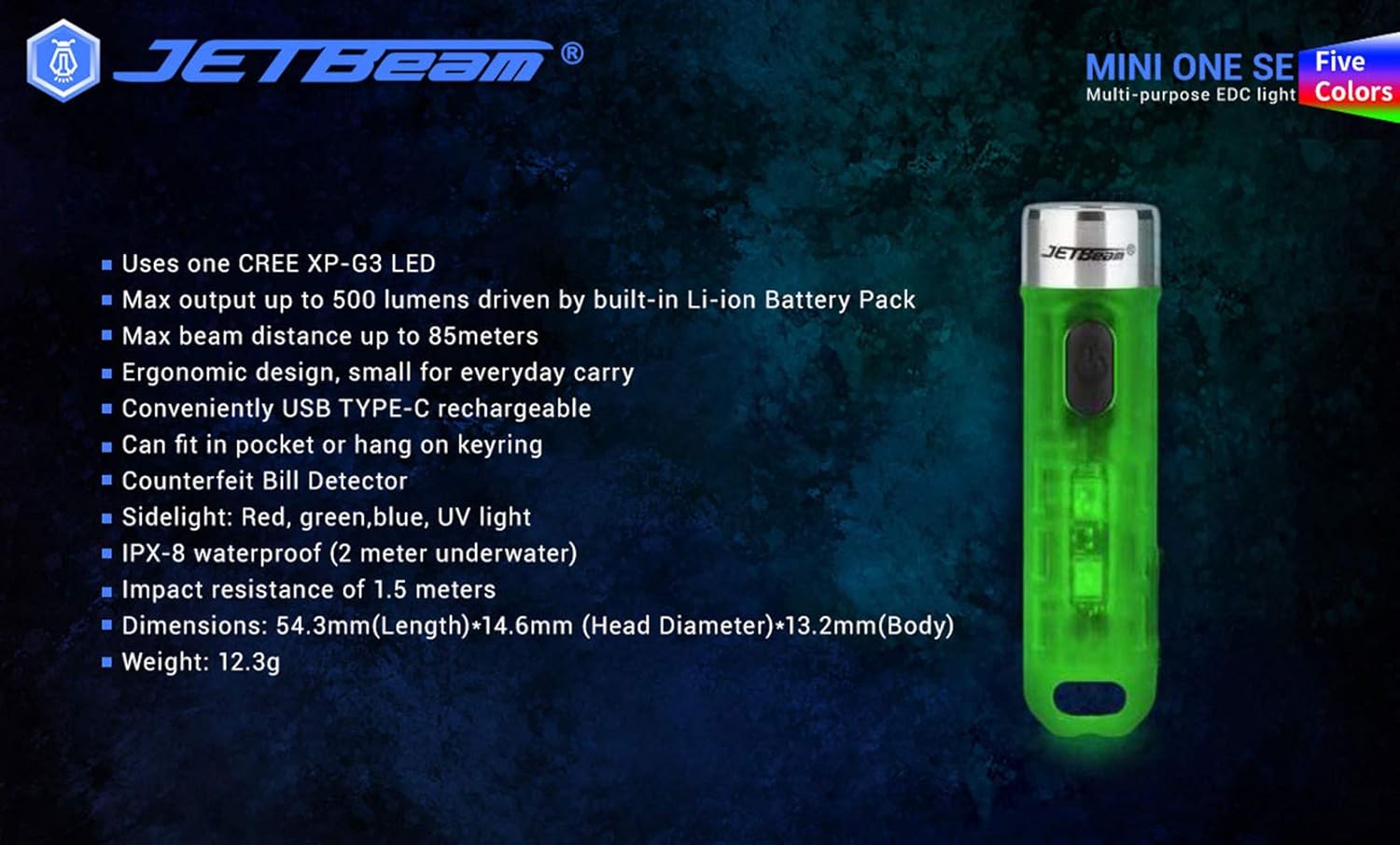
The JETBEAM MINI ONE SE is a compact and versatile keychain flashlight designed for everyday carry. It features a powerful CREE XP-G3 LED for main illumination, along with auxiliary RGB and UV lights for various applications, including fluorescent whitening agent detection. Its durable plastic construction, USB Type-C rechargeable battery, and IPX8 waterproof rating make it a reliable tool for diverse needs.
Karakteristike
- Utilizes one CREE XP-G3 LED for main light.
- Equipped with auxiliary RGB LED and 365nm UV light for fluorescent whitening agent detection.
- Maximum output of 500 Lumens, powered by a built-in Li-ion battery pack.
- Achieves a maximum beam distance of up to 85 meters.
- Ergonomic design for comfortable everyday carry.
- Conveniently rechargeable via USB Type-C.
- Compact size allows it to fit easily in a pocket or attach to a keyring.
- Izrađeno od izdržljivog plastičnog materijala.
- Sidelight functions include Red, Green, Blue, and UV light.
- IPX8 waterproof rating (submersible up to 2 meters underwater).
- Impact resistance of 1.5 meters.
- Features various light modes for diverse applications, including identifying counterfeits.
- Lagan dizajn, težine približno 29 g.
- All light modes include a memory function.
Sadržaj paketa
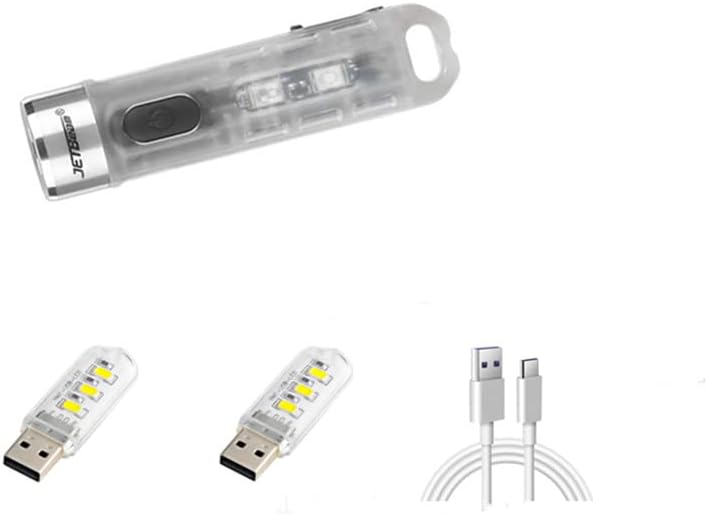
Molimo Vas da prilikom raspakivanja provjerite sadržaj paketa kako biste bili sigurni da su svi artikli prisutni:
- 1 x JETBEAM MINI ONE SE Flashlight
- 1 x USB Type-C kabel za punjenje
Setup
Punjenje uređaja
The JETBEAM MINI ONE SE features a built-in Li-ion battery and is conveniently USB Type-C rechargeable. Before first use, it is recommended to fully charge the device.
- Pronađite USB Type-C priključak za punjenje sa strane svjetiljke.
- Connect the provided Type-C charging cable to the flashlight's port.
- Plug the other end of the USB Type-C charging cable into a compatible USB power source (e.g., computer USB port, wall adapter, power bank).
- The charging indicator light will illuminate to show the charging status. (Specific indicator behavior, e.g., red for charging, green for full, may vary slightly but generally indicates progress).
- Once fully charged, disconnect the charging cable and ensure the port cover (if any) is securely closed to maintain water resistance.

Uputstvo za upotrebu
The JETBEAM MINI ONE SE features a single side switch for all operations. All modes have a memory function, meaning the flashlight will turn on in the last used mode.
Main Light (White Light) Operation
- Uključi/Isključi: Kratko pritisnite dugme za napajanje.
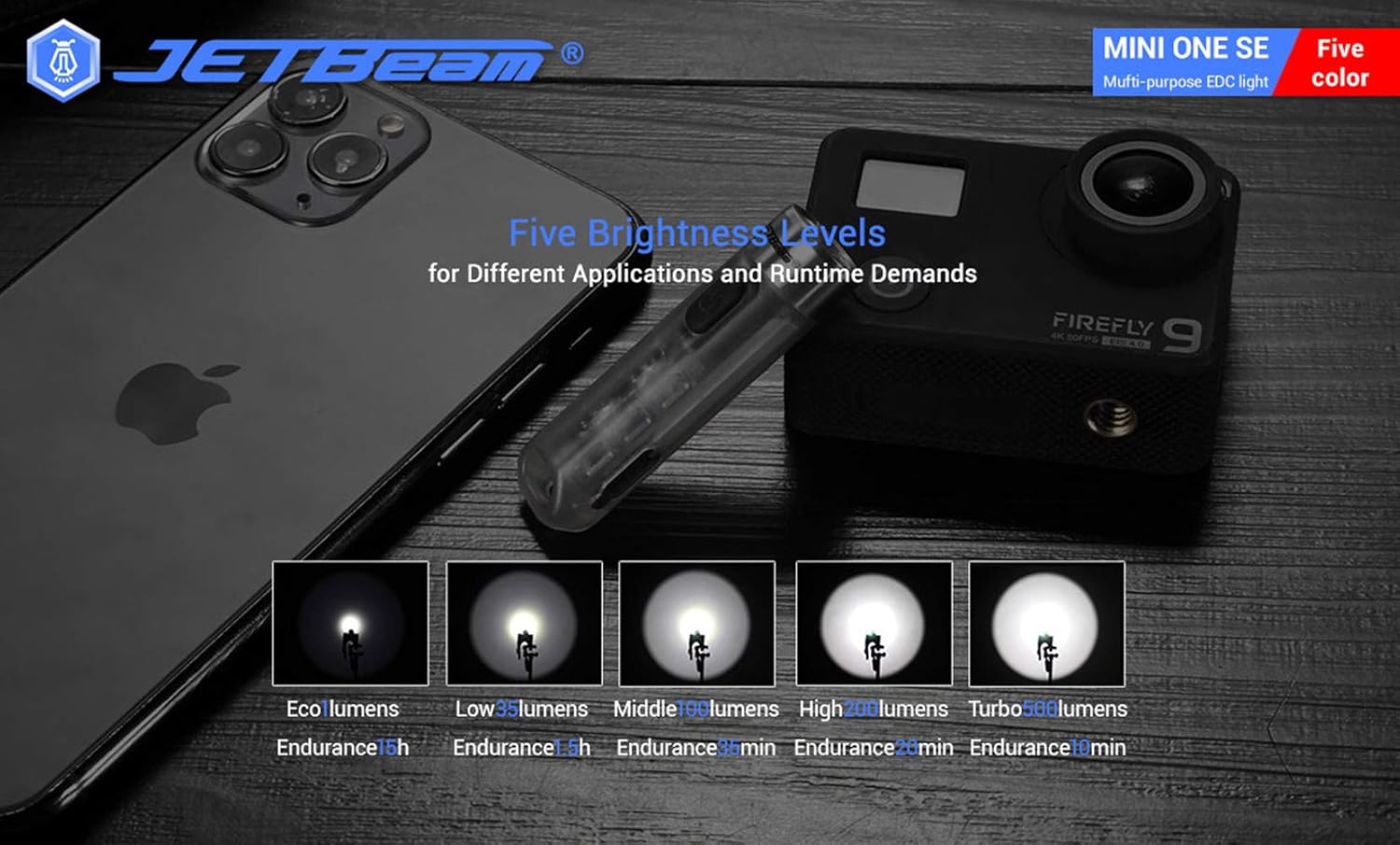
- Promjena svjetline: When the main light is ON, a long press of the power button will cycle through the brightness modes: Eco → Low → Middle → High. Release the button at your desired brightness.
- Access Turbo Mode (from OFF): When the main light is OFF, press and hold the power button to instantly access Turbo mode. Release the button to turn it off. (Note: Turbo mode automatically shuts down after approximately 30 seconds to prevent overheating).

Rad bočnih svjetala
- Uključi/Isključi: Double press the power button to turn the side lights ON. Press the power button again to turn them OFF.
- Promjena boja/režima: When the side light is ON, a long press of the power button will cycle through the side light colors and modes: Red → Green → Blue → Red Flash → Flowing Light → Beacon. Release the button at your desired mode.
UV Light Operation
- Uključi/Isključi: Triple press the power button to turn the UV light ON. Press the power button again to turn it OFF.

Održavanje
To ensure optimal performance and longevity of your JETBEAM MINI ONE SE, follow these maintenance guidelines:
- čišćenje: Obrišite tijelo svjetiljke mekom krpomamp krpu. Ne koristite abrazivna sredstva za čišćenje ili rastvarače. Održavajte sočivo čistim za maksimalnu svjetlosnu snagu.
- Skladištenje: Store the flashlight in a cool, dry place away from direct sunlight and extreme temperatures. If storing for extended periods, ensure the battery is partially charged (around 50%) to preserve battery health.
- Održavanje baterije: The built-in Li-ion battery does not require removal. Recharge the device regularly, especially if it has not been used for a long time, to prevent deep discharge.
- Otpornost na vodu: While the device is IPX8 waterproof, ensure the USB port cover is securely closed before exposing it to water.
Rješavanje problema
If you encounter issues with your JETBEAM MINI ONE SE, please refer to the following common problems and solutions:
- Svjetiljka se ne uključuje:
- Ensure the battery is charged. Connect the flashlight to a USB Type-C charger and check the charging indicator.
- Verify that the power button is being pressed correctly (short press for main light, double press for side lights, triple press for UV light).
- Izlaz svjetlosti je slab:
- Baterija je možda slaba. Napunite baterijsku lampu.
- Objektiv je možda prljav. Pažljivo očistite objektiv mekom krpom.
- Side lights or UV light not working:
- Ensure you are using the correct button press sequence (double press for side lights, triple press for UV light).
- Problem s punjenjem:
- Check if the USB Type-C cable is properly connected to both the flashlight and the power source.
- Pokušajte s drugim USB portom ili adapterom za napajanje.
- Provjerite da li je priključak za punjenje bez ostataka.
Ako problem i dalje postoji nakon što ste isprobali ove korake, obratite se korisničkoj podršci.
Specifikacije
| Feature | Specifikacija |
|---|---|
| Brand | JETBeam |
| Model | MINI ONE SE |
| Izvor svjetlosti | 1*CREE XP-G3 LED (Main), RGB LED, 365nm UV LED (Auxiliary) |
| Max Output | 500 lumena |
| Maksimalna udaljenost snopa | 85 metara |
| Izvor napajanja | Built-in Li-ion battery pack |
| Punjenje | USB Type-C |
| Materijal | Plastika |
| Otpornost na vodu | IPX8 (2 meters underwater) |
| Otpornost na udar | 1.5 metara |
| Dimenzije (D x Š glave x Š tijela) | 54.3 mm x 14.6 mm x 13.2 mm (2.14 x 0.57 x 0.52 inča) |
| Težina | 29 g (1.06 unci) |
| Uključene komponente | Kabel za punjenje |
| UPC | 644925520009 |
| Datum prve dostupnosti | 3. decembar 2020 |
Informacije o garanciji
Warranty information for the JETBEAM MINI ONE SE is not provided in this manual. Please refer to the product packaging or the manufacturer's official webstranicu za detalje o garancijskom pokrivanju i uslovima.
Podrška
For further assistance, technical support, or inquiries regarding your JETBEAM MINI ONE SE, please visit the official JETBeam website or contact their customer service department. Contact details may also be found on the product packaging or purchase receipt.
Ask a question about this manual
Ask about setup, troubleshooting, compatibility, parts, safety, or missing instructions. Manuals+ will review the question and use this page’s manual context to help answer it.