
1. Uvod
This manual provides detailed instructions for the setup, operation, and maintenance of your CHOUBENBEN replacement remote control for Mitsubishi Air Conditioners. Please read this manual thoroughly before use to ensure proper functionality and to maximize the lifespan of your remote control.
2. Proizvod je gotovview
The CHOUBENBEN remote control is designed as a direct replacement for various Mitsubishi Air Conditioner models, offering essential functions for comfortable climate control. It features a clear LCD display and ergonomic button layout.

Slika 2.1: Prednja strana view of the remote control, displaying temperature and time.
The remote control is capable of displaying temperature in both Fahrenheit and Celsius, a feature specifically designed for user convenience.

Figure 2.2: Display showing both Fahrenheit and Celsius temperature readings.
3. Podešavanje
3.1 Instalacija baterije
The remote control requires two AAA 1.5V batteries (not included). Follow these steps to install the batteries:
- Okrenite daljinski upravljač da biste pristupili odjeljku za baterije na stražnjoj strani.
- Pomaknite poklopac pretinca za baterije prema dolje da biste ga otvorili.
- Umetnite dvije AAA baterije, pazeći da pozitivni (+) i negativni (-) terminali budu pravilno poravnati s oznakama unutar odjeljka.
- Vratite poklopac pretinca za baterije na mjesto dok ne klikne sigurno.
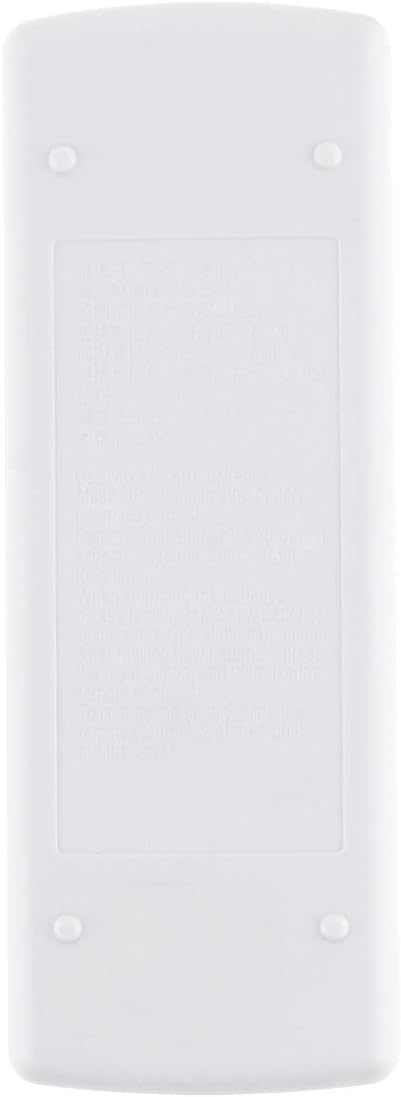
Slika 3.1: Pozadi view daljinskog upravljača, što označava pretinac za baterije.
Note: Remove batteries if the remote control will not be used for an extended period to prevent leakage and damage.
4. Uputstvo za upotrebu
This section details the functions of the buttons on your remote control.

Figure 4.1: Remote control with sliding cover open, showing all function buttons.
4.1 Osnovne funkcije
- ON/OFF dugme (Red Circle Button): Press to turn the air conditioner on or off.
- Tipke za podešavanje temperature (Up/Down Triangles): Press the Up dugme za povećanje temperature i Dole dugme za smanjenje.
- TOO WARM / TOO COOL Buttons: These buttons are typically used for quick temperature adjustments or comfort settings.
4.2 Napredne funkcije (ispod kliznog poklopca)
- Dugme MODE (Crveno dugme): Press repeatedly to cycle through available operating modes (e.g., Cool, Heat, Fan, Dry, Auto). The current mode will be displayed on the LCD.
- Dugme FAN: Adjusts the fan speed (e.g., Low, Medium, High, Auto). Press repeatedly to cycle through options.
- VANE Button: Controls the direction of the air swing/louvers. Press to adjust the airflow direction.
- TIMER START Button: Used to set a timer for the air conditioner to turn on automatically. Refer to your air conditioner's main manual for specific timer setting procedures.
- TIMER STOP Button: Used to set a timer for the air conditioner to turn off automatically. Refer to your air conditioner's main manual for specific timer setting procedures.
4.3 Konverzija temperaturnih jedinica
This remote control supports both Fahrenheit (°F) and Celsius (°C) display. To switch between units, locate the small button or combination of buttons (often a recessed button requiring a pointed object, or a combination like pressing Up and Down simultaneously) that controls this function. Refer to the specific instructions provided with your air conditioner unit or experiment with the buttons if not immediately apparent. The display will change accordingly.
5. Održavanje
- ČišćenjeObrišite daljinski upravljač mekom, suhom krpom. Ne koristite tekuća sredstva za čišćenje ili abrazivne materijale.
- Zamjena baterije: Replace batteries when the display becomes dim or the remote control becomes unresponsive. Always replace both batteries at the same time with new AAA 1.5V batteries.
- Skladištenje: Store the remote control in a cool, dry place away from direct sunlight and extreme temperatures.
6. Otkrivanje problema
- Daljinski upravljač ne reagira: Check if the batteries are inserted correctly and have sufficient charge. Replace batteries if necessary. Ensure there are no obstructions between the remote and the air conditioner's receiver.
- Displej je zatamnjen ili prazan: Ovo obično ukazuje na slabu bateriju. Zamijenite baterije.
- Air conditioner not responding to commands: Verify that the remote control is pointed directly at the air conditioner's receiver. Ensure the air conditioner is powered on. If the issue persists, try resetting the air conditioner (refer to its main manual).
7. Specifikacije
| Feature | Opis |
|---|---|
| Brand | CHOUBENBEN |
| Broj modela | AA320201017-565 |
| Kompatibilni modeli | Mitsubishi MSD-13GC, MD-17GC, MSH-17DC, MSH-17LV |
| Vrsta baterije | 2 x AAA 1.5V (nije uključeno) |
| Display | LCD with Fahrenheit/Celsius option |
| Tip kontrolera | Kontrola dugmadi |
| Posebna karakteristika | Ergonomski dizajn |
8. Garancija i podrška
This product is covered by a standard manufacturer's warranty. For specific warranty details or technical support, please refer to the documentation provided at the time of purchase or contact your retailer. Keep your purchase receipt as proof of purchase.