
Uvod
Thank you for choosing the iClever BK10 Bluetooth Wireless Keyboard. This manual provides detailed instructions on how to set up, operate, and maintain your keyboard to ensure optimal performance. Please read this manual carefully before use and retain it for future reference.
Sadržaj paketa
- iClever BK10 bežična Bluetooth tastatura
- USB kabl za punjenje
- Uputstvo za upotrebu
Specifikacije
| Brand | iClever |
| Broj modela | BK10 |
| Tehnologija povezivanja | Bluetooth |
| Kompatibilni uređaji | Android 9+, ChromeOS (BT 4.0+), Windows 10/11, iPadOS 13.4+, macOS 10.15+ |
| Raspored tipkovnice | AZERTY |
| Broj ključeva | 78 |
| Tip prekidača | Scissor Switch |
| Izvor napajanja | Battery Powered |
| Dimenzije proizvoda | 43D x 14W x 2.5H centimetara |
| Interni materijal | Akrilonitril butadien stiren, nerđajući čelik |
Setup
1. Početno punjenje
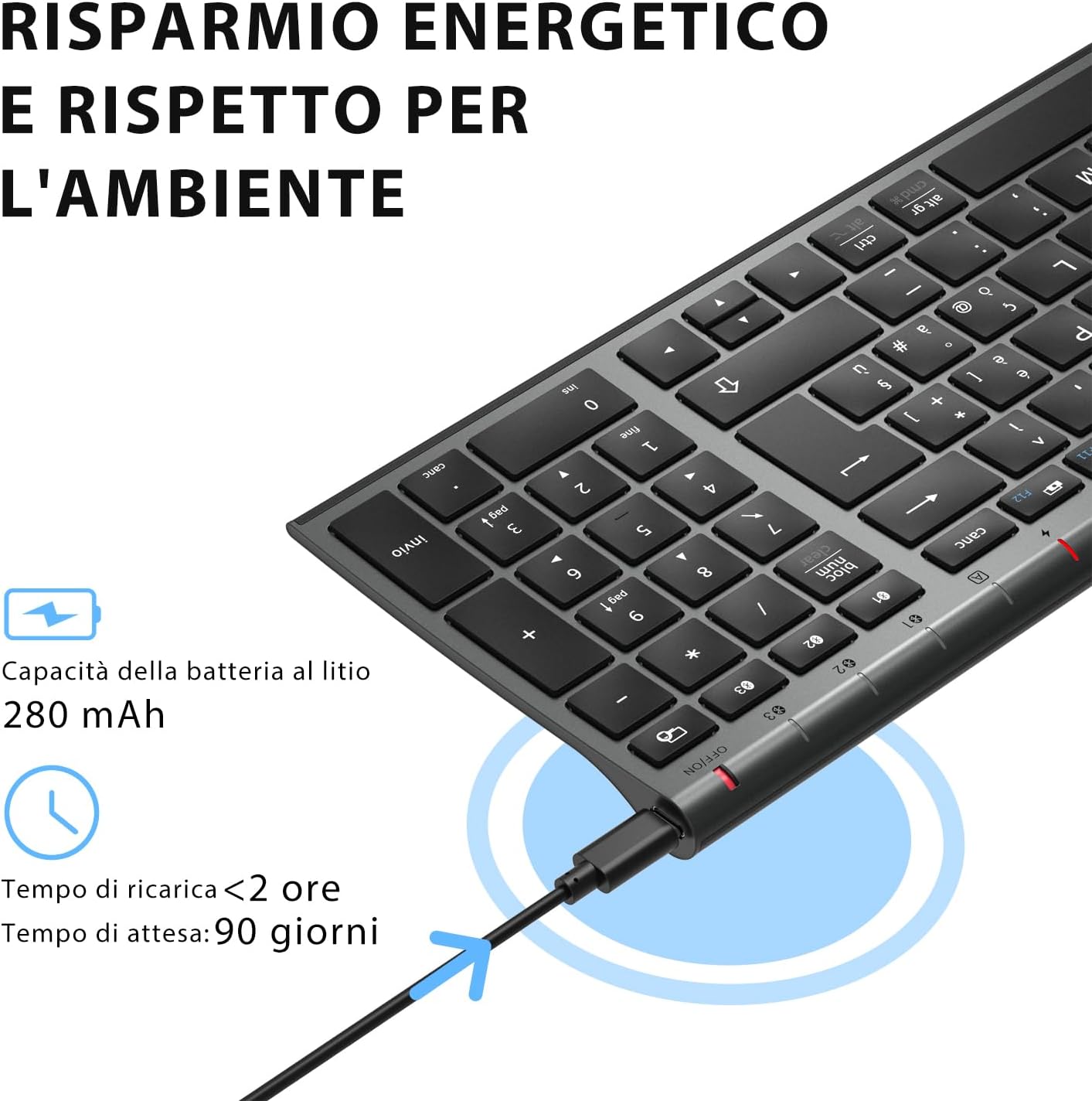
Before first use, fully charge the keyboard. Connect the provided USB charging cable to the keyboard's USB-C port and the other end to a USB power source (e.g., computer, wall adapter). The charging indicator light will show charging status and turn off when fully charged.

The iClever BK10 keyboard connected via USB-C for charging. This image details the 280 mAh lithium battery capacity, a charging time of less than 2 hours, and a standby time of 90 days.
2. Uključivanje/isključivanje
Locate the power switch on the keyboard. Slide the switch to the 'ON' position to power on the keyboard. Slide it to the 'OFF' position when not in use to conserve battery.
3. Bluetooth uparivanje
The iClever BK10 keyboard supports connection to up to three devices simultaneously.
- Uključite tastaturu pomoću prekidača za napajanje.
- Pritisnite Fn istovremeno s jednom od tipki Bluetooth kanala (BT1, BT2, ili BT3) to select a channel.
- Press and hold the selected Bluetooth channel key (e.g., BT1) for 3-5 seconds until the indicator light for that channel starts blinking rapidly. This indicates the keyboard is in pairing mode.
- Na svom uređaju (računaru, tabletu, pametnom telefonu) omogućite Bluetooth i potražite dostupne uređaje.
- Select "iClever BK10" (or similar name) from the list of found devices.
- Follow any on-screen prompts to complete the pairing process. The indicator light will stop blinking and remain solid for a few seconds, then turn off, indicating a successful connection.

The iClever BK10 keyboard demonstrating its ability to connect to an iPad, MacBook, and iPhone via three distinct Bluetooth channels. The image also illustrates key mapping for Windows/Android (Alt/Cmd) and iPad/Mac (Alt/Cmd) operating systems.
Upravljanje tastaturom
1. Prebacivanje između uparenih uređaja
Da biste prelazili između uparenih uređaja, jednostavno pritisnite Fn zajedno s odgovarajućim tasterom Bluetooth kanala (BT1, BT2, ili BT3) that your device is paired to. The keyboard will automatically connect to the selected device.
2. Function Keys (Fn)
The keyboard features a row of function keys (F1-F12) that also serve as multimedia and shortcut keys. To use the secondary function of these keys, press and hold the Fn key while pressing the desired function key.
3. Kompatibilnost operativnog sistema
The iClever BK10 keyboard is designed to be compatible with various operating systems. Key functions may adapt slightly depending on the connected OS. For optimal performance, ensure your device's Bluetooth version is 4.0 or higher.

Close-up of the iClever BK10 keyboard with a hand typing, highlighting the low-profile keys and scissor switch mechanism designed for quiet and comfortable typing.
Održavanje
1. Čišćenje
To clean your keyboard, power it off and disconnect it from any devices. Use a soft, lint-free cloth slightly dampened with water or a mild cleaning solution. Avoid using harsh chemicals, abrasives, or excessive moisture. Do not spray cleaners directly onto the keyboard.
2. Održavanje baterije
To prolong the battery life of your keyboard:
- Charge the keyboard fully before its first use.
- Izbjegavajte često potpuno pražnjenje baterije.
- Tastaturu čuvajte na hladnom i suhom mjestu kada je ne koristite duži period.
- Turn off the keyboard when transporting it or when not in use to prevent accidental key presses and battery drain.
Rješavanje problema
1. Tastatura se ne povezuje/uparuje
- Provjerite je li tastatura uključena i potpuno napunjena.
- Provjerite je li Bluetooth omogućen na vašem uređaju.
- Ensure the keyboard is in pairing mode (indicator light blinking).
- Pokušajte odvojiti i ponovo upariti tastaturu iz Bluetooth postavki vašeg uređaja.
- Ponovo pokrenite i tastaturu i uređaj.
- Ensure your device's Bluetooth version is compatible (BT 4.0+ recommended).
2. Tipke ne reagiraju
- Check if the keyboard is connected to the correct device.
- Ensure the battery is not low. Charge the keyboard if necessary.
- Ponovo pokrenite tastaturu i povezani uređaj.
- Očistite sve ostatke oko tipki.
3. Connection Drops Frequently
- Ensure there are no strong interference sources (e.g., Wi-Fi routers, other Bluetooth devices) nearby.
- Keep the keyboard within the recommended operating range of your device.
- Provjerite je li tastatura potpuno napunjena.
Garancija i podrška
iClever products come with a standard warranty. For detailed warranty information, technical support, or customer service, please refer to the warranty card included with your product or visit the official iClever website. Please have your product model number (BK10) and purchase information ready when contacting support.
Product Overview Slike

Odozgo prema dolje view of the iClever BK10 Bluetooth Wireless Keyboard, showcasing its full layout including the numeric keypad and function keys.
Strana view of the iClever BK10 keyboard, illustrating its ultra-thin profile with a thickness ranging from 0.16 inches to 0.45 inches.

The iClever BK10 keyboard positioned on a desk in an office environment, alongside a computer monitor, laptop, tablet, and smartphone, illustrating its versatile use in various professional and personal setups.