
1. Uvod
Hvala na kupoviniasing the JVC XS-N2239TC Wireless Stereo Speaker System. This manual provides essential information for the safe and efficient use of your new speaker system. Please read these instructions thoroughly before operating the device and retain them for future reference.
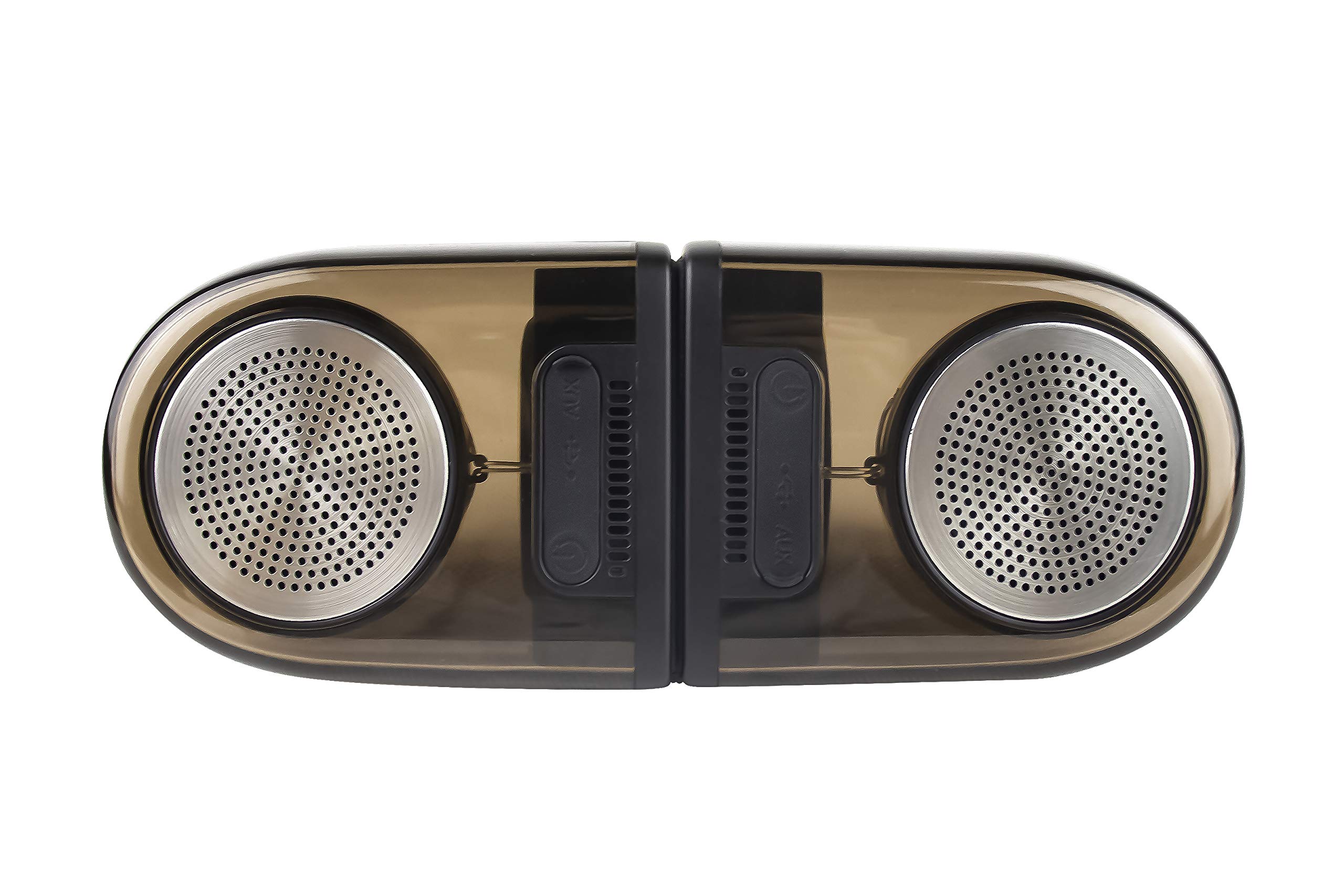
Image of the JVC XS-N2239TC speaker system, showcasinnjegov dizajn i komponente.
2. Sadržaj kutije
Molimo Vas da provjerite da li se u Vašem paketu nalaze sve sljedeće stavke:
- 1 x JVC XS-N2239TC Speaker Unit
- 1 x AUX kabel
- 1 x Korisnički priručnik (ovaj dokument)
- 1 x Kabl za punjenje
- 1 x Garantni list
3. Podešavanje
3.1 Postavljanje
The JVC XS-N2239TC speakers are designed for versatile placement, suitable as Bookshelf or Floor Standing units. Ensure the speakers are placed on a stable, flat surface or floor, away from direct sunlight, heat sources, and moisture. For optimal stereo sound, position the two speakers appropriately within your listening area.
3.2 Priključak za napajanje
- Connect the charging cable to the speaker's power input port.
- Plug the other end of the charging cable into a suitable power outlet.
- Ensure the speaker is fully charged before initial use for optimal battery life.
4. Uputstvo za upotrebu
4.1 Uključivanje/isključivanje
Locate the power button on the speaker unit. Press and hold the button for a few seconds to power the speaker on or off. An indicator light will typically confirm the power status.
4.2 Povezivanje
4.2.1 Bežična veza
The speaker supports wireless streaming. To connect wirelessly:
- Ensure the speaker is powered on and in pairing mode (refer to the speaker's indicator lights for status).
- On your device (e.g., smartphone, tablet, television), enable wireless functionality.
- Traži available devices and select "JVC XS-N2239TC" from the list.
- Once connected, you can stream audio wirelessly to the speaker system.
4.2.2 USB veza
The speaker features a plug-and-play USB card reader. Insert a USB storage device containing audio files into the designated USB port on the speaker. The speaker will automatically detect and begin playing compatible audio files.
4.2.3 AUX veza
Use the provided AUX cable to connect the speaker to devices with a 3.5mm audio output jack, such as televisions or other audio sources. Plug one end of the AUX cable into the speaker's AUX input and the other end into your audio source's output.
4.3 Kontrole
4.3.1 Multifunctional Panel Keys
The speaker unit is equipped with multifunctional panel keys. These keys allow you to:
- Adjust volume (increase/decrease).
- Play/Pause audio playback.
- Navigate tracks (forward/backward) when playing from USB or wireless sources.
4.3.2 Daljinski upravljač
The included remote control provides convenient access to various functions from a distance. Use the remote to:
- Uključivanje/isključivanje zvučnika.
- Podesite jačinu zvuka.
- Control playback (play, pause, skip tracks).
- Switch input modes (e.g., Wireless, USB, AUX).
5. Održavanje
5.1 Čišćenje
To clean the speaker, use a soft, dry cloth. Do not use abrasive cleaners, waxes, or solvents as they may damage the finish. Ensure the speaker is powered off and unplugged before cleaning.
5.2 Otpornost na vodu
The JVC XS-N2239TC speaker is designed with water resistance. While it can withstand splashes, it is not intended for submersion. Avoid exposing the speaker to excessive moisture or direct water jets to prevent damage.
6. Otkrivanje problema
If you encounter issues with your speaker system, please refer to the following common solutions:
- Nema napajanja: Ensure the charging cable is securely connected to both the speaker and a working power outlet. Check if the power button has been pressed correctly.
- Nema zvuka: Verify the volume level on both the speaker and your connected device. Ensure the correct input mode (Wireless, USB, AUX) is selected. Check all cable connections.
- Problemi s bežičnom vezom: Make sure the speaker is within range of your device. Try unpairing and re-pairing the speaker with your device. Ensure no other devices are interfering with the wireless signal.
- Problemi s reprodukcijom s USB-a: Confirm the USB device is formatted correctly and contains compatible audio filePokušajte s drugim USB uređajem.
- Daljinski upravljač ne radi: Check the remote control's batteries and replace them if necessary. Ensure there are no obstructions between the remote and the speaker's sensor.
Ako problem i dalje postoji, obratite se korisničkoj podršci.
7. Specifikacije
| Feature | Detalj |
|---|---|
| Brand | JVC |
| Naziv modela | JVC XS-N2239TC |
| Tehnologija povezivanja | USB, bežični |
| Vrsta bežične tehnologije | Bežični |
| Connectivity Protocol | USB |
| Način audio izlaza | Stereo |
| Vrsta zvučnika | Polica za knjige |
| Vrsta montaže | Podni stalak |
| Karakteristike proizvoda | Daljinski upravljač |
| Kontrolni metod | Daljinski |
| Kompatibilni uređaji | Televizija |
| Broj audio kanala | 2.1 |
| Veličina zvučnika | 7.5 centimetra |
| Subwoofer Speaker Diameter | 5 inča |
| Tweeter Driver Diameter | 1 inča |
| Vrsta audio drajvera | Dynamic Driver |
| Boja | Crna |
| Je vodootporan | TRUE |
| Nivo vodootpornosti | Vodootporan |
| Specifične upotrebe za proizvod | Sistemi za kućnu zabavu |
| Prosječni vijek trajanja baterije | 6 sata |
| Težina artikla | 0.56 kilograma |
8. Garancija i podrška
8.1 Informacije o garanciji
Ovaj proizvod dolazi sa a 1 godina garancije provided by the manufacturer from the date of purchase. Please retain your purchase receipt and warranty card for any warranty claims.
8.2 Korisnička podrška
For any complaints, technical assistance, or support regarding your JVC XS-N2239TC speaker system, please contact JVC customer care:
- Broj korisničke podrške: +91-9910332380
Molimo vas da pripremite broj modela proizvoda i detalje o kupovini kada kontaktirate podršku.