
SOMIC MS300
SOMIC MS300 Wireless Bluetooth Headphone User Manual
Model: MS300
Uvod
Thank you for choosing the SOMIC MS300 Wireless Bluetooth Headphones. This manual provides essential information for setting up, operating, and maintaining your headphones to ensure optimal performance and longevity. The MS300 headphones offer high-fidelity stereo sound, extended battery life, and versatile connectivity options for various devices.

Image: SOMIC MS300 Wireless Bluetooth Headphones in white, showcasinelegantan dizajn.
Sadržaj paketa
- SOMIC MS300 Wireless Bluetooth Headphones
- 3.5mm Audio Cable (with built-in line mic)
- Kabel za punjenje (USB)
- Korisnički priručnik (ovaj dokument)
Setup
Punjenje slušalica
Before first use, fully charge your SOMIC MS300 headphones.
- Connect the charging cable to the charging port on the headphone.
- Drugi kraj kabla za punjenje priključite na USB izvor napajanja (npr. USB priključak računara, USB adapter za zid).
- Indikatorska lampica će pokazati status punjenja (za detalje pogledajte odjeljak o LED indikatorima).
- A full charge provides up to 72 hours of playtime. For quick use, a 5-minute charge can provide approximately 2 hours of playtime.

Image: SOMIC MS300 headphones on a desk, demonstrating the fast charging capability with text overlays indicating "Charge for 5 minutes" and "Used for 2 hours".
Uključivanje/isključivanje
- To power on: Press and hold the Power Switch button until the indicator light illuminates.
- To power off: Press and hold the Power Switch button until the indicator light turns off.
Uputstvo za upotrebu
Bluetooth uparivanje (bežični način rada)
The SOMIC MS300 headphones utilize advanced Qualcomm Bluetooth 5.0 for stable and fast connections. They can connect to two devices simultaneously.
- Uvjerite se da su slušalice isključene.
- Press and hold the Power Switch button for approximately 5-7 seconds until the indicator light flashes blue and red alternately, indicating pairing mode.
- On your device (smartphone, tablet, laptop), enable Bluetooth and search for "SOMIC MS300" in the list of available devices.
- Select "SOMIC MS300" to connect. Once connected, the indicator light will turn solid blue or flash blue slowly.
- To connect a second device: After connecting the first device, disable Bluetooth on the first device. Put the headphones back into pairing mode. Connect the second device. Then, re-enable Bluetooth on the first device; the headphones should automatically reconnect to both.

Image: A person wearing the SOMIC MS300 headphones, highlighting their comfortable and lightweight design for extended use.
Veza u ožičenom načinu rada
The headphones can be used in wired mode with the included 3.5mm audio cable, even when the battery is depleted.
- Insert one end of the 3.5mm audio cable into the 3.5mm jack on the headphone.
- Insert the other end into the 3.5mm audio output of your device (e.g., cellphone, PC, laptop).
- In wired mode, the headphones function as passive headphones, and the built-in line mic on the cable can be used for calls.
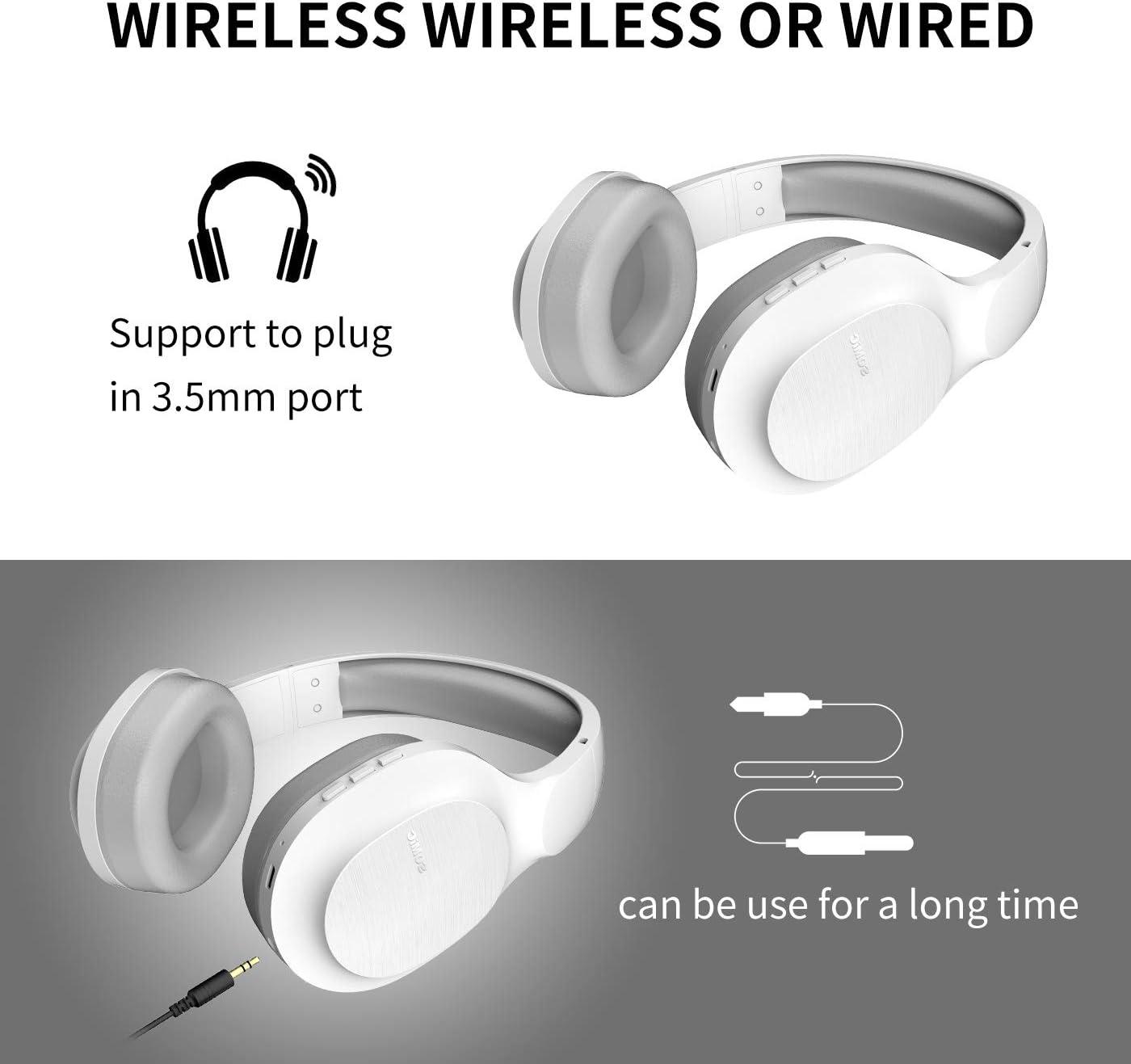
Image: SOMIC MS300 headphones demonstrating both wireless usage and the option to connect via a 3.5mm audio cable for wired listening.
Kontrole
The functional controls are conveniently located on the ear cup.
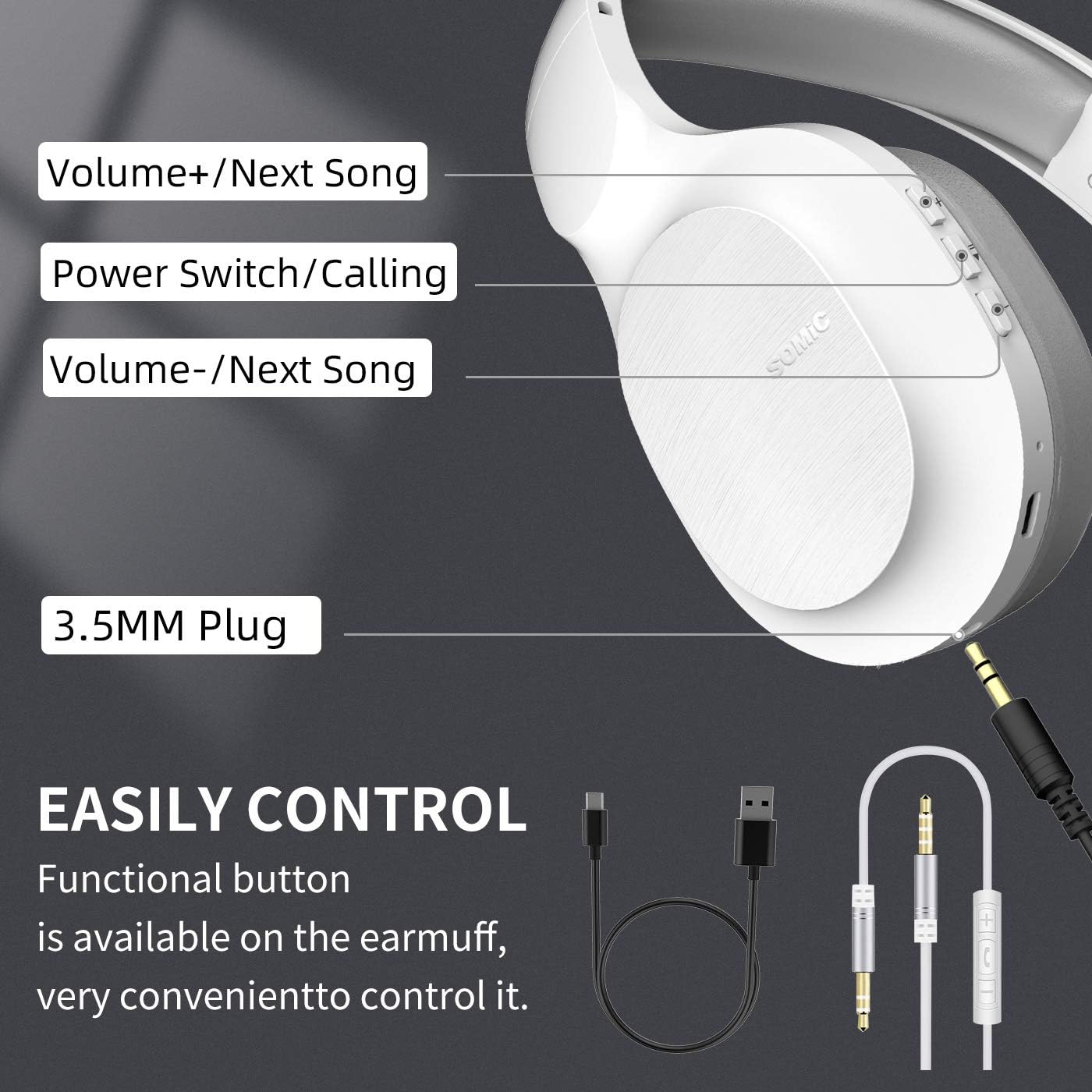
Image: A detailed diagram of the SOMIC MS300 headphone's right ear cup, labeling the Volume+/Next Song, Power Switch/Calling, Volume-/Previous Song buttons, and the 3.5mm plug.
- Jačina zvuka + / Sljedeća pjesma:
- Kratki pritisak: Povećavanje jačine zvuka.
- Long press: Skip to the next song.
- Power Switch / Calling:
- Kratki pritisak: Reprodukcija/Pauziranje muzike.
- Short press (during call): Answer/End call.
- Dugi pritisak: Uključivanje/Isključivanje.
- Dvostruki pritisak: Ponovno biranje posljednjeg broja.
- Jačina zvuka - / Prethodna pjesma:
- Kratki pritisak: Smanjivanje jačine zvuka.
- Long press: Go to the previous song.
Održavanje
Proper maintenance ensures the longevity and optimal performance of your SOMIC MS300 headphones.
- čišćenje: Use a soft, dry cloth to clean the headphones. Do not use abrasive cleaners, alcohol, or chemical solvents.
- Skladištenje: Slušalice čuvajte na hladnom i suhom mjestu, dalje od direktne sunčeve svjetlosti i ekstremnih temperatura.
- Održavanje baterije: Avoid fully discharging the battery frequently. If storing for a long period, charge the headphones to about 50% every few months.
- Izbjegavajte vlagu: Ne izlažite slušalice vodi ili prekomjernoj vlazi.
- Pažljivo rukujte: Izbjegavajte ispuštanje ili izlaganje slušalica jakim udarcima.
Rješavanje problema
| Problem | Mogući uzrok | Rješenje |
|---|---|---|
| Slušalice se ne uključuju. | Baterija je slaba ili ispražnjena. | U potpunosti napunite slušalice. |
| Nije moguće uparivanje putem Bluetootha. | Slušalice nisu u načinu rada za uparivanje; Bluetooth uređaja isključen; previše udaljeno od uređaja. | Ensure headphones are in pairing mode (flashing red/blue). Turn on device Bluetooth. Move headphones closer to device (within 10 meters). |
| Nema zvuka u bežičnom režimu. | Jačina zvuka je preniska; slušalice nisu povezane; na uređaju je odabran pogrešan audio izlaz. | Increase headphone and device volume. Re-pair headphones. Select "SOMIC MS300" as audio output on your device. |
| Nema zvuka u žičanom režimu. | 3.5mm cable not fully inserted; cable damaged; device audio jack issue. | Ensure cable is fully inserted into both headphone and device. Try a different 3.5mm cable if available. Test with another device. |
| Loša kvaliteta zvuka. | Slaba baterija; smetnje; kvalitet zvuka izvora. | Charge headphones. Move away from other wireless devices. Try different audio source. |
Specifikacije
| Feature | Detalj |
|---|---|
| Naziv modela | MS300 |
| Tehnologija povezivanja | Bežično (Bluetooth 5.0), Žično (3.5 mm priključak) |
| Bluetooth verzija | 5.0 (Qualcomm chip) |
| Vrsta audio drajvera | Dinamički drajver (40 mm) |
| Frekvencijski opseg | 20 Hz - 20000 Hz (20 kHz) |
| Trajanje baterije | Up to 72 Hours (music/talking time) |
| Vrijeme punjenja (Brzo punjenje) | 5 minuta za 2 sata korištenja |
| Oblik slušalice | Preko uha |
| Materijal | Plastic, Memory-Protein Earmuffs |
| Tip kontrole | Volume Control, Play/Pause, Call Answer/End, Track Skip |
| Dimenzije proizvoda | 8.66 x 4.33 x 10.24 inča |
| Težina artikla | 15.5 unce |
| Proizvođač | SOMIC |

Image: SOMIC MS300 headphones from behind, emphasizing their strong endurance with a "72" hours playtime graphic.
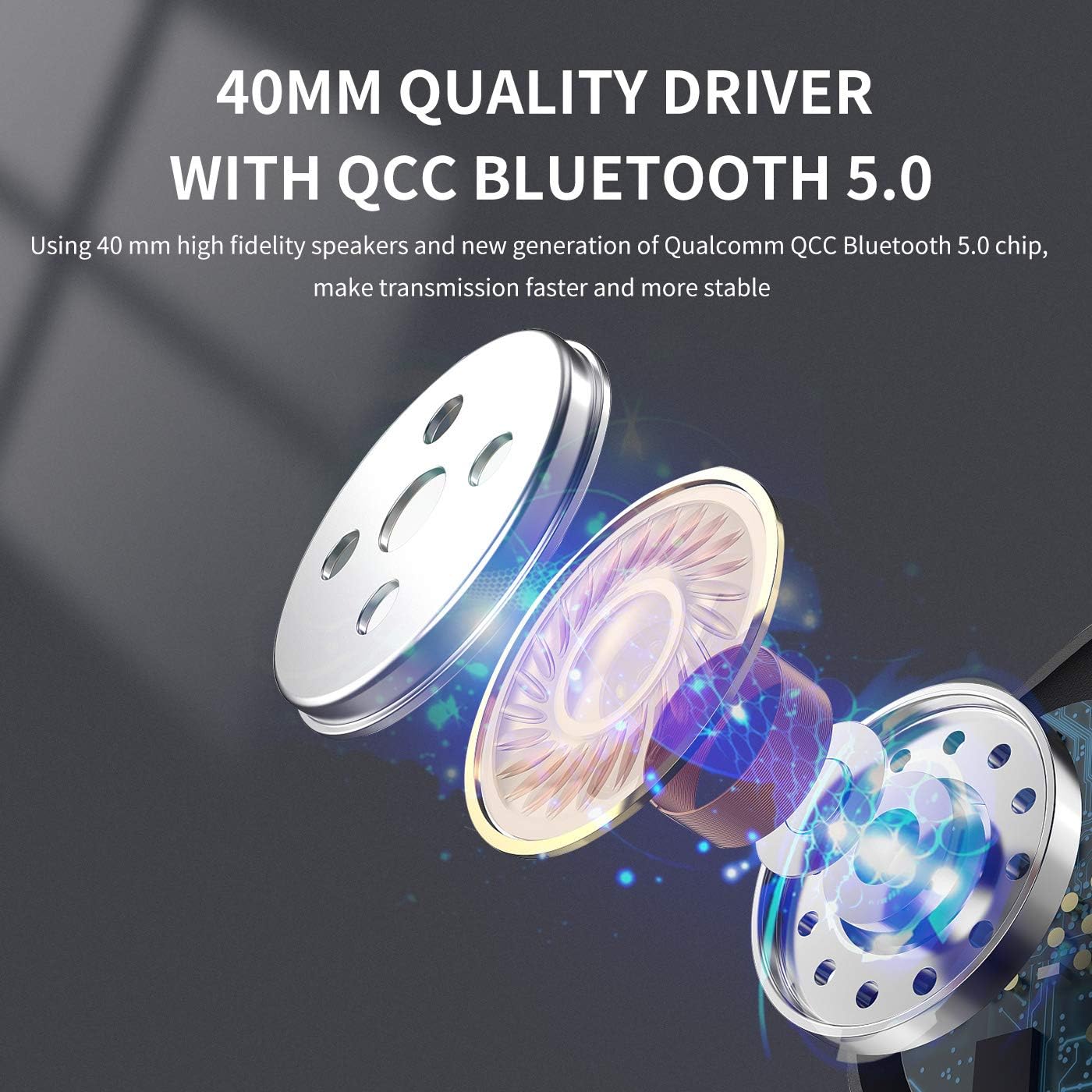
Slika: Eksplodirala view diagram illustrating the 40mm high-fidelity speakers and Qualcomm QCC Bluetooth 5.0 chip inside the SOMIC MS300 headphones.
Garancija i podrška
SOMIC provides a standard warranty for its products. Please refer to the warranty card included in your package for specific terms and conditions, or visit the official SOMIC websajt za najnovije informacije o garanciji.
For technical support, troubleshooting assistance, or warranty claims, please contact SOMIC customer service through their official webweb-mjesto ili kontakt informacije navedene na pakovanju proizvoda.
SOMIC Official Webstranica: Visit SOMIC Store on Amazon
Ask a question about this manual
Ask about setup, troubleshooting, compatibility, parts, safety, or missing instructions. Manuals+ will review the question and use this page’s manual context to help answer it.