
Uvod
Thank you for choosing the Perixx PERIBOARD-317 Backlit USB Keyboard. This full-size wired keyboard is designed for comfortable daily typing, featuring large print keys and white LED backlighting for enhanced visibility in various lighting conditions. Its low-profile keys offer a quiet and responsive typing experience. This manual provides essential information for setting up, operating, maintaining, and troubleshooting your keyboard.
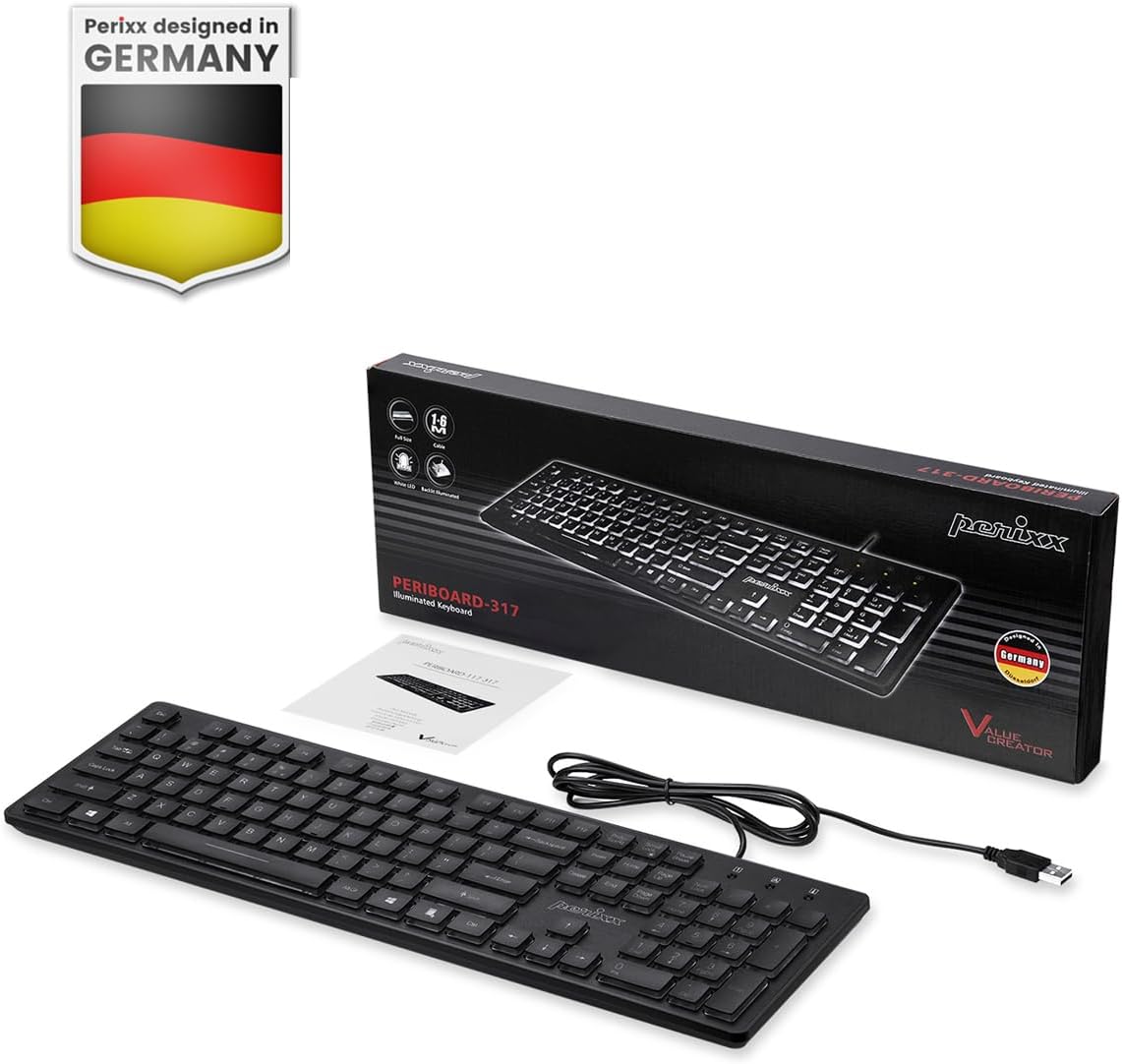
Image: Perixx PERIBOARD-317 keyboard and its contents.
1. Podešavanje
1.1 Sadržaj paketa
- Perixx PERIBOARD-317 Keyboard
- Uputstvo za upotrebu
1.2 Sistemski zahtjevi
- Compatible with Windows 7, 8, 10, and 11.
- Available USB-A port.
1.3 Povezivanje tastature
- Unpack the Perixx PERIBOARD-317 keyboard from its packaging.
- Pronađite slobodan USB-A port na vašem računaru.
- Plug the USB-A cable of the keyboard into the USB-A port on your computer.
- The keyboard is plug-and-play; no additional drivers or software installation is required. Your computer will automatically detect and configure the device.

Image: Connecting the Perixx PERIBOARD-317 keyboard via USB.
2. Uputstvo za upotrebu
2.1 Osnovno kucanje
The Perixx PERIBOARD-317 features a standard full-size Italian QWERTY layout with 105 keys. The large print characters on the keys are designed for improved visibility, making typing easier for users with visual impairments or in low-light environments.

Image: Large print keys for enhanced visibility.
2.2 Kontrola pozadinskog osvetljenja
The keyboard is equipped with a bright, uniformly distributed white LED backlight. This feature allows for comfortable typing in dimly lit conditions.
- Turning On/Off the Backlight: Locate the backlight control key (often indicated by a sun or light bulb icon, or a dedicated function key combination). Press this key to toggle the backlight on or off.
- Podešavanje svjetline: If available, use the designated brightness control keys (often function keys combined with Fn) to increase or decrease the backlight intensity.

Image: White LED backlighting for clear visibility.

Image: Easy typing in low-light conditions with the illuminated keys.
2.3 Scroll Lock and Backlight Interaction
Please note the interaction between the backlight and the Scroll Lock function:
- When the backlight is active, the Scroll Lock function is disabled.
- When the backlight is turned off, the Scroll Lock function is enabled.
2.4 Iskustvo s tipkanjem
Low-profile keys with wider surfaces provide a responsive, quiet, and precise typing experience. The high-quality ABS key printing is designed to resist wear, and the membrane switches are rated for 5 million keystrokes.

Image: Quiet and responsive typing experience.

Image: Low-profile chiclet keys for comfortable typing.
3. Održavanje
3.1 Čišćenje tastature
Da biste održali performanse i izgled tastature:
- Prije čišćenja isključite tastaturu iz računara.
- Koristite meku krpu koja ne ostavlja dlačiceampvodom ili blagim sredstvom za čišćenje obrišite tipke i površinu.
- Izbjegavajte prskanje tekućina direktno na tastaturu.
- Za prašinu i nečistoće između tipki koristite komprimirani zrak.
3.2 Skladištenje
Store the keyboard in a dry environment, away from extreme temperatures and direct sunlight, when not in use for extended periods.
4. Otkrivanje problema
4.1 Tastatura ne reaguje
- Provjerite je li USB kabel sigurno priključen i u tastaturu i u USB priključak računara.
- Pokušajte priključiti tastaturu u drugi USB port na računaru.
- Ponovo pokrenite računar.
- Testirajte tastaturu na drugom računaru da biste utvrdili da li je problem u tastaturi ili u računaru.
4.2 Pozadinsko osvjetljenje ne radi
- Ensure the backlight is turned on using the dedicated backlight control key.
- Check if the brightness level is set too low. Adjust it using the brightness control keys.
- Verify that the Scroll Lock function is not interfering (refer to section 2.3).
4.3 Keys Not Registering or Repeating
- Clean the affected keys as described in the Maintenance section.
- Ensure no debris is lodged under the keycap.
- If the issue persists, it may indicate a hardware problem. Refer to the Warranty and Support section.
5. Specifikacije
| Feature | Detalj |
|---|---|
| Brand | Perixx |
| Naziv modela | PERIBOARD-317 IT B |
| Broj modela | 11629 |
| Tehnologija povezivanja | USB (žični) |
| Opis tastature | Full-size, Backlit |
| Preporučena upotreba | Daily use, study |
| Posebna karakteristika | Backlit (White LED), Large Print Keys |
| Keyboard Backlight Color Support | Monochromatic |
| Dimenzije proizvoda (D x Š x V) | 44D x 12.9Š x 2.7V cm |
| Izvor napajanja | Corded Electric |
| Tip prekidača | Linear (Membrane) |
| Raspored tipkovnice | QWERTY (Italian) |
| Broj ključeva | 105 |
| Kompatibilni operativni sistemi | Windows 7, 8, 10, 11 |
| Materijal kućišta | ABS plastika |
| Težina artikla | 530 grama |
| Proizvođač | Perixx |
| Broj dijela proizvođača | PB-317IT-11629 |
| Zemlja porijekla | Kina |
6. Garancija i podrška
6.1 Informacije o garanciji
The Perixx PERIBOARD-317 keyboard is covered by a limited 24-month warranty from the date of purchase. This warranty covers manufacturing defects and workmanship under normal use.
6.2 Kako dobiti podršku
For warranty claims, technical assistance, or product inquiries, please visit the official Perixx website. Warranty replacement requests (RMA) are generally processed within 48-72 hours.
Za više informacija posjetite: www.perixx.com

Image: Perixx - Designed in Germany.