
Uvod
This manual provides detailed instructions for the proper use and maintenance of your LG AKB74955603 Air Conditioner Remote Control. Please read this manual thoroughly before operating the device to ensure optimal performance and longevity.
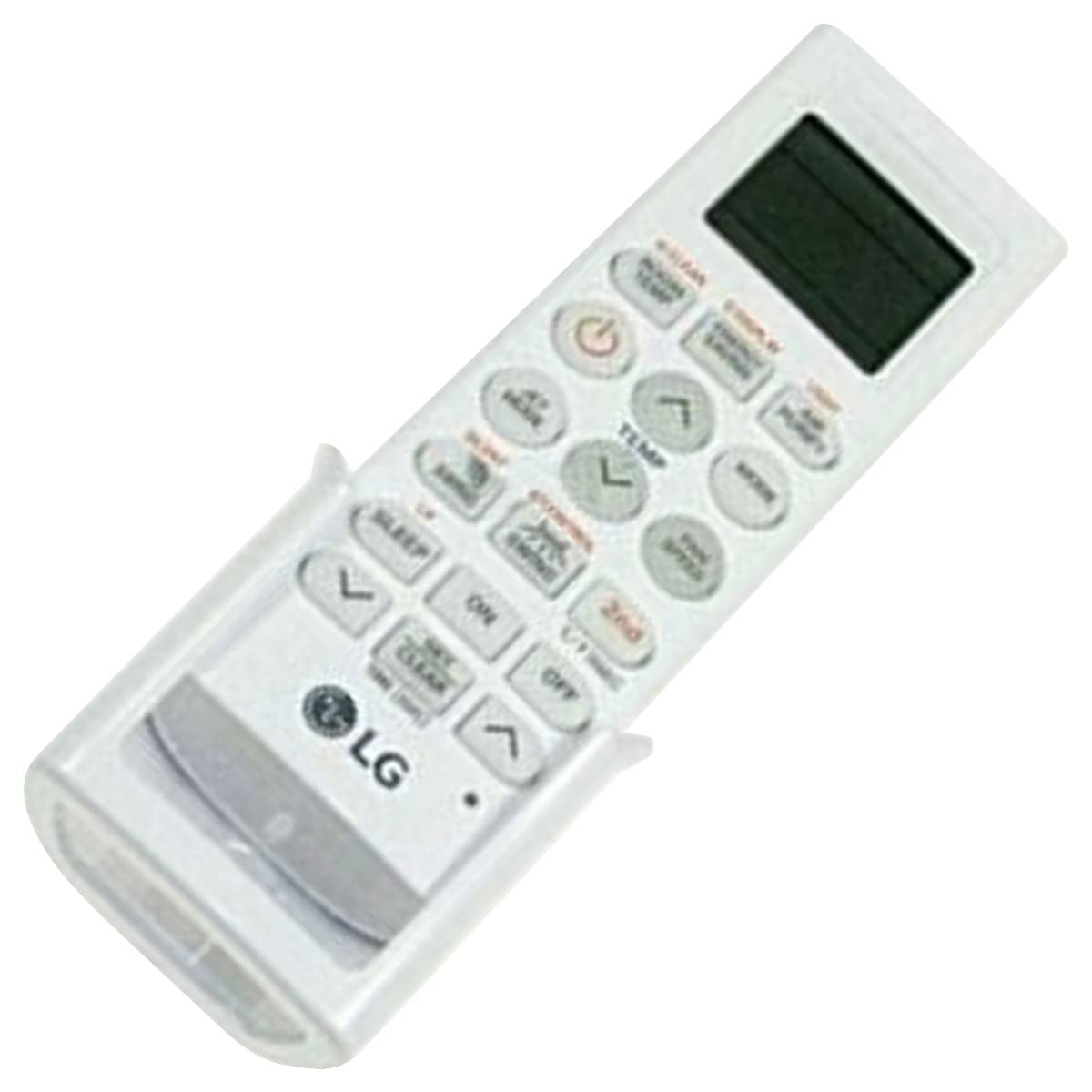
Image: The LG AKB74955603 Air Conditioner Remote Control, a white rectangular device with various control buttons.
Setup
1. Instalacija baterije
Daljinski upravljač zahtijeva dvije (2) AAA baterije za rad. Prilikom umetanja baterija, obratite pažnju na ispravan polaritet.
- Otvorite poklopac pretinca za baterije koji se nalazi na stražnjoj strani daljinskog upravljača.
- Umetnite dvije nove AAA baterije, vodeći računa o polaritetu (+) i (-) baterija kako je naznačeno unutar odjeljka.
- Čvrsto zatvorite poklopac odeljka za baterije.
Napomena: Do not mix old and new batteries, or different types of batteries. Remove batteries if the remote control will not be used for an extended period.
Uputstvo za upotrebu
Point the remote control directly at the air conditioner's receiver. Ensure there are no obstructions between the remote and the unit.
Ključne funkcije
- SNAGA (⏻): Uključuje ili isključuje klima uređaj.
- UPUTE: Ciklično se mijenja kroz načine rada: Automatski, Hlađenje, Sušenje, Ventilator, Grijanje.
- TEMPERATURA ▲/▼: Podešava željenu temperaturu.
- BRZINA VENTILATORA: Selects the fan speed (Auto, Low, Medium, High).
- ljuljanje: Aktivira ili deaktivira funkciju njihanja lamela.
- TAJMER: Postavlja tajmer za UKLJUČIVANJE/ISKLJUČIVANJE klima uređaja.
- SPAVANJE: Activates the sleep mode for comfortable night operation.
- SVJETLO: Controls the display light on the air conditioner unit (if available).
- FUNCTION/SPECIAL: Pristupa dodatnim funkcijama ili postavkama.
Basic Operation
- Pritisnite POWER dugme za uključivanje klima uređaja.
- Pritisnite MODE button repeatedly to select your desired operating mode (e.g., Cool).
- Koristite TEMPERATURA ▲/▼ dugmad za podešavanje željene temperature.
- Podesite brzinu ventilatora pomoću BRZINA VENTILATORA dugme ako je potrebno.
- Da biste isključili jedinicu, pritisnite POWER ponovo dugme.
Održavanje
Zamjena baterije
Replace batteries when the remote control's range decreases or if the display becomes dim. Follow the battery installation steps outlined in the Setup section.
Čišćenje
Wipe the remote control with a soft, dry cloth. Do not use liquid cleaners, abrasive materials, or chemical solvents, as these may damage the surface or internal components.
Skladištenje
Store the remote control in a cool, dry place away from direct sunlight and extreme temperatures. If storing for an extended period, remove the batteries to prevent leakage.
Rješavanje problema
- Daljinski upravljač ne reaguje:
- Provjerite jesu li baterije pravilno umetnute i nisu li ispražnjene. Zamijenite ih ako je potrebno.
- Osigurajte jasnu liniju vidljivosti između daljinskog upravljača i prijemnika klima uređaja.
- Provjerite da li je daljinski upravljač usmjeren direktno prema klima uređaju.
- Ograničeni radni domet:
- Zamijenite baterije novima.
- Ensure no strong light sources (e.g., direct sunlight, fluorescent lights) are interfering with the infrared signal.
Specifikacije
| Feature | Detalj |
|---|---|
| Naziv modela | AKB74955603 |
| Brand | LG |
| Kompatibilni uređaji | Klima uređaj |
| Tehnologija povezivanja | infracrveni (IR) |
| Broj dugmadi | 10 |
| Maksimalni domet | 10 metara |
| Vrsta baterije | 2 x AAA (nije uključeno) |
| Posebna karakteristika | Jednostavan za upotrebu |
Garancija i podrška
For warranty information and customer support, please refer to the documentation provided with your air conditioner unit or visit the official LG webSačuvajte račun kao dokaz o kupovini u slučaju bilo kakvih reklamacija.
For further assistance, you may contact LG customer service through their official channels.