
1. Uvod
The WAVLINK 8-Port Fast Ethernet Switch is designed to expand your network connectivity with ease. It features 8 RJ45 ports supporting 10/100 Mbps auto-negotiation and Auto-MDI/MDIX, eliminating the need for crossover cables. This plug-and-play device is ideal for extending network connections in various environments, from home offices to conference rooms, providing a reliable and efficient solution for your networking needs. It incorporates Green IT technology for energy saving.
2. Sadržaj paketa
Provjerite da li vaš paket sadrži sljedeće stavke:
- WAVLINK 8-Port 10/100 Mbps Fast Ethernet Switch (Model RC-N081M2-EU)
- Adapter za napajanje
- Uputstvo za upotrebu
3. Značajke proizvoda
- 8 RJ45 10/100 Mbps ports with auto-negotiation and Auto-MDI/MDIX.
- Green IT technology for up to 75% energy savings.
- IEEE802.3x flow control ensures reliable data transfer.
- Durable ABS plastic housing for desktop mounting.
- Plug and Play: No configuration or software required.
- Layer 2 switch functions including IGMP Snooping, Port Mirroring, and Spanning Tree.
4. Hardver je gotovview
The WAVLINK Fast Ethernet Switch features a compact design with essential ports and indicators for easy monitoring and connectivity.
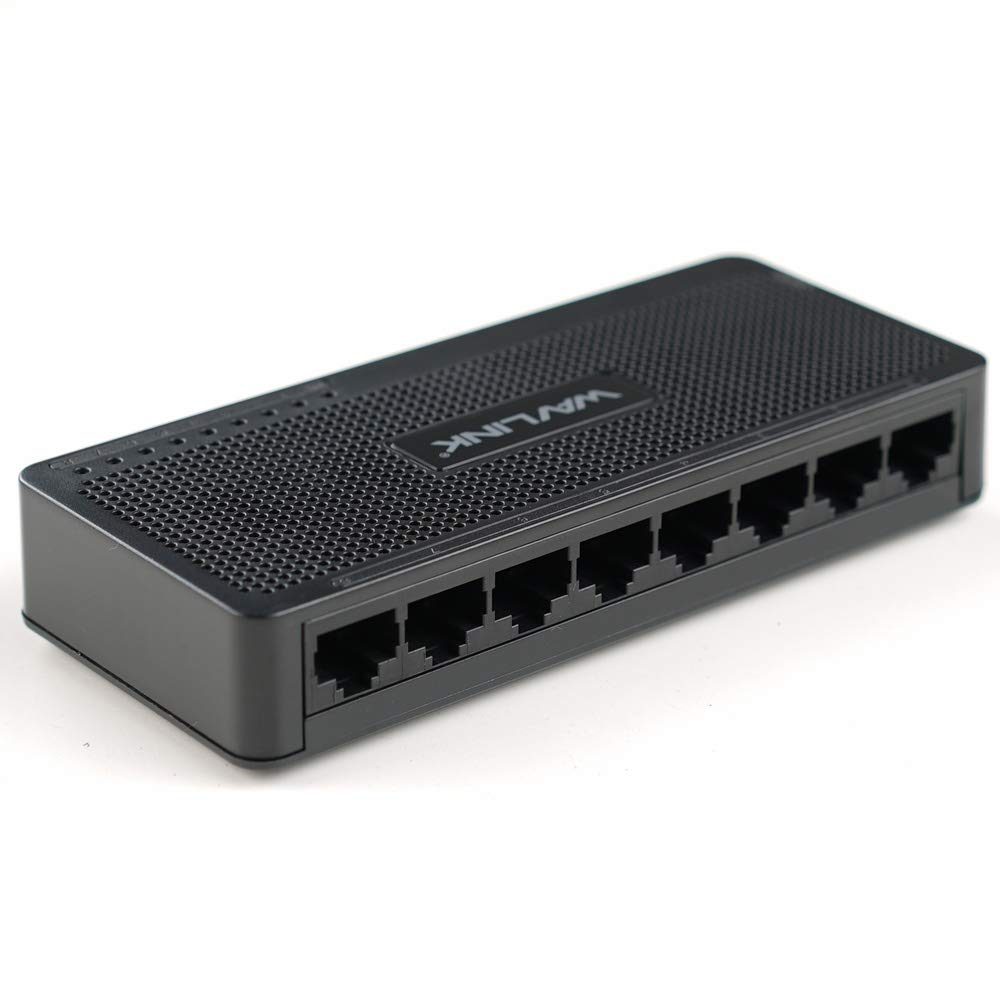
Slika 4.1: Vrh view of the WAVLINK 8-Port Fast Ethernet Switch, showing the brand logo and ventilation holes.
Prednja ploča
The front panel includes the 8 RJ45 Ethernet ports and LED indicators for status monitoring.

Slika 4.2: Prednja strana view of the switch, displaying the eight RJ45 Ethernet ports.
- RJ45 portovi (1-8): Connect your network devices (computers, printers, gaming consoles, etc.) using standard Ethernet cables.
- LED indikatori: Each port has an associated LED that indicates connection status and activity.
Zadnja ploča
Zadnja ploča obično sadrži priključak za napajanje.

Slika 4.3: Bočna strana view of the switch, illustrating its compact dimensions (13cm x 5.5cm x 2.1cm) and the power input port.
- Ulazna snaga: Ovdje priključite priloženi adapter za napajanje.
5. Vodič za postavljanje
The WAVLINK Fast Ethernet Switch is designed for simple plug-and-play installation. No complex configuration is required.
5.1 Povezivanje prekidača
- plasman: Choose a stable, flat surface for the switch, such as a desktop. Ensure adequate ventilation around the device.
- Priključite napajanje: Plug the provided power adapter into the switch's power input port, then plug the other end into a standard electrical outlet. The power LED on the switch should illuminate.
- Povežite se s ruterom/modemom: Use an Ethernet cable to connect one of the switch's RJ45 ports to a LAN port on your router or modem.
- Povežite mrežne uređaje: Connect your computers, printers, network-attached storage (NAS), gaming consoles, or other network devices to the remaining RJ45 ports on the switch using Ethernet cables.

Figure 5.1: Connection diagram illustrating how the switch integrates into a network, connecting to a router and multiple end devices like computers, printers, and gaming consoles.

Figure 5.2: Visual representation of the plug-and-play setup, showing Ethernet cables ready for connection to the switch's ports.
Once all connections are made, the switch will automatically detect and configure the connected devices. The corresponding port LEDs will light up to indicate an active connection.
6. Upravljanje prekidačem
The WAVLINK Fast Ethernet Switch operates automatically once powered on and connected. It functions as a central connection point for your wired network devices.
- Prijenos podataka: The switch intelligently forwards data packets between connected devices at 10/100 Mbps speeds.
- Auto-MDI/MDIX: This feature automatically detects the type of Ethernet cable (straight-through or crossover) and adjusts accordingly, simplifying connections.
- LED indikatori:
- Stalno zelena: Indicates a stable link connection.
- Treperi zeleno: Označava aktivnost podataka na portu.
- Isključeno: No device connected or device is powered off.

Figure 6.1: The Ethernet switch acting as a splitter, providing additional wired connections for multiple devices such as laptops, gaming consoles, and printers.
7. Održavanje
To ensure optimal performance and longevity of your WAVLINK Fast Ethernet Switch, follow these simple maintenance guidelines:
- Održavajte čistoću: Regularly wipe the exterior of the switch with a soft, dry cloth. Avoid using liquid cleaners or aerosols.
- ventilacija: Ensure that the ventilation holes are not blocked to prevent overheating.
- Sigurno isključivanje: If you need to power off the device, disconnect the power adapter from the electrical outlet.
- Uslovi okoline: Operate the switch within the recommended temperature range of 0°C to 40°C (32°F to 104°F). Avoid extreme humidity.
8. Otkrivanje problema
If you encounter issues with your WAVLINK Fast Ethernet Switch, refer to the following common problems and solutions:
8.1 Nema napajanja
- Provjerite je li adapter za napajanje sigurno spojen i na prekidač i na ispravnu električnu utičnicu.
- Provjerite da li je utičnica funkcionalna tako što ćete uključiti drugi uređaj.
8.2 No Link/Activity LED
- Provjerite je li Ethernet kabel sigurno spojen i na port prekidača i na mrežni uređaj.
- Isprobajte drugi Ethernet kabel kako biste isključili mogućnost neispravnog kabela.
- Provjerite da li je povezani mrežni uređaj uključen i da ispravno funkcioniše.
- Pokušajte da povežete uređaj na drugi port na prekidaču.
8.3 Mala brzina mreže
- Ensure all connected devices and cables support 10/100 Mbps speeds.
- Provjerite ima li prekomjernog mrežnog prometa ili aplikacija koje intenzivno koriste propusni opseg i koje rade na povezanim uređajima.
- Verify that your router/modem is providing adequate internet speed.
9. Specifikacije
| Feature | Opis |
|---|---|
| Brand | WAVLINK |
| Broj modela | RC-N081M2-EU |
| Broj portova | 8 |
| Tip luke | RJ45 |
| Brzina prijenosa podataka | 10/100 Mbps (brzi Ethernet) |
| Auto-Negotiation | Podržano |
| Auto-MDI/MDIX | Podržano |
| Kontrola protoka | IEEE802.3x |
| Materijal kućišta | ABS plastika |
| Instalacija | Desktop |
| Radna temperatura | 0°C ~ 40°C (32°F ~ 104°F) |
| Dimenzije (približno) | 13 cm x 5.5 cm x 2.1 cm (5.1 in x 2.2 in x 0.8 in) |
10. Sistemski zahtjevi
The WAVLINK Fast Ethernet Switch is compatible with any operating system that supports standard Ethernet connectivity. No specific drivers are required for the switch itself.
- Microsoft Windows (10/8/2012/7/2008/Vista/2003/XP/2000/Me/NT/98/95/3.11)
- macOS
- NetWare
- UNIX
- Linux
11. Garancija i podrška
WAVLINK products are designed for reliability and performance. For warranty information and technical support, please refer to the warranty card included with your product or visit the official WAVLINK website. Sačuvajte račun o kupovini za reklamacije.
For further assistance, you may contact WAVLINK customer support through their official channels.