
ELEPHAS BL128
ELEPHAS Mini Projector User Manual
Model: BL128
1. Uvod
Thank you for choosing the ELEPHAS Mini Projector. This manual provides essential information for setting up, operating, and maintaining your projector. Please read it thoroughly before use to ensure optimal performance and longevity of the device.
The ELEPHAS Mini Projector is a compact and portable device designed for versatile entertainment and presentation needs. It supports 1080P HD resolution and offers a large projection screen size, making it suitable for both indoor and outdoor use.
2. Sadržaj paketa
Molimo Vas da provjerite da li se u paketu nalaze svi artikli:
- 1 x ELEPHAS Mini Projector
- 1 x Mini stativ
- 1 x daljinski upravljač
- 1 x Korisnički priručnik (ovaj dokument)
- 1 x HDMI kabl
3. Proizvod je gotovview
Familiarize yourself with the components of your ELEPHAS Mini Projector.

The ELEPHAS Mini Projector is designed to be highly portable, easily fitting in the palm of your hand.
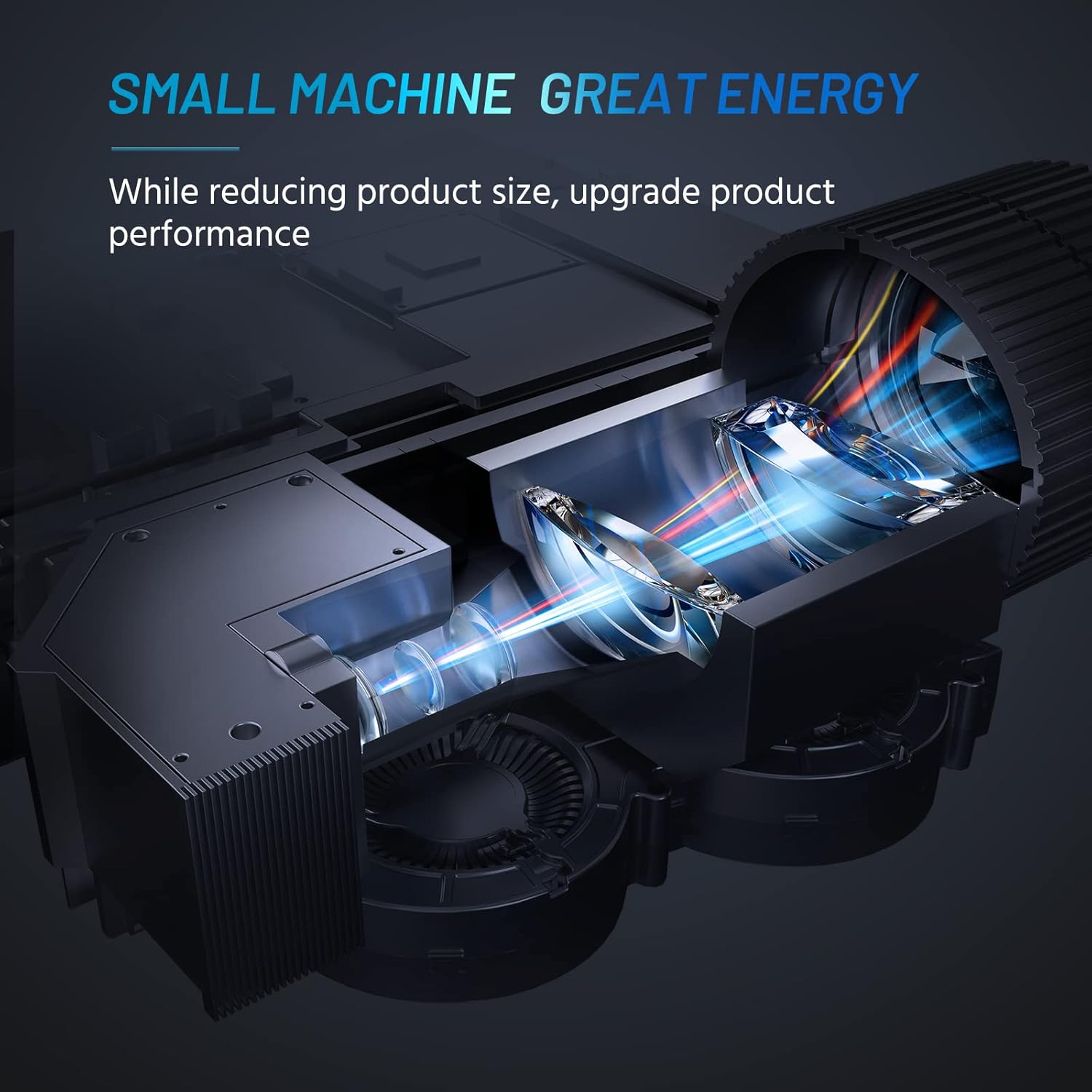
Internal design of the projector, highlighting its compact yet powerful light engine.

Detaljno view of the German LED light source and emerald glass lens, designed for enhanced picture quality.
4. Podešavanje
4.1 Basic Placement
Postavite projektor na stabilnu, ravnu površinu. Za optimalno viewing, ensure the projection surface (wall or screen) is clean and smooth. The included mini tripod can be used for minor height and angle adjustments.

Various setup options for the projector, including table placement, mini tripod installation, and ceiling mount, showing potential screen sizes.
4.2 Priključak za napajanje
- Spojite adapter za napajanje na ulazni priključak za napajanje projektora.
- Uključite adapter za napajanje u odgovarajuću električnu utičnicu.
4.3 Povezivanje uređaja
The projector supports multiple input sources. Ensure your device is powered on before connecting.
- HDMI: Connect your laptop, PC, TV Box, TV Stick, or gaming console using the provided HDMI cable.
- USB: Insert a USB flash drive for direct media playback.
- OD: Use an AV cable (not included) to connect older devices.
- Audio izlaz: Za poboljšani zvuk, povežite eksterne zvučnike ili slušalice putem 3.5 mm audio priključka.
- Povezivanje pametnog telefona: For iOS/Android/Windows smartphones, a compatible HDMI adapter (e.g., Lightning to HDMI, Micro USB/Type-C to HDMI) is required and not included.
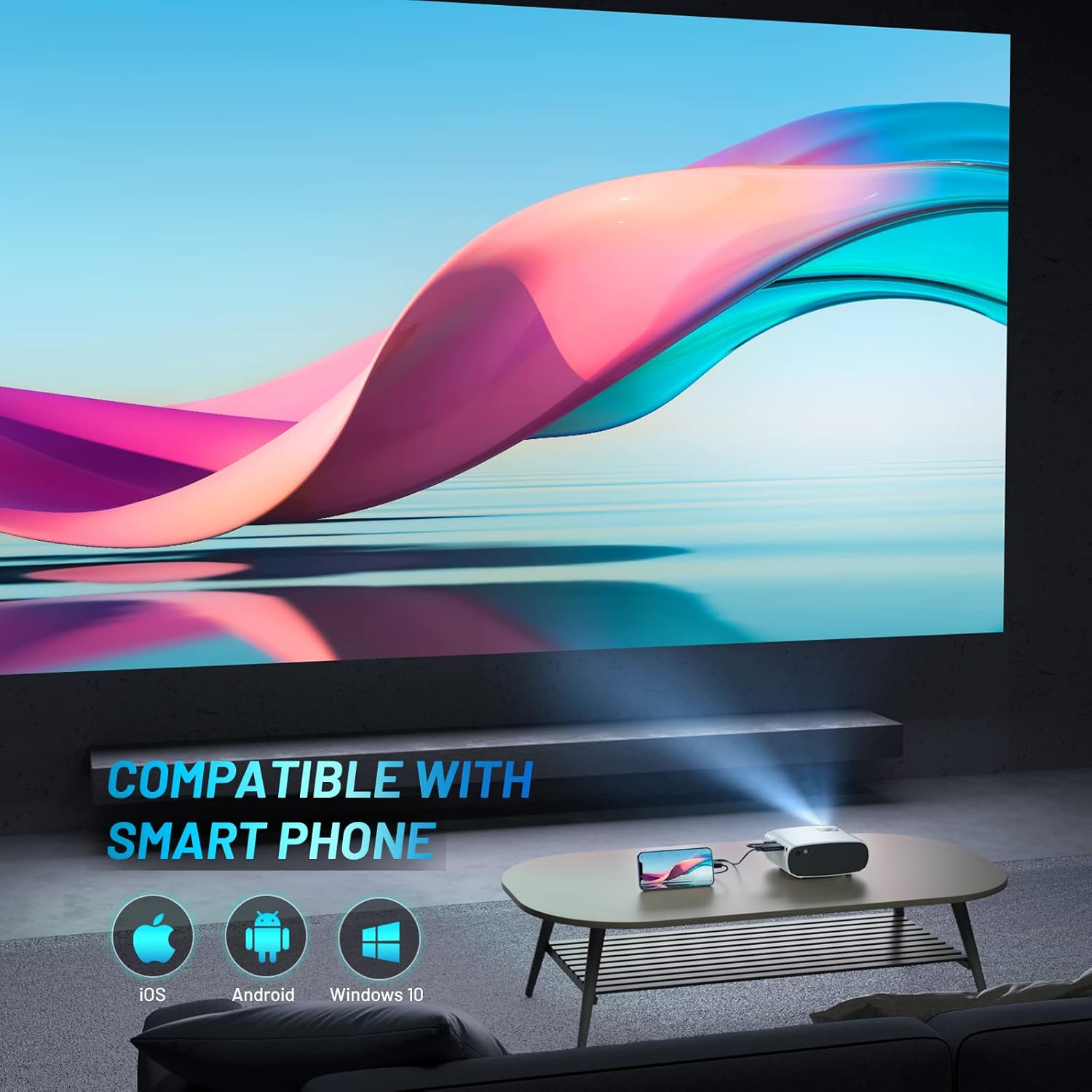
The projector is compatible with various smartphone operating systems, requiring an appropriate adapter for connection.

Connecting smartphones to the projector for outdoor movie nights. Adapters are sold separately.
Official video demonstrating the features and portability of the ELEPHAS Mini Projector, including setup and usage scenarios.
5. Uputstvo za upotrebu
5.1 Uključivanje/isključivanje napajanja
- Uključeno: Press the power button on the projector or the remote control. The indicator light will turn on.
- Iskljuciti: Press the power button again. The projector will shut down.
5.2 Fokus i podešavanje trapezoidne korekcije
- Fokus: Okrećite prsten za fokusiranje na objektivu projektora dok projicirana slika ne postane jasna i oštra.
- Keystone korekcija: Use the keystone adjustment dial (if available) or the remote control to correct trapezoidal distortion if the projector is not perfectly perpendicular to the screen.

The projector offers an adjustable angle for flexible projection setup.
5.3 Odabir ulaznog izvora
Press the 'Source' button on the remote control or projector to cycle through available input sources (HDMI, USB, AV).
5.4 Audio izlaz
The projector has a built-in HIFI speaker. For a more immersive audio experience, connect external speakers or headphones to the 3.5mm audio output port.
The projector features a dual-band sound system designed for reduced noise and clear audio.
6. Održavanje
6.1 Čišćenje
- Objektiv: Koristite meku krpu koja ne ostavlja dlačice, posebno dizajniranu za optička sočiva. Ne koristite abrazivna sredstva za čišćenje ili rastvarače.
- Casing: Obrišite vanjski dio projektora mekom, suhom krpom. Izbjegavajte korištenje tekućih sredstava za čišćenje direktno na uređaju.
- ventilacija: Ensure the ventilation vents are clear of dust and obstructions to prevent overheating.
6.2 Skladištenje
When not in use, store the projector in a cool, dry place, away from direct sunlight and extreme temperatures. Use the lens cap to protect the lens from dust and scratches.
7. Otkrivanje problema
| Problem | Mogući uzrok | Rješenje |
|---|---|---|
| Nema projicirane slike | Power not connected; Incorrect input source; Loose cable connection | Check power cable; Select correct input source; Reconnect HDMI/USB cable securely |
| Slika mutna | Van fokusa; Netačna udaljenost projekcije | Adjust focus ring; Adjust projector distance from screen |
| Nema zvuka | Volume too low; Muted; External speakers not connected properly | Increase volume; Unmute; Check external speaker connection |
| Daljinski upravljač ne radi | Prazne baterije; Prepreka između daljinskog upravljača i projektora | Replace batteries; Remove obstructions; Point remote directly at projector's IR receiver |
| Cannot play Netflix/Amazon Prime/Hulu | HDCP copyright restrictions | Use an Amazon Fire Stick or Roku Stick for these services. |
8. Specifikacije
- Broj modela: BL128
- Rezolucija ekrana: 1920 x 1080 (1080P HD Support)
- Svjetlina: 8000L (Lumens)
- Omjer kontrasta: 6000:1
- Tehnologija povezivanja: HDMI, USB, AV, audio izlaz
- Dimenzije proizvoda: 6 x 4.4 x 2.4 inča
- Težina artikla: 1 funta
- Proizvođač: ELEPHAS
- Zemlja porijekla: Kina
- Posebne karakteristike: Portable, HDMI Connectivity, Built-in HIFI Speaker, Efficient Heat Dissipation System, Emerald Glass Lens, 24-bit True Color Support
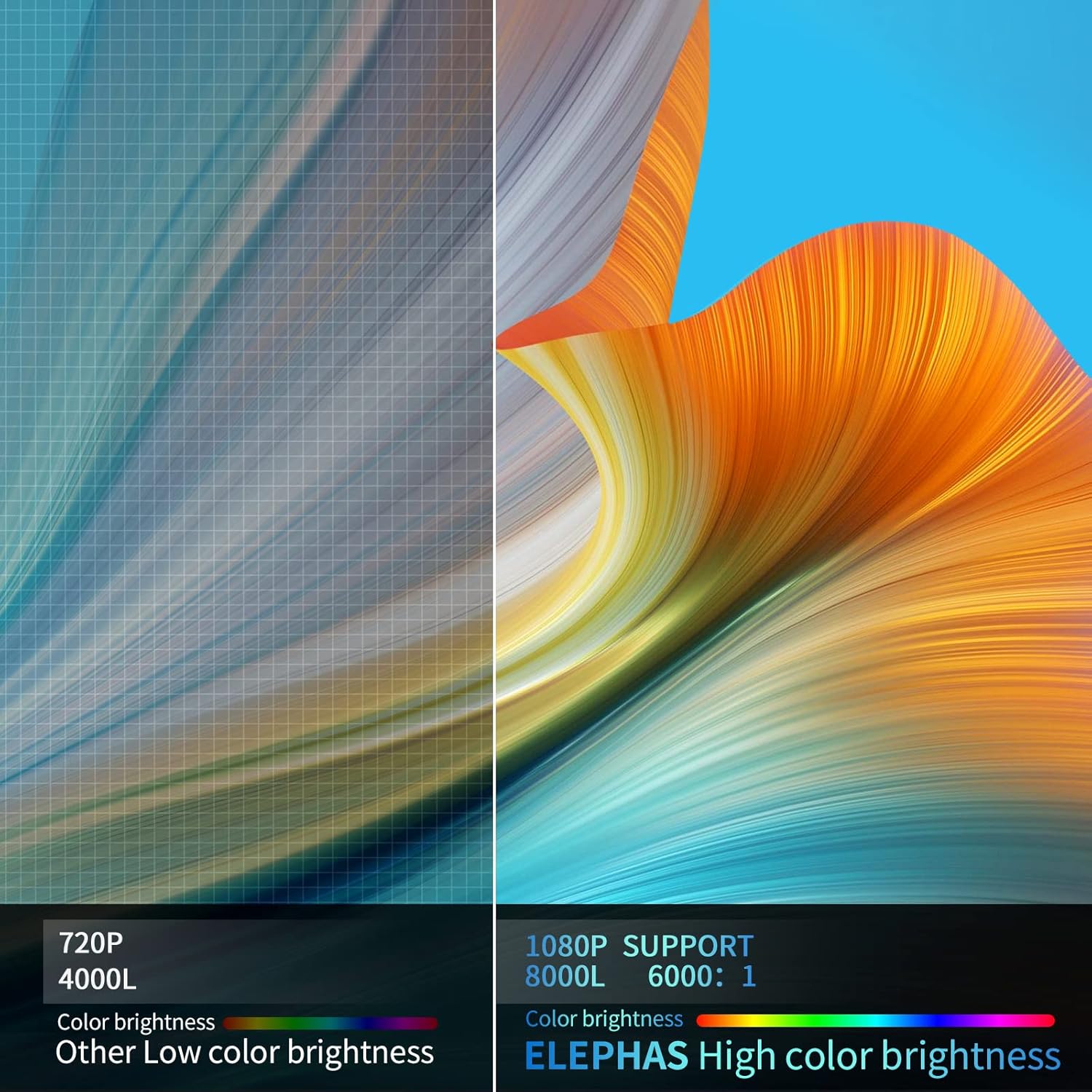
Visual comparison demonstrating the enhanced brightness and color quality of the ELEPHAS projector.

Illustrates the progression of brightness and clarity from lower resolution projectors to the 8000L 1080P ELEPHAS model.
9. Garancija i podrška
ELEPHAS projectors come with a 3-year factory support warranty. For any issues or inquiries, please contact ELEPHAS customer service. Refer to the contact information provided on the product packaging or the official ELEPHAS website.
The product holds CE, FCC, RoHS, and PSE certificates, ensuring compliance with relevant safety and quality standards.
Ask a question about this manual
Ask about setup, troubleshooting, compatibility, parts, safety, or missing instructions. Manuals+ will review the question and use this page’s manual context to help answer it.