
1. Uvod
The Xtrfy M4 RGB is an ultra-light wired gaming mouse designed for right-handed users, offering an ergonomic form factor combined with high-performance features. This manual provides essential information for setting up, operating, customizing, and maintaining your mouse to ensure optimal performance and longevity.

Slika 1: Vrh view of the Xtrfy M4 RGB mouse in white, showcasing its perforated shell design and illuminated scroll wheel and logo.
2. Podešavanje
Setting up your Xtrfy M4 RGB mouse is straightforward, requiring no additional software installation for basic functionality.
- Povežite miša: Plug the USB connector of the Xtrfy EZcord cable into an available USB port on your computer.
- Instalacija drajvera: Miš je plug-and-play. Vaš operativni sistem će automatski prepoznati i instalirati potrebne drajvere. Ručna instalacija drajvera obično nije potrebna.
- Početna upotreba: Nakon povezivanja, miš je spreman za trenutnu upotrebu.

Figure 2: The Xtrfy M4 RGB mouse positioned on a dark mouse pad, with a white mechanical keyboard in the background, illustrating a typical gaming setup.
3. Ključne karakteristike
- Ultra lagani dizajn: Weighing approximately 2.5 ounces, the mouse features an ergonomic design for right-handers with a perforated structure for enhanced grip and comfort.
- Pixart 3389 Sensor: Equipped with a cutting-edge Pixart 3389 sensor, offering spontaneous sensitivity settings from 400 to 16,000 CPI, a polling rate from 125 to 1,000 Hz, 400 IPS, and self-adjusting FPS for top-tier performance.
- Adaptable RGB Lighting: Customize your mouse with individual colors or various LED effects. Brightness can be adjusted, or lighting can be switched off entirely, with all settings controllable directly on the mouse.
- Flexible Xtrfy EZcord Cable: The soft, lightweight, and flexible 1.8-meter USB cable ensures smooth mouse movements and matches the mouse’s color.
- Dust and Splash-Proof: An even coating on the internal components provides optimal protection against dust and water splashes.
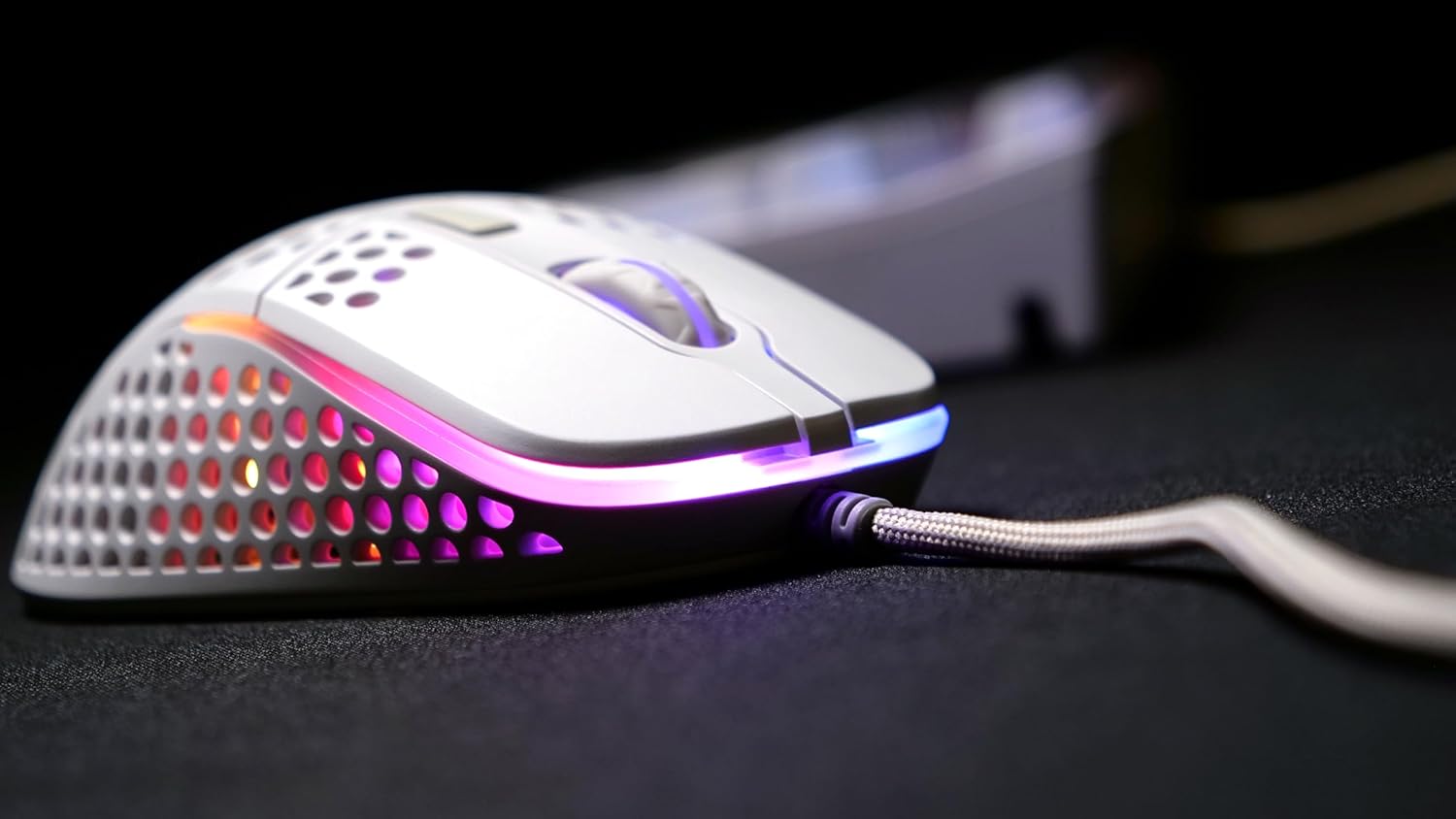
Slika 3: Strana A view of the Xtrfy M4 RGB mouse, highlighting the ergonomic shape and the customizable RGB lighting strip along its base.
4. Uputstvo za upotrebu
4.1 Osnovne funkcije miša
- Lijevi klik: Dugme za primarnu akciju.
- Desni klik: Sekundarno dugme za akciju, obično za kontekstne menije.
- Točak za pomicanje: Used for vertical scrolling. Can also be clicked for a middle-mouse button function.
- Bočna dugmad: Two programmable buttons located on the left side of the mouse for quick access to in-game commands or desktop functions.
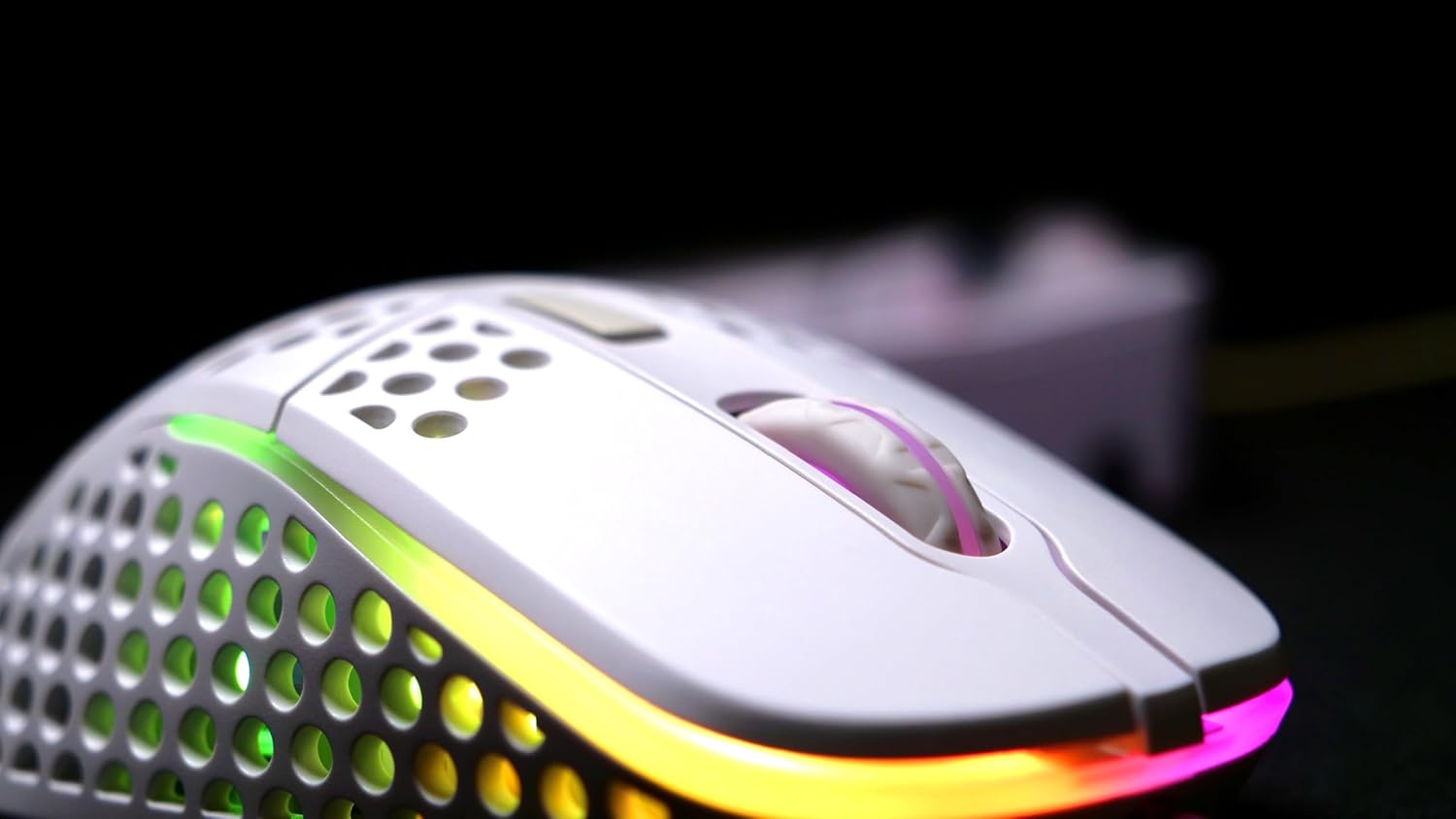
Slika 4: Detaljan view of the Xtrfy M4 RGB mouse's scroll wheel and primary click buttons, with subtle RGB glow.
4.2 CPI/DPI Adjustment
The mouse allows for on-the-fly adjustment of CPI (Counts Per Inch) settings, which directly affects cursor sensitivity.
- Locate the dedicated CPI button, usually on the underside of the mouse or near the scroll wheel.
- Press the CPI button to cycle through predefined sensitivity levels (e.g., 400, 800, 1200, 1600, 3200, 6400, 12000, 16000 CPI). An indicator light will typically change color to show the current setting.
4.3 Podešavanje stope anketiranja
Brzina ispitivanja određuje koliko često miš prijavljuje svoju poziciju računaru. Veće brzine ispitivanja rezultiraju glatkijim i responzivnijim praćenjem.
- Refer to the mouse's underside or a small button near the CPI button for polling rate adjustment.
- Cycle through available polling rates (e.g., 125 Hz, 500 Hz, 1000 Hz) to find your preferred setting.
5. Prilagođavanje RGB osvjetljenja
The Xtrfy M4 RGB mouse features customizable RGB lighting that can be adjusted directly on the device.
- Change Colors/Effects: Use the dedicated RGB control button (often located near the scroll wheel or on the underside) to cycle through various lighting modes, colors, and effects.
- Podesite svjetlinu: Some models allow brightness adjustment through specific button combinations (e.g., holding the RGB button and scrolling the wheel).
- Isključite rasvjetu: The lighting can be switched off entirely if desired, typically by cycling through the modes or holding the RGB button.

Figure 5: An angled shot of the Xtrfy M4 RGB mouse, emphasizing its lightweight, perforated design and the dynamic RGB illumination.
6. Održavanje
6.1 Čišćenje
To maintain optimal performance and hygiene, regularly clean your mouse.
- Koristite meku krpu koja ne ostavlja dlačiceampoprana vodom ili blagim rastvorom za čišćenje da obrišete spoljašnjost.
- For the perforated areas, use compressed air to remove dust and debris.
- Izbjegavajte upotrebu jakih hemikalija ili abrazivnih materijala koji bi mogli oštetiti završnu obradu miša ili unutrašnje komponente.
6.2 Dust and Splash Protection
The Xtrfy M4 RGB features an internal coating designed to protect components from dust and splashes. While this offers enhanced durability, it is not fully waterproof. Avoid submerging the mouse in liquids.
7. Otkrivanje problema
- Miš ne reaguje:
- Provjerite je li USB kabel sigurno priključen u ispravan USB priključak.
- Try plugging the mouse into a different USB port or another computer to rule out port or system issues.
- Ponovo pokrenite računar.
- Nedosljedno praćenje:
- Clean the mouse sensor area on the underside of the mouse.
- Ensure you are using the mouse on a suitable surface, preferably a quality mouse pad.
- Adjust the CPI/DPI settings to see if it resolves the issue.
- RGB rasvjeta ne radi:
- Cycle through the lighting modes using the dedicated RGB button.
- Provjerite je li miš pravilno spojen i prima li napajanje.
If issues persist, please refer to the support section for further assistance.
8. Specifikacije
| Feature | Detalj |
|---|---|
| Brand | Xtrfy |
| Model | XG-M4-RGB |
| Tehnologija povezivanja | USB (žični) |
| Tehnologija detekcije pokreta | Optički (Pixart 3389) |
| CPI/DPI Range | 400-16,000 |
| Polling Rate | 125-1,000 Hz |
| Težina artikla | 2.5 unce |
| Dimenzije proizvoda (DxŠxV) | 1.54 x 4.72 x 2.68 inča |
| Posebne karakteristike | Ergonomic Design, LED Lights, Lightweight, Dust and Splash-Proof |
9. Garancija i podrška
For warranty information, please refer to the documentation included with your product at the time of purchase or visit the official Xtrfy website. If you encounter any issues not covered in this manual, please contact Xtrfy customer support for assistance.