
1. Uvod
The Dual DAB 3A Digital Radio Adapter is designed to upgrade your existing audio system with modern digital radio reception and Bluetooth streaming capabilities. This adapter allows you to enjoy DAB+ and FM radio broadcasts with clear digital quality and stream audio wirelessly from compatible devices. Its user-friendly interface and remote control ensure convenient operation.
2. Sigurnosne informacije
- Napajanje: Use only the provided AC power adapter. Ensure the voltage odgovara zahtjevima navedenim na adapteru.
- Voda i vlaga: Do not expose the device to rain, moisture, or dripping/splashing liquids. Keep it away from water sources.
- ventilacija: Ensure adequate ventilation around the unit. Do not block ventilation openings. Avoid placing the device on soft surfaces that may obstruct airflow.
- Izvori toplote: Držite uređaj dalje od izvora toplote kao što su radijatori, grijalice, peći ili drugi uređaji koji proizvode toplotu.
- čišćenje: Isključite napajanje prije čišćenja. Koristite meku, suhu krpu. Ne koristite tekuća sredstva za čišćenje ili aerosolne sprejeve.
- servisiranje: Ne pokušavajte sami servisirati ovaj proizvod. Sve servise prepustite kvalificiranom servisnom osoblju.
3. Sadržaj paketa
Molimo Vas da provjerite da li se u Vašem paketu nalaze sve dolje navedene stavke:
- Dual DAB 3A Digital Radio Adapter
- Napajanje ispravljač
- Daljinski upravljač
- Priručnik za upotrebu
- External Wire Antenna
4. Proizvod je gotovview
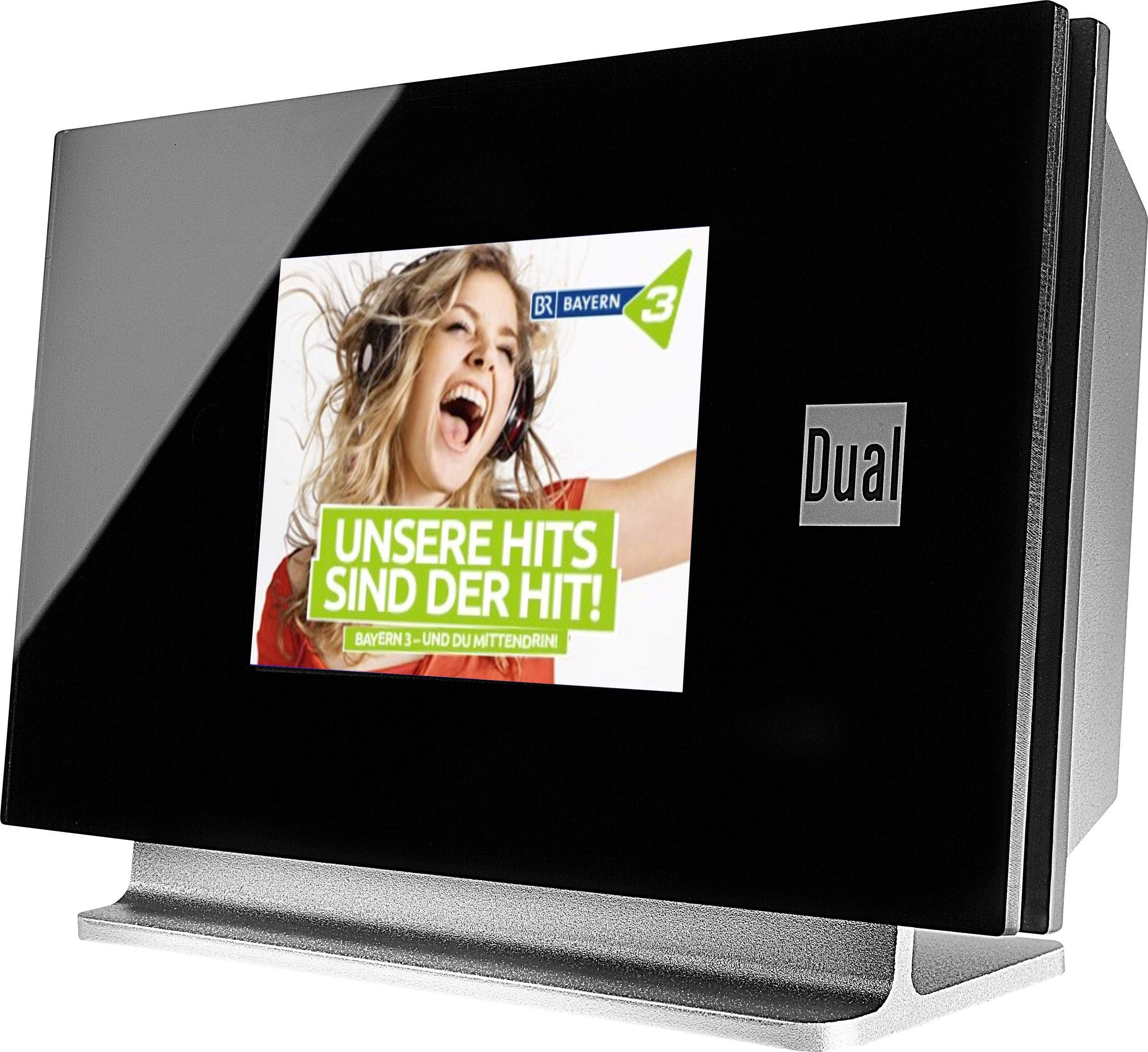
This image displays the Dual DAB 3A Digital Radio Adapter from a front-side angle. The front features a large, black TFT color display showing a radio station's album art and text. The side view indicates the product dimensions: 15 cm (width), 6 cm (depth), and 10.49 cm (height).
Prednja ploča
- TFT ekran u boji: Shows station information, track details, album art, and menu options.
Priključci na stražnjoj ploči
- Antenski ulaz: For connecting the external wire antenna or a commercially available antenna.
- AUX-OUT: Audio output for connecting to an external ampLifier ili audio sistem.
- Ulazna snaga: Za spajanje AC adaptera za napajanje.
Daljinski upravljač
The included remote control provides full functionality for navigating menus, changing stations, adjusting volume, and selecting input modes.
5. Podešavanje
- Spojite antenu: Connect the supplied external wire antenna to the antenna input on the rear panel of the DAB 3A adapter. For optimal reception, extend the antenna fully.
- Povežite se na audio sistem: Use an appropriate audio cable (not included) to connect the AUX-OUT port on the rear of the DAB 3A to an available audio input (e.g., AUX-IN, Line-IN) on your existing amplifier ili stereo sistem.
- Priključite napajanje: Plug the AC power adapter into the power input on the rear of the DAB 3A, then plug the adapter into a wall outlet.
- Uključeno: Press the Power button on the unit or the remote control to turn on the adapter. The display will illuminate.
- Initial Scan (DAB+): Upon first power-on, the unit may automatically perform a scan for available DAB+ stations. Allow this process to complete.
6. Operativni
Uključivanje/isključivanje
- Pritisnite Snaga dugme na uređaju ili daljinskom upravljaču da biste uključili ili isključili uređaj.
DAB+ radio način rada
- Pritisnite Mode button on the remote control until DAB+ mode is selected.
- If no stations are found or you wish to rescan, navigate to the 'Full Scan' option in the menu and confirm. The adapter will search for available DAB+ stations.
- Koristite Gore/Dolje navigation buttons on the remote to browse through the list of available stations.
- Pritisnite OK/Enter za odabir stanice.
- The TFT display will show station name, program information, and potentially album art or weather data.
FM radio režim
- Pritisnite Mode button on the remote control until FM mode is selected.
- Za automatsko skeniranje stanica, pritisnite i držite Skeniraj button (or equivalent on remote). The adapter will tune to the next strong station.
- Za ručno podešavanje koristite Gore/Dolje navigation buttons to adjust the frequency.
Bluetooth režim
- Pritisnite Mode button on the remote control until Bluetooth mode is selected. The display will show 'Bluetooth Pairing' or similar.
- Na pametnom telefonu ili tabletu omogućite Bluetooth i potražite dostupne uređaje.
- Select 'Dual DAB 3A' from the list of devices to pair.
- Once paired, you can stream audio from your device to the DAB 3A adapter.
AUX-IN način rada
- Connect an external audio source (e.g., MP3 player, CD player) to the AUX-IN port on the rear of the DAB 3A using a 3.5mm audio cable (not included).
- Pritisnite Mode button on the remote control until AUX-IN mode is selected.
- Audio from the connected external device will now play through your audio system.
7. Održavanje
- Čišćenje jedinice: Disconnect the power adapter before cleaning. Use a soft, dry, lint-free cloth to wipe the surface of the unit. Do not use abrasive cleaners, waxes, or solvents.
- Čišćenje ekrana: Gently wipe the TFT display with a soft, dry microfiber cloth. Avoid pressing hard on the screen.
- Skladištenje: Ako uređaj skladištite duži period, isključite ga iz napajanja i čuvajte ga na hladnom i suhom mjestu, dalje od direktne sunčeve svjetlosti i ekstremnih temperatura.
8. Otkrivanje problema
| Problem | Mogući uzrok | Rješenje |
|---|---|---|
| Nema struje | Adapter za napajanje nije priključen ili je utičnica neispravna. | Provjerite je li adapter za napajanje sigurno spojen na uređaj i ispravnu utičnicu. |
| Loš DAB+/FM prijem | Antenna not properly connected or poor signal strength. | Ensure the antenna is fully extended and properly connected. Try repositioning the antenna or the unit. Consider using a stronger external antenna if available. |
| Bluetooth uparivanje nije uspjelo | Bluetooth not enabled on source device or adapter is not in pairing mode. | Ensure Bluetooth is enabled on your smartphone/tablet and the DAB 3A is in Bluetooth mode. Try restarting both devices. |
| Nema zvuka | Volume too low, incorrect input selected on amplifier, or audio cable issue. | Increase the volume on both the DAB 3A and your ampspasilac. Osigurajte svoj amplifier is set to the correct input (e.g., AUX-IN). Check the audio cable connections. |
9. Specifikacije
- Model: 75862
- Tehnologija tjunera: DAB Plus, FM
- Povezivanje: Bluetooth
- Podržani radio bendovi: FM, DAB+
- Vrsta prikaza: Prikaz u boji
- Izvor napajanja: AC adapter
- Hardverski interfejs: Bluetooth
- Kompatibilni uređaji: Pametni telefon, laptop
- Posebne karakteristike: Bluetooth, Daljinski upravljač
- Dimenzije proizvoda: 15 x 6 x 10.5 cm
- Težina artikla: 540 g
10. Garancija i podrška
This product comes with a standard manufacturer's warranty. For detailed warranty information, please refer to the warranty card included in your package or visit the official Dual website. For technical support, troubleshooting assistance, or service inquiries, please contact Dual customer support through their official channels.