
DALI IO-6
DALI IO-6 Premium bežične ANC slušalice - uputstvo za upotrebu
Model: IO-6
Uvod
Welcome to the user manual for your DALI IO-6 Premium Wireless Over-The-Ear ANC Headphones. These headphones are designed to deliver exceptional audio quality with the convenience of wireless connectivity and advanced Active Noise Cancellation (ANC) technology. This manual provides essential information on setup, operation, maintenance, and troubleshooting to ensure you get the most out of your DALI IO-6 headphones.
Sadržaj paketa
Prije nego što počnete, molimo vas da se uvjerite da su sve stavke prisutne u paketu:
- DALI IO-6 Slušalice
- USB kabl za punjenje
- 3.5 mm audio kabl
- Travel Case (if included)
- Vodič za brzi početak
- Jastučići za uši
Note: The specific contents may vary slightly based on regional packaging.
Setup
1. Punjenje slušalica
Before first use, fully charge your DALI IO-6 headphones. A full charge provides approximately 30 hours of battery life with ANC enabled.
- Connect the supplied USB charging cable to the USB-C port on the headphones.
- Connect the other end of the cable to a USB power adapter (not supplied) or a powered USB port on a computer.
- The LED indicator on the headphones will show charging status. It typically takes about 2 hours for a full charge.

Figure 1: DALI IO-6 headphones, Army Green color, showing the overall design. The USB-C port is located on one of the earcups.
2. Bluetooth uparivanje
Pair your DALI IO-6 headphones with your Bluetooth-enabled device (smartphone, tablet, laptop, etc.).
- Uvjerite se da su slušalice isključene.
- Press and hold the Power/Bluetooth button on the headphones for approximately 5 seconds until the LED indicator flashes blue and red, indicating pairing mode.
- Na svom uređaju idite u postavke Bluetootha i omogućite Bluetooth.
- Select "DALI IO-6" from the list of available devices.
- Nakon uparivanja, LED indikator na slušalicama će svijetliti stalno plavo.

Slika 2: Prednja strana view of the DALI IO-6 headphones, showcasing the earcups and headband. The control buttons are located on the right earcup.
3. Žična veza
For a wired connection, use the supplied 3.5mm audio cable.
- Connect one end of the 3.5mm audio cable to the audio input jack on the headphones.
- Connect the other end to the 3.5mm audio output jack on your device.
- Slušalice će se automatski prebaciti u žičani način rada.
Uputstvo za upotrebu
Uključivanje/isključivanje
- To power on: Press and hold the Power button for 2 seconds.
- Za isključivanje: Pritisnite i držite dugme za napajanje 3 sekunde.
Music Playback and Call Control
| Funkcija | Akcija |
|---|---|
| Pusti/Pauza | Pritisnite višenamjenski taster jednom. |
| Next Track | Dvaput pritisnite višenamjensko dugme. |
| Previous Track | Pritisnite višenamjensko dugme tri puta. |
| Volume Up | Pritisnite dugme za jačinu zvuka +. |
| Utišavanje zvuka | Pritisnite dugme za jačinu zvuka (-). |
| Odgovori/Završi poziv | Pritisnite višenamjenski taster jednom. |
| Odbiti poziv | Pritisnite i držite višenamensko dugme 2 sekunde. |
| Aktivirajte glasovnog asistenta | Pritisnite i držite višenamjenski taster 2 sekunde (kada niste u toku poziva). |
Aktivno poništavanje buke (ANC) i način rada za transparentnost
The DALI IO-6 features Active Noise Cancellation to reduce ambient noise and a Transparency Mode to allow external sounds to pass through.
- To cycle through ANC modes (ANC On, Transparency Mode, ANC Off): Press the ANC button located on the earcup.
- The LED indicator will change color to indicate the current ANC mode.
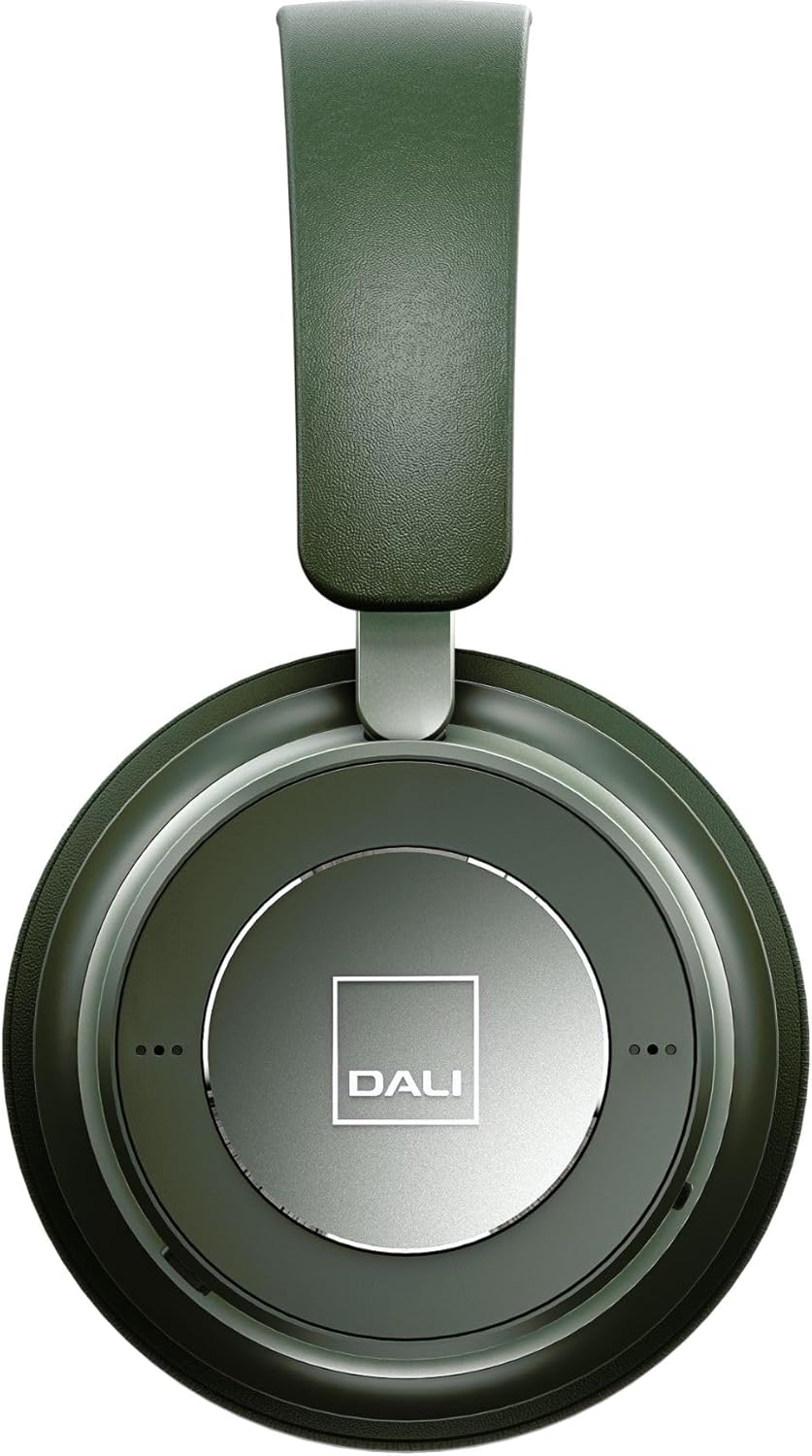
Slika 3: Krupni plan view of the DALI IO-6 earcup, highlighting the DALI logo and the subtle design details. The control buttons are integrated into the earcup design.
Održavanje i njega
Proper care will extend the life and performance of your DALI IO-6 headphones.
- čišćenje: Za čišćenje slušalica koristite meku, suhu krpu. Nemojte koristiti abrazivna sredstva za čišćenje, rastvarače ili jake hemikalije.
- Skladištenje: When not in use, store the headphones in their protective travel case to prevent damage.
- temperatura: Izbjegavajte izlaganje slušalica ekstremnim temperaturama (vrućim ili hladnim) ili visokoj vlažnosti.
- Izloženost tečnosti: Keep the headphones away from water and other liquids. They are not waterproof.
- Jastučići za uši: The ear cushions are designed for comfort and can be replaced if worn. Refer to DALI's official websajt za rezervne delove.

Figure 4: DALI IO-6 headphones resting on a concrete surface, demonstrating their robust build and design. This image highlights the durable materials used.
Rješavanje problema
If you encounter issues with your DALI IO-6 headphones, try the following solutions:
| Problem | Moguće rješenje |
|---|---|
| Nema snage | Provjerite jesu li slušalice potpuno napunjene. Spojite ih na izvor napajanja i provjerite indikator punjenja. |
| Nije moguće uparivanje putem Bluetootha |
|
| Nema zvuka |
|
| ANC ne funkcioniše efikasno |
|
Specifikacije
| Feature | Detalj |
|---|---|
| Naziv modela | IO-6 |
| Tehnologija povezivanja | Bežično (Bluetooth 5.0) |
| Kontrola buke | Otkazivanje aktivne buke (ANC) |
| Priključak za slušalice | 3.5 mm Jack |
| Trajanje baterije | Up to 30 hours (with ANC) |
| Vrijeme punjenja | Pribl. 2 sati |
| Frekvencijski opseg | 10 - 20000 Hz |
| Impedansa | 25 Ohm |
| Veličina audio drajvera | 50 mm |
| Materijal | Plastika, memorijska pjena |
| Dimenzije proizvoda | 3.11 x 8.86 x 9.65 inča |
| Težina artikla | 2.4 funte |
Garancija i podrška
DALI products are built to high standards and come with a limited warranty. For specific warranty terms and conditions, please refer to the warranty card included with your product or visit the official DALI website.
For technical support, service, or replacement parts, please contact DALI customer support through their official website or authorized service centers. You can find more information and contact details at: www.dali-speakers.com
Ask a question about this manual
Ask about setup, troubleshooting, compatibility, parts, safety, or missing instructions. Manuals+ will review the question and use this page’s manual context to help answer it.