
Coredy R750
Coredy R750 Robot Vacuum Cleaner User Manual
Model: R750
Uvod
Thank you for choosing the Coredy R750 Robot Vacuum Cleaner. This manual provides essential information for the safe operation, maintenance, and troubleshooting of your device. Please read it thoroughly before use and keep it for future reference.

Figure 1: Coredy R750 Robot Vacuum Cleaner, showing the main unit, a smartphone displaying the control app, and the detachable mopping water tank with a cloth.
Sadržaj paketa
Provjerite da li su sve stavke prisutne u paketu:
- 1x R750 Robotic Vacuum Cleaner
- 1x Water Tank (with included mop cloth)
- 2x bočne četke
- 1x HEPA filter
- 1x daljinski upravljač
- 1x punjač
- 1x adapter za naizmeničnu struju
- 1x Alat za čišćenje
Setup
1. Raspakivanje i postavljanje
Remove all packaging materials and protective films from the robot and its accessories. Place the charging dock against a wall on a hard, level surface, ensuring there are no obstacles within 3 feet (1 meter) to the front and 1.5 feet (0.5 meters) to the sides.
2. Punjenje robota
Connect the AC power adapter to the charging dock and plug it into a wall outlet. Place the R750 onto the charging dock, ensuring the charging pins align. The indicator light on the robot will show charging status. Fully charge the robot before first use (approximately 5-6 hours).

Figure 2: The Coredy R750 robot vacuum automatically returning to its charging dock when power is low or after completing a cleaning cycle.
3. Ugradnja bočnih četki
Attach the side brushes to the corresponding posts on the bottom of the robot until they click into place.
4. Povezivanje s aplikacijom (opcionalno)
Download the Coredy app from your smartphone's app store. Follow the in-app instructions to connect your R750 to your home Wi-Fi network. This enables advanced control and scheduling features.
Uputstvo za upotrebu
1. Starting/Pausing Cleaning
Press the power button on the robot or use the remote control/app to start a cleaning cycle. Press again to pause.
2. Režimi čišćenja
The R750 offers various cleaning modes:
- Automatski režim: Robot inteligentno upravlja vašim domom i čisti ga.
- Čišćenje na licu mjesta: Fokusira se na određeno prljavo područje.
- Čišćenje ivica: Čisti uz zidove i rubove namještaja.
- Način brisanja: Attaches the water tank for wet cleaning.

Figure 3: The Coredy R750 robot vacuum in mopping mode, illustrating the intelligent mopping system with adjustable water levels (Low, Medium, High) and corresponding runtimes (150, 120, 90 minutes).

Figure 4: Illustration of the Coredy R750's 3-Point Cleaning System, featuring 2200 Pa suction, 3-level suction adjustment, and bilateral side brushes for comprehensive cleaning.
3. Boost-Intellect Technology
The R750 automatically increases suction power when it detects carpet, ensuring a deeper clean. Suction returns to normal on hard surfaces.

Figure 5: The Coredy R750 robot vacuum demonstrating Boost-Intellect Technology, automatically increasing suction when moving from a hard floor to a carpeted area.
4. Virtual Boundary (Sold Separately)
Use virtual boundary strips to create off-limit areas for the robot, preventing it from entering specific rooms or disturbing delicate items.

Figure 6: The Coredy R750 robot vacuum adhering to a virtual boundary, which prevents it from entering designated areas. Boundary strips are sold separately.
5. Voice and App Control
Control your R750 using voice commands via Amazon Alexa or Google Assistant, or manage it remotely through the Coredy smartphone app. The app allows for real-time monitoring, scheduling, and mode customization.
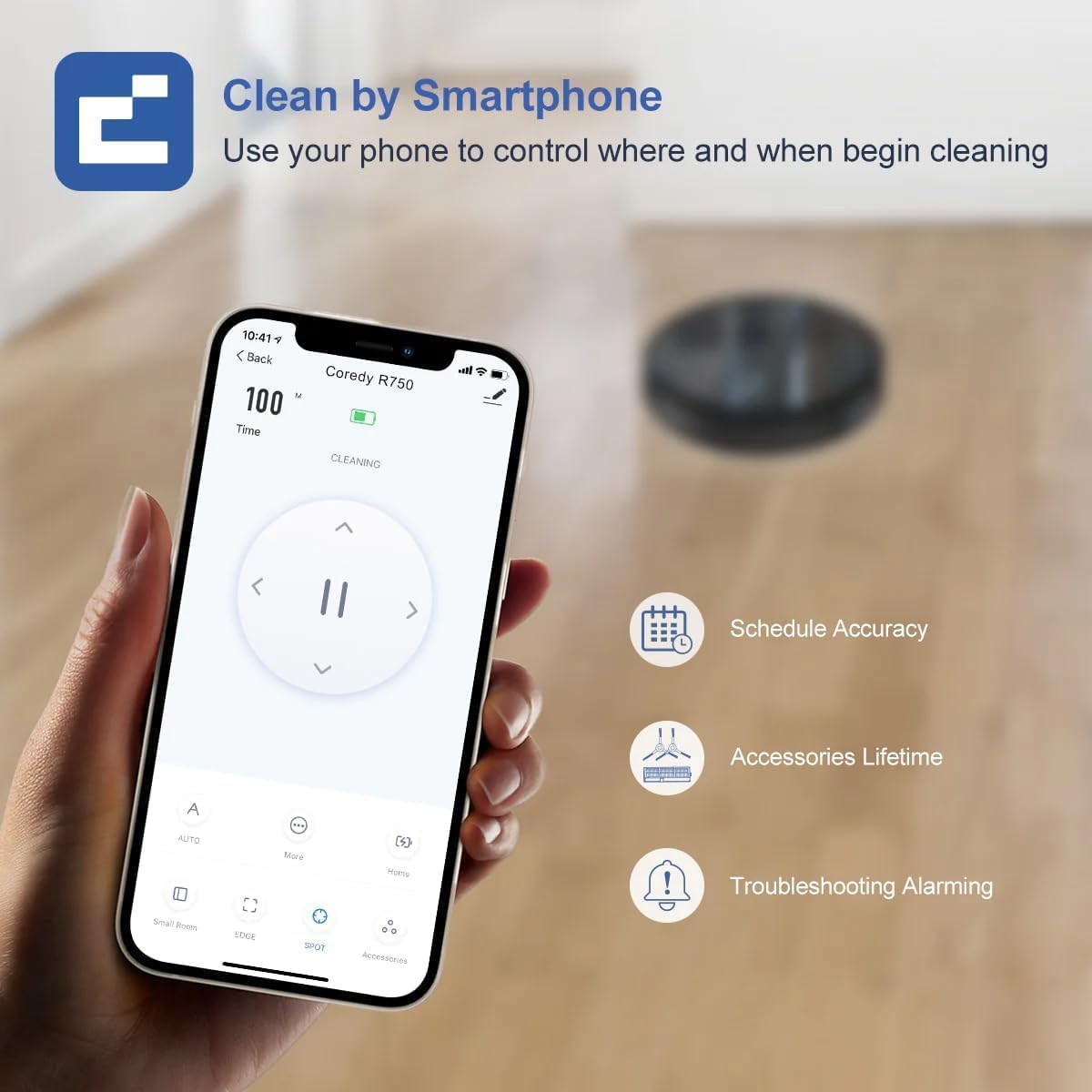
Figure 7: A smartphone screen showing the Coredy R750 control app interface, which allows users to start/stop cleaning, set schedules, and monitor the robot's status.

Figure 8: The Coredy R750 robot vacuum being controlled via voice command through a smart speaker, demonstrating compatibility with Amazon Alexa and Google Assistant for hands-free operation.
Održavanje
Regular maintenance ensures optimal performance of your Coredy R750.
1. Pražnjenje posude za prašinu
Empty the 500ml dust bin after each cleaning cycle or when full. Press the release button to remove the bin, open it, and discard debris.

Figure 9: The Coredy R750 robot vacuum, highlighting its 500ml dust bin capacity, which allows for extended cleaning sessions up to 120 minutes before needing to be emptied.
2. Čišćenje glavne četke i bočnih četki
Regularly remove hair and debris from the main brush and side brushes using the provided cleaning tool. This prevents tangles and maintains cleaning efficiency.
3. Čišćenje HEPA filtera
Tap the HEPA filter to remove dust. Do not wash the HEPA filter with water. Replace the filter every 2-3 months, depending on usage.
4. Maintaining the Water Tank (for Mopping)
After mopping, empty any remaining water from the tank and clean the mop cloth. The mop cloth can be hand-washed or machine-washed.
Rješavanje problema
If your Coredy R750 encounters an issue, refer to the following common solutions:
- Robot se ne puni: Provjerite je li priključna stanica uključena i je li kontakt za punjenje robota čist i pravilno poravnat s priključnom stanicom.
- Robot se često zaglavi: Clear obstacles from the cleaning path. Ensure virtual boundary strips are correctly placed if used. The robot features comprehensive protection technology to navigate around obstacles and avoid falls.
- Loše performanse čišćenja: Empty the dust bin, clean the main brush, side brushes, and HEPA filter. Check if the suction mode is set appropriately for the floor type.
- Brisanje podova nije efikasno: Ensure the water tank is filled and the mop cloth is properly attached. Check the water flow setting in the app (Low, Medium, High).
- Problemi s povezivanjem aplikacije: Ensure your Wi-Fi network is stable and the robot is within range. Restart the robot and your router if necessary.
Za detaljnije rješavanje problema, molimo pogledajte službene Vodič za rješavanje problema (PDF).
Specifikacije
| Brand | Coredy |
| Naziv modela | Coredy R750 Robotic Vacuum Cleaner |
| Posebna karakteristika | 2200pa Strong Suction Power, Virtual Boundary Capability, Wi-Fi Compatible, Works with Alexa |
| Boja | R750 |
| Dimenzije proizvoda | 12.8 cm D x 12.7 cm Š x 2.72 cm V |
| Filter Type | Ultra High Efficiency Filters |
| Trajanje baterije | 120 minuta |
| Voltage | 240 Volts |
| Kapacitet (posuda za prašinu) | 500 mililitara |
| Izvor napajanja | Battery Powered |
| Kontrolni metod | App, Remote Control, Voice |
| Kompatibilni uređaji | Smartphones, Amazon Alexa, Google Assistant |
| Težina artikla | 10.06 funte |
| Proizvođač | Coredy |
| Broj modela artikla | R750 |
| Baterije su potrebne | 1 litijum-jonske baterije (uključene) |

Figure 10: Detailed dimensions of the Coredy R750 robot vacuum cleaner, showing its diameter of 12.8 inches and height of 2.72 inches.
Garancija i podrška
The Coredy R750 Robot Vacuum Cleaner comes with a 1-godišnja garancija proizvođača.
For product support, technical assistance, or warranty claims, please visit the official Coredy webweb-mjesto ili pogledajte kontakt informacije navedene na pakovanju vašeg proizvoda.
Dodatni resursi:
Ask a question about this manual
Ask about setup, troubleshooting, compatibility, parts, safety, or missing instructions. Manuals+ will review the question and use this page’s manual context to help answer it.