
1. Uvod
Hvala na kupoviniasing the ELEPHAS RD-606 Mini Projector. This compact and portable projector is designed to provide a versatile home theater experience with features like Wi-Fi connectivity, 3D support, and a built-in battery. This manual provides essential information for setting up, operating, and maintaining your projector to ensure optimal performance and longevity.
The RD-606 utilizes advanced DLP technology to deliver clear images with a 1000:1 contrast ratio and up to 1080P resolution. Its lightweight design and integrated battery allow for flexible use in various environments.

Image: High-Definition Display Comparison. The ELEPHAS projector delivers superior image clarity and color reproduction.
2. Sigurnosne informacije
Molimo vas da pažljivo pročitate sva sigurnosna uputstva prije upotrebe projektora. Sačuvajte ovaj priručnik za buduću upotrebu.
- Ne gledajte direktno u sočivo projektora kada je lamp je uključen, jer jarko svjetlo može uzrokovati oštećenje oka.
- Osigurajte odgovarajuću ventilaciju oko projektora. Ne blokirajte ventilacijske otvore.
- Koristite samo adapter za napajanje koji dolazi s projektorom.
- Ne izlažite projektor kiši, vlazi ili ekstremnim temperaturama.
- Izbjegavajte postavljanje projektora na nestabilne površine.
- Ne pokušavajte rastavljati ili modificirati projektor. Za sve servisne radove obratite se kvalificiranom osoblju.
3. Sadržaj paketa
Provjerite da li se sve stavke nalaze u vašem paketu:
- ELEPHAS Mini Projector (RD-606) x1
- Adapter za napajanje x1
- Daljinski upravljač x1
- Micro USB Wire x1
- Free Tripod x1
- Torba za nošenje x1
- Uputstvo za upotrebu x1
4. Podešavanje
4.1 Uključivanje/isključivanje
- Connect the power adapter to the projector's charging port (DC 5V) and then to a power outlet.
- Slide the Power Switch to the 'ON' position. The projector will power on.
- To power off, slide the Power Switch to the 'OFF' position.
4.2 Podešavanje fokusa
Rotate the focus ring on the side of the projector until the projected image appears clear and sharp.
4.3 Auto Keystone Correction
The RD-606 features an automatic keystone correction function. The projected image will adjust automatically to optimize the angle, correcting distortion up to ±40 degrees. No manual adjustment is typically required for this feature.
4.4 Povezivanje
Projektor podržava različite ulazne izvore:
- HDMI: Connect devices like laptops, gaming consoles (PS4), or streaming sticks (Fire TV, Roku Stick, Apple TV) using an HDMI cable.
- USB: Umetnite USB fleš disk za reprodukciju medija files direktno.
- Micro USB: For charging or connecting compatible devices.
- 3.5 mm audio: Spojite vanjske zvučnike ili slušalice.
- Wi-Fi: Connect to your wireless network for online content and screen mirroring.

Image: Projector Ports and Compatible Devices. This image illustrates the various input ports and devices that can be connected to the RD-606 projector.
5. Uputstvo za upotrebu
5.1 Osnovna navigacija
Use the included remote control to navigate the projector's on-screen menu. The directional buttons allow you to move through options, and the 'OK' or 'Enter' button confirms selections. 'Back' or 'Return' buttons typically exit menus.
5.2 Wi-Fi veza
- Pristupite meniju postavki projektora.
- Odaberite 'Mreža' ili 'Wi-Fi postavke'.
- Odaberite željenu Wi-Fi mrežu s popisa.
- Unesite lozinku za Wi-Fi pomoću tastature na ekranu.
- Once connected, you can access built-in apps like YouTube and Koala (if available) for online content.
5.3 Wireless Screen Mirroring (Airplay/Miracast)
The projector supports wireless mirroring from compatible smartphones and tablets via Airplay (for iOS devices) or Miracast (for Android devices).
- Ensure your projector and smart device are connected to the same Wi-Fi network.
- Na projektoru odaberite opciju 'Zrcaljenje zaslona' ili 'Bežični prikaz' u glavnom izborniku.
- On your smart device, activate its screen mirroring feature (e.g., 'Screen Mirroring', 'Smart View', 'Airplay', 'Cast').
- Select the projector's name from the list of available devices on your smart device.
- The device's screen content will now be projected.

Image: Screen Mirroring with Phone/Tablet. This image demonstrates how to wirelessly share content from mobile devices to the projector.
5.4 3D Mode Operation
The RD-606 Series supports multiple 3D modes. To experience 3D content:
- You will need a pair of active DLP Link 3D glasses (sold separately).
- Play 3D content from a compatible source.
- Turn on your DLP Link 3D glasses. They should automatically synchronize with the projected image.
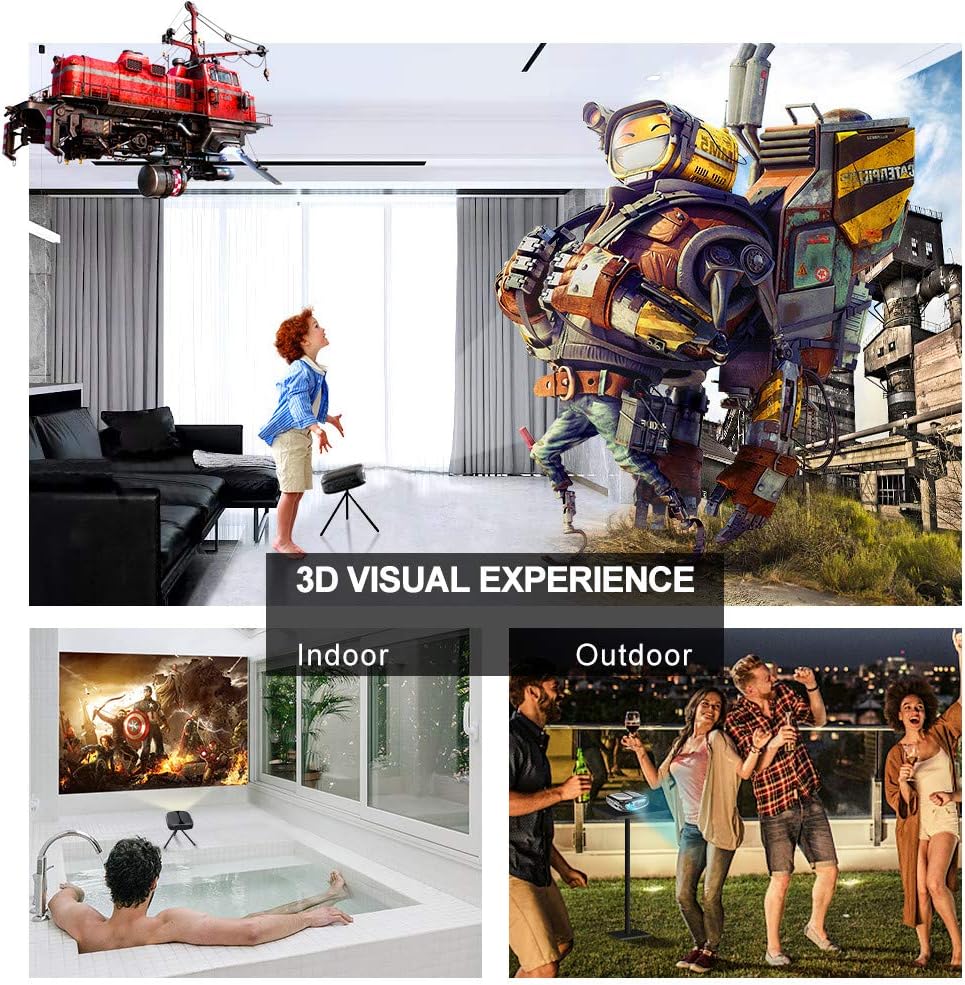
Image: 3D Visual Experience. The projector offers immersive 3D viewing for both indoor and outdoor settings.
5.5 Battery Operation and Portability
The built-in battery provides approximately two hours of continuous video playback, offering flexibility for use without a constant power source. For extended use, the projector can also be charged via a power bank.

Image: Embedded Battery for Portable Use. The projector's battery allows for convenient outdoor entertainment.

Image: Pocket Size and Lightweight Design. The projector's compact form factor makes it highly portable.
6. Održavanje
6.1 Čišćenje objektiva
Gently wipe the projector lens with a soft, lint-free cloth specifically designed for optical surfaces. Do not use abrasive cleaners or harsh chemicals.
6.2 Generalno čišćenje
Use a soft, dry cloth to clean the projector's casing. Za tvrdokornu prljavštinu, lagano damp cloth can be used, followed by a dry cloth. Ensure no liquid enters the device.
6.3 Skladištenje
When not in use for extended periods, store the projector in a cool, dry place, away from direct sunlight and extreme temperatures. Use the provided carrying bag for protection against dust and physical damage.
7. Otkrivanje problema
- Nema napajanja:
- Provjerite je li adapter za napajanje sigurno priključen i na projektor i na ispravnu utičnicu.
- Provjerite je li prekidač za napajanje u položaju 'UKLJUČENO'.
- Provjerite je li utičnica funkcionalna.
- Nema slike:
- Check the input source selection on the projector to ensure it matches your connected device (e.g., HDMI, USB).
- Verify that the connected device is powered on and outputting a signal.
- Uverite se da su svi kablovi dobro povezani.
- Zamućena slika:
- Adjust the focus ring on the projector until the image is sharp.
- Provjerite da li je površina za projekciju ravna i da li je projektor na odgovarajućoj udaljenosti.
- Nema zvuka:
- Provjerite postavke jačine zvuka i na projektoru i na povezanom izvornom uređaju.
- Ako koristite vanjske zvučnike, provjerite jesu li pravilno spojeni i uključeni.
- Provjerite jesu li postavke audio izlaza na vašem izvornom uređaju ispravne.
- Wi-Fi/Screen Mirroring Issues:
- Ensure both the projector and your smart device are connected to the same Wi-Fi network.
- Check for strong Wi-Fi signal strength.
- Ponovo pokrenite i projektor i pametni uređaj.
- Ensure your smart device's operating system is up to date.
8. Specifikacije
| Feature | Specifikacija |
|---|---|
| Model | RD-606 |
| Display Technology | DLP |
| Osvetljenost slike | 2600 lumena |
| Odnos kontrasta slike | 1000:1 |
| Native Resolution | 1920 x 1080 (Supports 1080P) |
| Posebne karakteristike | Auto Keystone, HDMI Connectivity, Portable, Built-in Wi-Fi, 3D Ready |
| Tehnologija povezivanja | HDMI, USB, Wi-Fi |
| Kompatibilni uređaji | Laptops, Smartphones, Media Players |
| Vrsta baterije | Litijum-jonska (1 uključena) |
| Trajanje baterije | Approx. 2 hours video playback |
| Dimenzije proizvoda | 9.91 x 10.67 x 4.06 cm |
| Težina artikla | 793.79 g (0.66 lb) |
| Vrsta montaže | Tabletop Mount |
9. Garancija i podrška
ELEPHAS provides lifetime professional customer service and technical support for the RD-606 Mini Projector. If you encounter any issues or have questions regarding your product, please do not hesitate to contact our support team.
Kontakt informacije:
- Email: support@elephas.com.hk
Please have your product model number (RD-606) and purchase details ready when contacting support to facilitate a quicker resolution.