
1. Uvod
This manual provides detailed instructions for the installation, operation, and maintenance of your Time2 Oscar 2 Twin Pack Outdoor Security Cameras. The Oscar 2 cameras are designed for outdoor surveillance, offering 1080p Full HD video, night vision, motion and sound detection, and two-way audio communication. Please read this manual thoroughly before using the product to ensure proper setup and functionality.
2. Šta se nalazi u kutiji
Prilikom raspakivanja, molimo Vas da provjerite da li su uključene sve sljedeće stavke:
- 2 x Time2 Oscar WiFi Camera
- 2 x adapter za napajanje
- 2 x Wall Mounting Kit (screws and wall plugs)
- 1 x Vodič za brzi početak

Image: The Time2 Oscar 2 camera shown with its retail packaging, indicating the contents of the box.
3. Značajke proizvoda
The Time2 Oscar 2 cameras are equipped with advanced features for comprehensive outdoor security:
- 1080p Full HD video: Snima jasne i detaljne snimke hranetage dan i noć.
- Superior Night Vision: Automatic infrared night vision with IR cut for clear images in low light or darkness.
- 100° Field of View: Provides a wide coverage area for monitoring your property.
- Detekcija pokreta i zvuka: Advanced sensors detect unusual movement or sounds, sending instant alerts.
- Dvosmjerni zvuk: Ugrađeni mikrofon i zvučnik omogućavaju komunikaciju u realnom vremenu.
- Lokalna i pohrana u oblaku: Supports local storage via MicroSD card (up to 128GB, not included) and optional cloud storage via CLAN CLOUD subscription.
- Dizajn otporan na vremenske uslove: IP65 rated for outdoor use, resistant to rain and dust.
- Napajanje iz mreže: Ensures continuous operation without battery recharging.
- Zone aktivnosti: Customize detection areas to reduce false alerts.
- Alexa integracija: Compatible with Amazon Alexa for voice control.
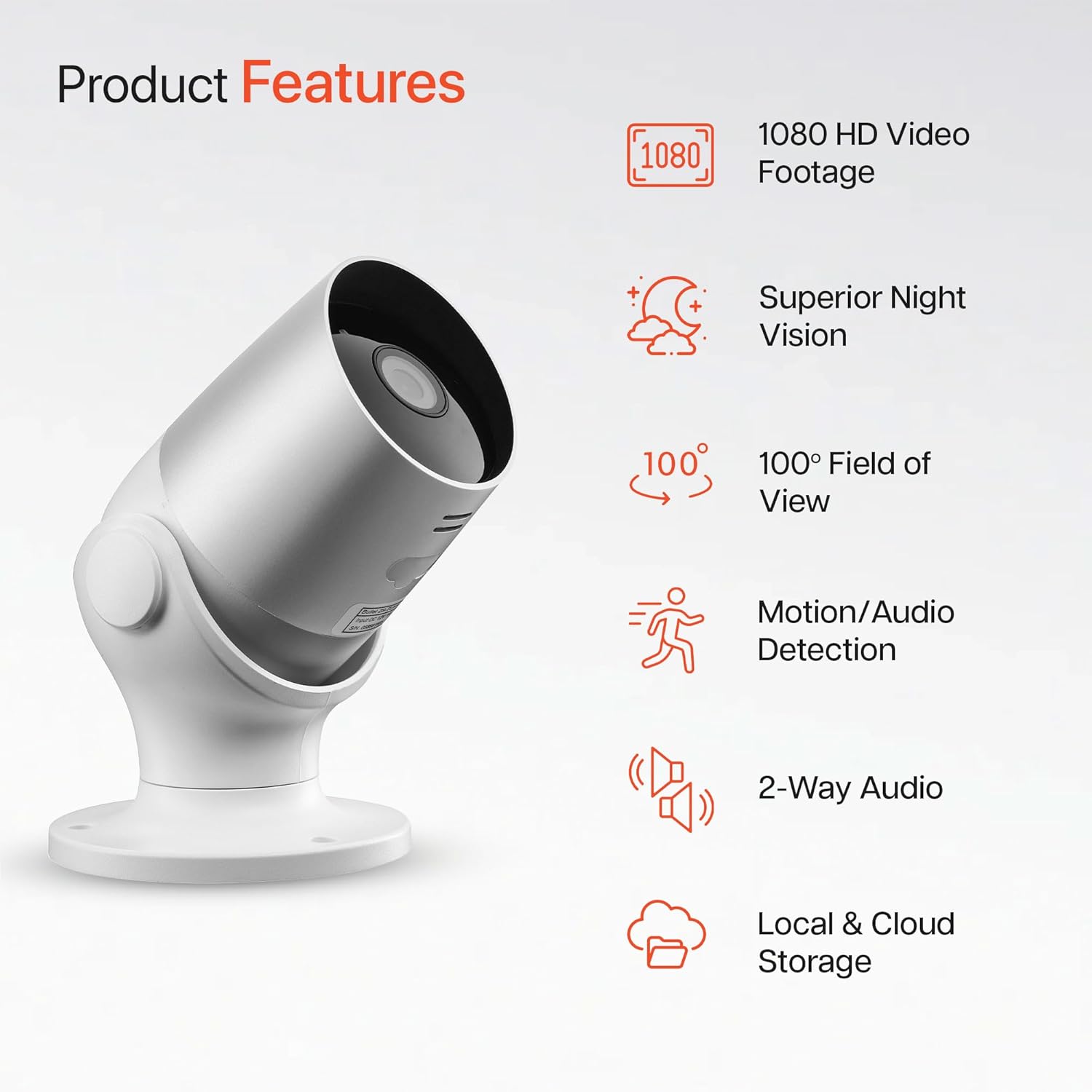
Image: An illustration highlighting the main features of the Oscar 2 camera, including 1080p HD video, night vision, 100° field of view, motion/audio detection, two-way audio, and storage options.
4. Podešavanje
4.1 Preuzimanje aplikacije i kreiranje računa
- Download the "CLAN" app from your smartphone's app store (iOS or Android).
- Otvorite aplikaciju i slijedite upute na ekranu da biste kreirali novi račun ili se prijavite ako ga već imate.
4.2 Instalacija MicroSD kartice (opciono)
For local video storage, you can install a MicroSD card (up to 128GB, not included) into the camera.
- Locate the MicroSD card slot on the camera (refer to the Quick Start Guide for exact location).
- Pažljivo umetnite MicroSD karticu u utor dok ne klikne na svoje mjesto.
- Ensure the camera is powered off before inserting or removing the MicroSD card.
4.3 Camera Installation and Power Connection
The Oscar 2 cameras are designed for wall mounting and require a mains power connection.
- Odaberite lokaciju: Odaberite vanjsku lokaciju koja pruža željene viewing angle and is within reach of a power outlet. Consider the 100° field of view.
- Montirajte kameru: Use the provided wall mounting kit (screws and wall plugs) to securely attach the camera to a wall or suitable surface. The camera housing allows for rotation to adjust the lens angle.
- Priključite napajanje: Plug the power adapter into the camera and then into a mains power outlet. The camera will power on automatically.
4.4 Pairing with the CLAN App
- Ensure your smartphone is connected to a 2.4GHz Wi-Fi network (5GHz networks are not supported).
- Open the CLAN app and tap the "+" icon to add a new device.
- Select "Oscar 2" from the list of devices.
- Follow the in-app instructions, which typically involve scanning a QR code displayed on your phone with the camera lens or listening for a sound prompt.
- Once paired, you can name your camera and begin configuring settings.
5. Operating Your Oscar 2 Camera
5.1 Uživo View i Monitoring
From the CLAN app home screen, tap on your camera's name to access the live video feed. You can view multiple cameras simultaneously if you have more than one Oscar 2 device.

Image: A smartphone displaying the CLAN app interface, showing a live view from the Oscar 2 camera and various control options.
5.2 Detekcija pokreta i zvuka
The Oscar 2 camera can detect movement and sound, sending instant alerts to your smartphone or tablet.
- Omogući upozorenja: Navigate to the camera settings in the CLAN app and enable motion and sound detection alerts.
- Podesite osjetljivost: You can adjust the sensitivity level of both motion and sound detection to minimize false alarms.
- Set Activity Zones: Definišite specifična područja unutar vidnog polja kamere view where you want motion detection to be active. This helps focus on critical areas and ignore irrelevant movements.
5.3 Dvosmjerni audio
Utilize the built-in microphone and speaker for two-way communication.
- Dok je u živo view, tap the microphone icon in the app to speak through the camera's speaker.
- Dodirnite ikonu zvučnika da biste slušali zvuk s mikrofona kamere.
- This feature is useful for interacting with visitors or deterring intruders.
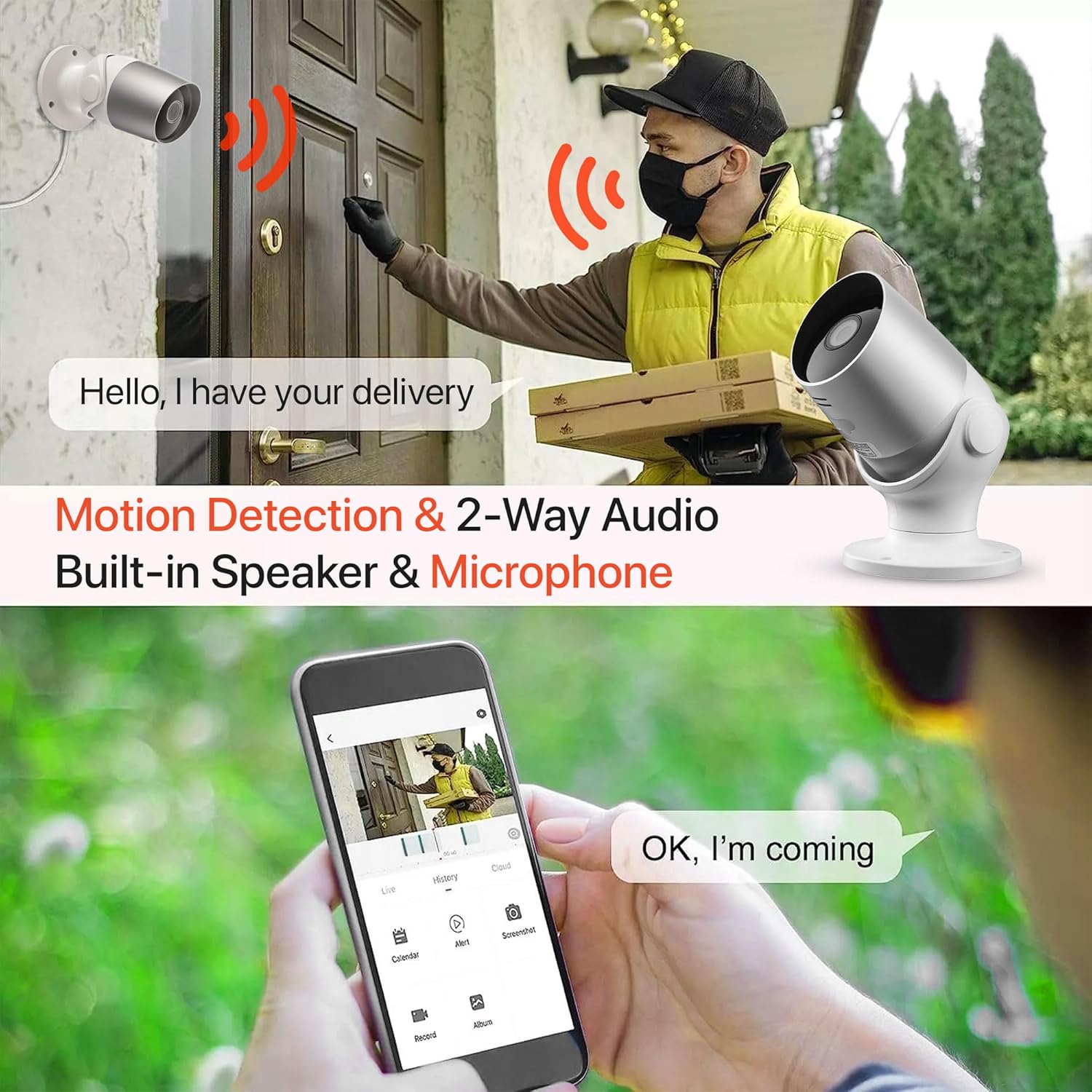
Image: An illustration demonstrating the two-way audio feature, showing a user communicating with a delivery person via the Oscar 2 camera and smartphone app.
5.4 Snimanje i reprodukcija
The Oscar 2 cameras offer flexible recording options:
- Kontinuirano snimanje: If a MicroSD card is installed, the camera can record continuously for up to 21 days (with a 128GB card).
- Snimanje aktivirano pokretom: The camera can be set to record only when motion or sound is detected. Recordings include 5 seconds of pre-event footage.
- Local Storage (MicroSD): Pristup snimljen footage directly from the MicroSD card via the CLAN app.
- Cloud Storage (CLAN CLOUD): Subscribe to CLAN CLOUD for secure off-site storage of your recordings, accessible from anywhere.
- Reprodukcija: Use the playback feature in the CLAN app to review zabilježeni događaji.
5.5 Noćni vid
The camera automatically switches to infrared night vision in low-light conditions, providing clear black and white images. The integrated IR cut filter ensures accurate color representation during the day.

Image: A visual representation of the camera's 24/7 monitoring capability, showing how the view changes from morning (color) to afternoon (color) to night (infrared night vision).
5.6 Integracija s Alexom
The Oscar 2 cameras are compatible with Amazon Alexa. To enable this feature, link your CLAN account within the Alexa app. You can then use voice commands to view vaš video zapis s kamere na kompatibilnim uređajima s omogućenom Alexom.
6. Održavanje
- čišćenje: Povremeno čistite objektiv kamere mekom,amp cloth to ensure optimal image clarity. Do not use harsh chemicals or abrasive materials.
- Ažuriranja firmvera: Ensure your camera's firmware is up to date. The CLAN app will typically notify you of available updates. Follow the in-app instructions to perform updates, which can improve performance and add new features.
- Ciklus napajanja: If the camera experiences issues, try power cycling it by unplugging it from the power source for a few seconds and then plugging it back in.
7. Otkrivanje problema
- Kamera se ne povezuje na Wi-Fi:
- Provjerite da vaša Wi-Fi mreža koristi frekvenciju od 2.4 GHz. Kamera ne podržava mreže od 5 GHz.
- Provjerite je li kamera unutar dometa vašeg Wi-Fi rutera.
- Provjerite da li je vaša lozinka za Wi-Fi ispravno unesena u aplikaciju.
- Ponovo pokrenite ruter i kameru.
- Frequent Motion Detection Alerts:
- Adjust the motion detection sensitivity settings in the CLAN app to a lower level.
- Define specific activity zones to exclude areas with frequent irrelevant movement (e.g., trees swaying, busy roads).
- Environmental factors like heavy rain or snow can sometimes trigger alerts; consider adjusting sensitivity during adverse weather.
- Loš kvalitet slike:
- Očistite objektiv kamere kako biste uklonili prljavštinu ili mrlje.
- Provjerite da nema prepreka u vidnom polju kamere view.
- Check your internet connection speed; a slow connection can affect live stream quality.
- Dvosmjerni audio problemi:
- Provjerite je li zvuk na telefonu pojačan i ima li aplikacija dozvole za mikrofon.
- Check the camera's speaker and microphone settings in the app.
- Smanjite buku u pozadini za jasniju komunikaciju.
- Recordings Not Saving:
- If using a MicroSD card, ensure it is correctly inserted and formatted within the app. Check if the card is full.
- If using cloud storage, verify your CLAN CLOUD subscription is active.
8. Specifikacije
| Feature | Detalj |
|---|---|
| Naziv modela | Oskar 2 |
| Dimenzije proizvoda | 8.9 x 17.8 x 19.1 cm |
| Težina | 720 grama |
| Proizvođač | Vrijeme2 |
| Tehnologija povezivanja | bežični (Wi-Fi) |
| Posebna karakteristika | Motion and Sound Alerts |
| Unutarnja/vanjska upotreba | Na otvorenom |
| Kompatibilni uređaji | Računar, pametni telefon, tablet |
| Izvor napajanja | Electric Cable (Mains Powered) |
| Tip kontrolera | Amazon Alexa |
| Vrsta montaže | Zidni nosač |
| Boja | Bijelo |
| Form Factor | Bullet |
| Nivo vodootpornosti | Vodootporan (IP65) |
| Voltage | 12 Volts |
| Wattage | 5 Watts |
| Format video snimanja | MP4 |
| Efektivna video rezolucija | 1080 Pixels (1080p) |
| Viewing Angle | 100 stepeni |
| Broj stavki | 2 (Dvostruko pakovanje) |
| UPC | 045912296356 |
9. Garancija i podrška
9.1 Informacije o garanciji
Your Time2 Oscar 2 cameras come with a manufacturer's warranty. Please refer to the warranty card included in your product packaging or visit the official Time2 webstranicu za detaljne uslove i odredbe garancije.
9.2 Korisnička podrška
If you encounter any issues or have questions not covered in this manual, please contact Time2 customer support. Contact details can typically be found on the Time2 webweb-mjestu ili u Vodiču za brzi početak koji ste dobili s proizvodom.
For the latest information, FAQs, and support resources, please visit the official Time2 website.