
Uvod
This manual provides detailed instructions for the installation, operation, and maintenance of your NEC SL2100 IP7WW-12TXH-B1 12-Button Display Speaker Telephone. Please read this manual thoroughly before using the telephone to ensure proper functionality and to prevent damage.
Sigurnosne informacije
Uvijek slijedite osnovne sigurnosne mjere prilikom korištenja ovog proizvoda kako biste smanjili rizik od požara, strujnog udara i ozljeda osoba.
- Nemojte koristiti ovaj proizvod u blizini vode, nprampu blizini kade, umivaonika, sudopera ili kade za veš, u vlažnom podrumu ili u blizini bazena.
- Avoid using the telephone during an electrical storm. There may be a remote risk of electric shock from lightning.
- Nemojte koristiti telefon da prijavite curenje plina u blizini mjesta curenja.
- Use only the power source specified in this manual or marked on the product. This telephone is powered by the phone system.
- Isključite ovaj proizvod iz zidne utičnice prije čišćenja. Nemojte koristiti tečna sredstva za čišćenje ili sredstva za čišćenje u obliku aerosola. Koristi oglasamp krpa za čišćenje.
Sadržaj paketa
Provjerite da li su sve stavke prisutne u paketu:
- NEC SL2100 IP7WW-12TXH-B1 12-Button Display Speaker Telephone (Black)
- Slušalica
- Kabel slušalice
- Base Stand (for desk or wall mounting)
- Ethernet Cable (if applicable for IP connection)
Product Overview
The NEC SL2100 IP7WW-12TXH-B1 is a corded 12-button display speaker telephone designed for use with NEC SL2100 systems. It features a clear display for call information and menu navigation, a built-in speakerphone for hands-free communication, and 12 programmable function keys.
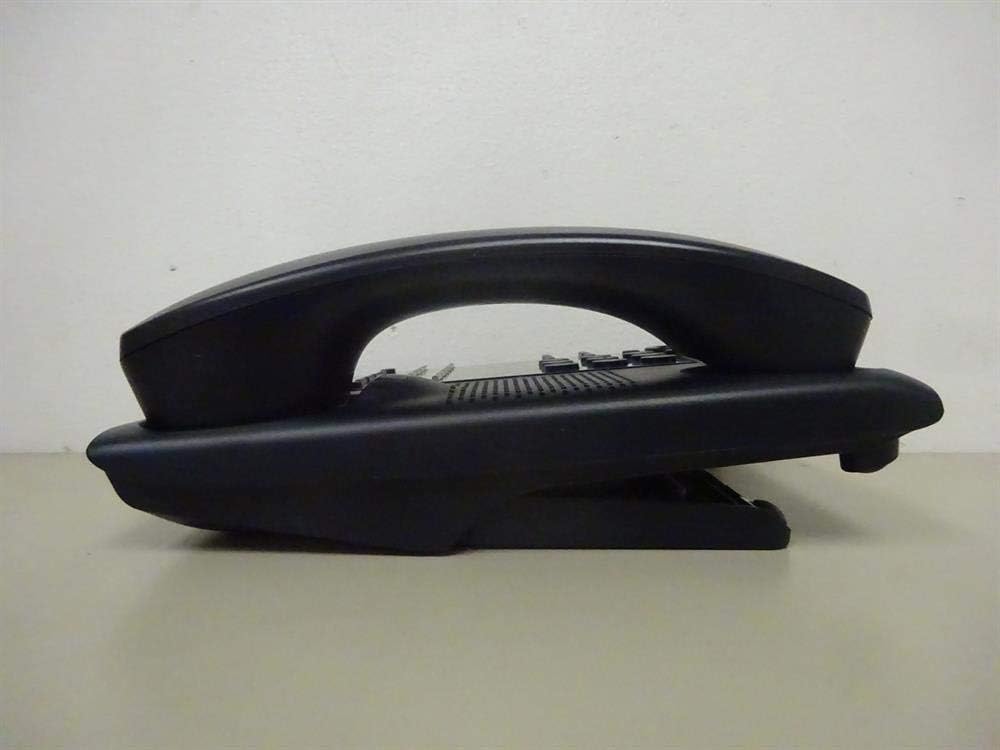
Slika 1: Side view of the NEC SL2100 IP7WW-12TXH-B1 telephone, showing the ergonomic design of the handset and base unit.

Slika 2: Pozadi view of the telephone, illustrating the various connection ports for the handset and network, as well as the integrated wall-mounting slots.
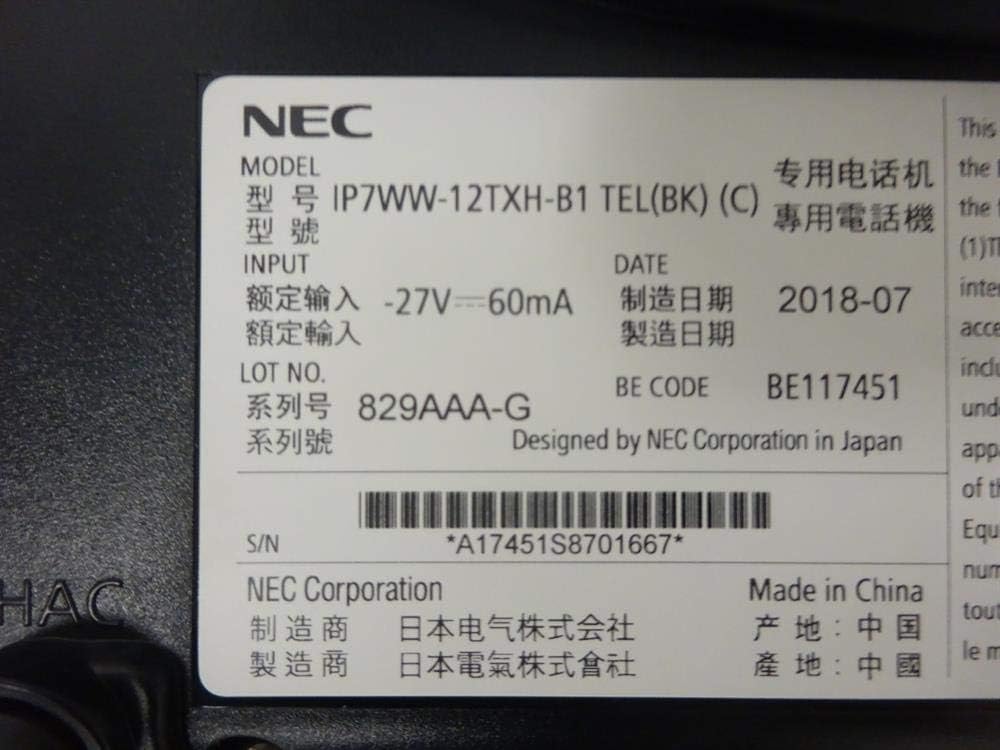
Slika 3: Close-up of the product label, displaying model number IP7WW-12TXH-B1, input specifications, and manufacturer details.
Setup
1. Assembling the Telephone
- Pričvrstite postolje baze: Align the base stand with the slots on the bottom of the telephone. Slide it into place until it clicks securely. The stand can be adjusted for different viewing angles or reversed for wall mounting.
- Povežite slušalicu: Plug one end of the coiled handset cord into the handset and the other end into the designated port on the side of the telephone base.
2. Connecting to the System
This telephone is designed to connect to an NEC SL2100 system. Ensure your SL2100 system is properly installed and configured.
- Spojite mrežni kabel: Plug one end of an Ethernet cable into the LAN port on the back of the telephone. Plug the other end into an available port on your NEC SL2100 system or a network switch connected to the system.
- Uključeno: The telephone receives power directly from the NEC SL2100 system (Power over Ethernet - PoE) or via a separate power adapter (not included, if PoE is not available). Once connected, the telephone should power on automatically.
- Početna konfiguracija: The telephone will typically register with the SL2100 system automatically. If prompted, follow the on-screen instructions or consult your system administrator for specific extension number assignment or network settings.
Uputstvo za upotrebu
Upućivanje poziva
- Podignite ručicu: Podignite slušalicu i poslušajte ton za biranje.
- Birajte broj: Birajte željeni telefonski broj pomoću tastature.
- spikerfon: Pritisnite SPEAKER button to activate the speakerphone, then dial the number.
Primanje poziva
- Podignite ručicu: When the telephone rings, lift the handset to answer.
- spikerfon: Pritisnite SPEAKER button to answer the call hands-free.
Korišćenje ekrana
The display shows call information, menu options, and system status. Use the navigation buttons (usually arrow keys) to scroll through menus and the ENTER or SELECT dugme za potvrdu izbora.
Programmable Function Keys (12 Buttons)
The 12 buttons on the telephone can be programmed for various functions such as speed dial, line access, feature activation, or direct station selection. Consult your system administrator for the specific programming of these keys.
Konferencijski pozivi
The telephone supports 3-way conference calls. To initiate a conference call:
- Uspostavite poziv sa prvom stranom.
- Pritisnite CONF (Conference) button or the designated programmable key. The first party will be put on hold.
- Birajte broj druge strane.
- Once connected to the second party, press the CONF ponovo pritisnite dugme da biste se pridružili sve tri grupe.
Caller ID
When an incoming call is received, the caller's information (name and number, if available) will be displayed on the screen.
Višelinijski rad
This telephone supports multi-line operation, allowing you to manage multiple calls simultaneously. Use the designated line keys or programmable keys to switch between active lines or place calls on hold.
Održavanje
Čišćenje
To clean the telephone, unplug it from the network connection. Use a soft, slightly damp cloth. Do not use harsh chemicals, abrasive cleaners, or excessive moisture. Avoid spraying cleaners directly onto the telephone.
Skladištenje
If storing the telephone for an extended period, ensure it is clean and dry. Store it in a cool, dry place away from direct sunlight and extreme temperatures.
Rješavanje problema
- Nema tona biranja:
- Check all cable connections, especially the network cable to the SL2100 system.
- Ensure the SL2100 system is powered on and functioning correctly.
- If using a separate power adapter (not PoE), ensure it is properly connected and receiving power.
- Displej ne radi:
- Verify the telephone is receiving power.
- Try disconnecting and reconnecting the network cable.
- Ne mogu upućivati/primati pozive:
- Provjerite ton biranja.
- Ensure the telephone is properly registered with the SL2100 system.
- Contact your system administrator to verify line assignments and system status.
- Loš kvalitet zvuka:
- Provjerite veze slušalice i mrežnog kabela.
- Osigurajte da nema smetnji od drugih elektronskih uređaja.
- Test with another telephone if possible to isolate the issue.
Specifikacije
| Feature | Specifikacija |
|---|---|
| Brand | NEC |
| Broj modela | IP7WW-12TXH-B1 (Mfr Part Number: BE117451) |
| Boja | Crna |
| Tip telefona | Vezani |
| Materijal | Plastika |
| Izvor napajanja | Phone System (PoE compatible) |
| Dialer Type | Jedna tastatura |
| Dimenzije artikla (D x Š x V) | 15 x 12 x 6 inča |
| Tip sistema za odgovor | Digital (System Dependent) |
| Kompatibilni uređaji | NEC SL2100 Systems, NEC SL2100 IP7WW-082U-B1 8 Port Digital Station Card |
| Mogućnost konferencijskog poziva | 3-way |
| Višelinijski rad | Da |
| Caller ID | Da |
Garancija i podrška
For warranty information, please refer to the documentation provided with your NEC SL2100 system or contact your NEC authorized dealer. For technical support, please contact your system administrator or NEC customer service.
NEC korporacija
For further assistance, please visit the official NEC website or contact your local support representative.