
1. Proizvod je gotovview
The Elecom M-FBL01DBXSBK is a 5-button wireless mouse designed for comfortable and quiet operation. It features a Blue LED sensor for versatile surface compatibility and a compact USB receiver.

Image 1.1: Elecom M-FBL01DBXSBK Wireless Mouse with its compact USB receiver.
2. Sadržaj paketa
- Elecom M-FBL01DBXSBK Wireless Mouse
- USB bežični prijemnik
- AA Alkaline Battery (for operation confirmation)
- Korisnički priručnik (ovaj dokument)
3. Upute za postavljanje
3.1. Instalacija baterije
- Pronađite poklopac pretinca za bateriju na donjoj strani miša.
- Pomaknite ili podignite poklopac da biste otvorili pretinac.
- Insert one AA alkaline battery, ensuring the positive (+) and negative (-) terminals align correctly with the markings inside the compartment.
- Čvrsto zatvorite poklopac odeljka za baterije.

Image 3.1: The underside of the mouse, indicating the battery compartment and power switch.
3.2. Povezivanje USB prijemnika
- Remove the compact USB receiver from its storage slot on the underside of the mouse.
- Uključite USB prijemnik u dostupan USB-A priključak na računaru.
- Vaš računar bi trebao automatski prepoznati i instalirati potrebne upravljačke programe. Ovo može potrajati nekoliko trenutaka.
3.3. Uključivanje miša
After installing the battery and connecting the receiver, locate the power switch on the underside of the mouse and slide it to the 'ON' position. The mouse is now ready for use.
3.4. OS Compatibility
The Elecom M-FBL01DBXSBK Wireless Mouse is compatible with:
- Windows 11, Windows 10, Windows RT8.1, Windows 8.1, Windows 7, Windows Vista
- macOS High Sierra 10.13 i novije verzije
Ensure your operating system is updated to the latest version and any service packs are installed for optimal performance.
4. Upravljanje mišem
4.1. Osnovne funkcije
The mouse features five buttons and a scroll wheel:
- Lijevo dugme: Primarna funkcija klika.
- Desno dugme: Funkcija sekundarnog klika (kontekstni meni).
- Točak za pomicanje: Pomiče dokumente i web pages vertically. Can also be pressed for a middle-click function.
- Dugme naprijed: Navigira naprijed u web pretraživači ili file istraživači.
- Dugme za povratak: Navigacija unazad web pretraživači ili file istraživači.

Image 4.1: The five buttons of the Elecom M-FBL01DBXSBK mouse, including the scroll wheel.
4.2. Funkcija tihog klika
All five buttons incorporate a silent switch mechanism, significantly reducing clicking noise. This allows for quiet operation in various environments.

Image 4.2: The silent switch design minimizes operational noise.
4.3. Blue LED Sensor
The mouse is equipped with a Blue LED optical sensor, which provides accurate tracking on a variety of surfaces, including those with slight unevenness or dust. This enhances usability in diverse settings.

Image 4.3: The Blue LED sensor allows for comfortable use on various surfaces.
4.4. Bežično povezivanje
The mouse utilizes a 2.4 GHz wireless band for stable communication. The effective radio distance is approximately 3 meters (9.8 feet) on magnetic surfaces (e.g., steel desks) and up to 10 meters (32.8 feet) on non-magnetic surfaces (e.g., wooden desks).
4.5. Indikator baterije
An integrated battery indicator light notifies you when the battery level is low, signaling that a replacement is needed.
4.6. Elecom Mouse Assistant Software
Button functions can be customized using the free downloadable Elecom Mouse Assistant software. This allows users to reassign functions to the mouse buttons for improved workflow efficiency.
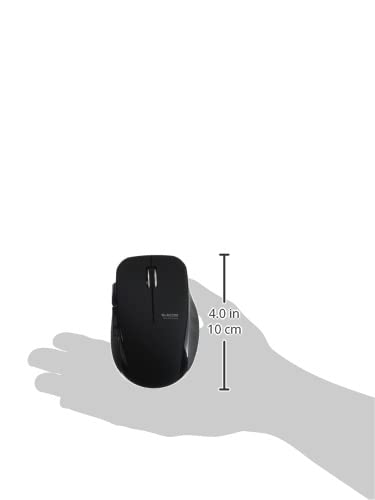
Image 4.4: The Elecom Mouse Assistant software enables button customization.
5. Održavanje
5.1. Zamjena baterije
When the battery indicator signals low power, replace the AA battery with a new AA alkaline, manganese, or NiMH battery. Follow the battery installation steps outlined in Section 3.1.
5.2. Čišćenje
To clean the mouse, gently wipe its surface with a soft, dry cloth. Avoid using harsh chemicals or abrasive materials, as these can damage the finish. Ensure no liquid enters the mouse.
5.3. Receiver Storage
The USB receiver can be stored inside the mouse body when not in use or during transport. This helps prevent loss of the receiver.
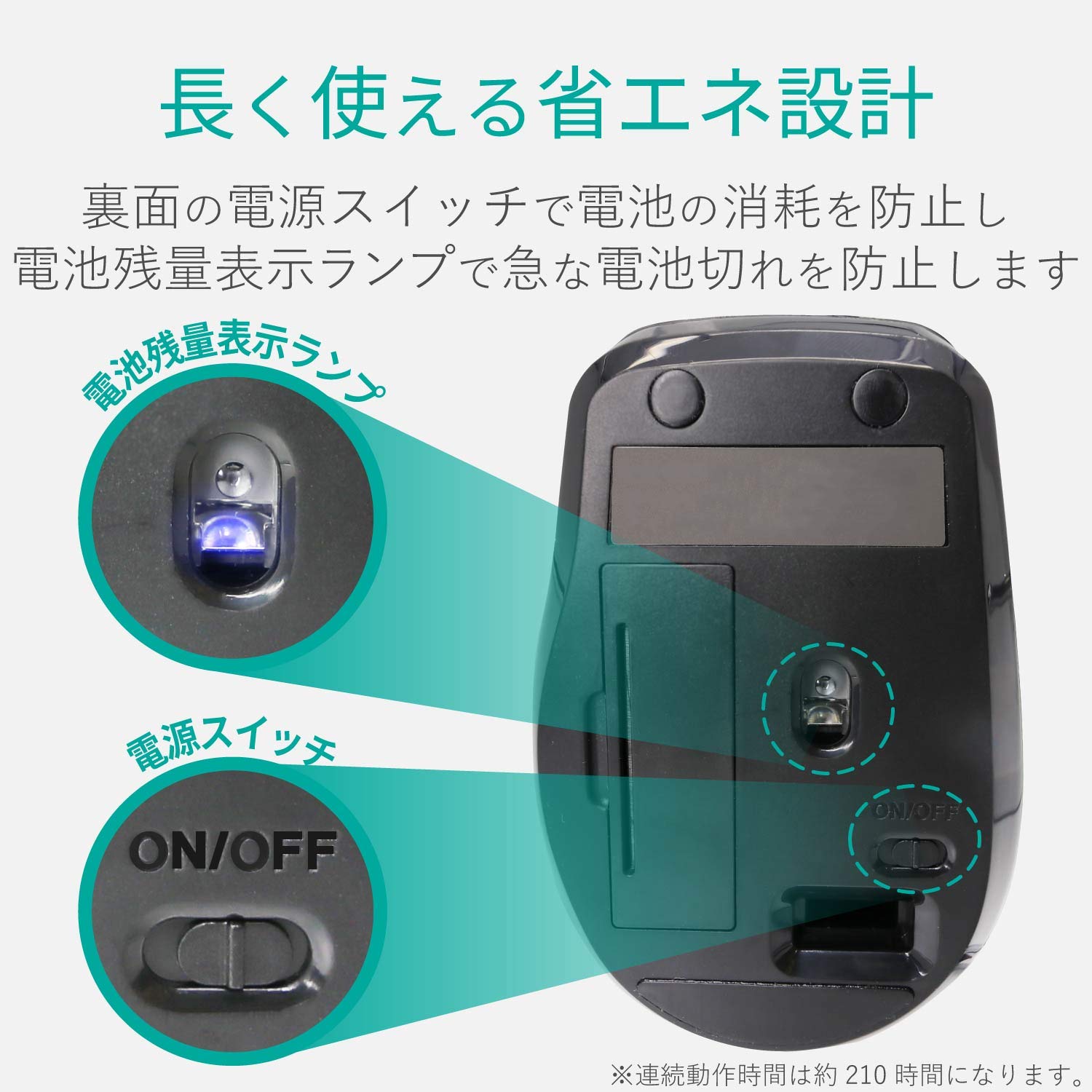
Image 5.1: The compact receiver can be stored within the mouse for convenience.
6. Otkrivanje problema
- Miš ne reaguje:
- Check if the mouse is powered on (power switch on the underside).
- Provjerite je li baterija ispravno instalirana i nije prazna. Zamijenite je ako je potrebno.
- Provjerite je li USB prijemnik sigurno priključen u ispravan USB priključak na vašem računaru. Pokušajte s drugim USB priključkom.
- Ponovo pokrenite računar.
- Nepravilno kretanje kursora:
- Očistite područje optičkog senzora na donjoj strani miša.
- Pobrinite se da miš koristite na odgovarajućoj površini. Izbjegavajte površine s visokom reflektirajućom površinom ili prozirne površine.
- Check for interference from other wireless devices. Move the mouse closer to the receiver.
- Buttons not functioning correctly:
- If using Elecom Mouse Assistant, ensure button assignments are correct.
- Reinstall the Elecom Mouse Assistant software if issues persist.
7. Specifikacije
| Interface | USB |
| Oblik konektora | USB-A muški |
| Kompatibilan OS | Windows 11, 10, RT8.1, 8.1, 7, Vista; macOS High Sierra 10.13+ |
| Rezolucija | 1600 count |
| Communication Method | GFSK metoda |
| Radio frekvencija | 2.4GHz opseg |
| Radio Distance | Magnetic objects: 3m (9.8 ft); Non-magnetic objects: 10m (32.8 ft) |
| Reading Method | Sistem optičkih senzora (plava LED) |
| Broj dugmadi | 5 (including wheel button) |
| Broj točkova | 1 |
| Receiver Storage | Da |
| Kontinuirano vrijeme rada | Pribl. 210 sati |
| Vrijeme pripravnosti | Pribl. 1666 dana |
| Estimated Battery Usage Time | Pribl. 478 dana |
| Napajanje (glavna jedinica) | 1 AA alkaline, manganese, or NiMH battery |
| Rated Voltage (Body) | 1.5V |
| Boja | Crna |
| Weight (Mouse) | Pribl. 62g (bez baterije) |
| External Dimensions (Receiver) | 14.5 x 18.0 x 6.3 mm |
| Težina (prijemnik) | Pribl. 2g |
8. Garancija i podrška
8.1. Garancijski period
Ovaj proizvod dolazi sa 6-mjesečnom garancijom od datuma kupovine.
8.2. Product Inquiries
For product inquiries or technical support, please contact the Elecom General Information Center:
- TEL: 0570-084-465
- FAX: 0570-050-012
- Reception Time: 10:00 - 19:00 (24/7)