
SUNITEC BC920
SUNITEC BC920 Bluetooth Car Speaker User Manual
Hands-Free Bluetooth Car Speaker for Cell Phone
1. Proizvod je gotovview
The SUNITEC BC920 is a versatile Bluetooth car speaker designed to provide clear, hands-free communication and audio streaming in your vehicle. It features advanced DSP noise-cancellation technology for crystal-clear calls and supports voice assistants like Siri and Google Assistant for safe driving.

Slika: Front view of the SUNITEC BC920 Bluetooth Car Speaker, showing its compact design and control buttons.
2. Sadržaj paketa
Molimo označite kućicu za sljedeće stavke:
- SUNITEC BC920SA Bluetooth Car Kit
- Auto punjač
- USB kabl za punjenje
- Quick user guide / User Manual

Image: Back of the SUNITEC BC920 product box, detailing key features and package contents.
3. Izgled uređaja
Familiarize yourself with the buttons and ports on your SUNITEC BC920 speakerphone.
- Dugme za poziv: Answer/End calls, Redial.
- Jačina zvuka (+): Povećajte jačinu zvuka.
- Stišavanje (-): Smanjite jačinu zvuka.
- Dugme za isključivanje zvuka: Mute/unmute microphone.
- Prekidač: On/Off.
- Mikro USB port: Za punjenje.
- Vizir isječak: For attaching to car visor.

Slika: Krupni plan view of the SUNITEC BC920, highlighting the call button, volume controls, and mute button.
4. Podešavanje i punjenje
4.1 Početno punjenje
Before first use, fully charge the SUNITEC BC920. Connect the provided USB charging cable to the Micro USB port on the device and the other end to the car charger or a standard USB power adapter (not included). The LED indicator will show charging status.
The device features a long-lasting battery, providing up to 22 hours of talk time and 1000 hours of standby time on a full charge.

Image: Illustration showing the SUNITEC BC920 and its impressive battery life, with icons for 22 hours talk time and 1000 hours standby time.
4.2 Uključivanje/isključivanje
- Za uključivanje: Slide the power switch to the "ON" position. You will hear a voice prompt "Power On".
- Za isključivanje: Slide the power switch to the "OFF" position. You will hear a voice prompt "Power Off".
The device also features an auto power on/off function. A built-in vibration sensor automatically turns on the car kit when it detects car door opening, allowing it to reconnect with your phone. When the device is not in use for a period, it will turn off automatically to save battery.

Image: Visual representation of the SUNITEC BC920's auto power-on feature, showing the device activating when a car door is opened.
4.3 Bluetooth uparivanje
To connect the SUNITEC BC920 to your mobile phone:
- Ensure the speakerphone is powered on.
- On your phone, go to Bluetooth settings and enable Bluetooth.
- Traži available devices. The speakerphone will appear as "BC920".
- Select "BC920" to pair. You will hear a voice prompt "Pairing" and then "Connected" upon successful connection.
The SUNITEC BC920 supports connecting two Bluetooth cell phones simultaneously, allowing for easy switching between music and calls from different devices.

Image: Diagram illustrating the dual connection capability of the SUNITEC BC920, showing two smartphones connected simultaneously.
5. Uputstvo za upotrebu
5.1 Upućivanje i primanje poziva
- Odgovaranje na poziv: Pritisnite Dugme za poziv jednom.
- Završetak poziva: Pritisnite Dugme za poziv jednom tokom poziva.
- Odbijanje poziva: Pritisnite i držite Dugme za poziv na 2 sekunde.
- Ponovno biranje posljednjeg broja: Dvaput pritisnite Dugme za poziv.
- Podešavanje glasnoće: Koristite Jačina zvuka (+) i Smanjivanje glasnoće (-) dugmad.
- Isključivanje mikrofona: Pritisnite Dugme za isključivanje zvuka during a call. Press again to unmute.
The built-in 2W powerful speaker and DSP noise-cancellation technology ensure clear calls and high-quality audio even in noisy environments.

Image: Graphic highlighting the clear speech and high-quality audio features of the SUNITEC BC920, with sound waves emanating from the speaker.
5.2 Glasovni asistent (Siri/Google asistent)
The SUNITEC BC920 supports voice assistants, allowing you to make calls, send texts, or get driving directions hands-free, enhancing driving safety.
- Aktiviranje glasovnog asistenta: Pritisnite i držite Dugme za poziv for 2 seconds to activate Siri (iOS) or Google Assistant (Android).
- Once activated, you can issue commands such as:
- "Pozovite [ime kontakta]"
- "Text [Contact Name] [Message]"
- "Show me directions to [Destination]"
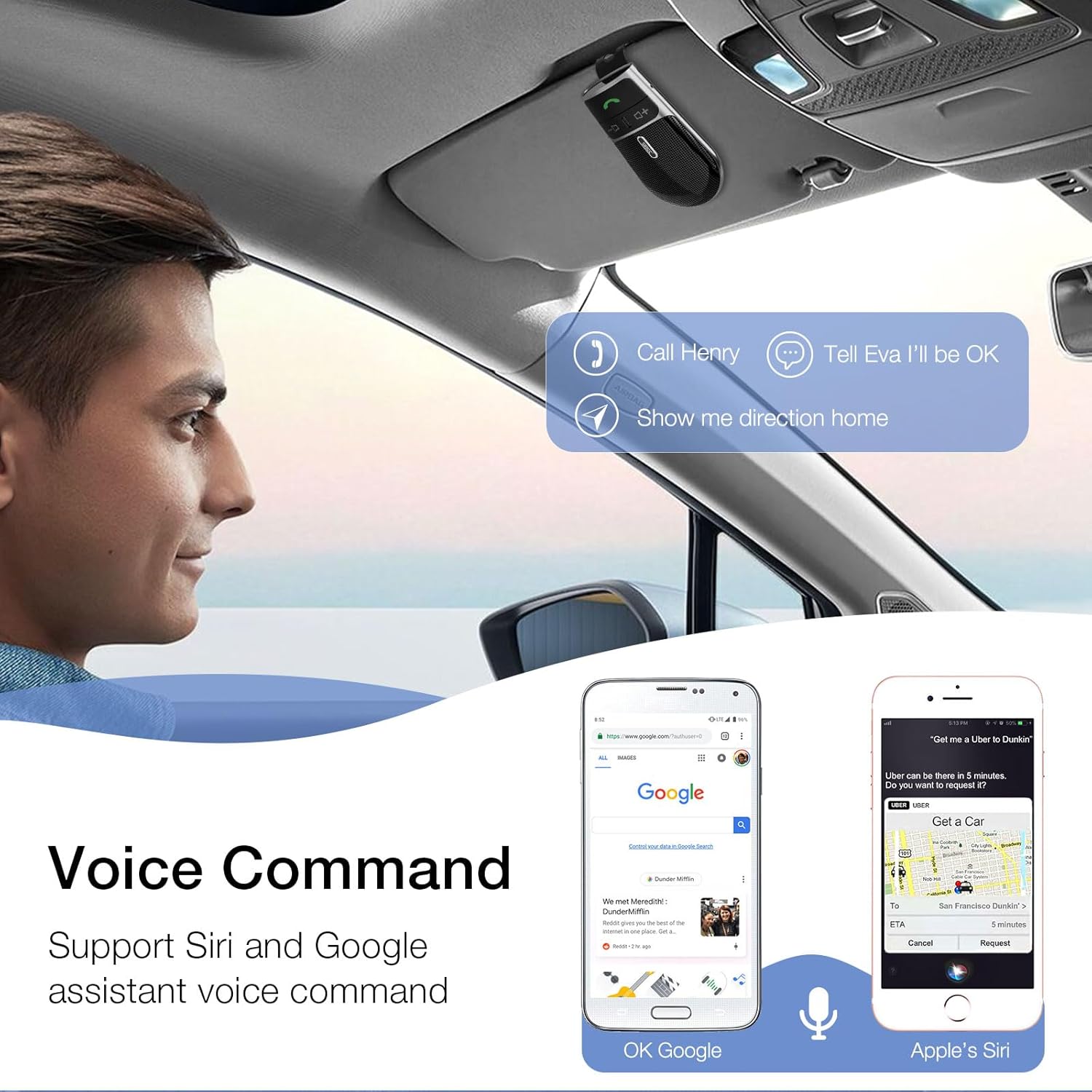
Image: A user in a car interacting with the SUNITEC BC920 to use voice commands for calling, texting, and navigation via Siri or Google Assistant.
5.3 Glasovno navođenje
The device provides clear voice prompts for various operational statuses, making it easy to use without visual confirmation.
- "Power On"
- "Power Off"
- "Pairing"
- "Connected"
- "Disconnected"
- "Battery Low"
Image: Depiction of the SUNITEC BC920 providing voice guidance, with a list of common voice prompts.
6. Održavanje
- Uređaj čistite mekom, suhom krpom. Ne koristite abrazivna sredstva za čišćenje ili rastvarače.
- Držite uređaj dalje od ekstremnih temperatura, vlage i direktne sunčeve svjetlosti.
- Do not disassemble the device. This will void the warranty and may cause damage.
- Čuvati na hladnom i suvom mestu kada se ne koristi duže vreme.
7. Otkrivanje problema
| Problem | Mogući uzrok | Rješenje |
|---|---|---|
| Uređaj se ne uključuje. | Baterija je prazna. | U potpunosti napunite uređaj. |
| Nije moguće uparivanje s telefonom. | Bluetooth is off on phone; device not in pairing mode; too many paired devices. | Ensure phone Bluetooth is on. Restart both devices. Clear previous Bluetooth connections on your phone. |
| Loš kvalitet zvuka tokom poziva. | Slaba baterija; smetnje; uređaj je previše udaljen od telefona. | Charge the device. Move closer to your phone. Avoid sources of strong electromagnetic interference. |
| Glasovni asistent ne reaguje. | Not activated correctly; phone settings. | Ensure you press and hold the Call Button for 2 seconds. Check voice assistant settings on your phone. |
8. Specifikacije
| Feature | Detalj |
|---|---|
| Broj modela | BC920 |
| Dimenzije proizvoda | 4.5 x 2.6 x 1 inča |
| Težina artikla | 2.2 unce |
| Baterije | 1 litijum-polimerska baterija (uključena) |
| Tehnologija povezivanja | Bluetooth |
| Izvor napajanja | Battery Powered |
| Materijal | Plastika |
| Posebna karakteristika | DSP Noise Cancellation, Microphone |
| Vrijeme razgovora | Do 22 sati |
| Vrijeme pripravnosti | Do 1000 sati |
9. Sigurnosne informacije
Proper usage while driving and battery handling precautions are essential. Always refer to the full user manual for comprehensive safety warnings.
- Ne koristite uređaj na način koji vas odvlači od vožnje. Uvijek dajte prioritet sigurnosti u saobraćaju.
- Ne izlažite uređaj vodi ili prekomjernoj vlazi.
- Izbjegavajte ekstremne temperature.
- Odložite baterije u skladu s lokalnim propisima. Ne spaljujte.
10. Garancija i podrška
SUNITEC offers a customer-friendly policy for its products:
- garancija: 365 Days free return for any problems.
- Služba za korisnike: Expect a quick response within 24 hours for inquiries.
For further assistance, please contact SUNITEC support:
- Telefon: 0755-36863386 / 26863387 / 36863389
- Email: support@sunitec.net
- Webstranica: www.sunitec.net/en/

Image: Information regarding SUNITEC's customer service, including contact details and warranty period.
Ask a question about this manual
Ask about setup, troubleshooting, compatibility, parts, safety, or missing instructions. Manuals+ will review the question and use this page’s manual context to help answer it.