
Uvod
This manual provides essential instructions for the safe and efficient use of your AKG Y100 Wireless Bluetooth Earbuds. Please read this manual thoroughly before using the product and retain it for future reference.
The AKG Y100 earbuds are designed to deliver crisp, clean sound with the convenience of wireless connectivity. They feature a lightweight, ergonomic neckband and multi-point connectivity for seamless switching between devices.
Sigurnosne informacije
- Do not expose the earbuds to extreme temperatures, humidity, or corrosive environments.
- Izbjegavajte ispuštanje ili izlaganje slušalica jakim udarcima.
- Do not disassemble or attempt to repair the earbuds yourself. This may void the warranty and cause damage.
- Držite slušalice dalje od djece i kućnih ljubimaca.
- Koristite samo priloženi kabel za punjenje ili njegov certificirani ekvivalent.
- Listening at high volumes for extended periods can cause hearing damage. Adjust volume to a safe level.
Sadržaj paketa
Provjerite da li se u paketu vašeg proizvoda nalaze svi artikli:
- AKG Y100 Wireless Bluetooth Earbuds
- 3 Size ear tips (Small, Medium, Large)
- Micro USB kabl za punjenje
- Zaštitna torbica
- Kratki vodič (nije uključen u ovaj digitalni priručnik)
Product Overview
Familiarize yourself with the components and controls of your AKG Y100 earbuds.
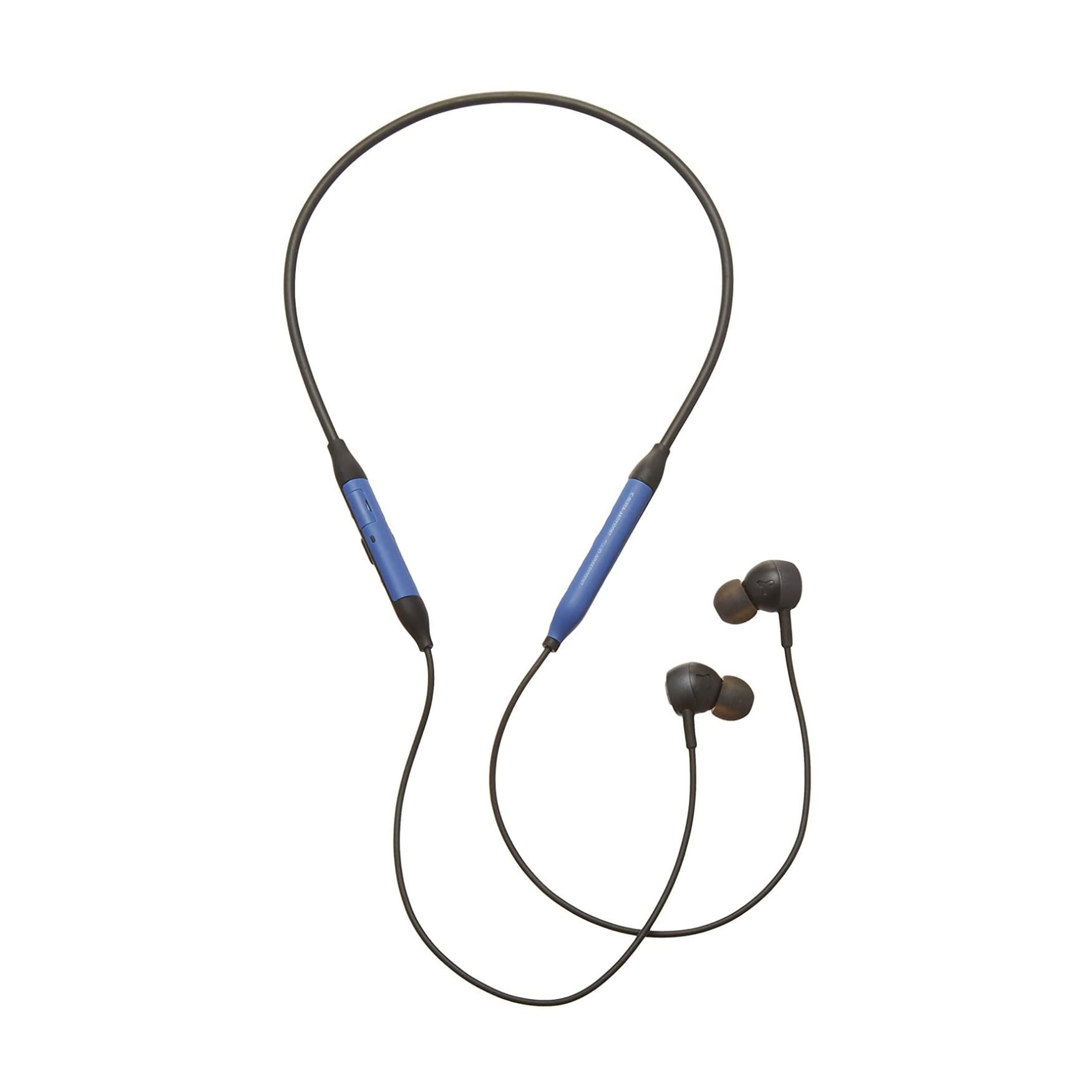
Slika: Front view of the AKG Y100 Wireless Bluetooth Earbuds, highlighting the blue AKG logo on each earbud.

Image: The AKG Y100 Wireless Bluetooth Earbuds showing the inline remote control with buttons for volume and playback.
Kontrole:
- Dugme za napajanje: Located on the inline remote. Used for powering on/off and Bluetooth pairing.
- Tipke za pojačavanje / smanjivanje glasnoće: Podesite jačinu zvuka.
- Višenamjensko dugme: Kontrolira reprodukciju muzike (reprodukcija/pauza, preskakanje pjesama) i upravljanje pozivima (odgovaranje/prekidanje poziva).
- mikrofon: Integrated for hands-free calling and voice control.
- Port za punjenje: Micro USB port for charging the earbuds.
Setup
1. Punjenje slušalica
Before first use, fully charge your AKG Y100 earbuds.
- Connect the Micro USB charging cable to the charging port on the inline remote.
- Povežite drugi kraj kabla na USB izvor napajanja (npr. računar, zidni adapter).
- The LED indicator will show charging status. A full charge provides up to 8 hours of playback. A 15-minute speed charge can provide an additional hour of music.
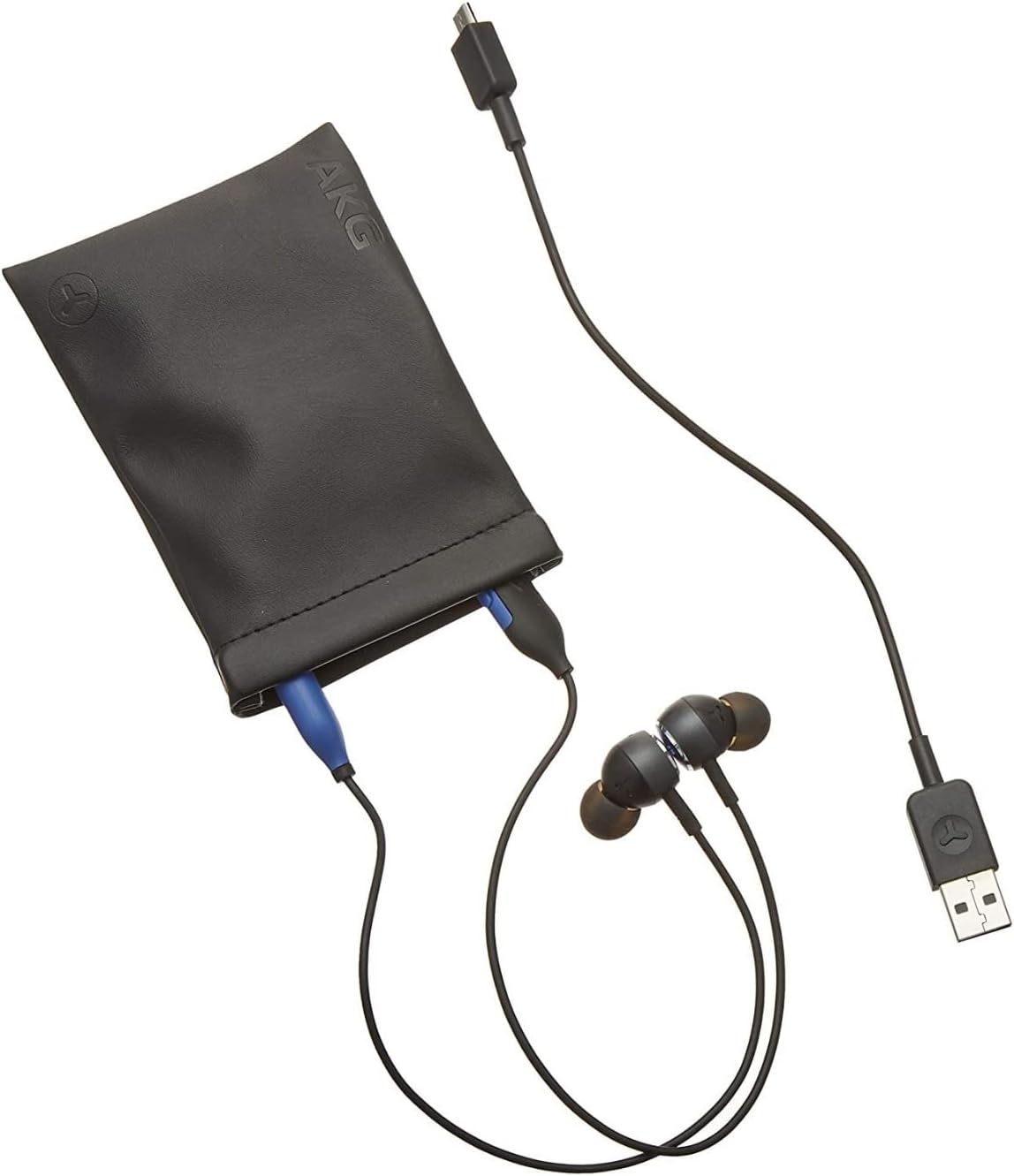
Image: The AKG Y100 Earbuds, protective case, and Micro USB charging cable, illustrating the components included.
2. Bluetooth uparivanje
Da biste povezali slušalice s uređajem:
- Provjerite jesu li slušalice napunjene i isključene.
- Pritisnite i držite dugme za napajanje dok LED indikator ne zatreperi plavo i crveno, što označava režim uparivanja.
- Na svom uređaju (pametnom telefonu, tabletu, računaru) omogućite Bluetooth i potražite dostupne uređaje.
- Select "AKG Y100" from the list of found devices.
- Nakon povezivanja, LED indikator će pokazivati stalno plavo svjetlo ili će sporo treptati plavo.
Multi-Point Connectivity: The AKG Y100 supports connecting to two Bluetooth devices simultaneously. After pairing with the first device, put the earbuds back into pairing mode and connect to the second device. The earbuds will intelligently switch between the two connected devices for audio and calls.
3. Postavljanje slušalica
For optimal sound quality and comfort, choose the correct size ear tips.
- Experiment with the three provided ear tip sizes (Small, Medium, Large).
- Gently insert the earbuds into your ears, ensuring a snug fit that seals the ear canal.
- The ergonomic neckband should rest comfortably around your neck.

Image: A person wearing the AKG Y100 Wireless Bluetooth Earbuds, demonstrating the comfortable fit of the neckband and earbuds.
Upravljanje slušalicama
Uključivanje/isključivanje
- Uključeno: Pritisnite i držite dugme za napajanje otprilike 2 sekunde dok LED indikator ne zatreperi plavo.
- Iskljuciti: Pritisnite i držite dugme za napajanje otprilike 3 sekunde dok LED indikator ne zatreperi crveno, a zatim se ugasi.
Reprodukcija muzike
- Pusti/pauza: Pritisnite višenamjenski taster jednom.
- Sljedeća pjesma: Dvaput pritisnite višenamensko dugme.
- Prethodni zapis: Triput pritisnite višenamensko dugme.
- Povećavanje glasnoće: Pritisnite dugme za pojačavanje zvuka.
- Smanjivanje jačine zvuka: Pritisnite dugme za smanjenje jačine zvuka.
Upravljanje pozivima
- Odgovori/Završi poziv: Pritisnite višenamjenski taster jednom.
- odbiti poziv: Pritisnite i držite višenamensko dugme 2 sekunde.
- Aktivirajte glasovnog asistenta: Press and hold the Multi-function button for 2 seconds when not on a call.
Ambient Aware Mode
The AKG Y100 features an Ambient Aware mode, which allows you to hear your surroundings more clearly without removing your earbuds. This is useful for situations where you need to be aware of your environment, such as during commutes or in an office setting.
- Activate/Deactivate Ambient Aware: Refer to your device's Bluetooth settings or the AKG app (if available) for specific controls, as this feature may be managed through software. On some models, a dedicated button or a specific combination of button presses on the inline remote may control this function.
Održavanje
- čišćenje: Wipe the earbuds and neckband with a soft, dry cloth. Do not use harsh chemicals or abrasive materials. Remove ear tips and clean them with mild soap and water, then dry thoroughly before reattaching.
- Skladištenje: When not in use, store the earbuds in the provided protective case to prevent damage. Avoid storing in direct sunlight or extreme temperatures.
- Otpornost na vodu: Slušalice su vodootporne. Međutim, nisu vodootporne. Izbjegavajte ih uranjanje u vodu ili izlaganje jakoj kiši. Temeljito osušite ako se smoče.
Rješavanje problema
| Problem | Mogući uzrok | Rješenje |
|---|---|---|
| Slušalice se ne uključuju. | Niska baterija. | Charge the earbuds fully using the Micro USB cable. |
| Nije moguće uparivanje s uređajem. | Earbuds not in pairing mode; device Bluetooth off; too far from device. | Ensure earbuds are in pairing mode (flashing blue/red LED). Turn on Bluetooth on your device. Move earbuds closer to the device (within 10 meters). |
| Nema zvuka ili je kvalitet zvuka loš. | Volume too low; earbuds not properly seated; device not connected. | Increase volume on earbuds and device. Adjust earbud fit. Re-pair the earbuds with your device. |
| Problemi s višestrukim povezivanjem. | Incorrect switching; device compatibility. | Ensure both devices are paired. The earbuds prioritize active audio/calls. If issues persist, disconnect and re-pair one device at a time. |
Specifikacije
| Naziv modela | Y100 |
| Tehnologija povezivanja | bežični (Bluetooth) |
| Bluetooth verzija | 4.2 |
| Podržani Bluetooth Profiles | HFP V1.7, A2DP V1.3, AVRCP V1.5 |
| Trajanje baterije | Do 8 sati |
| Brza naplata | 15 minuta za 1 sat reprodukcije |
| Tip kontrole | Voice Control, Touch-based controller |
| Težina artikla | 24 grama (0.847 unci) |
| Nivo vodootpornosti | Otporan na vodu |
| Proizvođač | Samsung (AKG by Harman) |
| Dimenzije proizvoda | 3.86 x 2.01 x 5.91 inča |
Garancija i podrška
For warranty information and technical support, please refer to the documentation included with your purchase or visit the official AKG/Samsung support webSačuvajte dokaz o kupovini za slučaj reklamacije.
If you encounter issues not covered in this manual, please contact customer service for assistance.