
Važna sigurnosna uputstva
Please read these instructions carefully before operating the unit. Keep this manual for future reference.
- Nemojte blokirati otvore za ventilaciju.
- Ne postavljajte u blizini izvora toplote.
- Zaštitite kabl za napajanje od gaženja ili priklještenja.
- Koristite samo dodatke/pribor koje je naveo proizvođač.
- Isključite ovaj aparat iz struje tokom oluja sa grmljavinom ili kada se ne koristi duži vremenski period.
- Sav servis prepustite kvalifikovanom serviseru.
- UPOZORENJE: Da biste smanjili rizik od požara ili električnog udara, nemojte izlagati ovaj uređaj kiši ili vlazi.
Product Overview
The Victrola VS-120 is a versatile microsystem offering multiple audio playback options. It includes Bluetooth connectivity, a CD player, USB playback, an Aux-in port, and an FM radio.
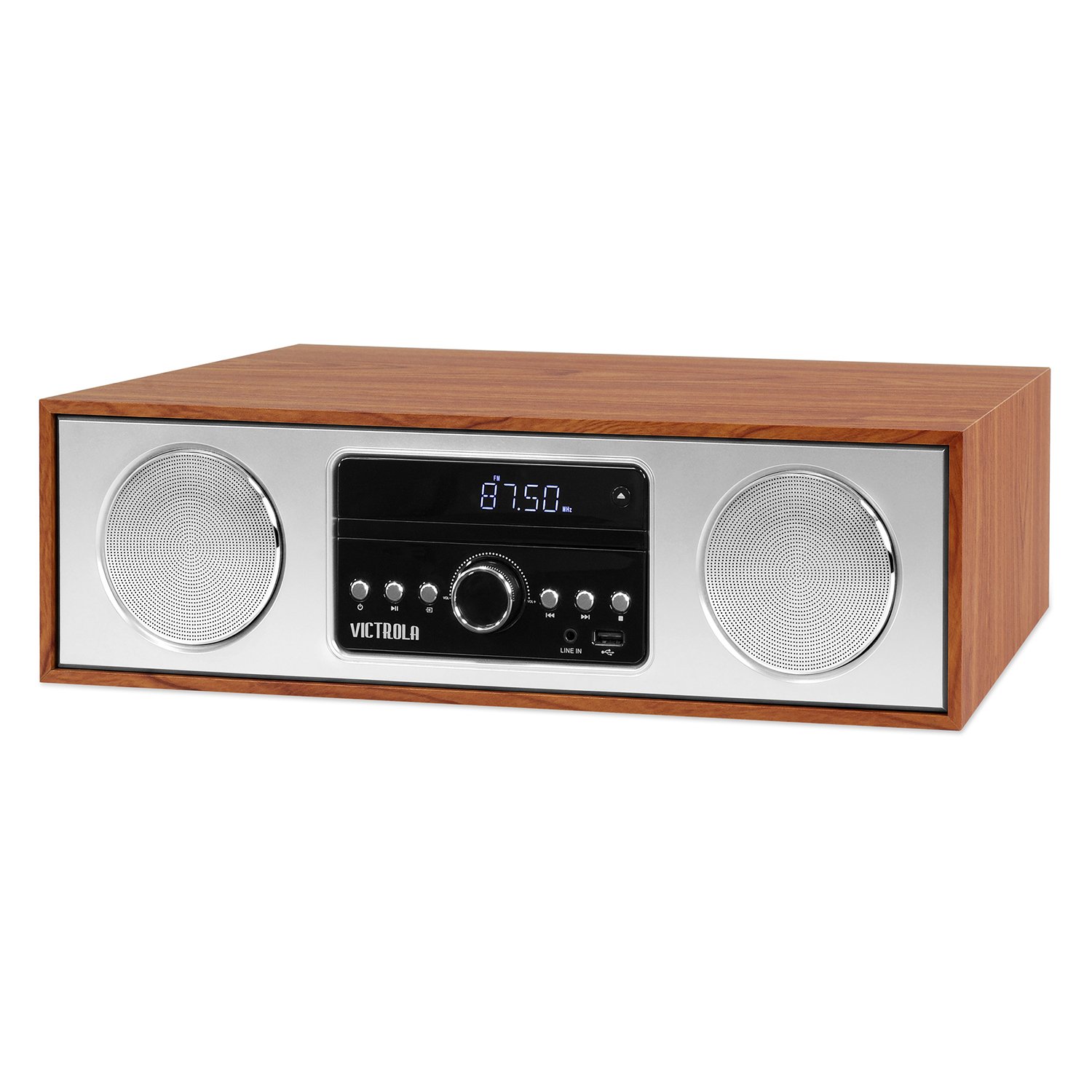
Front view of the Victrola VS-120 Bluetooth Microsystem, showing the speaker, display, and control panel.

The Victrola VS-120 microsystem with its CD tray open, revealing a disc, and the included remote control positioned in the foreground.
Vodič za postavljanje
Raspakivanje
Carefully remove the unit from its packaging. Ensure all accessories are present:
- Victrola VS-120 Microsystem
- Daljinski upravljač
- Adapter za napajanje
- Korisnički priručnik (ovaj dokument)
Power Connection
- Insert the small end of the power adapter into the DC IN jack on the rear of the unit.
- Uključite drugi kraj adaptera za napajanje u standardnu zidnu utičnicu (AC 100-240V, 50/60Hz).
- The unit will enter standby mode, and the LED clock display will illuminate.
Priključak antene (FM radio)
For optimal FM radio reception, extend the FM wire antenna fully. Adjust its position for the best signal.
Uputstvo za upotrebu
Uključivanje/isključivanje
Pritisnite POWER dugme na uređaju ili daljinskom upravljaču da biste uključili ili isključili sistem (režim pripravnosti).
Odabir načina rada
Pritisnite MODE button on the unit or remote control repeatedly to cycle through available functions: Bluetooth, CD, USB, AUX, i FM Radio.
Bluetooth rad
- Odaberite Bluetooth mode. The display will show "BT" and flash, indicating pairing mode.
- On your Bluetooth-enabled device (smartphone, tablet, etc.), enable Bluetooth and search for "Victrola VS-120".
- Select "Victrola VS-120" to pair. Once connected, the "BT" indicator will stop flashing and a confirmation tone will sound.
- You can now stream audio from your device to the microsystem.
- Use your device or the microsystem's controls (PLAY/PAUSE, NEXT, PREVIOUS) to manage playback.
CD reprodukcija
- Odaberite CD način rada.
- Pritisnite OPEN/CLOSE dugme da otvorite ležište za CD.
- Place a CD (audio CD or MP3 CD) with the label side facing up into the tray.
- Pritisnite OPEN/CLOSE again to close the tray. The unit will read the disc and begin playback automatically.
- Koristi PLAY/PAUSE, NEXT, i PRETHODNA dugmad za kontrolu reprodukcije.
USB reprodukcija
- Insert a USB flash drive (FAT32 format, containing MP3 files) u USB priključak.
- Odaberite USB mode. The unit will automatically detect and begin playing MP3 files diska.
- Koristi PLAY/PAUSE, NEXT, i PRETHODNA dugmad za kontrolu reprodukcije.
Rad FM radija
- Odaberite FM Radio način rada.
- Pritisnite i držite TUNE +/- dugmad za automatsko skeniranje sljedeće dostupne stanice.
- Pritisnite TUNE +/- buttons briefly to manually adjust the frequency in small increments.
- To save a station as a preset, press the MEM dugme, a zatim koristite PRESET +/- da biste odabrali unaprijed postavljeni broj i pritisnite MEM ponovo za potvrdu.
- To recall a preset station, use the PRESET +/- dugmad.
Aux-in veza
- Povežite eksterni audio uređaj (npr. MP3 plejer, pametni telefon) na AUX IN priključak pomoću 3.5 mm audio kabla (nije uključen).
- Odaberite AUX način rada.
- Kontrolirajte reprodukciju i jačinu zvuka sa svog eksternog uređaja.
Funkcije daljinskog upravljača
The included remote control provides full functionality. Ensure batteries are correctly inserted. Key functions include:
- SNAGA: Turn unit on/off.
- UPUTE: Odaberite izvor zvuka.
- VOL +/-: Podesite jačinu zvuka.
- PLAY/PAUSE, NEXT, PREVIOUS: Control playback for CD, USB, and Bluetooth.
- TUNE +/-: Tune FM radio stations.
- MEM: Store FM presets.
- PRESET +/-: Select FM presets.
- EQ: Cycle through equalizer settings (Flat, Rock, Pop, Jazz, Classic).
- SAT: Podesite sat.
- DIMMER: Podesite osvetljenost ekrana.
Podešavanje postavki EQ
Pritisnite EQ button on the remote control to cycle through preset equalizer modes: Flat, Rock, Pop, Jazz, and Classic. Select the mode that best suits your audio preference.
Podešavanje sata
Da podesite sat, pritisnite CLOCK button on the remote control. Use the TUNE +/- buttons to adjust the hour and minute, and press CLOCK ponovo da biste potvrdili svaku postavku.
Održavanje
Čišćenje jedinice
To clean the exterior of the unit, use a soft, dry cloth. Do not use abrasive cleaners, waxes, or solvents as these may damage the surface. Ensure the unit is unplugged before cleaning.
Održavanje CD plejera
Handle CDs by their edges. Keep them clean and free of scratches. If a CD is dirty, wipe it gently with a soft, lint-free cloth from the center outwards. Do not use solvents or abrasive cleaners on CDs.
Rješavanje problema
| Problem | Mogući uzrok | Rješenje |
|---|---|---|
| Nema struje | Kabl za napajanje nije priključen; utičnica nije aktivna. | Provjerite je li kabel za napajanje sigurno priključen; pokušajte s drugom utičnicom. |
| Nema zvuka | Volume too low; Incorrect mode selected; External device not playing. | Increase volume; Select correct mode (BT, CD, USB, AUX, FM); Ensure external device is playing and its volume is up. |
| CD se ne reproducira | CD nije pravilno umetnut; CD je prljav ili ogreban; Format diska nije podržan. | Insert CD with label side up; Clean or replace CD; Ensure it's an audio CD or MP3 CD. |
| Bluetooth uparivanje nije uspjelo | Unit not in pairing mode; Device too far; Device already paired to another unit. | Ensure unit is in BT mode and "BT" is flashing; Move device closer; Disconnect from other devices. |
| Loš FM prijem | Antena nije ispružena ili pravilno postavljena. | Fully extend and reposition the FM wire antenna. |
| Daljinski upravljač ne radi | Batteries dead or inserted incorrectly; Obstruction between remote and unit. | Replace batteries; Ensure correct polarity; Remove obstructions; Point remote directly at the unit's sensor. |
Specifikacije
- Brand: Victrola
- Model: VS-120
- Povezivanje: Bluetooth, USB, Auxiliary (3.5mm)
- Audio izvori: CD Player, USB Player, FM Radio, Bluetooth, Aux-in
- Izlazna snaga: 30 Watts
- Podržani audio formati: CD, MP3
- Dimenzije (D x Š x V): 15.97 x 4.69 x 10.83 inča (40.56 x 11.91 x 27.51 cm)
- Težina: 10.76 funti (4.88 kg)
- Ulazna snaga: AC 100-240V, 50/60Hz
- Boja: Maple
Garancija i podrška
Victrola products are designed with quality and performance in mind. For detailed warranty information, please refer to the warranty card included with your product or visit the official Victrola website. For technical support or customer service inquiries, please contact Victrola customer support through their official channels.
Webstranica: www.victrola.com