
1. Uvod
Hvala na kupoviniasing the CAIWEI A8AB-NEW Video Projector. This manual provides essential information for the safe and efficient operation of your device. Please read it thoroughly before use and retain it for future reference.
2. Sigurnosna uputstva
- Ne gledajte direktno u sočivo projektora kada je lamp je uključen.
- Osigurajte odgovarajuću ventilaciju oko projektora kako biste spriječili pregrijavanje.
- Ne izlažite projektor kiši ili vlazi.
- Koristite samo adapter za napajanje koji dolazi s projektorom.
- Keep the projector away from flammable materials.
- Isključite projektor iz struje tokom oluje sa grmljavinom ili kada ga ne koristite duži period.
- Ne pokušavajte sami popravljati projektor. Sve servisne radove prepustite kvalifikovanom osoblju.
3. Sadržaj paketa
Molimo Vas da prilikom raspakivanja provjerite da li su svi artikli prisutni:
- CAIWEI A8AB-NEW Video Projector
- Power Cable
- Daljinski upravljač
- HDMI kabl
- VGA kabel
- AV kabel
- Uputstvo za upotrebu
4. Proizvod je gotovview
Upoznajte se sa komponentama projektora:
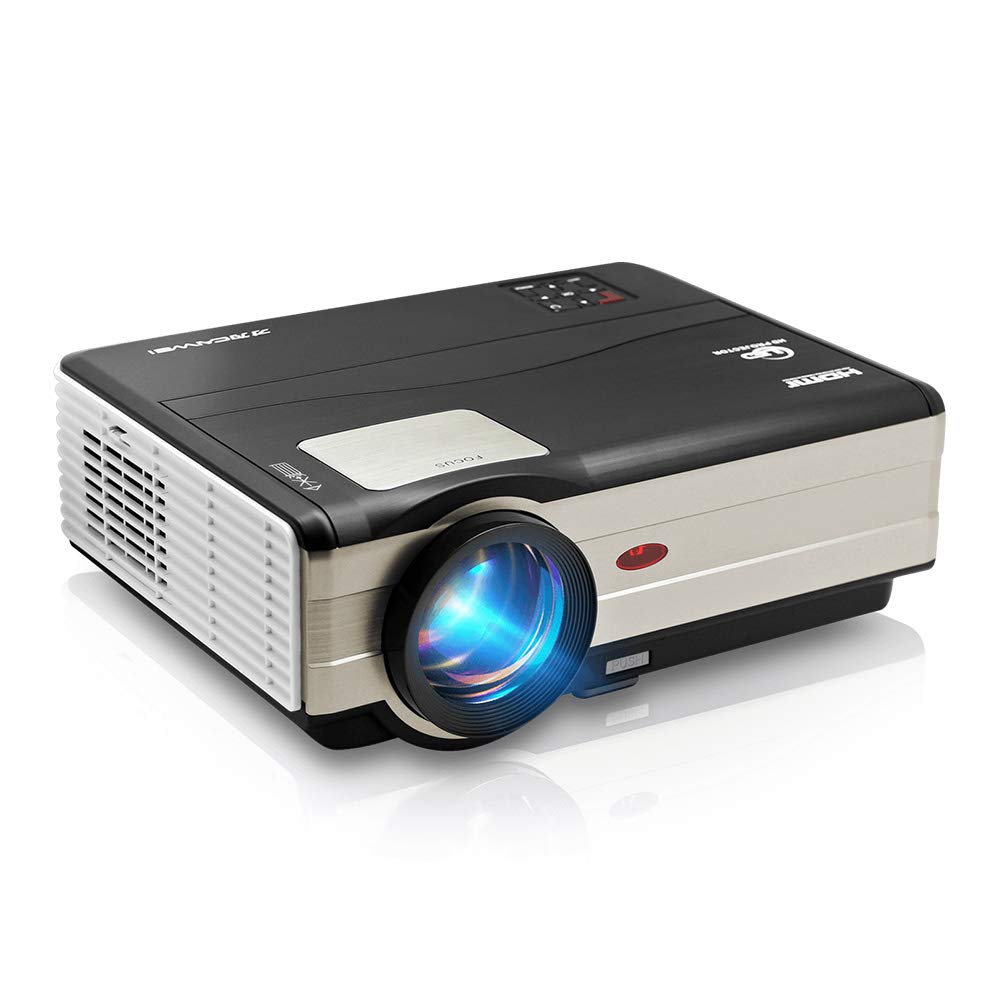
Slika 1: Front view of the CAIWEI A8AB-NEW Video Projector, showing the lens and ventilation.
Prednja ploča
- Projekciono sočivo: Emituje sliku.
- Prsten za fokus: Podešava jasnoću slike.
- Keystone korekcija: Ispravlja trapezoidno izobličenje slike.
Zadnja ploča
- Napajanje: Povezuje se na kabl za napajanje.
- HDMI portovi (x2): Connects to HDMI-enabled devices (e.g., Blu-ray player, game console).
- USB portovi (x2): Connects to USB storage devices or other USB peripherals.
- VGA port: Connects to computers or laptops with VGA output.
- AV priključak: Connects to older devices using composite video and stereo audio.
- Audio izlaz (3.5 mm): Povezuje se sa eksternim zvučnicima ili slušalicama.
5. Podešavanje
5.1 Postavljanje
Place the projector on a stable, flat surface or mount it to a ceiling. Ensure the projector is perpendicular to the projection screen or wall. The optimal projection distance varies, but generally, a larger distance yields a larger image.
5.2 Priključak za napajanje
- Spojite kabel za napajanje na priključak za napajanje projektora.
- Uključite drugi kraj kabla za napajanje u utičnicu.
- Lampica indikatora napajanja će zasvijetliti.
5.3 Povezivanje ulaznih uređaja
Projektor podržava različite ulazne izvore:
- HDMI: Connect an HDMI cable from your device (e.g., laptop, game console, streaming stick) to one of the projector's HDMI ports.
- USB: Insert a USB flash drive into a USB port to play media files direktno.
- VGA: Spojite VGA kabel s računara na VGA priključak projektora.
- OD: Use the provided AV cable to connect to devices with composite video output.
- Wireless (WiFi): For screen mirroring from smartphones or tablets, navigate to the 'Wireless Display' or 'Screen Mirroring' option in the projector's menu and follow the on-screen instructions. Ensure your device and the projector are on the same Wi-Fi network.
- Bluetooth: To connect external Bluetooth speakers, go to the Bluetooth settings in the projector's menu, enable Bluetooth, and pair with your desired audio device.
5.4 Fokus i podešavanje trapezoidne korekcije
- Uključite projektor i prikažite sliku.
- Rotirajte Fokusni prsten on the lens until the image appears sharp and clear.
- If the image is trapezoidal (wider at the top or bottom), adjust the Ispravka Keystone-a dial or setting until the image is rectangular.
6. Uputstvo za upotrebu
6.1 Uključivanje/isključivanje napajanja
- Uključeno: Pritisnite dugme za napajanje na projektoru ili daljinskom upravljaču.
- Iskljuciti: Ponovo pritisnite dugme za napajanje. Potvrdite isključivanje ako se to od vas zatraži.
6.2 Navigacija izbornikom
Use the navigation buttons (Up, Down, Left, Right, OK) on the projector or remote control to browse the on-screen menu. The 'Menu' button typically opens the main settings, and 'Exit' or 'Back' closes sub-menus.
6.3 Odabir ulaznog izvora
Press the 'Source' or 'Input' button on the remote control or projector. A list of available input sources (HDMI1, HDMI2, USB1, USB2, VGA, AV, Wireless Display) will appear. Select the desired source using the navigation buttons and press 'OK'.
6.4 Audio postavke
Access the audio settings through the main menu to adjust volume, select audio output (internal speaker, external via 3.5mm jack, or Bluetooth), and modify sound modes.
6.5 Wireless/Bluetooth Connection
Refer to section 5.3 for detailed instructions on connecting via Wi-Fi for screen mirroring or Bluetooth for audio output.
7. Održavanje
7.1 Čišćenje objektiva
Use a soft, lint-free cloth specifically designed for optical lenses. Gently wipe the lens surface. Avoid using abrasive cleaners or excessive force, which can scratch the lens.
7.2 Cleaning the Air Filter/Vents
Regularly check the air intake and exhaust vents for dust accumulation. Use a soft brush or a can of compressed air to gently clean the vents. This helps maintain proper airflow and prevents overheating.
7.3 Skladištenje
When not in use, store the projector in a cool, dry, and dust-free environment. Use the original packaging or a protective case to prevent damage.
8. Otkrivanje problema
| Problem | Mogući uzrok | Rješenje |
|---|---|---|
| Nema slike na ekranu | Power not connected; Incorrect input source; Device not powered on. | Check power cable; Select correct input source; Ensure connected device is on. |
| Slika je mutna | Fokus nije podešen; Projektor je previše daleko/blizu. | Adjust the focus ring; Reposition the projector. |
| Slika je trapezoidna | Keystone nije podešen. | Podesite korekciju keystone. |
| Nema zvuka | Volume too low; Muted; Incorrect audio output; Cable issue. | Increase volume; Unmute; Check audio settings; Verify cable connections. |
| Daljinski upravljač ne radi | Batteries dead; Obstruction; Out of range. | Replace batteries; Remove obstructions; Ensure line of sight to IR receiver. |
| Upozorenje o pregrijavanju | Blocked vents; Poor ventilation. | Clear vents; Ensure adequate space around projector. |
9. Specifikacije
- Model: A8AB-NEW
- Brand: CAIWEI
- Rezolucija ekrana: 1280 x 800
- Tehnologija povezivanja: Bluetooth, HDMI, USB, VGA, Wireless
- Posebne karakteristike: Ugrađeni Wi-Fi, prenosivi, bežični
- Preporučena upotreba: Igre, Kućno kino
- Težina artikla: 6.1 funte
- Dimenzije proizvoda: 11.2 x 14.7 x 5 inča
10. Garancija i podrška
CAIWEI products are designed for reliability and performance. For specific warranty details, please refer to the warranty card included with your purchase or contact CAIWEI customer support. If you encounter any issues not covered in this manual, please reach out to our support team for assistance.
Korisnička podrška: Please visit the official CAIWEI website or contact your retailer for support information.