
1. Uvod
Hvala na kupoviniasing the Coby CSB04 Bluetooth Soundbar Speaker. This manual provides important information regarding the setup, operation, and maintenance of your new soundbar. Please read this manual thoroughly before using the device and retain it for future reference.
The Coby CSB04 is a sleek and compact soundbar designed to enhance your audio experience. It features wireless Bluetooth connectivity, an RCA line input, and comes with a remote control for convenient operation.
2. Sigurnosne informacije
Molimo vas da se pridržavate sljedećih sigurnosnih mjera opreza kako biste spriječili oštećenje uređaja ili ozljede sebe:
- Ne izlažite soundbar kiši, vlazi ili ekstremnim temperaturama.
- Ne otvarajte casing. Za sve servisne radove obratite se kvalifikovanom osoblju.
- Provjerite je li adapter za napajanje kompatibilan s vašim lokalnim napajanjem.
- Keep the soundbar away from heat sources and direct sunlight.
- Čistite samo suhom krpom.
3. Sadržaj paketa
Carefully unpack your Coby CSB04 Soundbar and check that all items are present and in good condition. If any items are missing or damaged, contact your retailer.
- Coby CSB04 Bluetooth Soundbar Speaker
- Napajanje ispravljač
- RCA kabel
- Daljinski upravljač
- Korisnički priručnik (ovaj dokument)

Image 3.1: Coby CSB04 Soundbar packaging. The box displays the Coby logo and "Slim 2.0 Sound Bar" text.
4. Proizvod je gotovview
Familiarize yourself with the components and controls of your Coby CSB04 Soundbar.
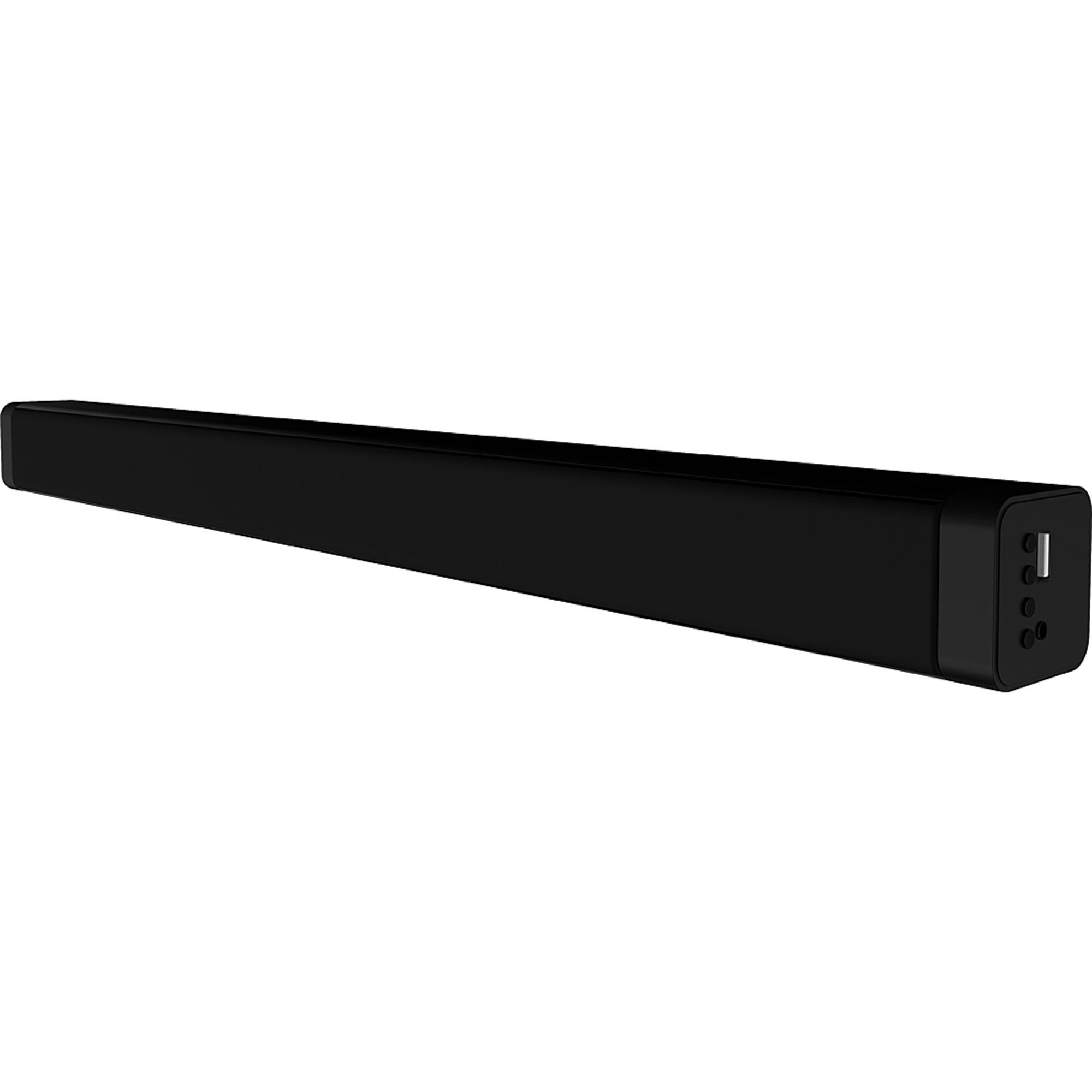
Slika 4.1: Prednja strana view of the Coby CSB04 Bluetooth Soundbar. The soundbar is black and rectangular.

Slika 4.2: Bočna strana view of the Coby CSB04 Soundbar, showing a USB port and other connection points.
4.1. Front Panel / Top Panel Controls
- Dugme za napajanje: Uključuje ili isključuje zvučnu traku.
- Pojačavanje/stišavanje glasnoće: Podešava nivo jačine zvuka.
- Dugme za način rada: Switches between input modes (Bluetooth, RCA).
- LED indikator: Shows current status (e.g., Bluetooth pairing, input mode).
4.2. Priključci na stražnjoj ploči
- DC IN: Ovdje priključite ispravljač za struju.
- RCA L/R Input: Connect external audio devices using the RCA cable.
- USB port: For potential firmware updates or specific media playback (functionality may vary).
4.3. Daljinski upravljač
The included remote control allows for convenient operation of the soundbar from a distance. Functions typically include Power, Volume Up/Down, Mode Selection, Mute, and Playback controls for Bluetooth mode.
5. Podešavanje
5.1. Priključak za napajanje
- Connect the AC power adapter to the DC IN priključak na stražnjoj strani soundbara.
- Uključite drugi kraj AC adaptera u zidnu utičnicu.
- Soundbar će ući u stanje pripravnosti.
5.2. Audio veza
You can connect audio sources to the soundbar via Bluetooth or RCA cable.
5.2.1. Bluetooth veza
- Power on the soundbar using the Power button on the unit or remote control.
- Pritisnite Mode button repeatedly until the LED indicator shows Bluetooth mode (usually a blinking blue light).
- Na pametnom telefonu ili drugom uređaju s omogućenim Bluetoothom omogućite Bluetooth i potražite dostupne uređaje.
- Select "CSB04" (or similar name) from the list of devices.
- Nakon uparivanja, LED indikator će svijetliti plavo i čut ćete zvučni signal potvrde.
- Sada možete reproducirati zvuk sa svog uređaja putem soundbara.
5.2.2. RCA priključak
- Connect one end of the RCA cable to the RCA L / R ulaz portovi na soundbaru.
- Connect the other end of the RCA cable to the audio output ports (usually "Audio Out" or "L/R Out") of your TV, DVD player, or other audio source.
- Uključite soundbar.
- Pritisnite Mode button repeatedly until the LED indicator shows RCA mode (e.g., a green light).
- Reprodukujte zvuk sa povezanog uređaja.
6. Uputstvo za upotrebu
6.1. Uključivanje/isključivanje
Pritisnite Snaga dugme na soundbaru ili daljinskom upravljaču da biste uključili ili isključili uređaj.
6.2. Podešavanje jačine zvuka
Koristite Jačina zvuka (+) i Smanjivanje glasnoće (-) dugmad na soundbaru ili daljinskom upravljaču za podešavanje nivoa zvuka.
6.3. Changing Input Mode
Pritisnite Mode button on the soundbar or remote control to cycle through available input sources: Bluetooth, RCA.
6.4. Reprodukcija putem Bluetootha
Once paired, your Bluetooth device will automatically connect to the soundbar when both are powered on and within range. Use your device's controls or the soundbar's remote control (if applicable) for playback functions like Play/Pause, Next Track, and Previous Track.
7. Održavanje
Pravilno održavanje osigurava dugotrajnost i optimalne performanse vašeg soundbara.
- čišćenje: Use a soft, dry cloth to wipe the exterior of the soundbar. Do not use liquid cleaners or aerosols.
- Skladištenje: Ako skladištite soundbar duži period, isključite ga iz struje i čuvajte ga na hladnom i suhom mjestu.
- ventilacija: Ensure the soundbar has adequate ventilation and is not covered, to prevent overheating.
8. Otkrivanje problema
If you encounter issues with your Coby CSB04 Soundbar, refer to the following common problems and solutions:
| Problem | Mogući uzrok | Rješenje |
|---|---|---|
| Nema struje | Adapter za napajanje nije priključen ili je utičnica neispravna. | Ensure the power adapter is securely connected to the soundbar and a working power outlet. Try a different outlet. |
| Nema zvuka | Nepravilan način unosa, niska jačina zvuka ili nepravilna kabelska veza. |
|
| Bluetooth uparivanje nije uspjelo | Soundbar nije u načinu rada za uparivanje, uređaj je previše udaljen ili postoje smetnje. |
|
| Daljinski upravljač ne radi | Prazne baterije ili prepreka. | Replace the batteries in the remote control. Ensure there is no obstruction between the remote and the soundbar's sensor. |
9. Specifikacije
Here are the technical specifications for the Coby CSB04 Bluetooth Soundbar Speaker:
- Model: CSB04
- Vrsta zvučnika: Soundbar
- Tehnologija povezivanja: Bluetooth
- Maksimalna izlazna snaga zvučnika: 10 Watts
- Kompatibilni uređaji: Smartphone (and other Bluetooth/RCA audio sources)
- Metoda kontrole: Daljinski upravljač
- Izvor napajanja: Electric Cable (AC Adapter)
- Boja: Crna
- Dimenzije: 85.09 x 14.22 x 38.35 cm (približno 33.5 x 5.6 x 15.1 inča)
- Težina: 1.54 kg (približno 3.4 funti)
- Vrsta montaže: Desktop Mount
10. Garancija i podrška
For warranty information and technical support, please refer to the warranty card included with your product or visit the official Coby webSačuvajte račun kao dokaz o kupovini.
For further assistance, you may contact Coby customer service through their official channels.