1. Uvod
This manual provides essential instructions for the safe and efficient operation of your Reflecta Combo Album SCAN 64400 Scanner. Please read this manual thoroughly before using the device to ensure proper setup, usage, and maintenance. Keep this manual for future reference.
2. Sigurnosne informacije
To prevent damage to the device or injury to yourself, observe the following safety precautions:
- Samo za vanjsku upotrebu: This device is designed for scanning photos, film, and slides. Do not attempt to use it for any other purpose.
- Izvor napajanja: Use only the power adapter supplied with the scanner. Ensure the voltage odgovara vašem lokalnom izvoru napajanja.
- ventilacija: Do not block ventilation openings. Ensure adequate airflow around the scanner to prevent overheating.
- Izloženost tečnosti: Keep the scanner away from water and other liquids. Do not operate the device with wet hands.
- čišćenje: Isključite napajanje prije čišćenja. Koristite meku, suhu krpu. Ne koristite tekuća ili aerosolna sredstva za čišćenje.
- Rastavljanje: Do not attempt to disassemble or repair the scanner yourself. Refer all servicing to qualified service personnel.
- djeca: Držite uređaj van domašaja djece.
3. Sadržaj paketa
Provjerite da li su sve stavke prisutne u paketu:
- Reflecta Combo Album SCAN 64400 Scanner Unit
- Adapter za napajanje
- USB kabel
- Film Holder (for 35mm film strips)
- Slide Holder (for mounted 35mm slides)
- Četka za čišćenje
- Korisnički priručnik (ovaj dokument)
4. Proizvod je gotovview
Familiarize yourself with the components of your scanner.
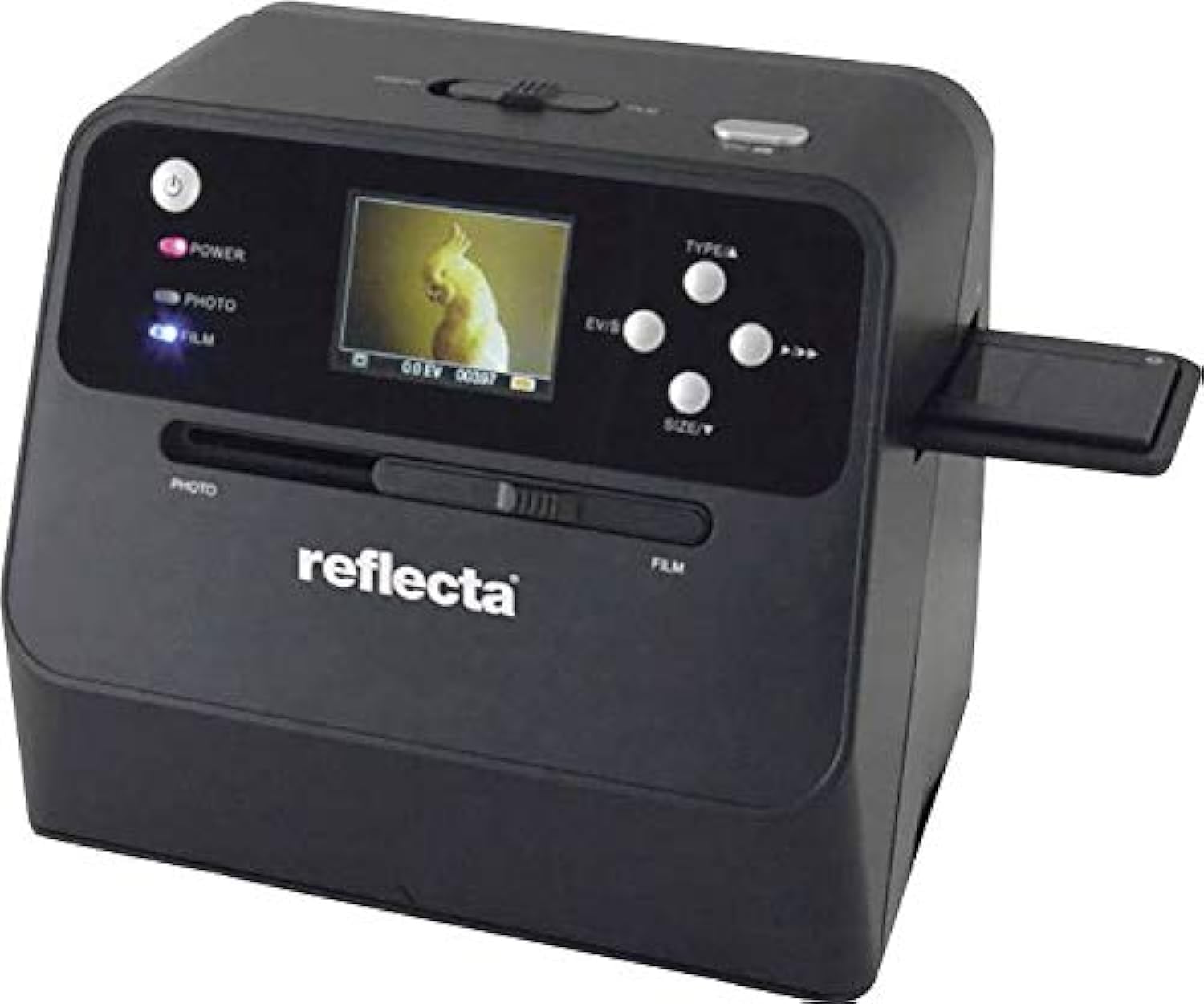
Slika 4.1: Front view of the Reflecta Combo Album SCAN 64400 Scanner, showing the display screen, control buttons, and input slots for photos and film.

Slika 4.2: The scanner unit displayed with its included film holder and a small cleaning brush, essential accessories for film and slide scanning.
4.1. Scanner Components
- Dugme za napajanje: Uključuje/isključuje skener.
- LCD ekran: Shows scan preview, menu options, and settings.
- Kontrolna dugmad: Navigation (Up/Down/Left/Right), OK/Enter, Type (Photo/Film), Size.
- Photo Input Slot: For scanning physical photos.
- Film Input Slot: For inserting film/slide holders.
- Utor za SD karticu: For saving scanned images (SD card not included).
- USB port: For connecting to a computer or power adapter.
5. Podešavanje
5.1. Priključak za napajanje
- Connect the small end of the USB cable to the USB port on the scanner.
- Connect the large end of the USB cable to the provided power adapter.
- Uključite adapter za napajanje u standardnu električnu utičnicu.
- Press the Power button to turn on the scanner.
5.2. Umetanje SD kartice (opcionalno)
The scanner saves images to an SD card. If you wish to save scans, insert an SD card (up to 32GB, Class 10 recommended) into the SD card slot until it clicks into place. Ensure the card is formatted correctly (FAT32).
6. Upravljanje skenerom
6.1. Scanning Photos
This scanner is designed to digitize physical photos, including those mounted in albums.
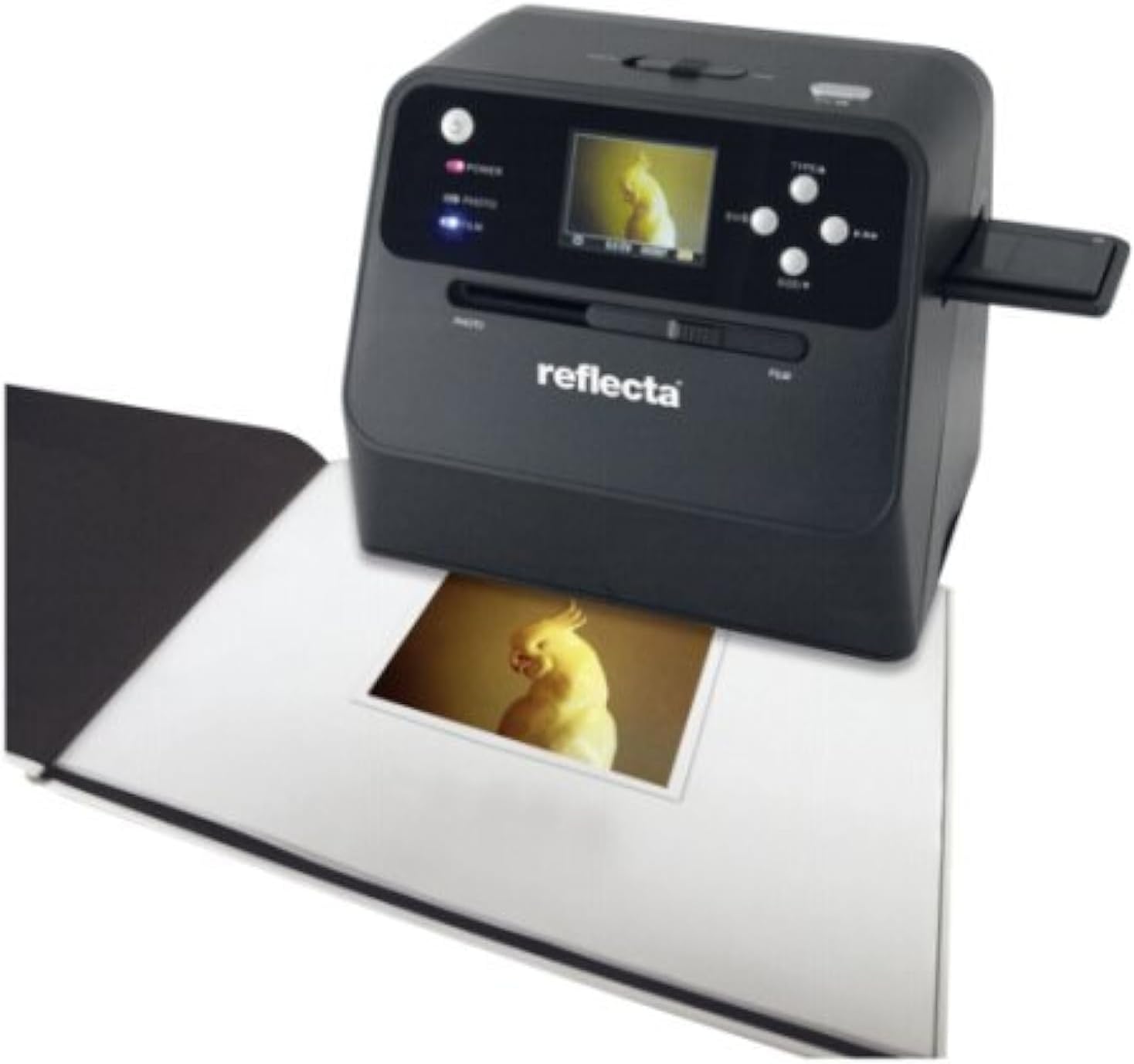
Slika 6.1: The scanner positioned over an open photo album, demonstrating its capability to scan a photo directly from the album without removal.
- Provjerite je li skener uključen.
- Pritisnite TYPE button until "PHOTO" mode is selected on the display.
- Carefully place the scanner over the photo you wish to scan. Ensure the photo is flat and well-lit.
- Use the navigation buttons to adjust the scanning area if necessary.
- Pritisnite OK button to initiate the scan. The scanned image will appear on the display.
- Da biste sačuvali sliku, pritisnite OK button again. The image will be saved to the inserted SD card.
- You can adjust image settings (e.g., exposure, color balance) using the menu options before scanning. Refer to the on-screen menu for details.
6.2. Scanning Film and Slides
The scanner supports 35mm film strips and mounted slides.
- Provjerite je li skener uključen.
- Pritisnite TYPE button until "FILM" mode is selected on the display.
- Open the appropriate film or slide holder.
- Carefully insert your 35mm film strip or mounted slide into the holder, ensuring it is correctly aligned.
- Čvrsto zatvorite držač.
- Insert the loaded holder into the Film Input Slot on the side of the scanner.
- Use the navigation buttons to preview and adjust the image on the display.
- Pritisnite OK button to initiate the scan.
- Da biste sačuvali sliku, pritisnite OK button again. The image will be saved to the inserted SD card.
7. Održavanje
7.1. Čišćenje skenera
Regular cleaning ensures optimal scan quality.
- Eksterijer: Obrišite vanjski dio skenera mekom, suhom krpom koja ne ostavlja dlačice. Nemojte koristiti abrazivna sredstva za čišćenje ili rastvarače.
- Photo Scanning Area: Gently wipe the glass surface in the photo scanning area with a microfiber cloth. For stubborn smudges, a small amount of lens cleaning solution can be applied to the cloth (not directly to the scanner).
- Film/Slide Input: Use the provided cleaning brush (or a soft, dry brush) to remove dust from the film input slot and film/slide holders. Avoid touching the internal optical components.
- Objektiv: If dust is visible on the internal lens, use a can of compressed air (held upright) to gently blow away particles. Do not use excessive force.
Always ensure the scanner is powered off and unplugged before cleaning.
8. Otkrivanje problema
Pogledajte ovaj odjeljak za uobičajene probleme i njihova rješenja.
| Problem | Mogući uzrok | Rješenje |
|---|---|---|
| Skener se ne uključuje. | Power cable not connected properly; Power adapter faulty. | Provjerite sve priključke za napajanje. Pokušajte s drugom utičnicom. Provjerite da li adapter za napajanje radi. |
| Scanned images are blurry or unclear. | Dust/smudges on scanning surface/lens; Photo/film not flat or properly inserted. | Clean the scanning surfaces and lens (refer to Section 7.1). Ensure photos are flat and film/slides are correctly seated in their holders. |
| Boje na skeniranim slikama su netačne. | Incorrect color settings; Original photo/film faded. | Adjust color balance and exposure settings in the scanner menu. Some fading in original media may be irreversible. |
| Cannot save images to SD card. | SD card full, locked, or not formatted correctly; SD card faulty. | Check if the SD card is full and delete unnecessary files. Ensure the write-protect tab is unlocked. Format the SD card (this will erase all data). Try a different SD card. |
| Scanner freezes or becomes unresponsive. | Privremeni softverski kvar. | Turn off the scanner, disconnect the power, wait 10 seconds, then reconnect and power on again. |
9. Specifikacije
Technical specifications for the Reflecta Combo Album SCAN 64400 Scanner.
| Feature | Detalj |
|---|---|
| Naziv modela | Reflecta Combo Album SCAN 64400 |
| Tip skenera | Document, Film, Photo |
| Tehnologija optičkog senzora | CMOS |
| Rezolucija skenera | 2400 DPI (Optical), 2944 DPI (Maximum Horizontal) |
| Dubina boje | 24 bazni bod |
| Vrsta izvora svjetlosti | LED |
| Maximum Supported Photo Size | 13 x 18 cm (5 x 7 inča) |
| Podržane vrste filmova | 35mm Film Strips, Mounted 35mm Slides |
| Tehnologija povezivanja | USB |
| Mediji za pohranu | SD kartica (do 32 GB, nije uključena) |
| Vrsta izvora napajanja | Hand-operated / USB Power Adapter |
| Dimenzije proizvoda | 30 x 20 x 23 cm |
| Težina artikla | 798 grama |
| Kompatibilnost operativnog sistema | Windows |
10. Garancija i podrška
Reflecta products are manufactured to high-quality standards. For information regarding warranty coverage, technical support, or service, please refer to the warranty card included with your product or visit the official Reflecta website. Please have your model number (64400) and purchase details available when contacting support.
Proizvođač: Reflecta