
Uvod
Thank you for choosing the Divoom Onbeat 500 Portable Wireless Bluetooth Speaker. This device is designed to deliver powerful sound with convenient wireless connectivity. This manual will guide you through the setup, operation, and maintenance of your speaker to ensure optimal performance and longevity.
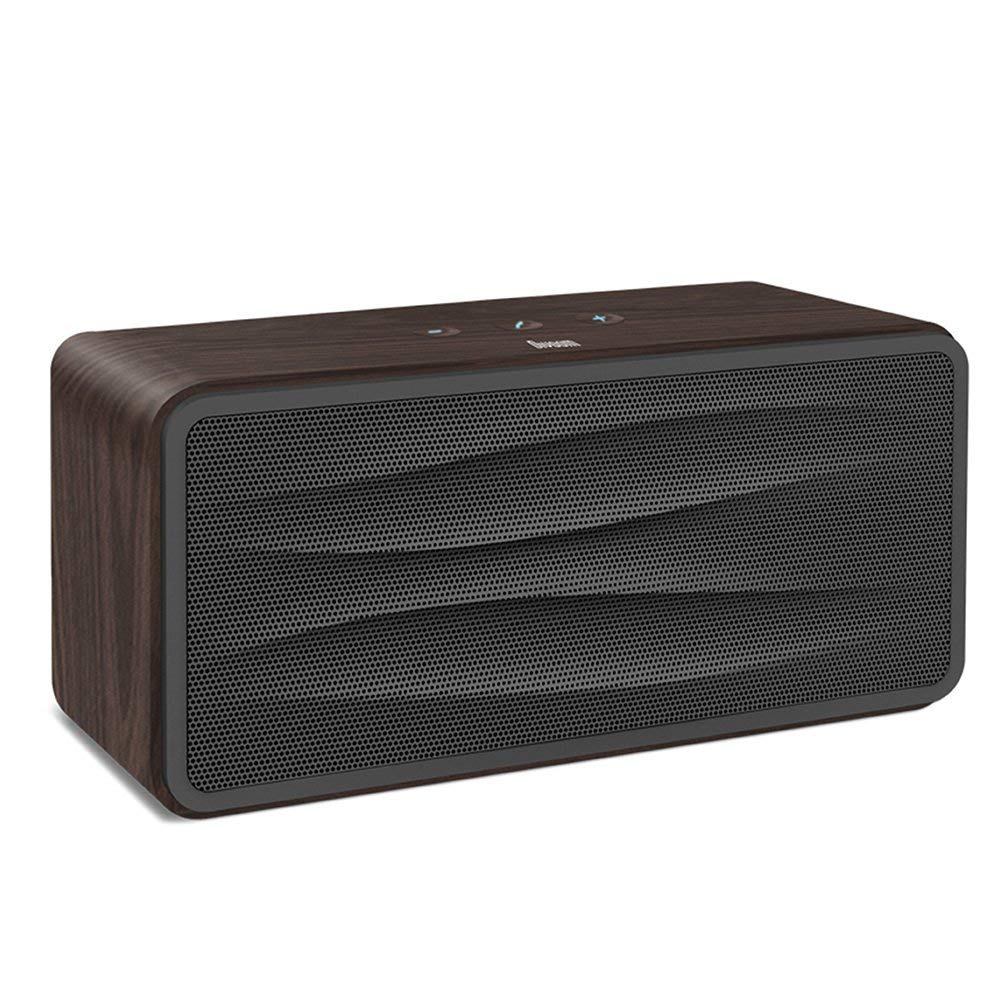
Slika 1: Front view of the Divoom Onbeat 500 speaker. This image displays the speaker's main grille and overall design.
Sadržaj paketa
Molimo Vas da provjerite paket za sljedeće stavke:
- Divoom Onbeat 500 Speaker
- Micro USB kabl za punjenje
- Auxiliary Cable
- Korisnički priručnik (ovaj dokument)
- Garantni list
Karakteristike proizvoda
The Divoom Onbeat 500 speaker offers a range of features for an enhanced audio experience:
- Snažan zvuk: 2.1 channel design with a proprietary passive bass radiator for rich audio.
- NFC tehnologija: Tap-to-pair functionality for quick and easy Bluetooth connection.
- Bluetooth povezivanje: Wirelessly play and control music from up to 33 feet (10 meters) away.
- Ugrađeni spikerfon: Allows you to make and take calls directly from the speaker.
- Dugotrajna baterija: Integrated 5000mAh battery provides extended playback time.
- Pomoćni ulaz: Za žičanu vezu s uređajima koji ne podržavaju Bluetooth.
Setup
1. Punjenje zvučnika
Before initial use, fully charge your Divoom Onbeat 500 speaker. Use the provided Micro USB charging cable to connect the speaker to a USB power source (e.g., computer USB port, USB wall adapter). The charging indicator light will illuminate during charging and turn off or change color when fully charged. A full charge typically provides 8-10 hours of playback.
2. Uključivanje / isključivanje napajanja
- Za uključivanje: Press and hold the Power button for a few seconds until you hear an audible prompt or see the indicator light illuminate.
- Za isključivanje: Ponovo pritisnite i držite dugme za napajanje nekoliko sekundi dok se zvučnik ne isključi.
3. Bluetooth uparivanje
The Onbeat 500 offers two methods for wireless connection:
NFC (Near Field Communication) Pairing:
If your device supports NFC, you can pair quickly:
- Ensure NFC is enabled on your smartphone or tablet.
- With the Onbeat 500 powered on, gently tap your NFC-enabled device against the NFC area on the speaker.
- Confirm the pairing request on your device. The speaker will indicate a successful connection.
Standardno Bluetooth uparivanje:
For devices without NFC or for manual pairing:
- Power on the Divoom Onbeat 500 speaker. It will automatically enter Bluetooth pairing mode if no device is connected, or you may need to press a dedicated Bluetooth button (refer to speaker controls).
- On your audio device (smartphone, tablet, computer), go to the Bluetooth settings and enable Bluetooth.
- Traži available devices. You should see "Divoom Onbeat 500" in the list.
- Select "Divoom Onbeat 500" to connect. The speaker will confirm the connection with an audible prompt.
4. AUX priključak
To connect a device using the auxiliary cable:
- Connect one end of the provided auxiliary cable to the AUX-in port on the Divoom Onbeat 500.
- Connect the other end of the auxiliary cable to the headphone jack or audio output of your device.
- The speaker will automatically switch to AUX mode, or you may need to select it manually (refer to speaker controls).

Slika 2: Side view of the Divoom Onbeat 500, illustrating the location of the charging port, AUX input, and control buttons.
Upravljanje zvučnikom
1. Reprodukcija muzike
Once connected via Bluetooth or AUX, you can control music playback from your connected device. The speaker may also have integrated controls for volume adjustment, play/pause, and track skipping. Refer to the speaker's physical buttons for these functions.
2. Funkcionalnost zvučnika
When connected to a smartphone via Bluetooth, the Divoom Onbeat 500 can be used as a speakerphone:
- Odgovaranje na poziv: Press the Call button (often indicated by a phone icon) on the speaker.
- Završetak poziva: Ponovo pritisnite dugme za poziv.
- Odbijanje poziva: Press and hold the Call button.

Slika 3: Pozadi view of the Divoom Onbeat 500, highlighting the passive bass radiator for enhanced low-frequency sound.
Održavanje
1. Čišćenje
Da biste održali izgled i funkcionalnost vašeg zvučnika:
- Obrišite vanjski dio mekom, suhom krpom koja ne ostavlja dlačice.
- Ne koristite abrazivna sredstva za čišćenje, alkohol, benzen ili druge hemijske rastvarače, jer mogu oštetiti završnu obradu.
- Izbjegavajte ulazak vlage u bilo kakve otvore.
2. Održavanje baterije
Da biste produžili vijek trajanja ugrađene litijum-jonske baterije:
- Izbjegavajte često potpuno pražnjenje baterije.
- Čuvajte zvučnik na hladnom i suhom mjestu kada ga ne koristite duži period.
- Charge the speaker at least once every three months if stored for a long time to prevent deep discharge.
Rješavanje problema
If you encounter issues with your Divoom Onbeat 500, please refer to the following common solutions:
| Problem | Moguće rješenje |
|---|---|
| Zvučnik se ne uključuje | Ensure the battery is charged. Connect the speaker to a power source using the Micro USB cable and try again. |
| Nema zvuka iz zvučnika | Check the volume level on both the speaker and your connected device. Ensure the speaker is correctly paired via Bluetooth or connected via AUX. Try re-pairing the Bluetooth device. |
| Bluetooth uparivanje nije uspjelo | Provjerite je li zvučnik u načinu rada za uparivanje. Isključite i uključite Bluetooth na uređaju. Približite uređaj zvučniku. Izbrišite prethodne Bluetooth veze na uređaju i pokušajte ponovo. |
| Loš kvalitet zvuka | Ensure the speaker and connected device are within range (for Bluetooth). Check for interference from other wireless devices. Try a different audio source or cable. |
Specifikacije
Detailed technical specifications for the Divoom Onbeat 500 speaker:
- Naziv modela: Divoom Onbeat 500
- Vrsta zvučnika: Kompjuterski zvučnik
- Tehnologija povezivanja: Bluetooth
- Tehnologija bežične komunikacije: Bluetooth
- Metoda kontrole: Dodirnite
- Izvor napajanja: Battery Powered
- baterija: 1 litijum-jonska baterija (5000 mAh)
- Audio Wattage: 20 Watts
- Maksimalna izlazna snaga zvučnika: 100 Watts
- Konfiguracija kanala surround zvuka: 2.1
- Kompatibilni uređaji: Android, Windows, iPhone (iOS)
- Tip konektora: USB (za punjenje)
- Dimenzije proizvoda: 22.5 x 7.49 x 10.49 cm (DxŠxV)
- Težina artikla: 1.55 kg
- Boja: Drveni ugljen
- Posebne karakteristike: NFC, Built-in Speakerphone, Passive Bass Radiator
Garancija i podrška
Your Divoom Onbeat 500 speaker comes with a limited warranty. Please refer to the included Warranty Card for detailed terms and conditions, including warranty period and coverage.
For technical support, service inquiries, or further assistance, please visit the official Divoom website or contact their customer service department using the information provided on your Warranty Card or product packaging. Please have your model number (Onbeat 500) and purchase details ready when contacting support.