
TFA 60.4512.01
Uputstvo za upotrebu
TFA Dostmann Timeline Max Radio-Controlled Clock
Model: 60.4512.01
Uvod
The TFA Dostmann Timeline Max Radio-Controlled Clock (Model 60.4512.01) features a large, exceptionally clear display, making it easily readable from a distance. This makes it ideal for various settings such as entrance areas, reception desks, waiting rooms, and offices. Its clear structure simplifies time orientation, and with the displayed day of the week and full date, it serves as a valuable daily aid, particularly for seniors and individuals with cognitive impairments.
The clock automatically receives time signals via the DCF 77 signal, ensuring precise, second-accurate time and date display without manual adjustment. It also automatically switches between summer and winter time. Its simple and clear design allows it to seamlessly integrate into any environment, whether mounted on a wall or placed on a surface.
Sadržaj paketa
Molimo Vas da prilikom raspakivanja provjerite sadržaj paketa kako biste bili sigurni da su svi artikli prisutni:
- TFA Dostmann Timeline Max Radio-Controlled Clock
- Uputstvo za upotrebu
Napomena: 4 x 1.5 V AA batteries are required for operation and are not included in the package.
Važne informacije o sigurnosti
- Prije upotrebe pažljivo pročitajte sva uputstva.
- Sačuvajte ovaj priručnik za buduću upotrebu.
- Ne izlažite uređaj ekstremnim temperaturama, direktnoj sunčevoj svjetlosti ili visokoj vlažnosti.
- Izbjegavajte ispuštanje ili izlaganje uređaja jakim udarima.
- Ne pokušavajte sami rastavljati ili popravljati uređaj. Za sve servisne radove obratite se kvalifikovanom osoblju.
- Odložite baterije u skladu s lokalnim propisima. Ne miješajte stare i nove baterije ili različite vrste baterija.
- Držite baterije van domašaja dece.
Setup
1. Instalacija baterije
The clock requires 4 x 1.5 V AA batteries (not included).
- Pronađite odeljak za baterije na poleđini sata.
- Otvorite poklopac odeljka za baterije.
- Umetnite 4 nove AA baterije, pazeći na ispravan polaritet (+ i -) kao što je naznačeno unutar odjeljka.
- Čvrsto zatvorite poklopac odeljka za baterije.

Slika 1: Pozadi view sata sa odjeljkom za baterije i kontrolnim dugmadima.
2. Initial Time Synchronization (Radio-Controlled)
After inserting the batteries, the clock will automatically begin searching for the DCF 77 radio signal. This process may take several minutes. During synchronization, the radio signal icon (often a tower or wave symbol) will typically flash on the display.
- Place the clock near a window or in an open area for better signal reception.
- Izbjegavajte postavljanje u blizinu elektronskih uređaja koji mogu uzrokovati smetnje.
- Once the signal is received, the time and date will automatically set, and the radio signal icon will become solid.

Figure 2: Front display showing synchronized time and date.
3. Opcije postavljanja
The Timeline Max clock is designed for both wall mounting and freestanding placement.
- Za zidnu montažu: Use the integrated hanging hole on the back of the clock. Ensure the wall fixture is secure enough to support the clock's weight (approx. 520g).
- For Freestanding: Extend the integrated stand on the back of the clock to place it on a desk, shelf, or table.

Slika 3: Bočna strana view demonstrating the clock's integrated stand.
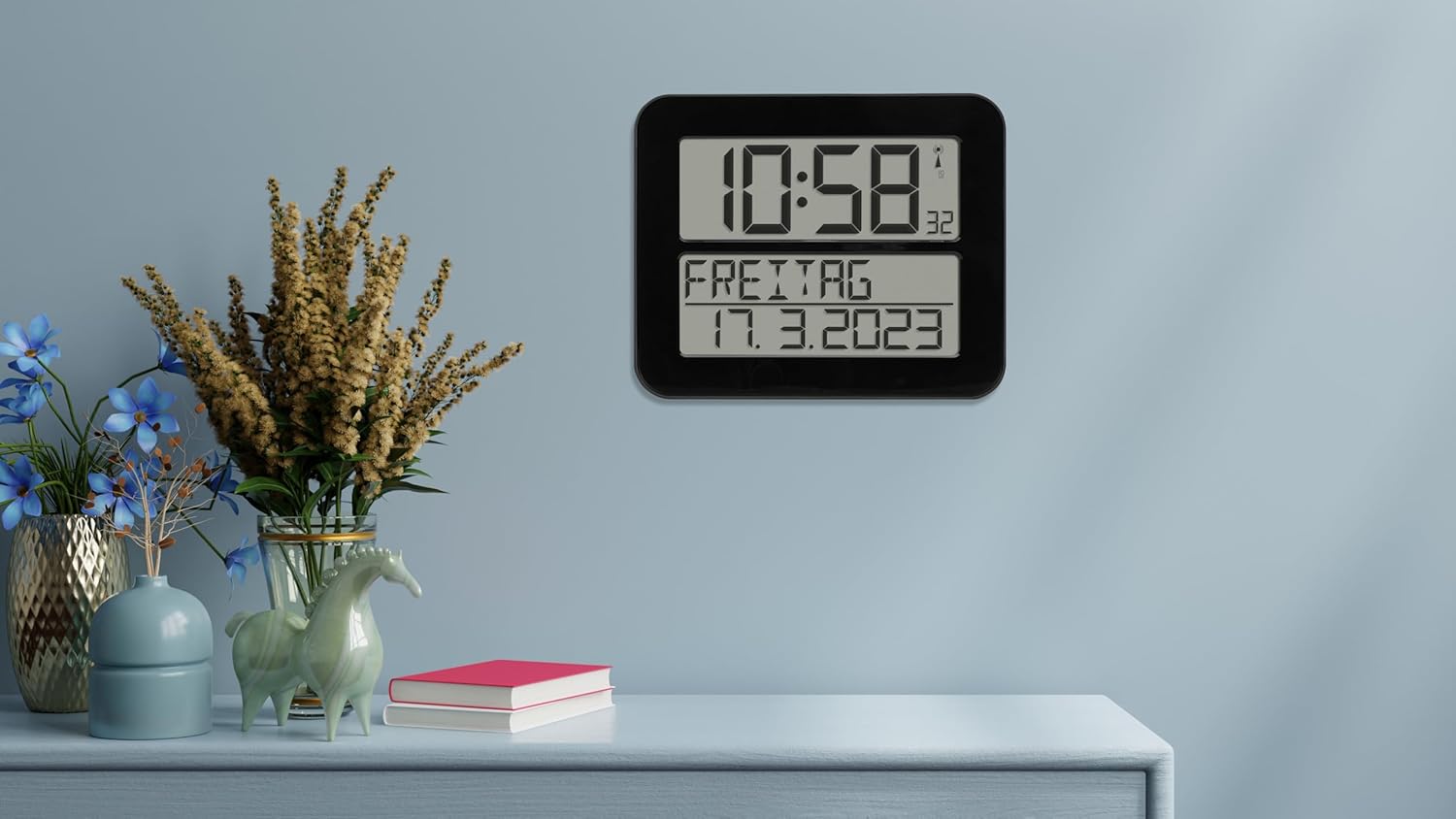
Figure 4: The clock in a typical freestanding setup.
Uputstvo za upotrebu
Prikaz informacija
The large display shows the following information:
- Gornji ekran: Current time (hours and minutes), seconds (small digits), and radio signal indicator.
- Bottom Display: Day of the week (in selected language) and full date (day, month, year).

Figure 5: Clear display of time, day, and date.
Funkcija alarma
The clock includes an alarm function. Refer to the buttons on the back of the clock (SET, ALARM, UP, DOWN, WAVE, SNOOZE) for setting the alarm.
- Pritisnite ALARM dugme za ulazak u režim podešavanja alarma.
- Koristite UP i DOLJE dugmad za podešavanje vremena alarma.
- Pritisnite ALARM again to confirm and move to the next setting (e.g., alarm on/off).
- Pritisnite SET za izlazak iz načina podešavanja alarma.
- Kada se oglasi alarm, pritisnite SNOOZE for a temporary pause, or any other button to turn off the alarm for the day.
Manual Time Setting (If Radio Signal is Unavailable)
In areas with poor radio signal reception, you can manually set the time and date.
- Pritisnite i držite SET button for a few seconds until the display flashes.
- Koristite UP i DOLJE buttons to adjust the flashing digit (e.g., hour, minute, year, month, day).
- Pritisnite SET to confirm the current setting and move to the next.
- Continue until all settings are adjusted. The clock will exit manual setting mode automatically after a period of inactivity or by pressing SET repeatedly until the normal display returns.
Day of Week Language Setting
The day of the week can be displayed in 7 different languages.
- Consult the full instruction manual (included in the box) for specific steps on changing the language setting, as this often involves a combination of button presses.
Održavanje
Čišćenje
To clean the clock, use a soft, dry, or slightly damp cloth. Do not use abrasive cleaners, solvents, or chemical agents, as these may damage the display or casing.
Zamjena baterije
When the display dims or the clock stops functioning correctly, it's time to replace the batteries. Follow the "Battery Installation" steps in the Setup section. Always replace all 4 batteries at once with new, high-quality AA batteries.
Rješavanje problema
| Problem | Mogući uzrok | Rješenje |
|---|---|---|
| Sat ne prikazuje ništa ili je ekran taman. | Baterije su prazne ili nepravilno umetnute. | Zamijenite baterije novima, vodeći računa o ispravnom polaritetu. |
| Clock does not synchronize with radio signal. | Slab prijem signala zbog lokacije ili smetnji. | Move the clock to a different location, preferably near a window and away from electronic devices. Allow sufficient time for synchronization (up to 24 hours). |
| Time is incorrect after synchronization. | Temporary signal disruption or incorrect time zone setting (if applicable). | Initiate a manual signal search (refer to full manual) or perform a manual time setting. Ensure the clock is in the correct time zone for your region (if this feature is available, consult the full manual). |
| Alarm se ne oglašava. | Alarm nije aktiviran ili je nepravilno podešen. | Verify that the alarm time is set correctly and the alarm function is enabled. |
Specifikacije
| Model | 60.4512.01 |
| Tip sata | Radio-Controlled (DCF 77 signal) |
| Materijal | Plastika |
| Opcije montaže | For hanging or standing |
| Napajanje | 4 x 1.5 V AA baterije (nisu uključene) |
| Dimenzije (D x Š x V) | 258 x 30 (120 with stand) x 212 mm |
| Težina | 520 g |
| Display Type | Digital |
| Posebne karakteristike | Alarm, Calendar Display, Day of week in 7 languages |
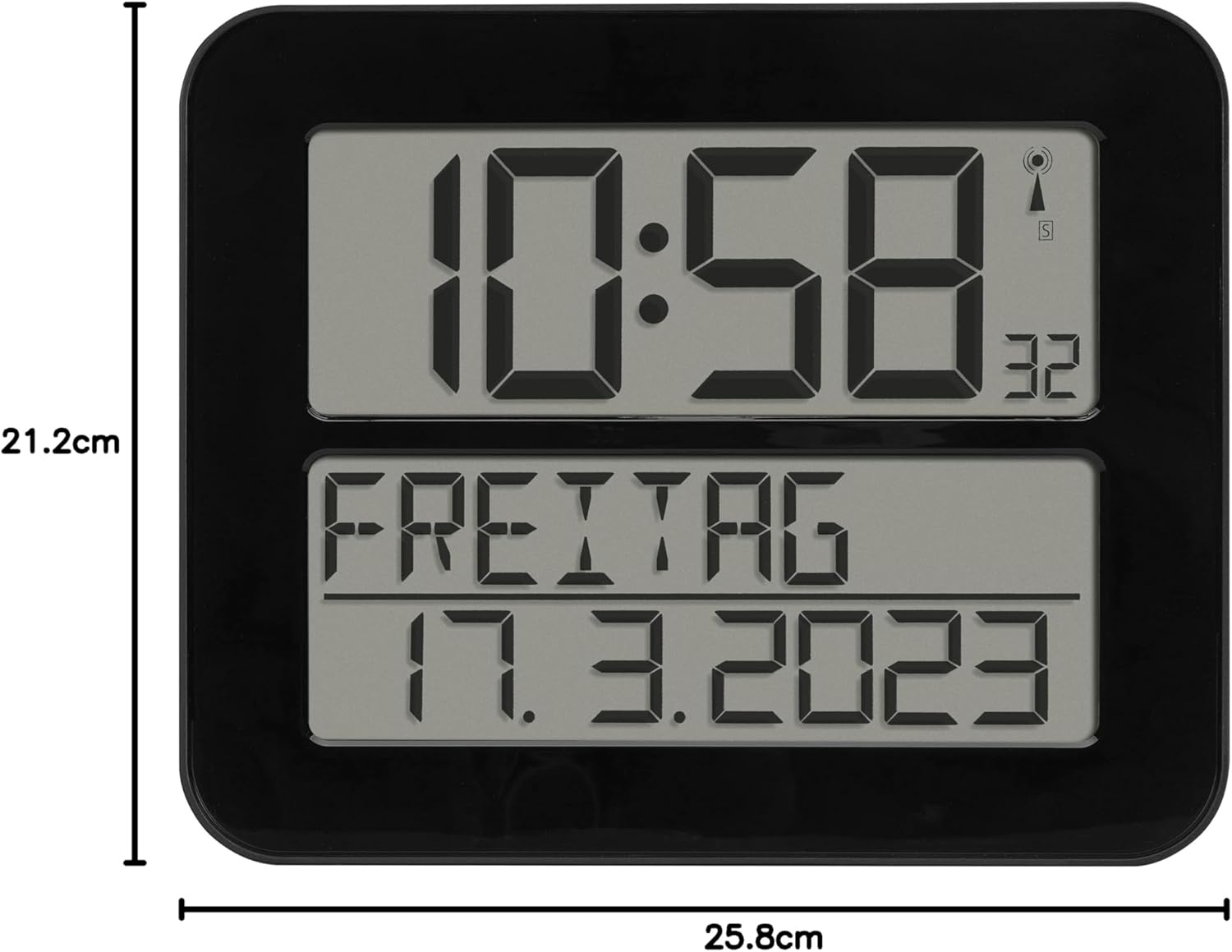
Slika 6: Dimenzije proizvoda.
Garancija i podrška
TFA Dostmann products are manufactured with high quality standards. For information regarding warranty coverage, please refer to the warranty card included with your product or visit the official TFA Dostmann website. For technical support or inquiries, please contact TFA Dostmann customer service.
Manufacturer: TFA Dostmann GmbH, Zum Ottersberg 12, D-97877 Wertheim am Main, Germany.
Webstranica: www.tfa-dostmann.de
Ask a question about this manual
Ask about setup, troubleshooting, compatibility, parts, safety, or missing instructions. Manuals+ will review the question and use this page’s manual context to help answer it.