
Coby CVR-22
Coby CVR-22 Portable Cassette Recorder User Manual
Model: CVR-22
Uvod
The Coby CVR-22 Portable Cassette Recorder is designed for simple and convenient audio recording and playback. Featuring one-touch recording, a built-in microphone, and a retractable handle, this device offers excellent portability for capturing audio wherever you go. Rediscover your classic tape collection or record new content with ease.
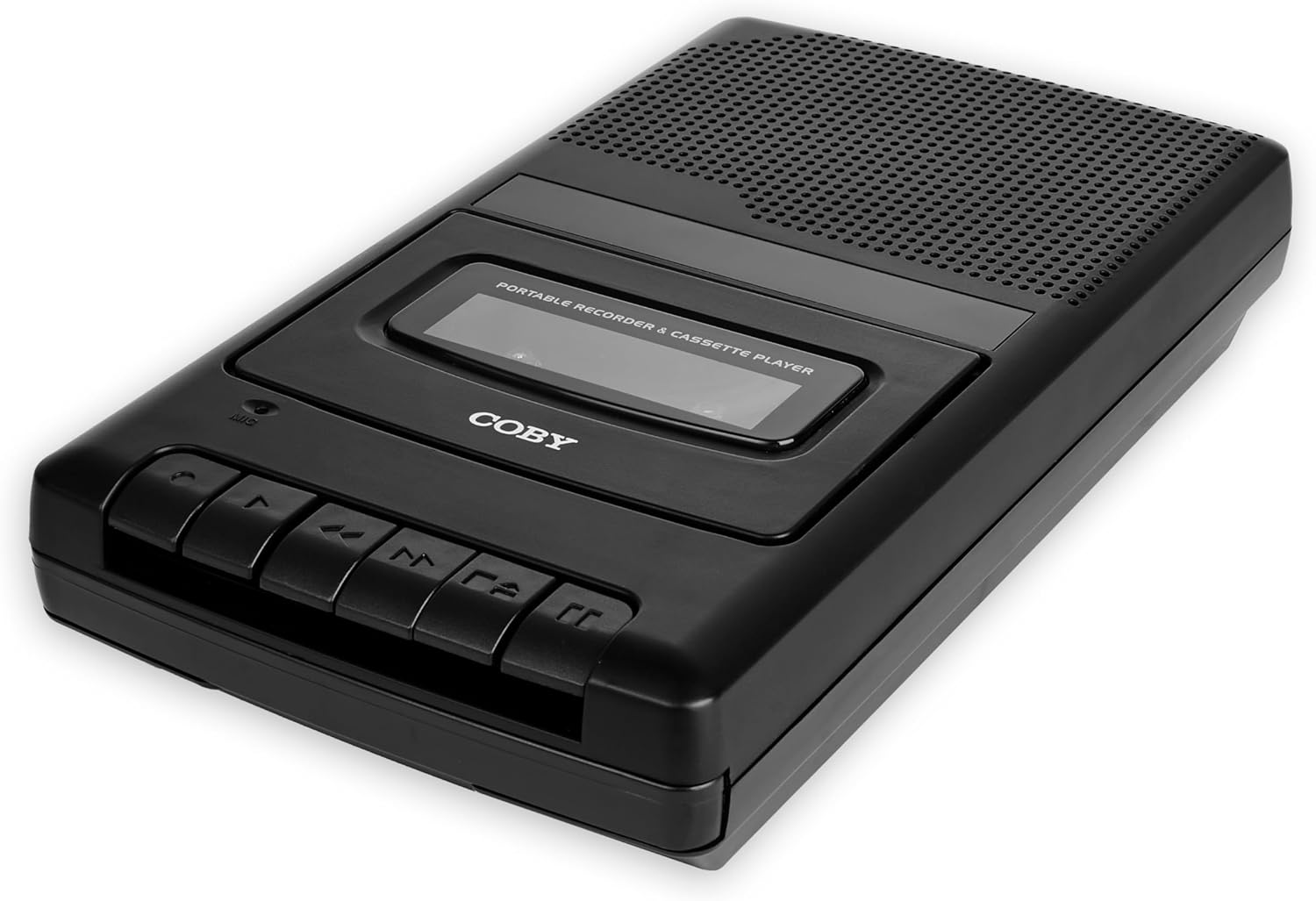
Image: The Coby CVR-22 Portable Cassette Recorder, showcasing svojim kompaktnim dizajnom i kontrolnim tipkama.
Setup
Napajanje uređaja
The CVR-22 operates on two (2) AA batteries. Ensure batteries are inserted correctly according to polarity markings inside the battery compartment.
- Pronađite odjeljak za baterije na donjoj ili stražnjoj strani uređaja.
- Otvorite poklopac odeljka za baterije.
- Insert two AA batteries, matching the positive (+) and negative (-) terminals as indicated.
- Čvrsto zatvorite poklopac odeljka za baterije.

Image: The Coby CVR-22 showing a cassette being inserted and indicating its 2x AA battery power requirement.
Uputstvo za upotrebu
Umetanje kasete
- Pritisnite STOP/EJECT dugme za otvaranje vrata pretinca za kasetu.
- Insert a standard audio cassette tape with the open edge facing upwards and the tape side facing the unit.
- Pažljivo zatvorite vrata pretinca za kasetu dok ne kliknu.
Reprodukcija
- Provjerite je li kaseta pravilno umetnuta.
- Pritisnite IGRAJ button. The tape will begin to play.
- Adjust the volume using the volume control dial, typically located on the side of the unit.
- Za zaustavljanje reprodukcije pritisnite STOP/EJECT dugme.
- Za premotavanje unaprijed, pritisnite FF (Brzo premotavanje unaprijed) dugme.
- Za premotavanje unazad, pritisnite REW (premotavanje unazad) dugme.

Image: A user holding the Coby CVR-22, illustrating the joy of rediscovering a classic tape collection.
Snimanje
The CVR-22 features one-touch recording and a built-in microphone for convenient audio capture.
- Ensure a blank or recordable cassette tape is inserted.
- Pritisnite RECORD button (usually red). The IGRAJ Dugme će se također istovremeno aktivirati.
- The built-in microphone will begin recording audio. Position the recorder appropriately for optimal sound capture.
- Za zaustavljanje snimanja pritisnite STOP/EJECT dugme.

Image: The Coby CVR-22 being used in a classroom setting, highlighting its utility for recording classes and lectures.

Image: The Coby CVR-22 positioned on a meeting table, demonstrating its suitability for recording meetings with its one-touch record button.
Eksterne veze
The CVR-22 includes a 3.5mm headphone jack for private listening and potentially an external microphone input (check your specific unit for microphone input if needed, as the built-in mic is standard).
- Priključak za slušalice: Connect standard 3.5mm headphones for personal audio playback.
- External Microphone Input (if available): For higher quality recordings or specific recording scenarios, an external microphone can be connected to the designated input jack.

Image: The Coby CVR-22 connected to an external microphone setup, illustrating its built-in audio input/output ports for versatile use.
Održavanje
Čišćenje jedinice
- Obrišite vanjski dio uređaja mekom, suhom krpom.
- Nemojte koristiti abrazivna sredstva za čišćenje ili otapala, jer mogu oštetiti završni sloj.
- Periodically clean the tape head and pinch roller using a specialized cassette head cleaner or a cotton swab lightly dampened with isopropyl alcohol. This helps maintain optimal sound quality.
Battery Care
- Izvadite baterije ako uređaj nećete koristiti duži period kako biste spriječili curenje.
- Istrošene baterije odlažite odgovorno u skladu sa lokalnim propisima.
Rješavanje problema
| Problem | Mogući uzrok | Rješenje |
|---|---|---|
| Jedinica se ne uključuje. | Prazne ili nepravilno umetnute baterije. | Zamijenite baterije novima, pazeći na ispravan polaritet. |
| Nema zvuka tokom reprodukcije. | Volume too low; headphones not connected properly; tape head dirty. | Increase volume; ensure headphones are fully inserted; clean tape head. |
| Snimak je izobličen ili nejasan. | Microphone too far from sound source; tape head dirty; faulty tape. | Move closer to sound source; clean tape head; try a different tape. |
| Traka se ne pomiče niti se zaglavljuje. | Tape is tangled or damaged; unit mechanism issue. | Carefully remove and inspect tape; try a different tape. If issue persists, contact support. |
Specifikacije
| Feature | Detalj |
|---|---|
| Brand | Coby |
| Broj modela | TRC-22 |
| Boja | Crna |
| Izvor napajanja | 2 x AA Batteries (Not rechargeable) |
| Medijum za snimanje | Kaseta |
| Karakteristike snimanja | One-Touch Recording, Built-in Microphone, Auto-Stop |
| Karakteristike reprodukcije | Car Stop |
| Audio izlaz | Ugrađeni zvučnik, 3.5 mm priključak za slušalice |
| Dimenzije (D x Š x V) | 14.8 cm x 25.9 cm x 5 cm (otprilike) |
| Drška | Retractable |
Garancija i podrška
Specific warranty information for the Coby CVR-22 Portable Cassette Recorder is not available in this manual. Please refer to the product packaging or the manufacturer's official webstranicu za detaljne uslove i odredbe garancije.
For technical support or service inquiries, please contact Coby customer service through their official channels. Keep your purchase receipt as proof of purchase.
Manufacturer: Summit Electronics, US
Ask a question about this manual
Ask about setup, troubleshooting, compatibility, parts, safety, or missing instructions. Manuals+ will review the question and use this page’s manual context to help answer it.