
Coby CD191
Coby Portable CD Player User Manual
Model: CD191
Brand: Coby
Uvod
Thank you for choosing the Coby Portable CD Player CD191. This device is designed to provide a versatile and enjoyable audio experience, combining classic CD playback with modern features like FM radio and MP3 compatibility. Its compact and shockproof design makes it ideal for both home use and on-the-go listening. Please read this manual thoroughly to understand the proper operation and maintenance of your new CD player.

A front view of the Coby Portable CD Player, showcasing its compact design, LCD display, control buttons, and the included wired earbuds and Micro USB charging cable.
Sigurnosne informacije
Da biste osigurali siguran rad i spriječili oštećenja, molimo vas da se pridržavate sljedećih mjera opreza:
- Ne izlažite uređaj kiši, vlazi ili ekstremnim temperaturama.
- Avoid dropping or subjecting the unit to strong impacts, as this may damage internal components.
- Ne rastavljajte uređaj. Za sve servisne radove obratite se kvalifikovanom osoblju.
- Use only the specified battery type (2 AA batteries) and ensure correct polarity.
- Izbjegavajte slušanje muzike na pretjerano visokim nivoima jačine zvuka tokom dužeg perioda kako biste spriječili oštećenje sluha.
- Keep the CD compartment clean and free of dust or debris.
Sadržaj paketa
Provjerite da li su sve stavke prisutne u paketu:
- Coby Portable CD Player CD191
- Stereo ušice
- Mikro USB kabl

The high-fidelity wired stereo earbuds that come with the CD player, providing a personal listening experience.
Product Overview
Komponente i kontrole
Familiarize yourself with the main components and controls of your CD player:
- LCD ekran: Shows track number, time, mode, and battery status.
- Odjeljak za CD-ove: Where the CD is inserted.
- Dugme za reprodukciju/pauzu: Pokreće ili pauzira reprodukciju.
- Dugme za zaustavljanje: Zaustavlja reprodukciju.
- Skip/Search Buttons (◀◀ / ▶▶): Skips tracks or fast-forwards/rewinds.
- Dugme za način rada: Switches between CD, FM, and MP3 modes.
- Dugme programa: Koristi se za programiranje redoslijeda pjesama.
- Dugmad za jačinu zvuka +/-: Podešava nivo audio izlaza.
- Priključak za slušalice (3.5 mm): Za spajanje slušalica ili eksternih audio uređaja.
- Mikro USB port: Za vanjsko napajanje.
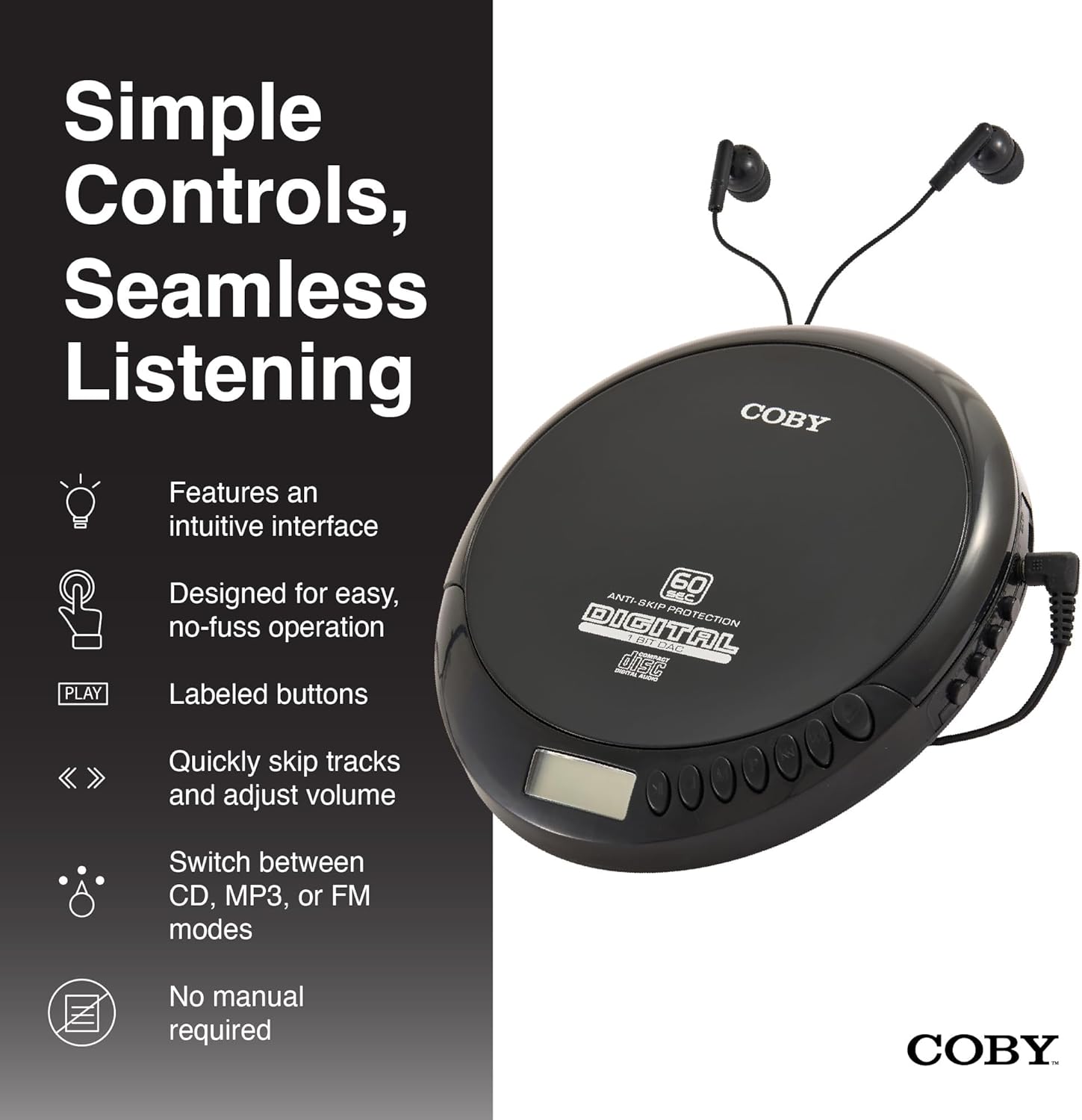
An illustration of the Coby CD Player highlighting its simple controls and intuitive interface.

Detaljno view of the player's LCD screen, which displays the current track number, elapsed time, and battery status.

A close-up of the player's intuitive control buttons, including Play/Pause, Stop, Skip/Search, Mode, and Program functions, designed for easy operation.
Setup
Napajanje uređaja
The Coby CD Player can be powered by 2 AA batteries (not included) or via the included Micro USB cable.
- Instalacija baterije: Open the battery compartment cover on the back of the unit. Insert 2 AA batteries, ensuring correct polarity (+/-). Close the cover securely.
- USB napajanje: Connect the Micro USB cable to the Micro USB port on the CD player and the other end to a USB power source (e.g., USB wall adapter, computer USB port).

An image showing a user enjoying music with the Coby CD player, highlighting its versatility with both battery and USB power options.

The included Micro USB cable, used for powering the CD player when not using batteries.
Povezivanje slušalica
Umetnite 3.5 mm utikač vaših slušalica u priključak za slušalice sa strane CD plejera.
Umetanje CD-a
- Press the OPEN button to open the CD compartment lid.
- Carefully place the CD onto the center spindle with the label side facing up.
- Lagano pritisnite CD prema dolje dok ne klikne na svoje mjesto.
- Čvrsto zatvorite poklopac pretinca za CD dok se ne zaključa.
Uputstvo za upotrebu
CD reprodukcija
- Insert a CD (CD, CD-R, CD-RW, or CD-MP3).
- Pritisnite PLAY/PAUSE dugme za početak reprodukcije. LCD ekran će prikazati broj numere i proteklo vrijeme.
- Za pauziranje reprodukcije pritisnite PLAY/PAUSE ponovo. Pritisnite ga još jednom za nastavak.
- Za zaustavljanje reprodukcije pritisnite STOP dugme.
The player features 60-second anti-skip protection to ensure continuous audio during movement.
Track Navigation
- Pritisnite ▶▶ da pređete na sledeću numeru.
- Pritisnite ◀◀ to return to the beginning of the current track. Press it twice quickly to go to the previous track.
- Pritisnite i držite ▶▶ to fast-forward through the current track.
- Pritisnite i držite ◀◀ to rewind through the current track.
Kontrola jačine zvuka
Koristite VOLUME + i JAČINA - buttons to adjust the listening volume to a comfortable level.
Rad FM radija
- Pritisnite MODE button until 'FM' appears on the LCD display.
- The player will automatically scan and tune to available FM stations.
- Koristite ◀◀ i ▶▶ buttons to manually tune to specific frequencies or to scan for the next/previous strong station.

This image illustrates the built-in FM radio feature of the Coby CD player, allowing users to tune into their favorite radio stations.
MP3 reprodukcija
The Coby CD Player supports MP3 files burned onto CD-R or CD-RW discs. When an MP3 CD is inserted, the player will automatically detect the format and begin playback.
Connecting to External Audio Systems
You can connect your Coby CD Player to external speakers or a car audio system using a 3.5mm AUX cable (not included).
- Connect one end of the 3.5mm AUX cable to the headphone jack on the CD player.
- Connect the other end to the AUX input of your external speaker or car audio system.
- Ensure the external device is set to its AUX input mode.

The CD player connected to an external speaker, demonstrating its ability to deliver enhanced sound with features like Super Bass and Crystal Clear Sound when connected to compatible audio systems.

The portable CD player integrated into a car's audio system via an AUX connection, allowing for on-the-go music playback through car speakers.
Održavanje
Čišćenje jedinice
- Obrišite vanjski dio uređaja mekom, suhom krpom. Ne koristite abrazivna sredstva za čišćenje ili rastvarače.
- To clean the CD lens, use a specialized CD lens cleaning disc (not included).
Čuvanje i skladištenje baterija
- Izvadite baterije ako uređaj nećete koristiti duži period kako biste spriječili curenje.
- Uređaj čuvajte na hladnom i suhom mjestu, dalje od direktne sunčeve svjetlosti i ekstremnih temperatura.
Rješavanje problema
| Problem | Mogući uzrok | Rješenje |
|---|---|---|
| Jedinica se ne uključuje. | Batteries are dead or incorrectly inserted. USB cable not connected properly. | Zamijenite baterije novima, pazeći na ispravan polaritet. Provjerite priključak USB kabela. |
| Disc skipping or distorted sound. | Disc is dirty, scratched, or damaged. Unit is subjected to excessive vibration. | Clean the disc with a soft, lint-free cloth. Try a different disc. Ensure the anti-skip protection is active. Avoid strong impacts. |
| Nema zvuka iz slušalica. | Headphones not fully plugged in. Volume is too low. Headphones are faulty. | Ensure headphones are fully inserted into the jack. Increase the volume. Try a different pair of headphones. |
| Statički šum na FM radiju ili slab prijem. | Slab signal. Smetnje. | Adjust the position of the unit. Try moving to a different location. |
| MP3 CD not recognized. | Disc format not supported or disc is corrupted. | Osigurajte MP3 files are properly encoded and the disc is finalized. Try a different MP3 CD. |
Specifikacije
| Feature | Detalj |
|---|---|
| Dimenzije proizvoda | 5.5 x 1 x 5 inča |
| Težina artikla | 7 unce |
| Broj modela | CD-191-BLK |
| Izvor napajanja | 2 AA batteries (not included), Micro USB |
| Tehnologija povezivanja | Pomoćni, USB |
| Posebna karakteristika | Portable, FM Radio, MP3 Compatible |
| Zaštita od preskakanja | 60 sekundi |
| Kompatibilni formati diskova | CD, CD-R, CD-RW, CD-MP3 |
Zvanični video proizvoda
Zvanična video prezentacija proizvodaasing the features and benefits of the Coby Portable CD Player with Stereo Earbuds.
Garancija i podrška
Za informacije o garanciji i korisničkoj podršci, molimo pogledajte dokumentaciju koja je priložena uz vašu kupovinu ili posjetite službenu Coby web stranicu. website. Contact details for support are typically found on the manufacturer's product page or in the warranty card.
Coby Official Webstranica: Posjetite Coby trgovinu na Amazonu
Ask a question about this manual
Ask about setup, troubleshooting, compatibility, parts, safety, or missing instructions. Manuals+ will review the question and use this page’s manual context to help answer it.