
1. Uvod
The KitSound Cayman 2.1 Wireless Bluetooth Speaker System combines powerful audio performance with a modern design, offering versatile connectivity options for an enhanced listening experience. This manual provides detailed instructions for setting up, operating, and maintaining your speaker system.
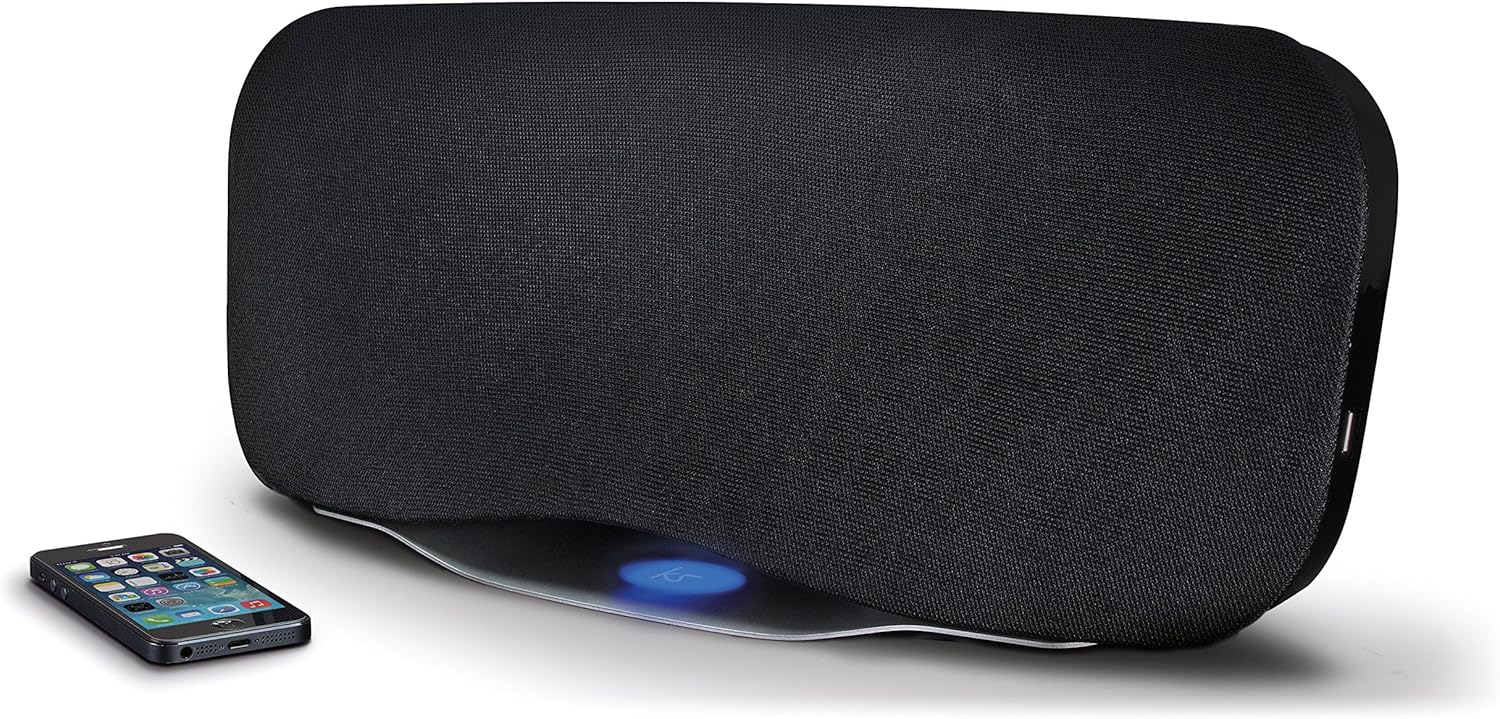
Image 1.1: The KitSound Cayman 2.1 speaker system shown with a smartphone, highlighting its sleek design and wireless connectivity.
2. Sadržaj paketa
Molimo označite kućicu za sljedeće stavke:
- KS Cayman 2.1 Wireless Bluetooth Speaker with EU Plug
- Daljinsko upravljanje
- 3.5 mm audio kabl
- Uputstvo za upotrebu (ovaj dokument)

Image 2.1: The retail packaging for the KitSound Cayman 2.1 Wireless Bluetooth Speaker System, indicating the included components.
3. Proizvod je gotovview
3.1 Prednja i gornja strana View

Slika 3.1: Prednja strana view of the KitSound Cayman 2.1 speaker, showing the speaker grille and the included remote control.
3.2 Zadnja ploča i priključci

Slika 3.2: Pozadi view of the speaker system, illustrating the various input ports and power connection.
Zadnja ploča obično uključuje:
- Power Input
- 3.5mm Audio Input (AUX)
- USB priključak za punjenje
3.3 Daljinski upravljač

Slika 3.3: Detaljno view of the remote control, showing buttons for power, pairing, mode selection, volume, track control, and sound modes (Balanced/Boost).
The remote control allows you to manage power, volume, playback, and sound modes from a distance. Key buttons include:
- Dugme za napajanje: Uključuje/isključuje zvučnik.
- Dugme za uparivanje: Pokreće Bluetooth način uparivanja.
- Dugme za način rada: Switches between input sources (Bluetooth, AUX).
- Pojačavanje/stišavanje glasnoće: Podešava jačinu zvuka zvučnika.
- Kontrola staze: Skips tracks forward/backward (Bluetooth mode).
- Pusti/Pauziraj/Pozovi: Controls playback and manages calls (Bluetooth mode).
- Balanced/Boost: Selects between different sound profiles.
4. Podešavanje
4.1 Priključak za napajanje
- Place the KitSound Cayman speaker on a stable, flat surface.
- Connect the power cable to the power input port on the rear of the speaker.
- Plug the other end of the power cable into a suitable EU power outlet.
- Press the power button on the speaker or remote control to turn it on.
4.2 Početno smještaj
For optimal sound performance, position the speaker in a central location within the room. When used as a soundbar, place it directly below your television.
5. Uputstvo za upotrebu
5.1 Bluetooth uparivanje
- Uvjerite se da je zvučnik uključen.
- Pritisnite Mode button on the remote control or speaker until the Bluetooth indicator light flashes, indicating pairing mode.
- On your smartphone, tablet, or MP3 device, enable Bluetooth and search for available devices.
- Odaberite "KS Cayman" sa liste uređaja.
- Nakon uparivanja, indikatorska lampica Bluetootha će početi stalno svijetliti i čut ćete zvučni signal potvrde.
- Sada možete bežično strimovati zvuk sa svog uređaja na zvučnik.
5.2 NFC (Near Field Communication) Pairing
For devices with NFC capability:
- Ensure NFC is enabled on your device and the speaker is powered on.
- Gently tap your NFC-enabled device against the NFC logo on the top of the KitSound Cayman speaker.
- Your device will automatically connect to the speaker via Bluetooth.
- A confirmation tone will sound upon successful connection.
5.3 Žičana veza (AUX)
To connect devices without Bluetooth or NFC:
- Connect one end of the supplied 3.5mm audio cable to the AUX IN priključak na stražnjoj strani zvučnika.
- Connect the other end of the 3.5mm audio cable to the headphone jack or audio output of your device (e.g., TV, MP3 player).
- Pritisnite Mode button on the remote control or speaker to select the AUX input.
- Zvuk će se sada reproducirati preko zvučnika s vašeg povezanog uređaja.
5.4 Using as a Soundbar
The KitSound Cayman can function as a soundbar for your television:
- Place the speaker (540mm wide) directly under your TV.
- Connect your TV's audio output to the speaker's AUX IN port using the 3.5mm audio cable.
- Select the AUX input mode on the speaker.
- Adjust the volume using the remote control or the TV's volume controls.
5.5 USB priključak za punjenje
The integrated USB port on the rear of the speaker can be used to charge compatible devices (e.g., smartphones, tablets) while the speaker is powered on.
5.6 režima zvuka
The remote control features buttons to switch between different sound profiles:
- izbalansirano: Provides a neutral and well-rounded audio experience.
- pojačanje: Enhances bass and treble for a more dynamic sound.
6. Održavanje
- čišćenje: Za čišćenje vanjske strane zvučnika koristite meku, suhu krpu. Nemojte koristiti tekuća sredstva za čišćenje ili abrazivne materijale.
- Skladištenje: Kada se zvučnik ne koristi duži period, čuvajte ga na hladnom i suhom mjestu, dalje od direktne sunčeve svjetlosti i ekstremnih temperatura.
- Izbjegavajte vlagu: Do not expose the speaker to water or excessive humidity, as it is not waterproof.
- ventilacija: Pazite da ventilacijski otvori zvučnika nisu blokirani kako biste spriječili pregrijavanje.
7. Otkrivanje problema
| Problem | Mogući uzrok | Rješenje |
|---|---|---|
| Nema struje | Kabl za napajanje nije priključen ili utičnica nije aktivna. | Ensure the power cable is securely connected to both the speaker and a working power outlet. Check the power switch. |
| No sound (Bluetooth) | Speaker not paired, volume too low, or incorrect input mode. | Re-pair the Bluetooth device. Increase speaker and device volume. Ensure the speaker is in Bluetooth mode. |
| No sound (AUX) | Cable not connected properly, incorrect input mode, or device volume too low. | Check 3.5mm audio cable connections. Ensure the speaker is in AUX mode. Increase volume on both speaker and connected device. |
| Daljinski upravljač ne radi | Batteries depleted or obstruction between remote and speaker. | Replace remote control batteries. Ensure a clear line of sight between the remote and the speaker's sensor. |
| Loša Bluetooth veza | Device too far from speaker, interference, or obstacles. | Move the device closer to the speaker (within 10 meters). Remove any obstacles. Avoid placing near other wireless devices. |
8. Specifikacije
| Izlaz RMS | 50W |
| Frekvencijski odziv | 40Hz - 15kHz |
| Bluetooth verzija | V4.0 EDR |
| Bluetooth domet | Do 10 metara |
| Tehnologija povezivanja | Auxiliary, Bluetooth, NFC, USB |
| Kontrolni metod | Daljinski |
| Izvor napajanja | Electric component with cord (EU Power Plug) |
| Dimenzije proizvoda | 54.5 x 21.5 x 17.5 cm |
| Težina artikla | 3.85 kg |
| Broj modela | KSCAYMEU |
9. Garancija i podrška
For warranty information and technical support, please refer to the documentation provided with your purchase or visit the official KitSound webSačuvajte dokaz o kupovini za eventualne reklamacije.
Manufacturer: Kondor Limited