
Uvod
This manual provides detailed instructions for the EMOS E0042 Wireless Digital Thermometer. This device is designed to accurately measure and display both indoor and outdoor temperatures using a main unit and a remote wireless sensor. Please read this manual thoroughly before use to ensure proper operation and longevity of your device.

Image showing the EMOS E0042 Wireless Digital Thermometer in its retail packaging.
Sadržaj paketa
The EMOS E0042 package includes the following components:
- 1x EMOS E0042 Main Display Unit
- 1x EMOS Wireless Outdoor Sensor

Image showing the EMOS E0042 main display unit and the wireless outdoor sensor.
Karakteristike proizvoda
The EMOS E0042 Wireless Digital Thermometer offers a range of features for convenient temperature monitoring:
- Clear and easy-to-read LCD display with large digits.
- Simultaneous display of indoor and outdoor temperatures.
- Wireless outdoor sensor with a transmission range of up to 100 meters (open area).
- Temperature measurement range: Indoor 0 °C to 60 °C, Outdoor -40 °C to +60 °C.
- Temperature resolution: 0.1 °C.
- Main unit suitable for tabletop placement or wall mounting.
- Sensor designed for outdoor use.
- Powered by AAA batteries (not included).
Icon indicating indoor and outdoor temperature measurement capabilities.
Setup
1. Instalacija baterije
The main unit and the wireless sensor each require 2x AAA 1.5V batteries (not included).
Glavna jedinica za prikaz:
- Locate the battery compartment on the back of the main display unit.
- Otvorite poklopac odeljka za baterije.
- Umetnite 2x AAA baterije, pazeći na ispravan polaritet (+/-).
- Čvrsto zatvorite poklopac odeljka za baterije.
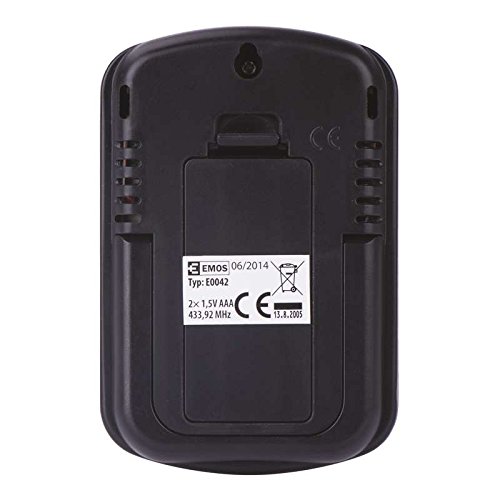
Pozadi view of the EMOS E0042 main display unit, showing the battery compartment and wall-mount hole.
Bežični vanjski senzor:
- Locate the battery compartment on the back of the wireless outdoor sensor.
- Otvorite poklopac odeljka za baterije.
- Umetnite 2x AAA baterije, pazeći na ispravan polaritet (+/-).
- Čvrsto zatvorite poklopac odeljka za baterije.
- The sensor will automatically begin transmitting data.
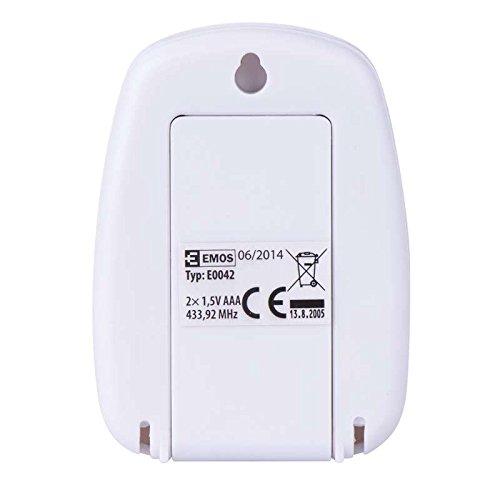
Pozadi view of the EMOS wireless outdoor sensor, showing the battery compartment.
2. Uparivanje senzora
The main unit and sensor should automatically pair once batteries are installed. If the outdoor temperature is not displayed, ensure both units are within range and try re-inserting the batteries in both units.
3. Plasman
Glavna jedinica za prikaz:
Place the main unit indoors on a flat surface using its integrated stand, or mount it on a wall using the hanging hole on the back. Ensure it is in a location where the display is easily visible and not exposed to direct sunlight or extreme temperature fluctuations.
Side view of the EMOS E0042 main display unit, showing its integrated stand for tabletop placement.
Bežični vanjski senzor:
Position the wireless sensor outdoors in a shaded area, protected from direct rain and sunlight, to ensure accurate temperature readings. The maximum effective range between the sensor and the main unit is 100 meters in an open area. Walls, obstacles, and electronic interference can reduce this range.
Uputstvo za upotrebu
Reading Temperatures
Once powered on and paired, the main display unit will show two temperature readings:
- VAN: This indicates the outdoor temperature measured by the wireless sensor.
- U: This indicates the indoor temperature measured by the main display unit itself.
The temperature is displayed in degrees Celsius (°C).
Display
The large LCD screen provides clear, simultaneous readings of both indoor and outdoor temperatures.
Održavanje
Čišćenje
Da biste očistili uređaj, obrišite ga mekom krpom, damp krpu. Ne koristite abrazivna sredstva za čišćenje ili rastvarače, jer mogu oštetiti ekran iliasing.
Zamjena baterije
When the display becomes dim or readings are inconsistent, it is time to replace the batteries in both the main unit and the wireless sensor. Follow the battery installation steps outlined in the "Setup" section.
Rješavanje problema
| Problem | Mogući uzrok | Rješenje |
|---|---|---|
| Nema prikaza na glavnoj jedinici. | Baterije su prazne ili nepravilno umetnute. | Provjerite polaritet baterija i zamijenite ih novim AAA baterijama. |
| Outdoor temperature not displayed or shows "--". | Sensor out of range, batteries dead, or interference. | Move sensor closer to the main unit. Replace sensor batteries. Ensure no strong electronic interference sources are nearby. Re-pair by removing and re-inserting batteries in both units. |
| Netačna očitavanja temperature. | Sensor exposed to direct sunlight, rain, or heat sources. | Relocate the sensor to a shaded, protected area. Ensure proper ventilation around both units. |
Specifikacije
| Feature | Detalj |
|---|---|
| Broj modela | E0042 |
| Brand | EMOS |
| Raspon unutarnje temperature | 0 °C do 60 °C |
| Raspon vanjske temperature | -40 °C do +60 °C |
| Temperaturna rezolucija | 0.1 °C |
| bežični domet | Do 100 metara (otvorena površina) |
| Frekvencija | 433 MHz |
| Napajanje glavne jedinice | 2x AAA 1.5V baterije (nisu uključene) |
| Napajanje senzora | 2x AAA 1.5V baterije (nisu uključene) |
| Dimenzije glavne jedinice (D x Š x V) | 8.5 x 5.6 x 1.8 cm |
| Dimenzije senzora (D x Š x V) | 6.8 x 4.9 x 2.0 cm |
| Display Type | Digitalni LCD |
| Tehnologija povezivanja | RF (radio frekvencija) |
| Materijal | Plastika |
| Certifikati | CE |
Sigurnosne informacije
For detailed safety guidelines and important warnings, please refer to the official Safety Information PDF document provided by the manufacturer. Preuzmite sigurnosne informacije (PDF)
Garancija i podrška
EMOS products are manufactured to high-quality standards. For warranty information or technical support, please contact your retailer or the official EMOS customer service. Keep your purchase receipt as proof of purchase.