
Uvod
This manual provides comprehensive instructions for the setup, operation, maintenance, and troubleshooting of your Kanto YU2 Desktop Speakers. Please read this manual thoroughly before using your speakers to ensure optimal performance and longevity.
Šta je u kutiji
Your Kanto YU2 speakers come with all necessary accessories for immediate setup.
- Kanto YU2 Powered Desktop Speakers (Pair)
- Kabl za napajanje
- Speaker Wire
- USB DAC Cable
- 3.5 mm pomoćni kabel
- Gumene nožice (8 komada)
- Uputstvo za upotrebu
- Kanto USA Warranty Information

Image: All items included in the Kanto YU2 speaker package.
Video: An unboxing video for the Kanto YU2 Powered Desktop Speakers, showing the contents of the box.
Setup
1. Postavljanje zvučnika
Place the speakers on a flat, stable surface. For optimal sound, position them at ear level and equidistant from your listening position. The included rubber feet can be applied to the bottom of the speakers to reduce vibrations and improve stability.
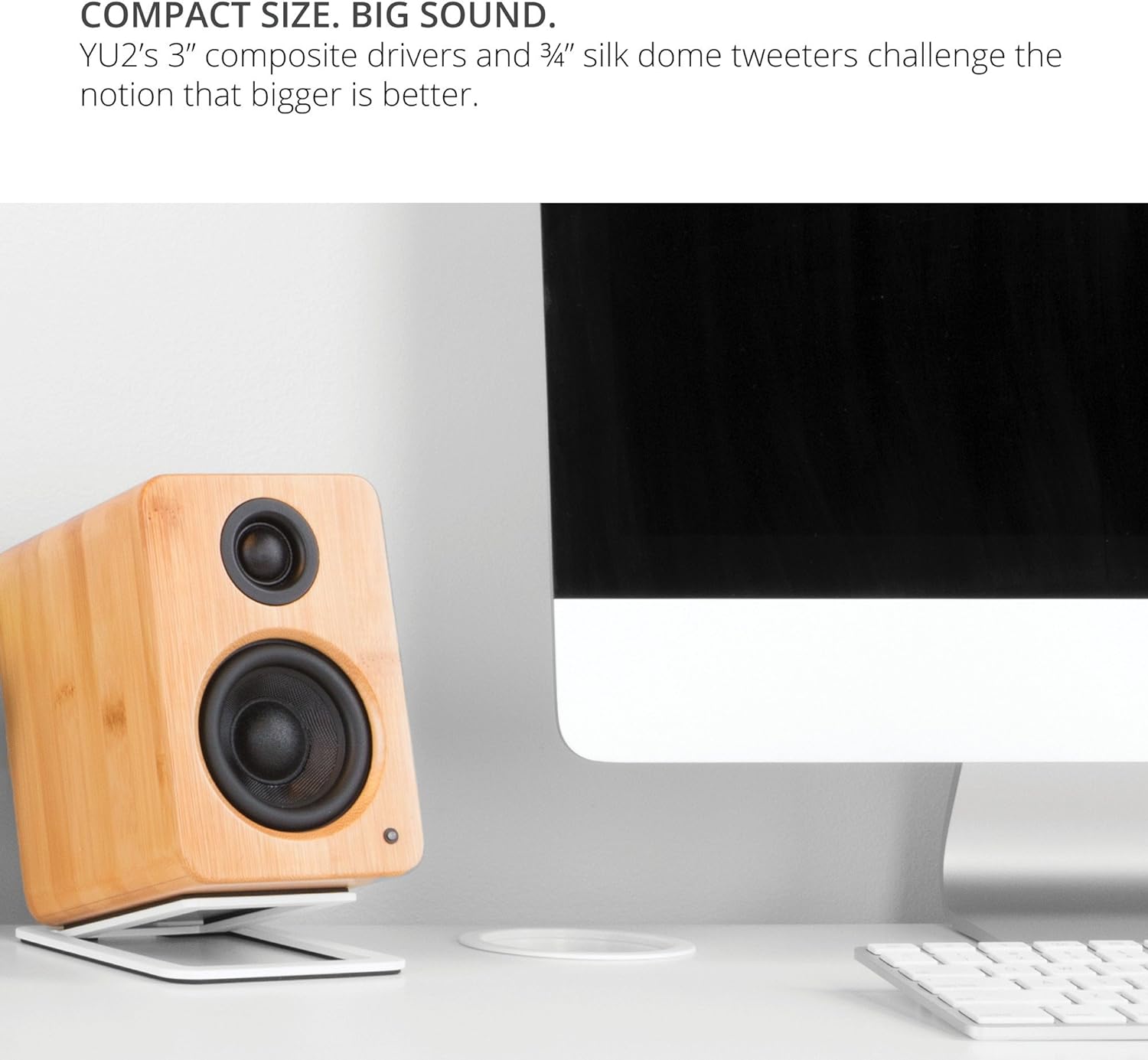
Image: Kanto YU2 speakers positioned on a desktop for optimal listening.
2. Povezivanje zvučnika
The Kanto YU2 system consists of one active (left) speaker and one passive (right) speaker. Connect the active speaker to the passive speaker using the provided speaker wire. Ensure that the positive (+) terminal on the active speaker connects to the positive (+) terminal on the passive speaker, and similarly for the negative (-) terminals.
Video: Instructions on how to connect speaker wire to Kanto speakers.
3. Priključak za napajanje
Connect the power cord to the active speaker and then to a wall outlet. The LED indicator on the front of the active speaker will illuminate when power is supplied.
Uputstvo za upotrebu
1. Audio ulazne veze
The Kanto YU2 speakers offer multiple input options:
- USB DAC: Connect your computer directly to the USB port on the active speaker using the provided USB DAC cable for high-quality digital audio streaming.
- 3.5 mm AUX: Use the 3.5mm auxiliary cable to connect to any device with a headphone jack, such as smartphones, tablets, or other media players.
- Izlaz subwoofera: For enhanced bass, connect an external powered subwoofer to the "Sub Out" port on the active speaker.

Slika: Stražnja strana view of the active Kanto YU2 speaker with various input and output ports labeled.
2. Kontrola jačine zvuka
Adjust the master volume using the knob located on the rear of the active speaker. Turn clockwise to increase volume and counter-clockwise to decrease it. Ensure the volume is set to a low level before playing audio to prevent sudden loud sounds.
3. Uključivanje/isključivanje
The speakers will power on automatically when connected to power and an audio source is detected. To turn off, simply disconnect the power or turn the volume knob to the "OFF" position.
Video: Prekorview of the Kanto YU2 Powered Desktop Speakers, highlighting features and connectivity.
Održavanje
To maintain the appearance and performance of your Kanto YU2 speakers, follow these guidelines:
- čišćenje: Use a soft, dry cloth to wipe the speaker cabinets. Avoid using abrasive cleaners, waxes, or solvents as they may damage the finish.
- Otprašivanje: Regularly dust the speaker grilles and drivers with a soft brush or a microfiber cloth.
- plasman: Izbjegavajte postavljanje zvučnika na direktnu sunčevu svjetlost, u blizinu izvora toplote ili u područja sa visokom vlažnošću.
- Rukovanje: Handle speakers with care. Avoid touching the drivers directly.
Rješavanje problema
If you encounter issues with your Kanto YU2 speakers, refer to the following common solutions:
- Nema zvuka:
- Ensure the power cord is securely connected and the speakers are powered on.
- Check all audio cables (USB, AUX, speaker wire) for secure connections.
- Verify the volume knob on the active speaker is turned up.
- Confirm the audio source (computer, phone) is playing and its volume is not muted or too low.
- If using USB, ensure the Kanto YU2 is selected as the audio output device in your computer's sound settings.
- izobličeni zvuk:
- Smanjite jačinu zvuka i na zvučnicima i na audio izvoru.
- Provjerite ima li oštećenih audio kablova i zamijenite ih ako je potrebno.
- Ensure speaker wires are correctly connected (positive to positive, negative to negative).
- Zujanje ili zujanje:
- Uvjerite se da su svi kablovi sigurni.
- Try plugging the speakers into a different electrical outlet.
- Move the speakers away from other electronic devices that might cause interference.
If these steps do not resolve the issue, please contact Kanto support for further assistance.
Specifikacije
| Feature | Detalj |
|---|---|
| Brand | Kanto |
| Broj modela | YU2MB |
| Vrsta zvučnika | Computer Speakers |
| Izlazna snaga zvučnika | 100 Watts Peak (50 Watts Total RMS) |
| Frekvencijski odziv | 80 Hz - 20 kHz |
| Tehnologija povezivanja | Wired (USB, 3.5mm AUX) |
| Način audio izlaza | Stereo |
| Materijal kućišta | Acoustic grade MDF cabinets |
| Vozači | 3-inch Composite Woofers, 0.75-inch Silk Dome Tweeters |
| USB portovi | 1 (Built-in USB DAC) |
| Audio kanali | 2.0, 2.1 (with Sub Out) |
| Impedansa | 4 Ohma |
| Odnos signala i šuma | 70 dB |
| Dimenzije (D x Š x V) | 5.3"D x 3.9"Š x 5.9"H |
| Težina | 6 funti |
| Izvor napajanja | AC |
| Ulazni voltage | 240 Volts |
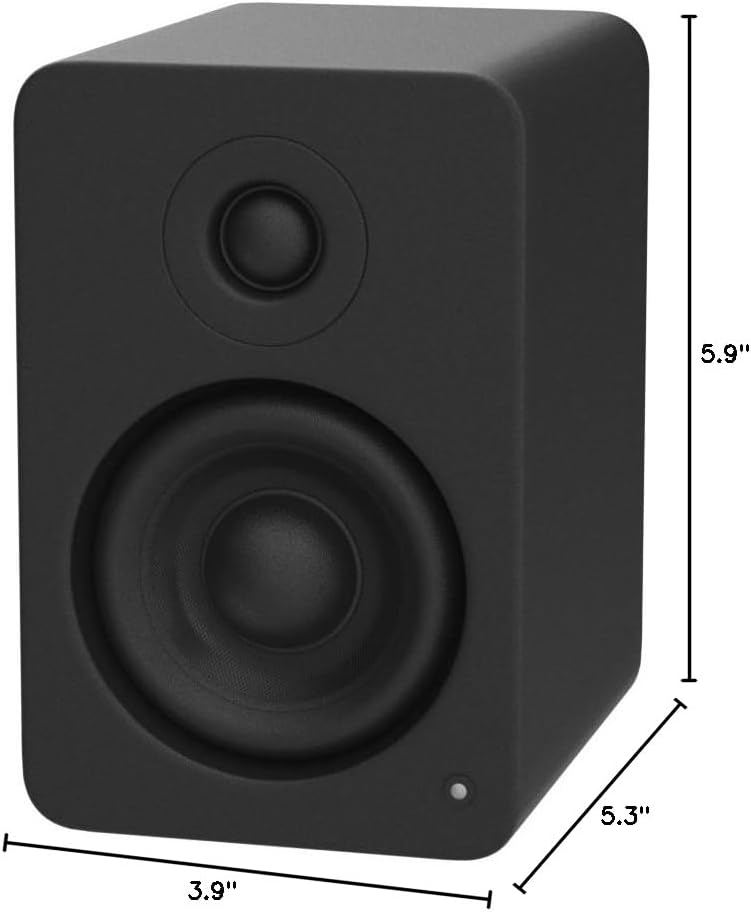
Image: Kanto YU2 speaker dimensions.
Informacije o garanciji
The Kanto YU2 Desktop Speakers come with a 2-godišnja garancija proizvođačaOva garancija pokriva nedostatke u materijalu i izradi pri normalnoj upotrebi. Molimo sačuvajte dokaz o kupovini za potrebe reklamacije.
For detailed warranty terms and conditions, please refer to the Kanto USA Warranty information included in your product package or visit the official Kanto website.
Podrška
For technical support, product inquiries, or assistance with troubleshooting beyond what is covered in this manual, please contact Kanto customer service.
You can find contact information and additional resources on the official Kanto webstranica: www.kantoaudio.com