
1. Uvod
Hvala na kupoviniasing the Lexon LR98R1 Onoff LCD Alarm Clock. This manual provides detailed instructions for the proper setup, operation, and maintenance of your device. Please read this manual thoroughly before use and retain it for future reference.
The Lexon Onoff alarm clock features a unique design where flipping the clock activates or deactivates the alarm. It includes an LCD display with a blue electroluminescent backlight for clear visibility.
2. Sigurnosne informacije
- Ne izlažite uređaj ekstremnim temperaturama, direktnoj sunčevoj svjetlosti ili visokoj vlažnosti.
- Izbjegavajte ispuštanje uređaja ili izlaganje jakim udarcima.
- Do not attempt to disassemble or modify the alarm clock. This will void the warranty.
- Držite uređaj dalje od vode i drugih tečnosti.
- Istrošene baterije odlažite odgovorno u skladu sa lokalnim propisima.
- Koristite samo navedeni tip baterija (2 x AAA).
3. Sadržaj paketa
Provjerite da li su sve stavke prisutne u paketu:
- Lexon LR98R1 Onoff LCD Alarm Clock
- Korisnički priručnik (ovaj dokument)
Napomena: AAA baterije nisu uključene i moraju se kupiti zasebno.
4. Proizvod je gotovview
Familiarize yourself with the components of your Lexon Onoff alarm clock.
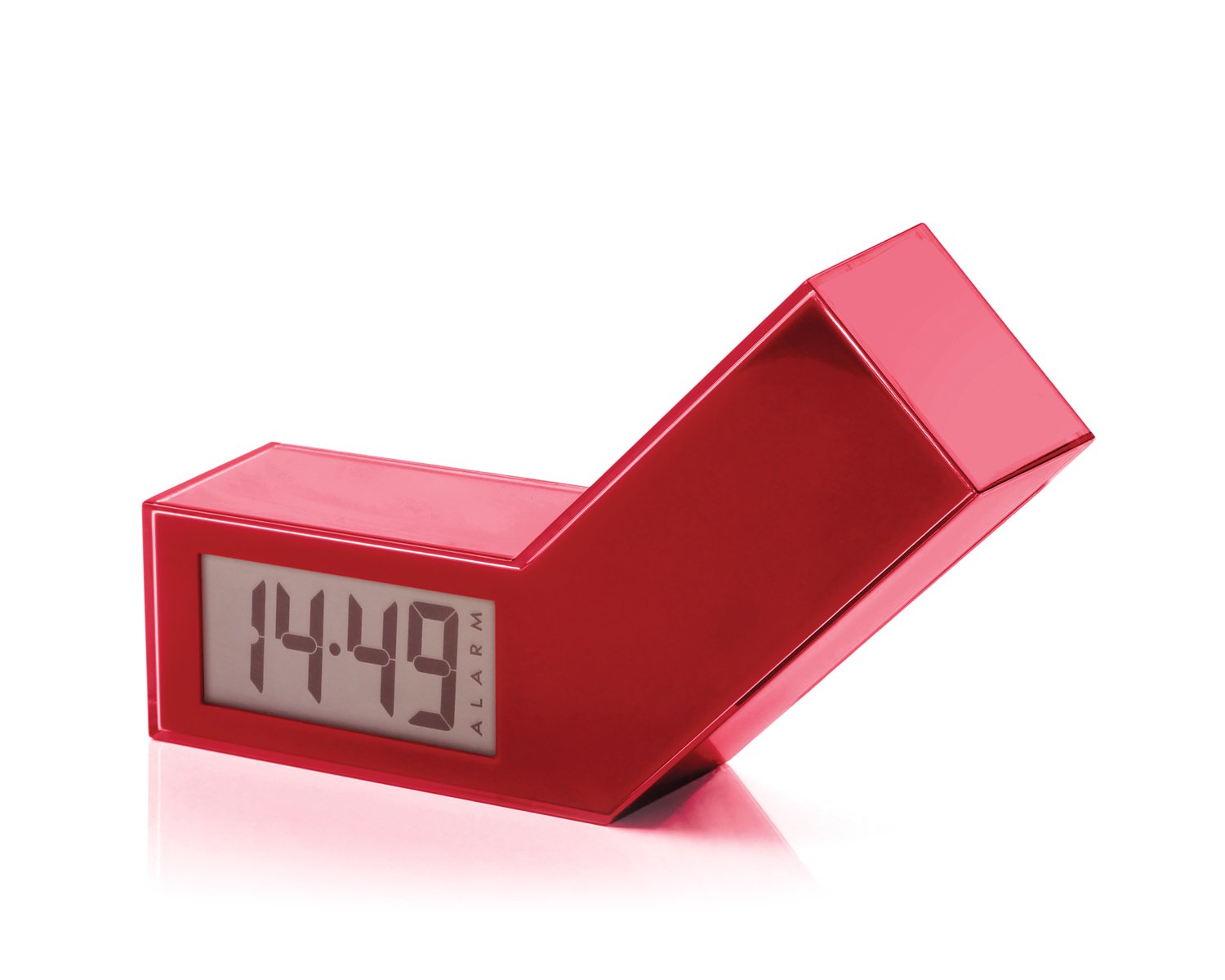
Slika 1: Prednja strana view of the Lexon LR98R1 Onoff LCD Alarm Clock. The image displays the alarm clock in its red casing, with the LCD screen visible. The side labeled 'ON' is facing upwards, indicating the alarm is active. The clock has a minimalist rectangular design.
While specific button labels are not visible in the provided image, typical alarm clock controls are usually located on the back or sides. These generally include:
- Dugme za podešavanje vremena: To adjust the current time.
- Dugme za podešavanje alarma: To adjust the alarm time.
- Hour/Minute Adjustment Buttons: To change hour and minute values.
- Dugme za odgodu/svjetlo: To temporarily silence the alarm or activate the backlight.
- Pretinac za baterije: Located on the back or bottom.
5. Podešavanje
5.1 Instalacija baterije
- Pronađite poklopac pretinca za baterije na stražnjoj ili donjoj strani budilnika.
- Pomaknite ili podignite poklopac da biste otvorili pretinac.
- Umetnite dvije (2) AAA baterije, pazeći na ispravan polaritet (+ i -) kao što je naznačeno unutar odjeljka.
- Vratite sigurno poklopac odeljka za baterije.
Note: Batteries are not included. Please use new AAA alkaline batteries for optimal performance.
5.2 Početno uključivanje
Once batteries are installed, the LCD display should illuminate, and the clock will typically start at a default time (e.g., 12:00 AM). You will then need to set the current time and alarm.
6. Uputstvo za upotrebu
6.1 Podešavanje trenutnog vremena
- Pritisnite i držite TIME SET button (or similar, refer to device markings) until the hour digits begin to flash.
- Koristite HOUR i MINUTE adjustment buttons to set the correct hour and minute.
- Pritisnite TIME SET ponovo da biste potvrdili i izašli iz načina podešavanja vremena.
6.2 Podešavanje vremena alarma
- Pritisnite i držite ALARM SET button (or similar) until the alarm hour digits begin to flash.
- Koristite HOUR i MINUTE adjustment buttons to set your desired alarm time.
- Pritisnite ALARM SET again to confirm and exit alarm setting mode.
6.3 Activating/Deactivating the Alarm (Onoff Feature)
The Lexon Onoff alarm clock features a unique flip mechanism:
- To AKTIVIRAJ the alarm, place the clock with the side labeled "ON" facing upwards. An alarm icon should appear on the LCD display.
- To DEAKTIVIRAJ the alarm, flip the clock so the side labeled "OFF" is facing upwards. The alarm icon should disappear from the display.
6.4 Silencing the Alarm / Snooze Function
- Kada se oglasi alarm, pritisnite SNOOZE / LIGHT button (usually a large button on top) to temporarily silence the alarm. The alarm will sound again after a few minutes (typically 5-10 minutes).
- To completely turn off the alarm for the day, flip the clock to the "OFF"pozicija".
6.5 Pozadinsko osvetljenje ekrana
Pritisnite SNOOZE / LIGHT button to activate the blue electroluminescent backlight for a few seconds, allowing you to view vrijeme u uslovima slabog osvjetljenja.
7. Održavanje
7.1 Čišćenje
Wipe the surface of the alarm clock with a soft, dry cloth. Do not use abrasive cleaners, solvents, or chemical sprays, as these may damage the finish or electronic components.
7.2 Zamjena baterije
When the display dims or the alarm function becomes unreliable, it is time to replace the batteries. Follow the battery installation steps in Section 5.1. Always replace both AAA batteries at the same time.
8. Otkrivanje problema
| Problem | Mogući uzrok | Rješenje |
|---|---|---|
| Ekran je prazan ili taman. | Baterije su prazne ili nepravilno instalirane. | Zamijenite baterije novim AAA baterijama, pazeći na ispravan polaritet. |
| Alarm se ne oglašava. | Alarm is not activated (clock is in "OFF" position) or alarm time is not set. | Flip the clock to the "ON" position. Verify the alarm time is set correctly (Section 6.2). Ensure batteries are not low. |
| Vrijeme je netačno. | Time was not set correctly or batteries were removed/replaced. | Reset the current time (Section 6.1). |
| Backlight does not work. | Niske baterije. | Zamijenite baterije. |
9. Specifikacije
| Broj modela | LR98R1 |
| Brand | Lexon |
| Display Type | LCD with Blue Electroluminescent Backlight |
| Izvor napajanja | 2 x AAA baterije (nisu uključene) |
| Materijal | ABS / Injected Polycarbonate |
| Dimenzije (D x Š x V) | 13.5 x 3.5 x 8 cm (približno 5.3 x 1.4 x 3.1 inča) |
| Movement Type | Kvarc |
| Posebne karakteristike | Onoff flip alarm activation/deactivation, Snooze function |
10. Garancija i podrška
The Lexon LR98R1 Onoff LCD Alarm Clock comes with a 2-godišnja garancija proizvođača od datuma kupovine. Ova garancija pokriva nedostatke u materijalu i izradi pri normalnoj upotrebi.
Garancija ne pokriva:
- Šteta uzrokovana nesrećom, zloupotrebom, zloupotrebom, poplavom, požarom, zemljotresom ili drugim vanjskim uzrocima.
- Damage caused by operating the product outside the permitted or intended uses described in this manual.
- Damage caused by service performed by anyone who is not an authorized representative of Lexon.
- Products or parts that have been modified to alter functionality or capability without the written permission of Lexon.
For warranty claims or technical support, please contact Lexon customer service through their official website or your retailer. Please have your proof of purchase and model number (LR98R1) ready.